Operating System Guide: What It Is and Why Your Business Needs It
Your business relies on computers, servers, applications, and other digital tools every day. But behind all of these technologies is one essential piece of software that keeps everything working together: the operating system (OS).
Whether your business uses Windows, macOS, or Linux, the operating system manages your hardware, runs applications, handles files, and provides the environment employees need to get their work done. When an operating system is outdated, poorly configured, or incompatible with your software, it can lead to slow performance, security vulnerabilities, and costly downtime.
In this Operating System Guide, we’ll explain what an operating system does, why it matters to businesses, the differences between popular operating systems, and how proper IT management can keep your systems secure and reliable.
What Is an Operating System?
An operating system (OS) is the core software that manages a computer’s hardware and software resources. It acts as a connection between the physical components of a device and the applications you use every day.
When you open a document, launch a web browser, save a file, or connect a printer, the operating system manages the processes happening in the background.
Popular operating systems include:
- Microsoft Windows – widely used in homes, offices, and businesses
- macOS – Apple’s operating system for Mac computers
- Linux – an open-source operating system commonly used for servers, development, and specialized systems
- Android and iOS – operating systems designed primarily for mobile devices
Without an operating system, a computer would not have the software environment required to run applications or interact easily with its hardware.
What Does an Operating System Do?
An operating system performs several important functions that keep your devices running efficiently.
Process Management
The OS manages the programs and processes running on your computer. It determines how much processing power each application receives and helps multiple programs run simultaneously.
For example, you can browse the internet while working on a spreadsheet and downloading a file because the operating system coordinates these activities in the background.
Memory Management
Your computer’s RAM is a limited resource. The operating system allocates memory to applications when they need it and releases that memory when it is no longer required.
Effective memory management helps prevent applications from interfering with one another and contributes to overall system stability.
File and Storage Management
Operating systems organize files and folders on storage devices. They allow users and applications to create, access, modify, move, and delete files.
This makes it possible for employees to efficiently manage documents, spreadsheets, customer records, images, and other business data.
Hardware Management
The OS communicates with hardware components such as printers, keyboards, monitors, network adapters, storage drives, and other peripherals.
Device drivers allow the operating system and hardware to communicate correctly. When drivers are outdated or incompatible, devices may stop working properly.
Security and User Management
Modern operating systems include security features that help protect devices and data. These may include user accounts, permissions, authentication, encryption, firewall capabilities, and security updates.
For businesses, proper configuration of these features is an important part of maintaining a secure IT environment.
Why Your Business Needs a Reliable Operating System
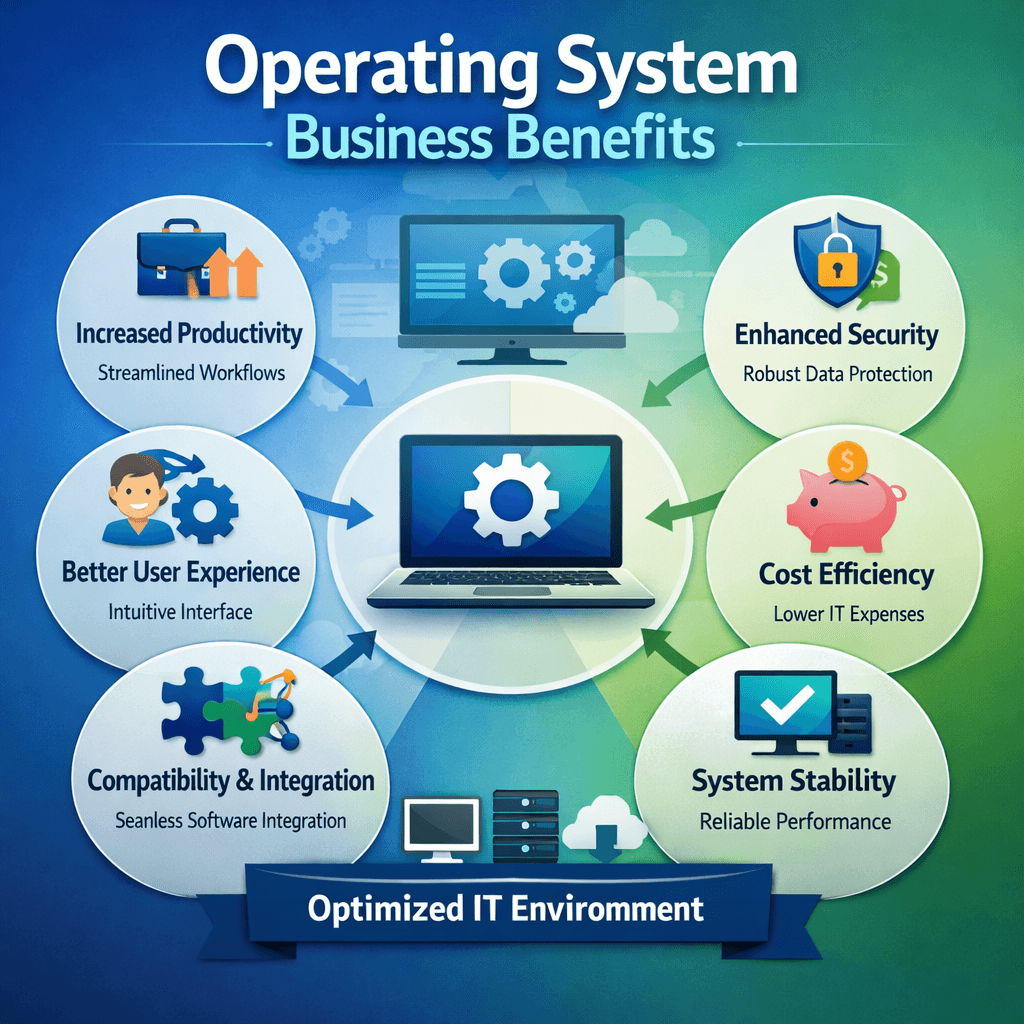
A reliable operating system is more than a technical requirement. It directly affects employee productivity, cybersecurity, system compatibility, and business continuity.
When computers operate reliably, employees can focus on their work instead of dealing with crashes, software conflicts, or slow systems.
1. Better Productivity
Slow or unstable computers can waste significant amounts of employee time. Applications may take longer to open, systems may freeze, and employees may have to repeatedly restart their devices.
Keeping operating systems updated and properly configured can help maintain consistent performance.
2. Improved Security
Cybercriminals frequently target vulnerabilities in outdated software and operating systems. Security updates often include patches designed to address newly discovered vulnerabilities.
For businesses handling customer information, financial records, or confidential documents, keeping operating systems current should be part of a broader cybersecurity strategy.
3. Software Compatibility
Business applications are often designed to work with specific operating systems and versions.
An outdated OS may eventually become incompatible with newer software, while an unsupported version may prevent a business from receiving important security updates.
Before upgrading an operating system, businesses should check whether their essential applications, hardware, and systems are compatible with the new version.
4. Reduced Downtime
Unexpected system failures can interrupt business operations. Employees may be unable to access applications, files, or network resources, potentially resulting in lost productivity and revenue.
Regular maintenance, updates, backups, and monitoring can reduce the likelihood and impact of these disruptions.
5. Easier IT Management
For businesses with multiple computers, managing operating systems individually can become difficult.
IT professionals can use centralized management tools to deploy updates, enforce security policies, monitor devices, and troubleshoot problems across an organization.
Windows vs. macOS vs. Linux: Which Operating System Is Right for Your Business?
There is no single operating system that is ideal for every organization. The right choice depends on your business applications, hardware, budget, technical requirements, and employee needs.
| Operating System | Advantages | Potential Drawbacks | Best For |
|---|---|---|---|
| Windows | Broad software and hardware compatibility | Requires regular security management | General business use |
| macOS | Stable interface and strong integration with Apple hardware | Higher hardware costs and limited hardware choices | Creative professionals and Apple-focused businesses |
| Linux | Flexible, customizable, and open-source | Can require greater technical expertise | Servers, developers, and specialized environments |
Microsoft Windows
Windows is one of the most widely used operating systems in business environments. It supports a large range of business applications, hardware, and peripherals.
Its broad compatibility makes it a practical choice for organizations that rely on Microsoft 365, accounting software, business applications, and other Windows-compatible tools.
macOS
macOS is designed specifically for Apple’s Mac hardware. It is popular among creative professionals, designers, developers, and businesses that already operate within the Apple ecosystem.
Its integration with Apple hardware and other Apple services can provide a streamlined experience for organizations using Macs.
Linux
Linux is an open-source operating system available in many distributions. It is particularly common in server environments, software development, cloud infrastructure, and specialized computing environments.
Linux provides extensive customization and can be an excellent option for businesses with specific technical requirements and the expertise to manage it.
Common Signs Your Operating System Needs Attention
Sometimes an operating system doesn’t fail completely. Instead, it gradually develops problems that affect productivity and reliability.
Watch for signs such as:
- Frequent system crashes or freezes
- Extremely slow startup times
- Applications repeatedly failing
- Frequent security warnings
- Hardware or peripheral compatibility problems
- Software that can no longer be updated
- Unexpected error messages
- Network connectivity problems
- Insufficient storage for system updates
These problems do not always mean you need to replace your operating system. In some cases, updating drivers, removing unnecessary applications, increasing storage, or correcting system configurations can resolve the issue.
How to Keep Your Operating System Running Properly
Good operating system management is an ongoing process rather than a one-time task.
Keep the OS Updated
Install legitimate operating system updates and security patches regularly. These updates can address vulnerabilities, fix bugs, and improve compatibility.
Update Drivers
Hardware drivers help components communicate with the operating system. Keeping important drivers updated can prevent compatibility and performance problems.
Remove Unnecessary Software
Unused applications can consume storage and system resources. Removing software you no longer need can help keep your system organized.
Maintain Adequate Storage
Operating systems need free storage space for updates, temporary files, and normal operation. Running a device with almost no free space can contribute to performance problems.
Use Reliable Security Software
A properly configured security solution can provide another layer of protection against malware and other threats.
Back Up Important Data
Operating system maintenance should always be accompanied by a reliable backup strategy. If an update or system failure causes a problem, a current backup can make recovery much easier.
For businesses, automated backups and monitored IT systems can provide additional protection against hardware failures, accidental deletion, ransomware, and other incidents.
When Should You Upgrade Your Operating System?
Upgrading an operating system can provide improved security, compatibility, and functionality, but businesses should plan upgrades carefully.
Consider an upgrade when:
- Your current operating system is no longer supported
- Security updates are no longer available
- Important business software requires a newer version
- Your hardware is compatible with the new OS
- Your current system is causing persistent performance problems
- Your business requires features unavailable on the existing OS
Before upgrading, create a backup and confirm that your business applications, hardware, peripherals, and other systems will continue to work with the new operating system.
For organizations with multiple employees, a phased upgrade can help reduce disruption and make it easier to identify compatibility problems before deploying the update across the entire business.
How IT Support Can Help With Operating System Management
Managing operating systems across several business computers can quickly become time-consuming.
A professional IT provider can help with:
- Operating system installation and upgrades
- Device configuration
- Security patch management
- Driver and software updates
- System troubleshooting
- Hardware and software compatibility checks
- Data backup and recovery
- Network and device configuration
- Ongoing system monitoring
Archer IT Solutions provides managed IT services designed to help businesses maintain reliable and secure technology environments.
Whether you need help upgrading computers, troubleshooting system problems, or managing technology across your organization, professional IT support can reduce downtime and allow your employees to concentrate on their core responsibilities.
👉 Need help managing your business technology? Contact Archer IT Solutions
Common Operating System Problems and Solutions
| Problem | Possible Cause | Recommended Action |
|---|---|---|
| Computer is very slow | Insufficient resources, background applications, or outdated software | Check system resources and update the OS |
| Applications keep crashing | Compatibility or software issues | Update the application and operating system |
| Device won’t connect | Driver or configuration problem | Check drivers and device settings |
| Updates won’t install | Insufficient storage or update errors | Free storage and troubleshoot the update |
| Computer frequently freezes | Hardware, driver, or OS problem | Check hardware and system logs |
| Security warnings appear | Outdated software or configuration | Install available security updates |
Frequently Asked Questions
What is an operating system?
An operating system is software that manages a computer’s hardware and provides the environment required to run applications and interact with the device.
Why are operating system updates important?
Operating system updates can provide security patches, bug fixes, performance improvements, and compatibility enhancements.
Which operating system is best for a small business?
There is no universal answer. Windows is widely used because of its broad business software compatibility, while macOS can work well for Apple-focused teams and Linux is commonly used for servers and technical environments.
Can an old operating system affect business security?
Yes. Unsupported operating systems may no longer receive important security patches, increasing the risk of vulnerabilities being exploited.
Can Archer IT Solutions help upgrade an operating system?
Yes. Archer IT Solutions can assist with system upgrades, configuration, troubleshooting, security, and broader IT management.
Keep Your Business Systems Reliable
Your operating system is the foundation that connects your business applications, hardware, files, and users. Choosing an appropriate OS and keeping it properly maintained can improve productivity, security, compatibility, and reliability.
However, operating system management is only one part of maintaining a dependable business IT environment. Regular updates, backups, cybersecurity measures, hardware maintenance, and professional monitoring all contribute to keeping your systems available when your employees need them.
Whether you’re dealing with outdated computers, recurring system problems, or planning an operating system upgrade, Archer IT Solutions can help you build and maintain a more reliable technology environment.
Ready to improve your business IT setup?
👉 Contact Archer IT Solutions for professional IT support.
Related Resources:


No responses yet