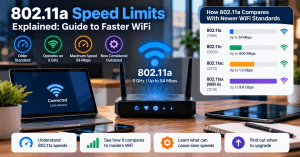
802.11a Speed Limits Explained: Guide to Faster WiFi
If your WiFi connection feels slow, unreliable, or unable to keep up with your devices, outdated wireless technology could be part of the problem. One example is 802.11a, an early WiFi standard that offered impressive speeds when it was introduced but is now considered outdated for most modern networks.
Understanding the limitations of 802.11a can help you determine whether your network simply needs optimization or whether it is time to upgrade your wireless hardware.
In this guide, we’ll explain the 802.11a speed limit, how the standard compares with newer WiFi technologies, what can cause slow wireless performance, and when upgrading your network makes sense.
What Is 802.11a WiFi?
802.11a is one of the original IEEE 802.11 wireless networking standards. Introduced in 1999, it was designed to provide wireless networking over the 5 GHz frequency band.
The standard has a theoretical maximum data rate of 54 Mbps. While that was a significant improvement for its time, modern networks can support speeds many times higher.
It is also important to understand that 54 Mbps is a theoretical maximum rather than the speed users will necessarily experience. Real-world WiFi performance is affected by factors such as signal strength, interference, distance, network congestion, hardware capabilities, and protocol overhead.
As a result, an 802.11a network may deliver considerably less than its advertised maximum under normal operating conditions.
Understanding the 802.11a Speed Limit
The maximum theoretical speed of 802.11a is 54 Mbps.
That limitation becomes much more noticeable when you compare 802.11a with modern standards. Today’s businesses and households often have multiple devices connected simultaneously, including computers, smartphones, smart TVs, security systems, printers, and other network-connected equipment.
Modern applications also require considerably more bandwidth. Video conferencing, cloud applications, large file transfers, streaming, online backups, and other business services can quickly expose the limitations of older wireless technology.
Another consideration is range. Because 802.11a operates in the 5 GHz band, its signal generally does not travel as far or penetrate walls as effectively as lower-frequency 2.4 GHz signals. This can result in weaker coverage in larger buildings or areas with multiple walls and obstructions.
802.11a vs. Modern WiFi Standards
The difference between 802.11a and newer WiFi standards is substantial.
| WiFi Standard | Frequency | Theoretical Maximum Speed | WiFi Generation | Introduced |
|---|---|---|---|---|
| 802.11a | 5 GHz | 54 Mbps | Legacy | 1999 |
| 802.11n | 2.4/5 GHz | Up to 600 Mbps | WiFi 4 | 2009 |
| 802.11ac | 5 GHz | Up to several Gbps | WiFi 5 | 2013 |
| 802.11ax | 2.4/5/6 GHz | Up to 9.6 Gbps | WiFi 6/6E | 2019 |
The exact performance of each standard depends on the router, access point, client device, channel configuration, signal conditions, and other factors.
However, the table illustrates why older 802.11a equipment can become a bottleneck in a modern network.
Why Is My 802.11a WiFi So Slow?
The 54 Mbps theoretical limit isn’t the only reason an 802.11a network may perform poorly. Several other factors can reduce wireless speeds.
Distance From the Router
WiFi performance generally decreases as a device moves farther away from the access point. Walls, floors, furniture, and other physical obstacles can further weaken the signal.
This can be particularly noticeable with 5 GHz networks because higher-frequency signals generally have more difficulty passing through physical obstacles.
Wireless Interference
Nearby wireless networks and other sources of radio interference can affect connection quality.
In an office environment, multiple neighboring networks may compete for available wireless channels. Poor channel planning can therefore contribute to slower speeds and unstable connections.
Outdated Hardware
An old router or wireless access point may not have the processing power, features, or capacity required by today’s networks.
The same applies to client devices. An older laptop with an outdated wireless adapter may be unable to take advantage of the capabilities offered by a newer router.
Too Many Connected Devices
An older wireless network can struggle when many users and devices are connected simultaneously.
For businesses, this can lead to slower file transfers, poor video conferencing performance, delays when accessing cloud applications, and inconsistent connectivity.
Internet Speed vs. WiFi Speed
It is also important to distinguish between your internet connection speed and your local WiFi speed.
For example, you might have a fast internet plan but still experience slow performance because the wireless network inside your building is outdated or poorly configured.
Testing your connection near the router and then farther away can help determine whether the problem is related to WiFi coverage or your internet service.
How to Improve Slow WiFi Performance
Before replacing your entire network, try a few basic troubleshooting steps.
Restart Your Router and Devices
Restarting your router, access point, and affected devices can resolve temporary connectivity problems and refresh network connections.
Although restarting is not a permanent solution for an outdated network, it can help determine whether the problem is temporary.
Check for Firmware Updates
Router and access-point manufacturers periodically release firmware updates that can improve performance, address bugs, and resolve security vulnerabilities.
Check your manufacturer’s support resources to determine whether an update is available for your equipment.
Improve Router Placement
Router placement can have a significant effect on wireless coverage.
Whenever possible, position your router or access point:
- In a central location
- Away from large physical obstructions
- Above floor level
- Away from sources of interference
- In an area where important devices can receive a strong signal
For larger businesses, simply moving the router may not be enough. Additional access points may be necessary to provide consistent coverage throughout the building.
Check Your Network Adapter
An outdated wireless adapter can limit the speed and capabilities of your computer.
Check your computer’s network adapter specifications to determine which WiFi standards it supports. If the adapter only supports older standards, upgrading it may improve compatibility with modern wireless equipment.
Reduce Network Congestion
Disconnect devices that are no longer being used and identify applications that consume significant amounts of bandwidth.
For businesses with many connected devices, proper network planning is usually more effective than repeatedly troubleshooting individual devices.
When Should You Upgrade From 802.11a?
If your wireless network still depends on 802.11a technology, an upgrade is worth considering, particularly if your business relies heavily on cloud-based applications and wireless connectivity.
Consider upgrading if you regularly experience:
- Slow WiFi speeds
- Frequent connection drops
- Poor video conferencing quality
- Weak coverage
- Difficulty connecting newer devices
- Slow file transfers
- Network congestion
- Poor performance when multiple employees are online
Modern WiFi equipment can provide significantly greater capacity and efficiency than legacy 802.11a hardware.
For many businesses, WiFi 6 is a practical upgrade because it is designed to handle environments with numerous connected devices more efficiently.
However, the fastest equipment is not always the best solution. A proper network assessment should consider the size of the building, number of users, types of applications, internet bandwidth, existing cabling, and expected future growth.
WiFi 5 vs. WiFi 6: Which Should You Choose?
Businesses replacing older wireless equipment will often consider WiFi 5 or WiFi 6.
WiFi 5 (802.11ac) provides significantly greater throughput than 802.11a and can be suitable for smaller environments with moderate networking requirements.
WiFi 6 (802.11ax) provides improvements in efficiency and capacity, making it particularly useful for environments with many simultaneously connected devices.
For a growing business, WiFi 6 can provide a better long-term foundation than simply replacing an old router with another WiFi 5 device.
The best choice ultimately depends on your network requirements and budget.
Common 802.11a Problems and Solutions
| Problem | Possible Cause | Recommended Solution |
|---|---|---|
| Slow WiFi | Legacy wireless standard | Upgrade router or access point |
| Weak signal | Distance or physical obstructions | Reposition equipment or add access points |
| Frequent disconnections | Interference or outdated equipment | Analyze wireless channels and upgrade hardware |
| New devices cannot connect | Compatibility limitations | Replace legacy wireless equipment |
| Slow performance with multiple users | Limited network capacity | Deploy modern business-grade access points |
| Fast internet but slow WiFi | Local wireless bottleneck | Test and optimize the internal network |
How Archer IT Solutions Can Help
Identifying the cause of slow WiFi isn’t always straightforward. The problem could be outdated hardware, poor access-point placement, wireless interference, inadequate coverage, network congestion, or configuration issues.
Archer IT Solutions can help businesses evaluate their existing network and determine the most appropriate solution. Instead of replacing equipment unnecessarily, a professional assessment can identify the actual bottleneck and recommend targeted improvements.
Our Managed IT Services can help businesses maintain reliable technology infrastructure, while our Onsite IT Services provide hands-on assistance with network equipment, connectivity, and troubleshooting.
For businesses in Mount Vernon and throughout Washington, professional network support can help create a wireless environment that is reliable, secure, and capable of supporting everyday operations.
Frequently Asked Questions
What is the maximum speed of 802.11a?
802.11a has a theoretical maximum data rate of 54 Mbps. Actual speeds are typically lower because of factors such as signal strength, interference, network congestion, and protocol overhead.
Is 802.11a still used today?
802.11a is a legacy WiFi standard. While some older equipment may still support it, modern networks generally use newer standards that provide substantially better speed, capacity, efficiency, and compatibility.
Why does 5 GHz WiFi have a shorter range?
Higher-frequency wireless signals generally have more difficulty passing through walls and other physical obstacles. This means 5 GHz networks can offer higher performance but may require better access-point placement for adequate coverage.
Should I replace an 802.11a router?
If your network is experiencing slow speeds, poor coverage, compatibility problems, or frequent connection issues, upgrading from legacy 802.11a equipment is worth considering.
Can Archer IT Solutions help improve business WiFi?
Yes. Archer IT Solutions can troubleshoot wireless connectivity, evaluate network performance, configure equipment, improve coverage, and recommend appropriate hardware upgrades.
Upgrade Your WiFi for Better Performance
802.11a was an important milestone in the development of wireless networking, but its 54 Mbps theoretical speed limit and legacy technology make it unsuitable for many modern networks.
If your business depends on cloud applications, video conferencing, online services, file sharing, or a large number of connected devices, upgrading your wireless infrastructure can improve both performance and reliability.
However, upgrading should begin with identifying the actual source of the problem. In some cases, better access-point placement or configuration may be enough. In others, replacing legacy equipment with modern WiFi technology may be the most practical solution.
Archer IT Solutions can help you assess your network, identify performance bottlenecks, and implement the right solution for your business.
Contact Archer IT Solutions to discuss your network requirements and improve your business WiFi performance.
[submit “Submit”]
1
[_site_title] “[your-subject]”
[_site_title]
[_site_admin_email]
From: [your-name] [your-email]
Subject: [your-subject]
Message Body:
[your-message]
—
This is a notification that a contact form was submitted on your website ([_site_title] [_site_url]).
Reply-To: [your-email]
1
1
[_site_title] “[your-subject]”
[_site_title]
[your-email]
Message Body:
[your-message]
—
This email is a receipt for your contact form submission on our website ([_site_title] [_site_url]) in which your email address was used. If that was not you, please ignore this message.
Reply-To: [_site_admin_email]
1
1
Thank you for your message. It has been sent.
There was an error trying to send your message. Please try again later.
One or more fields have an error. Please check and try again.
There was an error trying to send your message. Please try again later.
You must accept the terms and conditions before sending your message.
Please fill out this field.
This field has a too long input.
This field has a too short input.
There was an unknown error uploading the file.
You are not allowed to upload files of this type.
The uploaded file is too large.
There was an error uploading the file.
Please enter an email address.
Please enter a URL.
Please enter a telephone number.
Please enter a date in YYYY-MM-DD format.
This field has a too early date.
This field has a too late date.
Please enter a number.
This field has a too small number.
This field has a too large number.
The answer to the quiz is incorrect.


No responses yet