How to Enable a Firewall: Simple Steps for Better Security
If you use a Windows PC, Mac, or home or business network, enabling a firewall is one of the simplest ways to strengthen your security. A firewall monitors network traffic and can block unauthorized connections before they reach your device or network.
A firewall does not replace antivirus software or other security measures, but it provides an important layer of protection against unwanted network access. For most users, the built-in firewall included with the operating system is enough to get started.
What Is a Firewall and Why Should You Enable It?
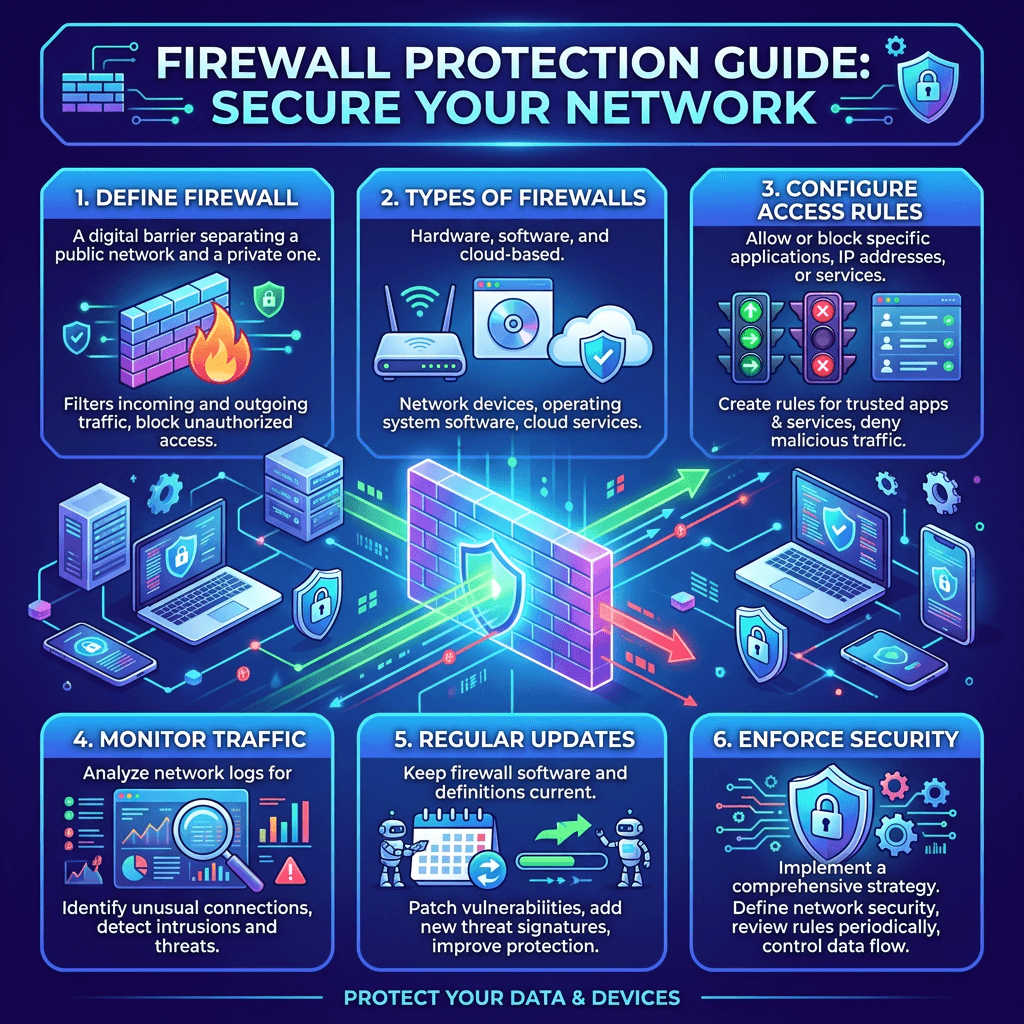
A firewall acts as a security barrier between your device or network and potentially unwanted network traffic. It examines connections based on predefined rules and can allow trusted traffic while blocking connections that are considered unsafe or unauthorized.
Think of a firewall like a security gate. Not every person or vehicle approaching a building should automatically be allowed inside. The firewall checks network traffic and decides whether a connection should be allowed based on its rules.
Firewalls are useful for both home users and businesses. A personal computer may use a built-in software firewall, while a business may also use a firewall on its router or network gateway to protect multiple devices.
A firewall can help:
- Block unauthorized network connections
- Reduce exposure to certain network-based attacks
- Control which applications can communicate over a network
- Protect devices connected to a home or office network
- Add another layer of security alongside antivirus and endpoint protection
If you manage several business computers or need help securing an office network, Archer IT Solutions provides Managed IT Services and Onsite IT Support.
How to Enable a Firewall on Windows
Windows includes a built-in firewall through Microsoft Defender Firewall. For most Windows users, keeping it enabled is recommended.
The exact appearance of the settings can vary slightly depending on your version of Windows, but the general process is:
- Open Settings.
- Select Privacy & security.
- Open Windows Security.
- Select Firewall & network protection.
- Select your active network profile.
- Make sure Microsoft Defender Firewall is turned on.
Windows typically provides separate profiles for different types of networks, including Domain, Private, and Public networks. The appropriate profile depends on how your computer is connected.
If you are using a laptop on public Wi-Fi, firewall protection is particularly important because you may be connecting to networks you do not control.
You can also use the Windows Security interface to review whether the firewall is active and whether any applications or network connections require attention.
What If Windows Firewall Blocks an App?
Sometimes a firewall can prevent an application from communicating over the network. This does not necessarily mean the firewall is malfunctioning.
If you recognize and trust the application, check the firewall’s allowed-app settings before disabling the firewall completely. Allowing the specific application is generally safer than turning off firewall protection for the entire computer.
Avoid creating exceptions for applications you do not recognize.
How to Enable the Firewall on a Mac
Mac computers also include a built-in firewall that can help control incoming network connections.
On recent versions of macOS, you can generally access the firewall through:
Apple menu → System Settings → Network → Firewall
Depending on your macOS version, the firewall may appear under a different section of System Settings, so using the Settings search function for Firewall can also help you locate it.
Once you find the firewall settings:
- Open the firewall settings.
- Turn the firewall On.
- Review any available options for incoming connections.
- Leave advanced settings at their defaults unless you understand what they do.
If an application needs network access, macOS may ask whether you want to allow incoming connections. Only approve access for applications you recognize and trust.
Should You Enable Your Router’s Firewall?
Your computer is not the only place where firewall protection can be useful. Many home and business routers include built-in firewall features that help protect devices connected to the network.
A router firewall operates at the network level rather than protecting only one computer. This means it can provide an additional layer of protection for computers, smartphones, printers, smart TVs, cameras, and other connected devices.
To check your router’s firewall:
- Log in to your router’s administration interface.
- Look for Firewall, Security, Advanced Security, or Access Control.
- Check whether the firewall is enabled.
- Review existing rules before changing them.
- Save changes only after confirming that they will not interfere with important services.
Router interfaces vary significantly between manufacturers, so the exact steps will depend on your equipment.
For business networks, firewall configuration can become considerably more complicated when you have servers, remote workers, VPNs, VoIP phones, security cameras, printers, and other network-dependent systems.
In those situations, changing firewall rules without understanding the network can cause unnecessary downtime.
Firewall vs Antivirus: Are They the Same?
No. A firewall and antivirus software perform different security functions.
A firewall primarily controls network traffic and connections.
Antivirus or endpoint security software focuses on detecting, preventing, and responding to malicious software and other threats on the device.
They work best together rather than being treated as alternatives.
| Security Tool | Primary Purpose |
|---|---|
| Firewall | Controls network traffic and connections |
| Antivirus | Detects and helps remove malicious software |
| Endpoint protection | Monitors and protects business devices |
| Router firewall | Provides network-level protection |
| VPN | Encrypts network traffic between supported endpoints |
Using a firewall does not mean your computer is completely protected. You should still keep your operating system, applications, browsers, and security software updated.
Common Firewall Problems and How to Fix Them
Enabling a firewall usually does not cause problems, but incorrect rules or configuration changes can interfere with legitimate applications and network services.
An application cannot connect to the internet
First, determine whether the firewall is actually responsible. Check whether other applications can access the internet.
If only one application is affected, review its firewall permissions and make sure the application is allowed to communicate through the appropriate network.
Your internet stopped working after changing firewall settings
If the problem began immediately after changing firewall rules, review the changes you made.
Restore the previous configuration if possible rather than randomly disabling security features. You can also restart your computer and router to determine whether the issue is temporary.
You cannot find the firewall settings
Use your device’s built-in search function and search for Firewall or Windows Security on Windows. On Mac, search Firewall in System Settings.
If the device is managed by an employer, firewall settings may also be controlled by an administrator.
A business application keeps getting blocked
Business applications may require specific ports, protocols, or network permissions. Instead of repeatedly disabling the firewall, identify exactly what the application requires and configure an appropriate rule.
This is an area where professional IT support can prevent trial-and-error configuration.
When Should You Use Managed Firewall Support?
Home users can usually rely on the built-in firewall provided by Windows or macOS. Businesses, however, often have more complicated requirements.
Professional firewall management may be useful when your organization has:
- Multiple offices
- Remote employees
- VPN connections
- Business servers
- VoIP systems
- Security cameras
- Shared network storage
- Customer or payment systems
- Multiple network segments
- Strict security or compliance requirements
A managed firewall can provide more than basic traffic filtering. Depending on the system, it may include monitoring, intrusion prevention, access controls, VPN management, logging, alerts, and security policies.
Archer IT Solutions can help businesses review network security, configure appropriate protections, and troubleshoot connectivity problems through Managed IT Services.
Built-In Firewall vs Managed Firewall
| Option | Best For | Main Advantage | Complexity |
|---|---|---|---|
| Windows/macOS firewall | Home users | Easy and free | Low |
| Router firewall | Homes and small offices | Protects the network | Moderate |
| Managed firewall | Businesses | Advanced protection and support | Higher |
| Enterprise firewall | Larger organizations | Advanced security and network controls | High |
The right option depends on the size of your network, the devices you use, the services you operate, and the level of security you require.
Firewall Security Mistakes to Avoid
One of the biggest firewall mistakes is turning the firewall off simply because it blocks an application.
If a trusted application is being blocked, investigate the specific rule instead. Disabling the entire firewall removes protection from other network connections as well.
Other mistakes include:
- Allowing unknown applications through the firewall
- Creating unnecessary inbound rules
- Copying firewall rules without understanding them
- Ignoring security alerts
- Leaving outdated software installed
- Assuming a firewall replaces antivirus protection
- Changing business firewall settings without documenting them
Before making significant changes to a business firewall, back up or document the existing configuration. That makes it easier to reverse a change if something stops working.
How to Check Whether Your Firewall Is Working
The simplest check is to open your device’s security settings and confirm that the firewall is enabled.
You can also test your normal applications and network services after enabling it. Websites, email, cloud applications, printers, and other trusted services should continue working normally.
For a business network, checking firewall logs and monitoring connection attempts can provide more useful information than simply confirming that the firewall is switched on.
Security testing should be performed carefully. Avoid using unfamiliar tools or changing firewall rules simply because an online test recommends doing so.
For additional cybersecurity guidance, resources from organizations such as CISA can help explain basic security practices.
Why Firewall Protection Matters for Businesses
For a business, a firewall is not simply a setting that needs to be switched on once and forgotten.
Businesses often have more devices, applications, users, and external connections than a typical home network. A poorly configured firewall can either leave systems unnecessarily exposed or block legitimate business operations.
A properly managed security setup should balance protection, accessibility, and business continuity.
This is particularly important for companies that depend on websites, cloud applications, remote access, email, servers, and other online services.
Archer IT Solutions provides local IT support, server administration, and web hosting services to help businesses maintain reliable and secure technology systems.
Frequently Asked Questions
How do I enable a firewall?
On Windows, open Windows Security → Firewall & network protection and make sure the firewall is enabled for your network profile. On Mac, open System Settings, search for Firewall, and turn it on.
Should I keep my firewall turned on?
Yes. For most users, keeping the built-in firewall enabled provides an important layer of network protection.
Does a firewall protect against viruses?
Not by itself. A firewall controls network connections, while antivirus and endpoint security tools are designed to detect and respond to malicious software.
Can a firewall slow down my internet?
A properly configured modern firewall usually has little noticeable effect on normal internet use. More advanced network security systems can require additional processing, but they are designed to handle network traffic efficiently.
Why is my firewall blocking an application?
The application may not be included in the firewall’s allowed rules, or its network behavior may require a specific permission. Check the application’s firewall permissions rather than disabling the entire firewall.
Should I use a firewall on my router?
Yes. A router firewall can provide an additional layer of protection for devices connected to your home or business network.
Do businesses need managed firewall protection?
Not every business needs a managed firewall, but organizations with multiple devices, servers, remote workers, VPNs, or complex network requirements can benefit significantly from professional firewall management.
Final Thoughts
Enabling a firewall is a simple security improvement that can help protect your computer and network from unwanted connections. Windows, macOS, and many routers already include firewall features, so you may not need to purchase additional software just to get basic firewall protection.
The important thing is to keep the firewall enabled, avoid unnecessary exceptions, and investigate problems rather than turning security features off whenever something stops working.
For businesses with more complex networks, professional configuration and monitoring can make security easier to manage while reducing the risk of accidental outages.
If you need help configuring a firewall, troubleshooting network access, securing business devices, or managing your wider IT infrastructure, contact Archer IT Solutions or request IT support.


No responses yet