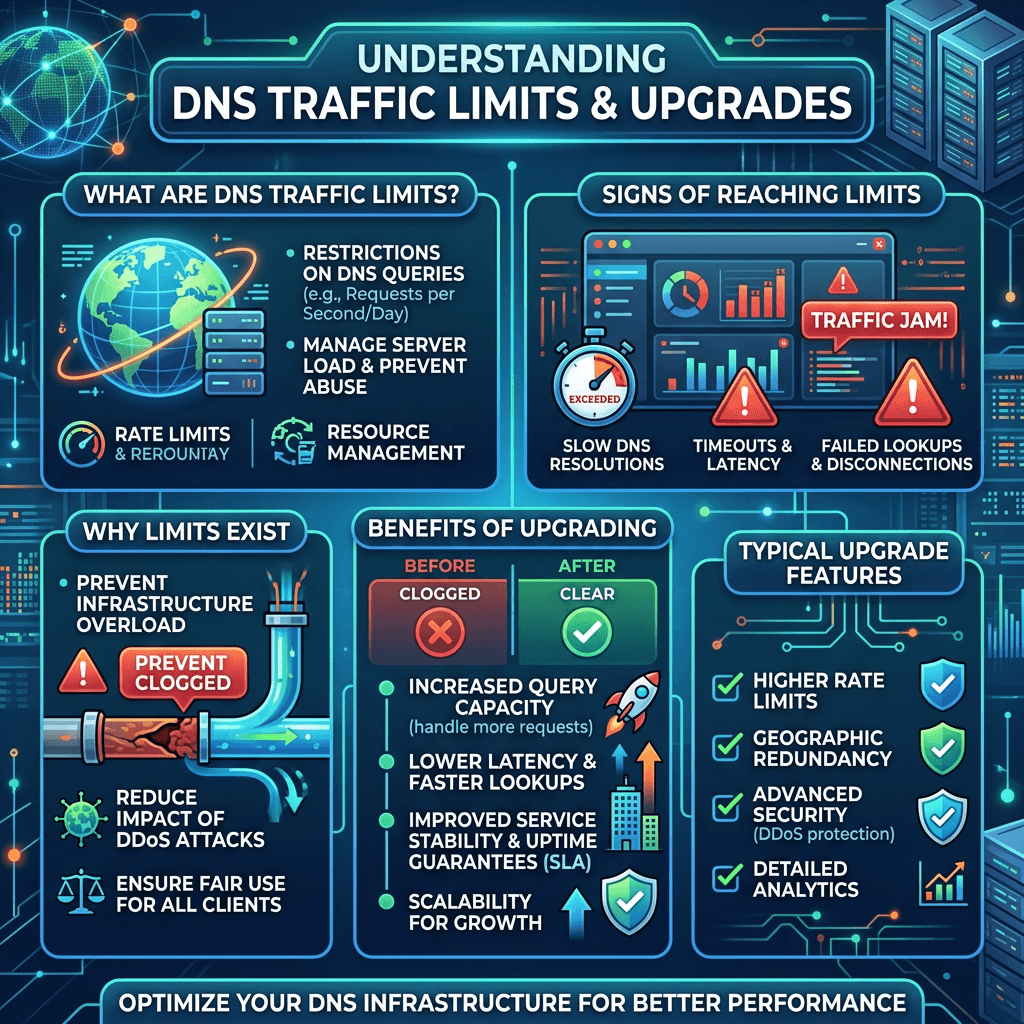
DNS Traffic Guide: How Much Can a DNS Plan Really Handle?
Summary Box
- What a typical DNS management plan can realistically handle
- Why query volume is only one part of the story
- The main factors that create DNS traffic limits
- How to tell when your plan is too small
- When to upgrade or ask for managed help
What You’ll Learn
- How DNS traffic is measured
- What “unlimited” DNS plans usually mean
- The technical and practical limits behind DNS performance
- Simple ways to avoid outages during traffic spikes
👉 Get Help Now: https://www.archer-its.com/contact-us/
Quick Answer
A typical DNS management plan can handle anywhere from modest small-business traffic to very large query volumes, but the real DNS traffic limits depend on provider infrastructure, query-per-second capacity, global anycast coverage, TTL settings, record complexity, DDoS protection, and how often users must resolve your domain.
If you are trying to estimate DNS traffic limits for your website, app, or business, the honest answer is: it depends more on provider quality than on the plan name. Many site owners assume DNS uses almost no resources until a product launch, ad campaign, outage, or attack exposes weak capacity. Understanding what a DNS plan can really handle helps you avoid slow lookups, downtime, and lost revenue.
How Much DNS Traffic Can a Typical Plan Take?
A typical DNS plan can often support far more traffic than most small websites will ever generate. For a brochure website, small online store, or local business, DNS query demand is usually light compared with web hosting or application load. In many cases, even an entry-level managed DNS plan can comfortably serve normal daily traffic.
That said, not all traffic hits DNS equally. DNS is usually cached by browsers, operating systems, ISPs, and recursive resolvers, which reduces the number of lookups that reach your authoritative DNS provider. So if your records have healthy TTL values and your visitors come from stable networks, your actual authoritative query load may stay surprisingly low even when website traffic rises.
The problem starts when traffic becomes bursty, global, or uncached. A viral campaign, API-heavy application, short TTLs, multiple subdomains, frequent failover checks, or bad bot traffic can drive DNS requests up fast. This is where DNS traffic limits become less about “monthly visits” and more about infrastructure quality, query-per-second handling, and resilience under stress.
For most small to medium businesses, a decent DNS plan can usually handle thousands to millions of queries per day without trouble. That range is broad because usage patterns matter. A simple company site with long TTLs may generate very few lookups, while a SaaS platform, mobile app, or eCommerce environment may produce much higher DNS activity.
Here is a simple comparison:
| Use Case | Typical DNS Demand | Likely Plan Fit |
|---|---|---|
| Personal site or portfolio | Low | Basic managed DNS |
| Small business website | Low to moderate | Standard DNS plan |
| eCommerce store | Moderate to high | Premium or business DNS |
| SaaS/app platform | High | Advanced DNS with global network |
| Enterprise/multi-region service | Very high | Enterprise-grade managed DNS |
A good provider will also absorb sudden spikes better than a weak one. Two plans with similar pricing may look equal on paper, but one may have a stronger anycast network, better peering, stronger DDoS filtering, and faster propagation. That is why businesses should evaluate DNS as part of uptime strategy, not just domain setup.
Pros and Cons of a Typical DNS Plan
Pros
- Affordable for most websites
- Enough capacity for ordinary business traffic
- Easy to manage
- Often includes basic redundancy
Cons
- Lower-tier plans may have softer DNS traffic limits
- Weak providers struggle during attacks or spikes
- Global performance may vary
- Advanced routing and failover may cost extra
For businesses that depend on uptime, it also helps to align DNS with broader infrastructure planning. If your site, application, and email all depend on your domain, DNS becomes critical. Archer IT Solutions can help connect that planning with hosting and support services, including web hosting, managed IT services, and on-site IT support.
If you want to better understand the hosting side of performance, see Archer’s complete guide to web hosting. If your stack is more server-driven, this server administration guide is also useful.
What Limits a DNS Management Plan’s Capacity?
The biggest factor behind DNS traffic limits is the provider’s network architecture. A strong DNS vendor uses globally distributed anycast nodes so queries are answered near the user, reducing latency and spreading load. A weaker provider may rely on fewer points of presence, making it easier for a single region or surge to create delays.
Another key limit is query-per-second capacity, not just total monthly queries. A plan may seem generous until a sudden spike overwhelms it. This often happens during ad campaigns, email blasts, product launches, or service incidents when caches expire and many resolvers request fresh records at once. Capacity under burst conditions matters more than average daily traffic.
TTL settings also make a major difference. Short TTLs increase DNS lookups because caches expire faster. That can be helpful for fast failover or frequent record changes, but it also drives more traffic back to the authoritative DNS layer. Long TTLs reduce DNS load, though they can slow down changes when you need updates to propagate quickly.
Record design matters too. If your setup uses many subdomains, geo-routing, weighted records, health checks, or dynamic DNS behavior, your plan may hit practical limits sooner. Complex environments create more opportunities for repeated lookups and require stronger DNS infrastructure to stay responsive.
Security events are another major limiter. DDoS attacks, bot abuse, and random subdomain attacks can inflate DNS traffic far beyond normal website usage. A provider with weak mitigation may fail long before your “official” plan limit is reached. This is why serious businesses should evaluate DNS security posture alongside capacity.
Here are the main things that limit a DNS plan:
- Anycast network size
- Queries per second supported
- DDoS protection quality
- TTL configuration
- Number and complexity of DNS records
- Traffic bursts and global audience spread
- Provider monitoring and failover systems
Troubleshooting: Signs Your DNS Plan Is Reaching Its Limit
Look for slower DNS response times
If pages feel slow before the site even loads, DNS may be part of the problem.Check provider analytics
Review query counts, spikes, NXDOMAIN traffic, and unusual geographic patterns.Audit TTL values
Extremely low TTLs may be generating unnecessary DNS load.Review record sprawl
Too many subdomains or outdated records can make management messy and inefficient.Ask about burst handling
If your provider cannot clearly explain capacity under spikes, that is a warning sign.Upgrade before a major event
Product launch coming? Marketing push planned? Move early, not after downtime starts.
Embedded YouTube video:
A practical rule is this: if DNS failure would stop sales, email, applications, or customer access, then cheap DNS is rarely worth the risk. Better DNS management often costs little compared with the losses caused by outages. For reference, educational overviews from Cloudflare Learning Center and AWS Route 53 documentation explain the technical side well.
This is also where service support matters. We helped a small retail business stabilize recurring DNS issues during seasonal spikes by tightening TTLs, cleaning records, and moving them to a better-managed setup. As one client, James R., put it: “We stopped guessing and finally had a setup we could trust.”
FAQ
How do I know my DNS traffic limits?
Most providers show query analytics in the control panel. If they do not, ask for monthly query counts, query-per-second guidance, and burst capacity details.
Are DNS traffic limits the same as website visitor limits?
No. DNS queries and website visits are related, but caching means many visitors may not create fresh DNS lookups every time.
Can a basic DNS plan handle a small business website?
Usually yes. A standard plan is often enough for a local business or basic company site, provided the provider has solid infrastructure.
What causes DNS traffic limits to be reached faster?
Low TTLs, global traffic spikes, bot attacks, many subdomains, and weak DDoS protection can all push a plan to its limit.
Should I upgrade DNS before upgrading hosting?
If your issue is lookup speed, propagation, or DNS stability, then yes. But many businesses benefit from reviewing both together, especially with managed IT services.
Free Resources
🎁 Free Website Speed Checklist
🎁 Small Business IT Setup Guide
To request these or get tailored advice, contact Archer IT Solutions:
- General: https://www.archer-its.com/contact-us/
- Support: https://www.archer-its.com/ticket/
- Email: support@archer-its.com / sales@archer-its.com / info@archer-its.com
A typical DNS plan can handle more traffic than many people expect, but the real limits depend on caching, TTLs, provider architecture, traffic bursts, and security protection. If your business relies on uptime, DNS should be treated as core infrastructure, not an afterthought. Review your current setup before the next traffic spike hits. If you want expert help choosing the right DNS, hosting, or support stack, Contact Archer IT Solutions Now: https://www.archer-its.com/contact-us/
👉 Need help? https://www.archer-its.com/contact-us/
👉 Get a Free Consultation: https://www.archer-its.com/ticket/
FAST, SECURE WEB HOSTING FOR YOUR BUSINESS
Reliable Hosting for Your Business
Fast, secure and reliable hosting solutions designed to keep your website online, protected and ready to grow.
Standard Hosting
Fast, reliable hosting with the essential tools your business website needs.
- Fast, reliable hosting
- Free SSL security
- Professional email accounts
- 1-click WordPress setup
- Scalable for growing traffic
Domain Only
Register your domain with simple setup and flexible hosting options.
- Affordable yearly pricing
- Easy setup
- Works with any hosting
- Simple domain management
Reseller Hosting
Start your own hosting business or manage multiple client websites with flexible reseller hosting plans.
Reseller 1
- 10 Domains
- 100 GB Disk Space
- 2TB Bandwidth
- 100 Databases
- 100 Mailboxes
- WordPress Ready
Reseller 2
- 25 Domains
- 300 GB Disk Space
- 6TB Traffic
- 300 Databases
- 300 Mailboxes
- WordPress Ready
Reseller 3
- 50 Domains
- 600 GB Disk Space
- 12TB Traffic
- 600 Databases
- 600 Mailboxes
- WordPress Ready
Reliable web hosting with SSL, professional email, backups, and responsive technical support. Get the performance and support you need to keep your business website online and running smoothly.
Launching a new website or moving from another provider? Archer IT Solutions makes hosting simple, secure, and easy to manage.
WHY CHOOSE ARCHER IT?
Everything You Need to Keep Your Website Running Smoothly
⚡ 99.9% Uptime Guarantee
Keep your website available and accessible with reliable hosting infrastructure.
🔒 Free SSL Certificates
Protect your website and visitors with SSL security included with your hosting.
📧 Professional Business Email
Create professional email addresses using your own business domain.
⚙️ One-Click WordPress Installation
Get your WordPress website up and running quickly with easy installation.
💾 Automatic Daily Backups
Help protect your website data with regular automated backups.
🚀 Fast SSD Storage
Fast storage helps your website load efficiently and provides a smoother experience for visitors.
🛠️ 24/7 Technical Support
Get technical assistance when you need help with your hosting.
🔄 Website Migration Assistance
Move your existing website to Archer IT with assistance from the support team.
HOSTING THAT GROWS WITH YOUR BUSINESS
Whether you’re launching your first website or managing multiple client websites, Archer IT Solutions provides reliable hosting designed to support your business as it grows.
Our hosting solutions provide:
⚡ Fast Performance
🔒 Reliable Security
✓ Dependable Uptime
⚙️ Easy Website Management
🛠️ Local Expert Support
WHY BUSINESSES CHOOSE ARCHER IT HOSTING
Enterprise Security
Protect your website with free SSL certificates, malware protection, and secure hosting infrastructure.
Fast Performance
Optimized SSD storage helps your website load quickly and provides a smoother experience for visitors.
Expert IT Support
Get friendly, knowledgeable assistance when you need help with your hosting or website.
Automatic Daily Backups
Regular backups help protect your website data and make recovery easier when needed.
Professional Business Email
Create professional email addresses using your business domain to build trust with customers.
One-Click WordPress Installation
Get your WordPress website up and running quickly with easy installation.
15-DAY MONEY-BACK GUARANTEE
Try Archer IT Hosting Risk-Free
We’re confident in the reliability of our hosting services. If you’re not completely satisfied within your first 15 days, you can request a full refund.
No hidden fees.
No complicated process.
REAL PEOPLE. REAL SUPPORT.
When you need help, you can reach experienced IT professionals who understand your website and hosting needs.
Our team can assist with website migration, email setup, WordPress support, website troubleshooting, and hosting management.
Our team can help with
- Website migration
- Email setup
- WordPress support
- Website troubleshooting
- Hosting management
FREQUENTLY ASKED QUESTIONS
Find answers to common questions about Archer IT hosting, website migration, WordPress, security, and technical support.
What is web hosting?
Web hosting is a service that stores your website files and makes your website accessible on the internet.
Can you migrate my existing website?
Yes. Archer IT Solutions can help migrate your existing website to Archer hosting with minimal downtime.
Is SSL included?
Yes. Every hosting package includes a free SSL certificate to help protect your website and visitors.
Can I install WordPress?
Yes. Our hosting plans include one-click WordPress installation for quick and easy setup.
What happens if my website grows?
You can upgrade your hosting plan as your business and website requirements grow.
Do you provide IT support?
Yes. In addition to web hosting, Archer IT Solutions provides professional IT support to help keep your systems and technology running smoothly.
READY TO GET YOUR WEBSITE ONLINE?
Give your business a reliable foundation with professional web hosting and responsive IT support from Archer IT Solutions. Let us help you get online with confidence.


No responses yet