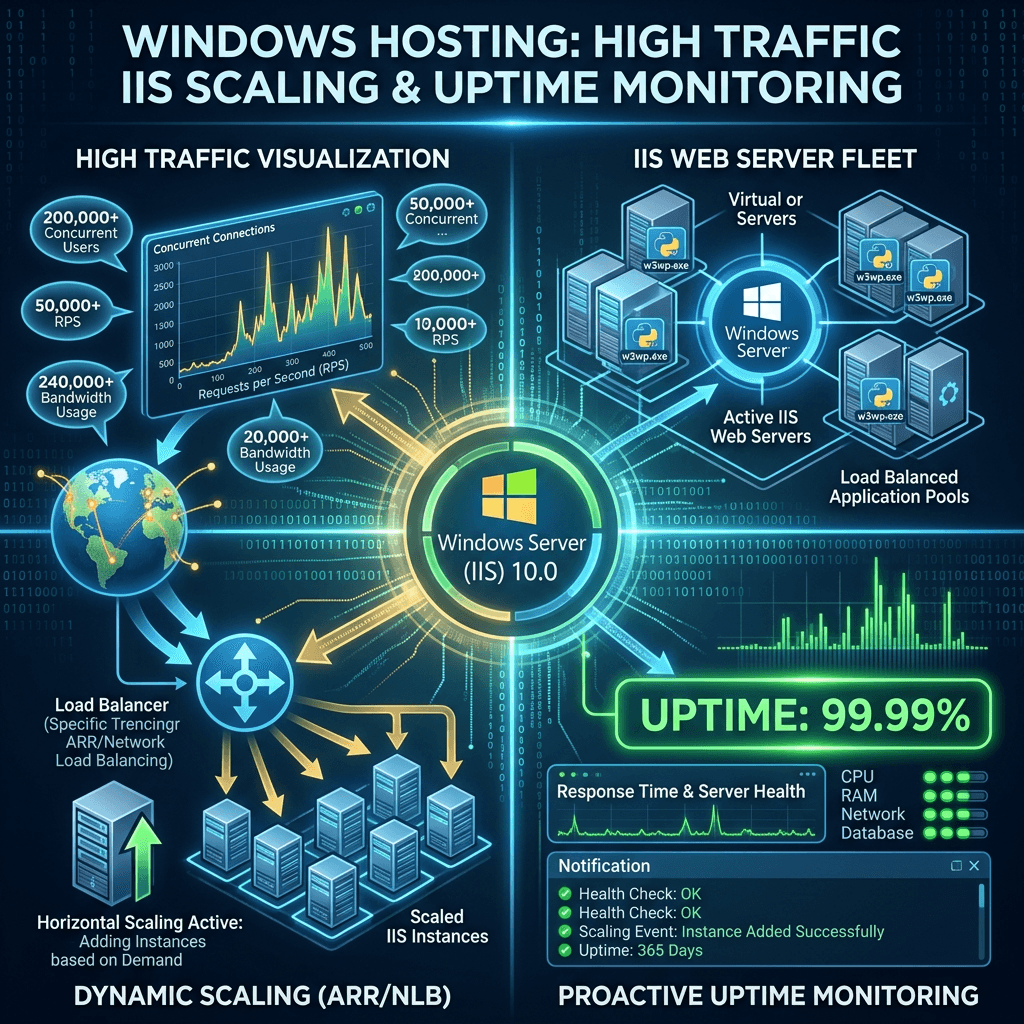
Windows Hosting Guide: How It Handles High Traffic Sites
Summary Box
- How Windows hosting manages traffic spikes
- Which server features improve speed and uptime
- Why IIS, caching, and load balancing matter
- What to look for in a high-traffic hosting plan
- How Archer IT Solutions can help you grow confidently
What You’ll Learn
- How Windows hosting supports busy websites
- Which Windows server tools improve performance
- Common issues high-traffic sites face and how to fix them
- How to choose a hosting plan that can grow with your business
👉 Get Help Now: https://www.archer-its.com/contact-us/
👉 $1.99/month Web Hosting: https://www.archer-its.com/web-hosting/
Quick Answer
Windows hosting supports high traffic websites by using IIS optimization, caching, scalable server resources, database tuning, load balancing, and security controls. These features help websites stay fast, stable, and available even when many users visit at the same time.
If your website slows down every time traffic increases, you are not alone. Many site owners worry about crashes, timeouts, and lost sales during busy periods. The good news is that Windows hosting can be built to support high traffic websites with the right setup, server resources, and management. In this guide, you will see how it works and what to look for if you want reliable performance from your hosting provider.
Learn more in Archer IT’s web hosting guide if you want a broader overview before choosing a plan.
Key Windows Hosting Features for Traffic Surges
One of the biggest strengths of Windows hosting is its ability to scale resources when demand grows. High traffic sites need enough CPU, RAM, bandwidth, and storage performance to handle many visitors at once. On a properly configured Windows server, these resources can be adjusted so the website keeps responding quickly during promotions, product launches, or seasonal traffic spikes.
Another major feature is Internet Information Services (IIS), the web server software used on Windows hosting environments. IIS is designed to manage large numbers of requests efficiently, especially for websites built with ASP.NET, .NET Core, and applications that rely on Microsoft technologies. It supports application pools, process isolation, and performance controls that help prevent one busy app from bringing down the entire server.
Caching also plays a major role in traffic handling. Instead of rebuilding the same page over and over for every visitor, Windows hosting can cache content in memory and serve it faster. Combined with content compression and CDN integration, this reduces server strain and improves page load times for users across different locations.
Key features that help during traffic surges
- IIS web server optimization
- Application pool isolation
- RAM and CPU scalability
- Database support for Microsoft SQL Server
- Caching and compression
- Load balancing support
- Built-in Windows security controls
- Remote management for fast fixes
Comparison Table: Basic vs High-Traffic Windows Hosting
| Feature | Basic Windows Hosting | High-Traffic Windows Hosting |
|---|---|---|
| Server Resources | Shared, limited | Scalable, higher allocation |
| Performance Tuning | Minimal | Advanced IIS and app tuning |
| Database Support | Standard | Optimized MSSQL performance |
| Traffic Handling | Good for small sites | Built for spikes and heavy load |
| Uptime Protection | Basic monitoring | Advanced monitoring and failover |
| Security | Standard firewall | Enhanced protection and patching |
Pros and Cons of Windows Hosting for Busy Websites
Pros
- Great for ASP.NET and Microsoft-based apps
- Strong integration with MSSQL and Windows tools
- IIS offers detailed control over performance
- Easy fit for businesses already using Microsoft environments
Cons
- Can cost more than basic Linux plans
- Needs proper optimization for best results
- Poorly managed setups may still slow under heavy load
For site owners who want dependable growth, managed support matters just as much as server specs. Archer IT Solutions offers web hosting services designed to be easier to manage, faster to deploy, and better prepared for growing website demand. That means less guesswork and more confidence when traffic starts rising.
👉 Fast, Reliable Web Hosting — Starting at $1.99/month
https://www.archer-its.com/web-hosting/
How Windows Servers Keep Busy Sites Running
Windows servers keep busy websites online by combining performance controls with ongoing monitoring. Instead of waiting for a crash, a well-managed server watches memory use, CPU load, disk activity, and application health in real time. This helps administrators catch slowdowns early and fix them before customers notice a problem.
Database performance is also critical for high traffic websites. Many Windows-hosted websites depend on Microsoft SQL Server, and when that database is optimized correctly, pages load faster and transactions run more smoothly. Indexing, query tuning, and proper connection management reduce bottlenecks, especially on ecommerce sites, portals, and business applications.
Security and uptime protection are just as important as speed. High traffic sites attract more attacks, more bots, and more abuse attempts. Windows servers can be secured with firewalls, patch management, access controls, SSL, malware scanning, and backup systems. When these protections are in place, websites are better prepared to stay available under pressure.
Troubleshooting: What to check if a Windows hosting site slows down
Review CPU and RAM usage
See whether traffic is maxing out server resources.Check IIS logs and application pools
Look for crashes, recycling issues, or request queue problems.Test database performance
Slow queries often cause major site delays.Enable or improve caching
Reduce the number of repeat requests hitting the server.Inspect bandwidth and network performance
A slow connection can look like a server problem.Scan for attacks or bot traffic
Sudden spikes may be bad traffic, not real customers.Update software and security patches
Old components often hurt performance and stability.
If you need deeper infrastructure guidance, read Archer IT’s server administration guide. For broader technical help, businesses can also explore managed IT services to reduce downtime and improve reliability.
Example: How this works in the real world
Imagine an online store running on ASP.NET with a Microsoft SQL Server database. On a normal day, traffic is moderate. But during a holiday promotion, visitor numbers jump 5x in a few hours. A properly configured Windows hosting environment can keep the store responsive by using caching, database tuning, IIS request handling, and resource scaling.
We helped a small business improve site stability after repeated slowdowns during ad campaigns. After optimizing server settings and improving hosting reliability, the company handled more traffic with fewer interruptions. Results like that matter when every second of downtime can mean lost leads and lost sales.
Testimonial
“We were worried our site would crash during promotions. Archer IT helped us move to a more reliable setup, and the difference was immediate.” — Melissa R.
Helpful External Resources
Free Resources from Archer IT Solutions
- Free Website Speed Checklist
- Small Business IT Setup Guide
To request help, contact Archer IT Solutions here:
https://www.archer-its.com/contact-us/
Or open a support request:
https://www.archer-its.com/ticket/
FAQ
Does Windows hosting work well for high traffic websites?
Yes. Windows hosting can perform very well for high traffic websites when the server is properly configured with enough resources, caching, database optimization, and active monitoring.
Is Windows hosting only for Microsoft-based websites?
It is best known for supporting ASP.NET, .NET applications, and MSSQL, but it can also host other website types depending on the environment and control panel setup.
What causes a Windows hosting site to slow down?
Common causes include low server resources, poor database performance, missing caching, traffic spikes, software issues, or malicious bot traffic.
Is managed Windows hosting worth it?
For many businesses, yes. Managed hosting reduces technical stress, improves uptime, and gives you faster support when something breaks or traffic suddenly increases.
How do I know if my site needs better hosting?
If your site becomes slow during busy hours, times out, struggles with transactions, or loses visitors after traffic jumps, it may be time to upgrade your hosting environment.
High traffic does not have to mean downtime, slow pages, or lost business. With the right Windows hosting setup, your website can stay stable, secure, and responsive even when visitor numbers rise quickly. Features like IIS optimization, caching, database tuning, monitoring, and scalable resources all work together to keep performance strong.
If you want hosting that is easier to manage and built to support growth, Archer IT Solutions can help. Whether you need dependable hosting, managed IT, local support, or help planning your next website move, the goal is simple: keep your site online and your business moving forward.
Summary
- Windows hosting can support high traffic sites with the right server setup
- IIS, caching, MSSQL tuning, and monitoring are key performance tools
- Security and uptime planning are essential for busy websites
- Managed hosting can save time and reduce risk
👉 Start Your Hosting Today: https://www.archer-its.com/web-hosting/
👉 Contact Archer IT Solutions Now: https://www.archer-its.com/contact-us/
FAST, SECURE WEB HOSTING FOR YOUR BUSINESS
Reliable Hosting for Your Business
Fast, secure and reliable hosting solutions designed to keep your website online, protected and ready to grow.
Standard Hosting
Fast, reliable hosting with the essential tools your business website needs.
- Fast, reliable hosting
- Free SSL security
- Professional email accounts
- 1-click WordPress setup
- Scalable for growing traffic
Domain Only
Register your domain with simple setup and flexible hosting options.
- Affordable yearly pricing
- Easy setup
- Works with any hosting
- Simple domain management
Reseller Hosting
Start your own hosting business or manage multiple client websites with flexible reseller hosting plans.
Reseller 1
- 10 Domains
- 100 GB Disk Space
- 2TB Bandwidth
- 100 Databases
- 100 Mailboxes
- WordPress Ready
Reseller 2
- 25 Domains
- 300 GB Disk Space
- 6TB Traffic
- 300 Databases
- 300 Mailboxes
- WordPress Ready
Reseller 3
- 50 Domains
- 600 GB Disk Space
- 12TB Traffic
- 600 Databases
- 600 Mailboxes
- WordPress Ready
Reliable web hosting with SSL, professional email, backups, and responsive technical support. Get the performance and support you need to keep your business website online and running smoothly.
Launching a new website or moving from another provider? Archer IT Solutions makes hosting simple, secure, and easy to manage.
WHY CHOOSE ARCHER IT?
Everything You Need to Keep Your Website Running Smoothly
⚡ 99.9% Uptime Guarantee
Keep your website available and accessible with reliable hosting infrastructure.
🔒 Free SSL Certificates
Protect your website and visitors with SSL security included with your hosting.
📧 Professional Business Email
Create professional email addresses using your own business domain.
⚙️ One-Click WordPress Installation
Get your WordPress website up and running quickly with easy installation.
💾 Automatic Daily Backups
Help protect your website data with regular automated backups.
🚀 Fast SSD Storage
Fast storage helps your website load efficiently and provides a smoother experience for visitors.
🛠️ 24/7 Technical Support
Get technical assistance when you need help with your hosting.
🔄 Website Migration Assistance
Move your existing website to Archer IT with assistance from the support team.
HOSTING THAT GROWS WITH YOUR BUSINESS
Whether you’re launching your first website or managing multiple client websites, Archer IT Solutions provides reliable hosting designed to support your business as it grows.
Our hosting solutions provide:
⚡ Fast Performance
🔒 Reliable Security
✓ Dependable Uptime
⚙️ Easy Website Management
🛠️ Local Expert Support
WHY BUSINESSES CHOOSE ARCHER IT HOSTING
Enterprise Security
Protect your website with free SSL certificates, malware protection, and secure hosting infrastructure.
Fast Performance
Optimized SSD storage helps your website load quickly and provides a smoother experience for visitors.
Expert IT Support
Get friendly, knowledgeable assistance when you need help with your hosting or website.
Automatic Daily Backups
Regular backups help protect your website data and make recovery easier when needed.
Professional Business Email
Create professional email addresses using your business domain to build trust with customers.
One-Click WordPress Installation
Get your WordPress website up and running quickly with easy installation.
15-DAY MONEY-BACK GUARANTEE
Try Archer IT Hosting Risk-Free
We’re confident in the reliability of our hosting services. If you’re not completely satisfied within your first 15 days, you can request a full refund.
No hidden fees.
No complicated process.
REAL PEOPLE. REAL SUPPORT.
When you need help, you can reach experienced IT professionals who understand your website and hosting needs.
Our team can assist with website migration, email setup, WordPress support, website troubleshooting, and hosting management.
Our team can help with
- Website migration
- Email setup
- WordPress support
- Website troubleshooting
- Hosting management
FREQUENTLY ASKED QUESTIONS
Find answers to common questions about Archer IT hosting, website migration, WordPress, security, and technical support.
What is web hosting?
Web hosting is a service that stores your website files and makes your website accessible on the internet.
Can you migrate my existing website?
Yes. Archer IT Solutions can help migrate your existing website to Archer hosting with minimal downtime.
Is SSL included?
Yes. Every hosting package includes a free SSL certificate to help protect your website and visitors.
Can I install WordPress?
Yes. Our hosting plans include one-click WordPress installation for quick and easy setup.
What happens if my website grows?
You can upgrade your hosting plan as your business and website requirements grow.
Do you provide IT support?
Yes. In addition to web hosting, Archer IT Solutions provides professional IT support to help keep your systems and technology running smoothly.
READY TO GET YOUR WEBSITE ONLINE?
Give your business a reliable foundation with professional web hosting and responsive IT support from Archer IT Solutions. Let us help you get online with confidence.


No responses yet