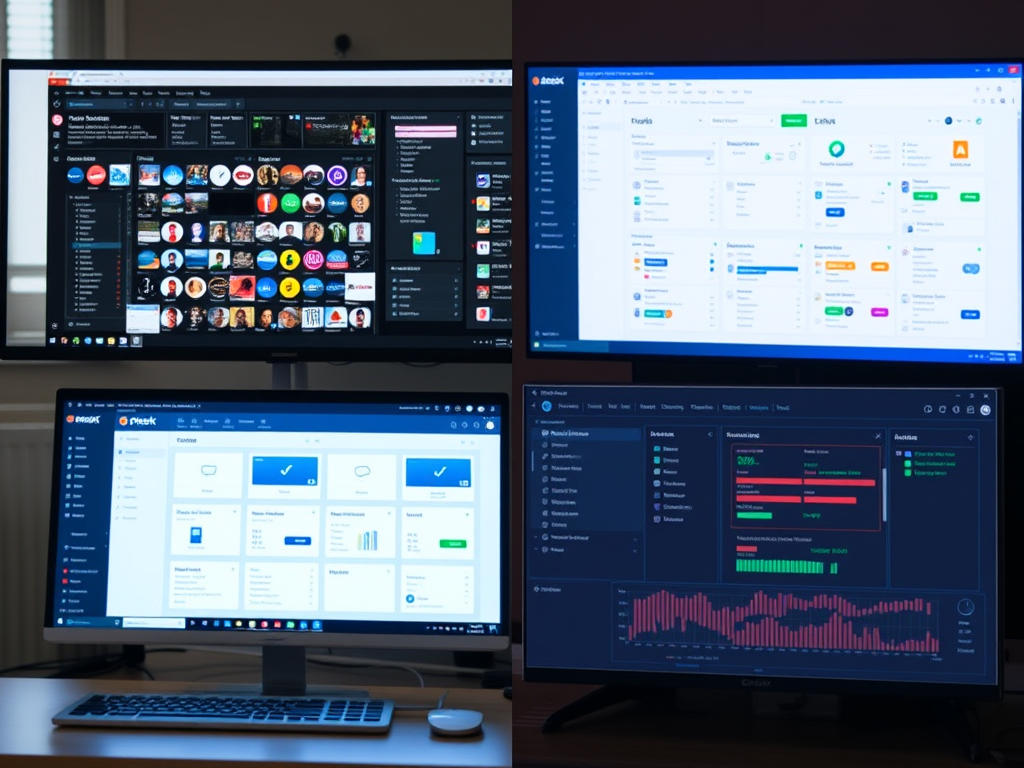
cPanel vs. Plesk vs. Custom Control Panels: Which Hosting Panel Is Right for You?
Choosing the right hosting control panel can make server management easier, more secure, and more efficient. The best option depends on your operating system, technical experience, budget, and the level of control your website or business requires.
Three common options are cPanel, Plesk, and custom control panels. Each has strengths and trade-offs. This guide compares their usability, platform support, key features, and common compatibility considerations so you can make a more informed decision.
What Is a Hosting Control Panel?
A hosting control panel is a web-based interface used to manage hosting tasks such as:
- Creating email accounts
- Managing domains and subdomains
- Installing applications like WordPress
- Configuring databases
- Managing files and backups
- Adjusting PHP versions and server settings
- Monitoring basic server resources
Instead of managing everything through command-line tools, a control panel provides a more accessible way to handle day-to-day hosting tasks.
cPanel: Best for Linux-Based Hosting Environments
cPanel is one of the most widely used hosting control panels, especially for Linux servers. It is commonly paired with WHM, or Web Host Manager, which allows administrators and hosting providers to manage multiple accounts from one place.
Key advantages of cPanel
- Strong support for Linux hosting environments
- Familiar interface for many web hosting users
- Large documentation library and community support
- Integration with WHM for account and server management
- Wide compatibility with common hosting tools
Potential limitations of cPanel
- Primarily designed for Linux servers
- Interface can feel crowded for new users
- Licensing costs may be a consideration
- Some application installers may require third-party tools, such as Softaculous
cPanel is often a good choice for users who want a proven, widely supported control panel for Linux-based websites, especially when managing shared hosting or reseller hosting environments.
Plesk: A Flexible Option for Windows and Linux Hosting
Plesk is another popular commercial control panel. Unlike cPanel, Plesk supports both Windows and Linux, making it useful for businesses that manage different types of hosting environments.
Key advantages of Plesk
- Supports both Windows and Linux servers
- Clean, modern interface
- Useful tools for managing multiple websites
- Built-in WordPress Toolkit
- Supports developer-friendly features such as Git and Docker
Potential limitations of Plesk
- May use more server resources depending on configuration
- Some advanced settings can still require technical knowledge
- Licensing costs vary by edition and use case
Plesk is often a good fit for agencies, developers, and businesses that need a more flexible control panel across different operating systems.
Custom Control Panels: Best for Specialized Hosting Needs
A custom control panel is built around specific business, technical, or customer requirements. Instead of using a standard commercial interface, the control panel is designed to support a particular workflow.
For example, a hosting provider may use a custom environment to simplify account management, integrate billing or support systems, or provide a more branded customer experience.
Key advantages of custom control panels
- Can be tailored to specific business needs
- May reduce unnecessary features and overhead
- Offers more control over the user experience
- Can integrate directly with internal systems
- Useful for specialized hosting or managed service environments
Potential limitations of custom control panels
- Requires ongoing development and maintenance
- Security updates must be managed carefully
- Documentation may be limited compared with commercial tools
- Troubleshooting can depend heavily on the development team
- Compatibility with third-party software may require custom work
Custom control panels can be powerful, but they are usually best for organizations with access to experienced developers or managed IT support.
Common Compatibility Issues to Watch For
Whether you use cPanel, Plesk, or a custom control panel, compatibility issues can occur. Common causes include:
- Outdated PHP versions
- Missing or incompatible PHP extensions
- Apache or NGINX configuration issues
- Database version conflicts
- Incorrect file permissions
- Plugin or application conflicts
- API changes in third-party integrations
- Control panel updates that require server package updates
Before switching control panels or updating server software, it is a good idea to create a backup and review compatibility requirements for your websites, applications, and plugins.
cPanel vs. Plesk vs. Custom Control Panels: Quick Comparison
| Feature | cPanel | Plesk | Custom Control Panel |
|---|---|---|---|
| Best for | Linux hosting | Windows or Linux hosting | Specialized workflows |
| Ease of use | Familiar but busy | Clean and modern | Depends on design |
| OS support | Mainly Linux | Windows and Linux | Depends on build |
| WordPress tools | Often uses third-party installers | Built-in WordPress Toolkit | Custom or integrated tools |
| Flexibility | Moderate | High | Very high |
| Maintenance | Vendor-supported | Vendor-supported | Internally or provider-managed |
| Best users | Hosting providers, resellers, Linux users | Agencies, developers, mixed environments | Businesses with custom needs |
Which Control Panel Should You Choose?
Choose cPanel if you want a widely supported control panel for Linux hosting and prefer a familiar hosting management environment.
Choose Plesk if you need support for both Windows and Linux, want a cleaner interface, or manage multiple WordPress websites.
Choose a custom control panel if your business has specific workflows, integration requirements, or branding needs that standard platforms cannot fully support.
Final Thoughts
There is no single best hosting control panel for every situation. The right choice depends on your server environment, technical requirements, support needs, and long-term plans.
If you need help evaluating your hosting setup, Archer IT Solutions offers web hosting and managed IT services that can help businesses choose, configure, and maintain the right hosting environment. You can learn more through the Archer IT Solutions website or contact support through the Support Ticket Portal.
FAST, SECURE WEB HOSTING FOR YOUR BUSINESS
Reliable Hosting for Your Business
Fast, secure and reliable hosting solutions designed to keep your website online, protected and ready to grow.
Standard Hosting
Fast, reliable hosting with the essential tools your business website needs.
- Fast, reliable hosting
- Free SSL security
- Professional email accounts
- 1-click WordPress setup
- Scalable for growing traffic
Domain Only
Register your domain with simple setup and flexible hosting options.
- Affordable yearly pricing
- Easy setup
- Works with any hosting
- Simple domain management
Reseller Hosting
Start your own hosting business or manage multiple client websites with flexible reseller hosting plans.
Reseller 1
- 10 Domains
- 100 GB Disk Space
- 2TB Bandwidth
- 100 Databases
- 100 Mailboxes
- WordPress Ready
Reseller 2
- 25 Domains
- 300 GB Disk Space
- 6TB Traffic
- 300 Databases
- 300 Mailboxes
- WordPress Ready
Reseller 3
- 50 Domains
- 600 GB Disk Space
- 12TB Traffic
- 600 Databases
- 600 Mailboxes
- WordPress Ready
Reliable web hosting with SSL, professional email, backups, and responsive technical support. Get the performance and support you need to keep your business website online and running smoothly.
Launching a new website or moving from another provider? Archer IT Solutions makes hosting simple, secure, and easy to manage.
WHY CHOOSE ARCHER IT?
Everything You Need to Keep Your Website Running Smoothly
⚡ 99.9% Uptime Guarantee
Keep your website available and accessible with reliable hosting infrastructure.
🔒 Free SSL Certificates
Protect your website and visitors with SSL security included with your hosting.
📧 Professional Business Email
Create professional email addresses using your own business domain.
⚙️ One-Click WordPress Installation
Get your WordPress website up and running quickly with easy installation.
💾 Automatic Daily Backups
Help protect your website data with regular automated backups.
🚀 Fast SSD Storage
Fast storage helps your website load efficiently and provides a smoother experience for visitors.
🛠️ 24/7 Technical Support
Get technical assistance when you need help with your hosting.
🔄 Website Migration Assistance
Move your existing website to Archer IT with assistance from the support team.
HOSTING THAT GROWS WITH YOUR BUSINESS
Whether you’re launching your first website or managing multiple client websites, Archer IT Solutions provides reliable hosting designed to support your business as it grows.
Our hosting solutions provide:
⚡ Fast Performance
🔒 Reliable Security
✓ Dependable Uptime
⚙️ Easy Website Management
🛠️ Local Expert Support
WHY BUSINESSES CHOOSE ARCHER IT HOSTING
Enterprise Security
Protect your website with free SSL certificates, malware protection, and secure hosting infrastructure.
Fast Performance
Optimized SSD storage helps your website load quickly and provides a smoother experience for visitors.
Expert IT Support
Get friendly, knowledgeable assistance when you need help with your hosting or website.
Automatic Daily Backups
Regular backups help protect your website data and make recovery easier when needed.
Professional Business Email
Create professional email addresses using your business domain to build trust with customers.
One-Click WordPress Installation
Get your WordPress website up and running quickly with easy installation.
15-DAY MONEY-BACK GUARANTEE
Try Archer IT Hosting Risk-Free
We’re confident in the reliability of our hosting services. If you’re not completely satisfied within your first 15 days, you can request a full refund.
No hidden fees.
No complicated process.
REAL PEOPLE. REAL SUPPORT.
When you need help, you can reach experienced IT professionals who understand your website and hosting needs.
Our team can assist with website migration, email setup, WordPress support, website troubleshooting, and hosting management.
Our team can help with
- Website migration
- Email setup
- WordPress support
- Website troubleshooting
- Hosting management
FREQUENTLY ASKED QUESTIONS
Find answers to common questions about Archer IT hosting, website migration, WordPress, security, and technical support.
What is web hosting?
Web hosting is a service that stores your website files and makes your website accessible on the internet.
Can you migrate my existing website?
Yes. Archer IT Solutions can help migrate your existing website to Archer hosting with minimal downtime.
Is SSL included?
Yes. Every hosting package includes a free SSL certificate to help protect your website and visitors.
Can I install WordPress?
Yes. Our hosting plans include one-click WordPress installation for quick and easy setup.
What happens if my website grows?
You can upgrade your hosting plan as your business and website requirements grow.
Do you provide IT support?
Yes. In addition to web hosting, Archer IT Solutions provides professional IT support to help keep your systems and technology running smoothly.
READY TO GET YOUR WEBSITE ONLINE?
Give your business a reliable foundation with professional web hosting and responsive IT support from Archer IT Solutions. Let us help you get online with confidence.


No responses yet