Understanding WiFi Network Topology and Its Key Types
In the digital era, where connectivity drives nearly every aspect of daily life, understanding WiFi network topology is crucial for both personal and professional environments. WiFi topology refers to the structural arrangement of various components—such as routers, access points, and end devices—within a wireless network. Grasping this concept helps in designing efficient, secure, and scalable WiFi systems capable of serving diverse user needs. Whether you’re managing a small office, a smart home setup, or a large enterprise environment, selecting the right topology determines performance and reliability.
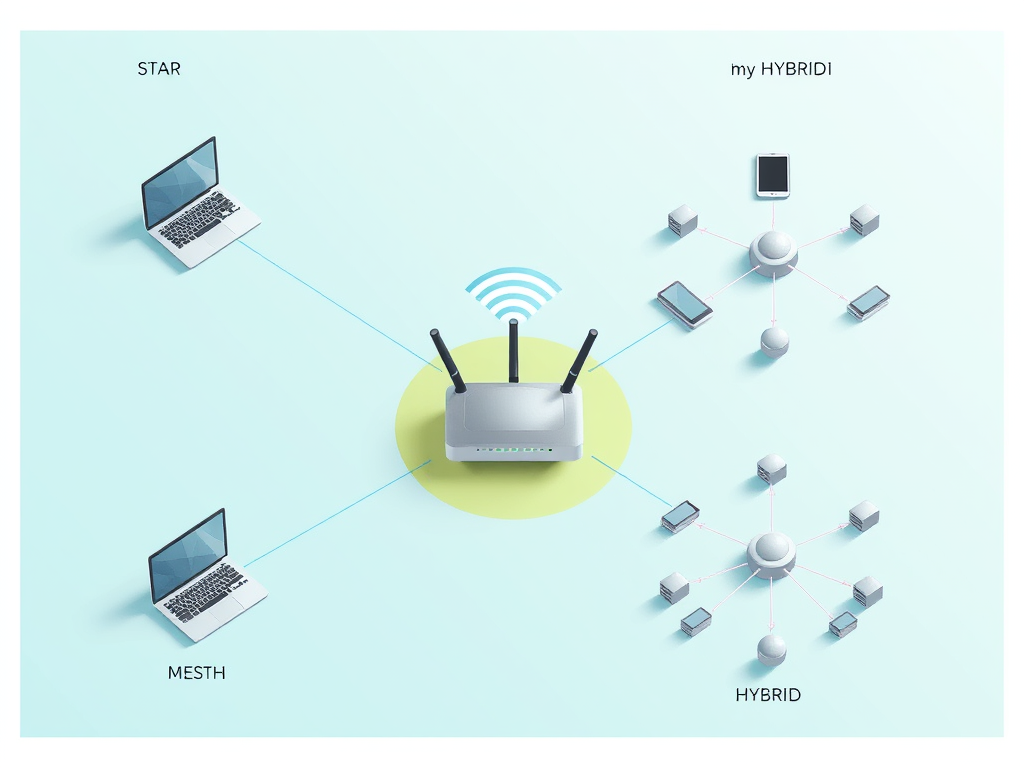
WiFi, short for “Wireless Fidelity,” functions by transmitting data over radio frequencies, eliminating the need for physical cables. However, behind this convenience lies a network topology—essentially a blueprint defining how devices communicate. The topology influences factors like data speed, signal interference, maintenance ease, and scalability. Common WiFi network topologies include star, mesh, and hybrid configurations, each suited for different scenarios.
Understanding WiFi network topology allows engineers and end-users to choose structures that minimize lag, optimize coverage, and ensure resilience against failures. In fact, according to a 2023 Statista report, global WiFi traffic increased by over 30% year-over-year, making efficient topology planning more critical than ever. A well-structured network means less downtime, better coverage, and more secure connections—elements that have become vital in remote work and smart living environments.
1. What Is WiFi Network Topology?
WiFi network topology can be defined as the layout or structure by which wireless devices are interconnected to exchange information. While wired networks use physical connections, wireless networks rely on signal propagation and logical connections determined through access points or routers. The topology outlines how data moves between nodes—whether that’s a centralized point like in a star topology or a distributed system like a mesh network.
In most home or office settings, a star topology dominates. Here, a central WiFi router acts as the hub, connecting multiple devices such as laptops, smartphones, and IoT systems. This setup simplifies management and typically offers efficient throughput, but it also creates a single point of failure. If the central router goes down, every connected device loses connectivity.
On the other hand, mesh topologies distribute connectivity across multiple nodes. Each device (or node) connects directly, dynamically, and non-hierarchically to other nodes, creating redundant communication paths. This structure ensures network stability and self-healing capabilities. Mesh WiFi systems—such as those from Google Nest WiFi, TP-Link Deco, or Netgear Orbi—are now popular for large homes and enterprises because they cover broad areas without dead zones.
2. Common WiFi Network Topologies and Their Functionality
Star Topology
The star topology is one of the most traditional and widely used architectures for WiFi networks. Each wireless device connects directly to a central hub, such as a WiFi router or access point. It’s easy to set up, manage, and troubleshoot, which makes it ideal for small offices, residential buildings, and cafes.
Pros:
- Simple configuration and management
- Easy addition of new devices
- Centralized control for network monitoring
Cons:
- Central point of failure (if the router crashes, the entire network stops)
- Limited coverage area based on router range
Mesh Topology
In this topology, every node communicates with others, forming a dynamic and resilient network. Mesh networks actively reroute data through the best available path, optimizing connectivity even if one node fails.
Pros:
- High reliability and self-healing abilities
- Seamless coverage across wide areas
- Automatic rerouting of traffic during node failures
Cons:
- Higher cost due to multiple routers or nodes
- Requires more power consumption and configuration
Hybrid Topology
Hybrid topologies combine the benefits of multiple structures, often integrating star and mesh characteristics. For example, large offices might deploy several mesh clusters functioning as stars connected to a central backbone.
Pros:
- Flexibility and adaptability for growing networks
- Balanced load handling and efficient coverage
- Easier segmentation of departments or zones
Cons:
- Complexity in design and maintenance
- Requires professional installation and management
For additional technical insights on wireless topology structures, refer to educational resources like the Cisco Networking Academy (www.netacad.com) or Network Computing (www.networkcomputing.com).
3. Technical Breakdown: How WiFi Network Topologies Operate
WiFi topologies depend on both physical and logical layouts. The physical layout pertains to device placement and connectivity paths, while the logical layout defines how data packets navigate within the network. When setting up a WiFi topology, network administrators must evaluate signal strength, bandwidth requirements, frequencies (2.4GHz vs. 5GHz), and potential sources of interference.
In a star topology, all data traffic flows through the access point, making it crucial to invest in routers capable of handling high throughput and simultaneous device connections. Most modern routers support MU-MIMO (Multi-User, Multiple Input, Multiple Output) technology, which boosts overall performance by simultaneously transmitting data to multiple devices. In contrast, mesh networks employ automated routing protocols, such as 802.11s, enabling dynamic data transfer and self-healing mechanisms.
For those using hybrid setups, managing VLANs (Virtual Local Area Networks) or segmenting SSIDs becomes key to maintaining performance uniformity. Tools like Wireshark (www.wireshark.org) or NetSpot (www.netspotapp.com) can help administrators monitor their networks, optimize configurations, and identify weak points.
Real-Life Examples and Case Studies of WiFi Topologies
1. WiFi Topology in Home Networks
Home networks typically use star topologies, where a router connects multiple devices like phones, TVs, and smart appliances. However, as smart homes evolve—incorporating hundreds of IoT devices—many are transitioning to mesh systems for better coverage.
For example, a family living in a multi-story building might find their WiFi signal dropping in certain corners. Installing mesh nodes strategically—one per floor—creates seamless coverage and enhanced performance. Studies from The Verge and PCMag have shown that upgrading to mesh systems can boost average download speeds by over 40% in multi-room homes.
Key Takeaways:
- Mesh topologies eliminate dead zones in large residences.
- Star networks remain sufficient for small apartments or single-room setups.
- Hybrid systems work best for combining stable backbone connectivity with scalable coverage.

(Image Credit: Wikimedia Commons)
2. Enterprise WiFi Network Case Study: Medium-Sized Business Setup
Consider a mid-sized business with 50+ employees and multiple departments spread across two floors. Archer IT Solutions, through its Managed IT Services (www.archer-its.com/managed-it-services), often designs customized WiFi topologies that combine star and mesh architectures.
Each department is equipped with access points in a star configuration, while the entire network backbone interconnects through a mesh layout. This hybrid approach ensures uninterrupted connectivity even when one access point fails. Such setups also make it easier to isolate network traffic—marketing devices can function separately from backend systems—reducing security risks.
Administrators can use performance analysis tools offered by Archer IT Solutions or third-party utilities such as Ubiquiti UniFi Controller to visualize device load and coverage. For more details on business network automation, see resources like IEEE Wireless Communications Journal.
3. Public WiFi and Smart City WiFi Topologies
Public WiFi systems—like those implemented in airports, train stations, or city centers—primarily rely on mesh and hybrid topologies due to their scalability. For example, New York City’s LinkNYC project uses a mesh-based WiFi infrastructure to provide free, high-speed internet access to millions of users each day. Each node connects to others dynamically, ensuring consistent service even if one terminal goes offline.
Municipalities adopt hybrid topologies to blend fiber backbones with WiFi access points at street level. According to a 2022 report by Network World, public-sector WiFi mesh networks reduced service disruptions by more than 25% compared to traditional layouts.
For a deeper dive into smart city wireless infrastructures, explore research papers on Smart Cities Dive or the IEEE Smart Cities Initiative.
Troubleshooting WiFi Topology and Plugin Compatibility Issues
Even with an optimal topology, users may face technical challenges affecting performance or compatibility—especially when using third-party plugins or IoT devices.
Common issues include:
- Plugin conflicts: Some connected devices or apps may not sync properly with routers using outdated firmware.
- Signal interference: Overlapping channels from multiple WiFi networks can reduce throughput.
- Incorrect SSID configurations: Misalignment between mesh nodes may prevent devices from auto-connecting.
Troubleshooting Steps:
- Keep routers and all nodes updated with the latest firmware.
- Use diagnostic apps such as NetSpot or Acrylic WiFi to map signal coverage.
- Ensure plugin permissions and firmware compatibility are verified through official manufacturer documentation.
Archer IT Solutions provides onsite or remote WiFi troubleshooting services through their support platform www.archer-its.com/ticket/. Users can also email support@archer-its.com for expert guidance, with most inquiries receiving responses within 24 hours.
Pros and Cons Summary
Pros of Efficient WiFi Network Topologies:
- Enhanced connectivity and minimized dead zones
- Scalable and flexible expansion capability
- Better data transfer reliability and network resilience
- Simplified maintenance in structured star systems
Cons:
- Complex installation for hybrid and mesh designs
- Potential cost increases for hardware nodes
- Requires regular monitoring and updates to maintain security
Selecting the right WiFi network topology can define the success and reliability of your wireless environment—whether personal, professional, or public. Understanding how structures like star, mesh, or hybrid systems function allows users to optimize performance, security, and scalability. Real-world implementations—from home offices to smart cities—illustrate that the most impactful networks align design with purpose.
If you’re assessing your own setup or seeking professional guidance, reflect on your connectivity needs: Do you need broad coverage, redundancy, or simplicity? For expert support in planning or troubleshooting your network, Archer IT Solutions offers tailored IT and web hosting services via www.archer-its.com.
By understanding WiFi topology fundamentals and addressing common technical issues, users can create networks that empower innovation, ensure stability, and prepare for a future where wireless connectivity connects every aspect of life.
Discover more from Archer IT Solutons
Subscribe to get the latest posts sent to your email.


No responses yet