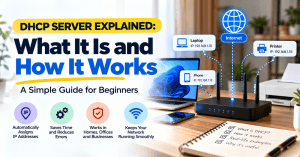
DHCP Server Explained: What It Is and How It Works
If you have ever connected a laptop, phone, printer, or other device to Wi-Fi without manually entering an IP address, you have probably used DHCP.
DHCP, which stands for Dynamic Host Configuration Protocol, automatically provides devices with the network information they need to communicate. Instead of manually configuring every computer and phone, DHCP allows a router, server, firewall, or other network device to assign the settings automatically.
For homes and small businesses, DHCP works quietly in the background. You connect to the network, receive an IP address, and start browsing. Understanding how it works can also make common network problems much easier to troubleshoot.
What Is a DHCP Server?
A DHCP server is a network service that automatically assigns IP addresses and other network configuration information to devices.
Think of a DHCP server as the front desk of a building.
When you arrive, the front desk gives you a room or desk number so people know where to find you. DHCP does something similar for devices joining a network. It gives each device an available IP address and provides the information it needs to communicate with other devices and access the internet.
For example, when a laptop connects to your office Wi-Fi, it may receive an IP address such as 192.168.1.25. The DHCP server keeps track of which addresses are available and which devices are currently using them.
In most homes and small offices, the DHCP server is built into the router. Larger businesses may use a dedicated DHCP server, firewall, or network management system.
How Does DHCP Work?
DHCP automatically goes through a basic process when a device joins a network.
The process is commonly described as DORA:
- Discover — The device searches for an available DHCP server.
- Offer — The DHCP server offers the device an available IP address.
- Request — The device requests the offered address.
- Acknowledge — The DHCP server confirms the assignment.
The device can then use the assigned network settings.
This happens automatically in the background, which is why most users never need to think about entering IP addresses manually.
What Information Does DHCP Provide?
DHCP can provide more than just an IP address. It can also provide:
- IP address — identifies the device on the network.
- Subnet mask — defines which devices belong to the local network.
- Default gateway — tells the device where to send traffic destined for other networks or the internet.
- DNS server — helps translate domain names such as
example.cominto IP addresses. - Lease information — determines how long the device can use the assigned IP address.
This automatic configuration saves time and reduces mistakes, particularly when dozens or hundreds of devices connect to the same network.
What Is a DHCP Lease?
A DHCP-assigned IP address is usually provided for a specific period called a lease.
The device does not necessarily keep the same IP address forever. Before the lease expires, it can request to renew the address. If the device leaves the network, the address can eventually become available for another device.
For example, an employee may connect their laptop to an office network in the morning. DHCP assigns an IP address and records the assignment. When the laptop disconnects and the lease eventually expires, that address can be reused.
This allows networks to efficiently manage a limited pool of IP addresses.
DHCP vs. Static IP Addresses
DHCP is convenient for most everyday devices, but some equipment benefits from having a predictable IP address.
| Setup | How It Works | Best For |
|---|---|---|
| DHCP | IP address is assigned automatically | Laptops, phones, tablets and general devices |
| Static IP | A specific IP address is manually assigned or reserved | Servers, printers, cameras and network equipment |
| DHCP Reservation | Router consistently assigns the same IP to a specific device | Printers, cameras and other important devices |
A business network may use a combination of these approaches.
For example, employee laptops can receive addresses automatically through DHCP, while a server or network printer can use a fixed address so other devices can consistently find it.
Why DHCP Matters for Small Businesses
DHCP becomes increasingly important as a business network grows.
A small office may have laptops, desktop computers, phones, printers, security cameras, smart TVs, access points, payment devices, and other equipment connecting to the network every day. Manually configuring each device would take considerable time and create opportunities for configuration errors.
DHCP simplifies this process by automatically managing network addresses.
It can also help administrators identify problems such as:
- Duplicate IP addresses
- Devices receiving incorrect network settings
- Exhausted DHCP address pools
- Multiple devices attempting to provide DHCP
- Devices failing to obtain an IP address
A properly configured DHCP system makes a business network easier to manage and troubleshoot.
Common DHCP Problems and How to Fix Them
DHCP problems can prevent devices from accessing the network even when the internet connection itself is working.
Device Says “No Internet”
Restart the affected device first. If several devices are experiencing the same problem, restart the router or DHCP server and check whether DHCP is enabled.
If the problem continues, the DHCP configuration, DNS settings, gateway, or network equipment may need to be checked.
Device Has a 169.254.x.x IP Address
An address beginning with 169.254 often indicates that the device could not obtain an IP address from a DHCP server and assigned itself an automatic private address instead.
Try:
- Disconnecting and reconnecting to the network.
- Restarting the device.
- Restarting the router or network equipment.
- Checking whether DHCP is enabled.
- Testing another device on the same network.
If multiple devices receive 169.254.x.x addresses, the problem may be with the DHCP server or network configuration rather than the individual device.
IP Address Conflict
An IP conflict occurs when two devices attempt to use the same IP address.
This can happen because of incorrect static IP configuration, multiple DHCP servers, or other network configuration problems.
Check whether more than one router or DHCP server is operating on the same network. Business networks may require an IT professional to review the DHCP scope and address assignments.
Printer Cannot Be Found
Network printers can sometimes become difficult to reach when their IP address changes.
A DHCP reservation can help by ensuring that the printer receives the same IP address whenever it reconnects to the network.
Simple DHCP Troubleshooting Checklist
Before contacting IT support, try these basic checks:
- Restart the affected device.
- Disconnect and reconnect to Wi-Fi or Ethernet.
- Restart the router or network equipment.
- Check whether other devices can connect.
- Check the device’s assigned IP address.
- Look for a
169.254.x.xaddress. - Confirm that DHCP is enabled on the router or server.
- Check for duplicate routers or DHCP servers.
- Review DHCP address pool availability if you have access.
- Contact IT support if the problem affects multiple devices.
If only one device is affected, the problem may be specific to that device. If many devices suddenly lose network access, investigate the router, DHCP server, firewall, or other central network equipment first.
Advantages and Limitations of DHCP
| Advantages | Limitations |
|---|---|
| Automatically configures devices | Misconfiguration can affect many devices |
| Reduces manual setup | Multiple DHCP servers can conflict |
| Saves time | Devices may receive different IP addresses |
| Makes growing networks easier to manage | Some equipment requires predictable addresses |
| Reduces manual configuration errors | Troubleshooting complex environments may require IT expertise |
For most networks, DHCP is an essential service because it makes connecting devices significantly easier.
When Should You Use a Static IP?
Not every device needs a static IP address.
Regular employee laptops and mobile devices generally work well with DHCP. However, equipment that other devices need to locate consistently may benefit from a static IP or DHCP reservation.
Examples include:
- Network printers
- File servers
- Security cameras
- Network storage
- Servers
- Firewalls
- Network switches
- Certain business applications
Using static addresses unnecessarily can make network management more complicated. A better approach is usually to use DHCP for ordinary devices and reserve predictable addresses for equipment that needs them.
When to Contact an IT Professional
Simple DHCP problems can often be resolved by restarting equipment or checking basic settings. More complicated problems may require someone with network administration experience.
Consider getting professional help if:
- Multiple devices cannot connect.
- Devices repeatedly receive incorrect IP addresses.
- IP conflicts keep occurring.
- Your DHCP address pool is running out.
- Several routers are operating on the same network.
- Business-critical devices keep disconnecting.
- Network configuration changes are affecting employees.
- You are unsure how your DHCP server is configured.
Archer IT Solutions can help businesses troubleshoot network connectivity, review DHCP configurations, improve network reliability, and provide ongoing IT support.
Frequently Asked Questions
What is a DHCP server?
A DHCP server automatically assigns IP addresses and other network settings to devices so they can communicate without requiring manual configuration.
Is DHCP the same as an IP address?
No. DHCP is the service or protocol that assigns network settings, while an IP address is one of the settings assigned to a device.
Do I need DHCP at home?
Most homes already use DHCP through the router. It automatically assigns IP addresses to phones, computers, TVs, printers, and other connected devices.
What happens if DHCP stops working?
Devices may fail to obtain an IP address and may be unable to communicate with the network or access the internet. Devices may also display a 169.254.x.x address when they cannot reach a DHCP server.
Can DHCP cause internet problems?
Yes. Incorrect DHCP settings can provide devices with the wrong IP address, gateway, DNS server, or other network information. Multiple DHCP servers can also cause conflicts.
Should printers use DHCP or a static IP?
Printers can use DHCP, but a DHCP reservation or static IP can be useful when other devices need to consistently connect to the printer.
Is DHCP important for business networks?
Yes. DHCP makes it much easier to manage IP addresses across laptops, phones, printers, servers, cameras, and other business devices.
Final Takeaway
DHCP is one of the services that makes modern networks easy to use. Instead of manually configuring every laptop, phone, printer, and computer, DHCP automatically provides the IP address and other network settings each device needs.
For most users, DHCP works quietly in the background. When it stops working correctly, however, devices may lose internet access, receive incorrect IP addresses, or become difficult to find on the network.
If your business is experiencing recurring IP conflicts, connectivity problems, or devices that cannot obtain network addresses, the issue may require more than a simple restart. Contact Archer IT Solutions for practical network troubleshooting and IT support.


No responses yet