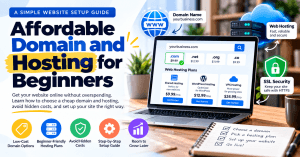
Cheap Domain and Hosting for Beginners: How to Launch a Website Without Overspending
Starting a website does not have to mean spending hundreds of dollars before you have even launched.
For a small business, personal portfolio, blog, local service, or new online venture, you can often get started with a simple domain name, reliable hosting, SSL, and a basic website structure.
The key is knowing what you actually need, what you can skip, and what costs to look out for before you buy.
If you are searching for cheap domain and hosting, the goal should not simply be finding the lowest advertised price. You want an affordable setup that is reliable enough for your website today and flexible enough to grow with your business.
Quick Answer: What Does a Beginner Actually Need?
A basic website setup usually requires:
- A domain name such as
yourbusiness.com - Reliable web hosting
- SSL/HTTPS security
- A website platform such as WordPress
- Regular backups
- Customer support
- A simple website structure
You do not necessarily need an expensive VPS, advanced security package, premium SEO tools, or a large custom website when you are just getting started.
For many small websites, shared hosting or WordPress hosting is enough.
If you eventually outgrow your starter plan, you can upgrade instead of paying for resources you do not currently need.
1. Start With the Right Domain Name
Your domain is your website’s address.
For example:
yourbusiness.com
A good domain should be:
- Easy to spell
- Easy to remember
- Related to your business or brand
- Short enough to type easily
- Professional
If you are trying to keep your website costs down, avoid paying extra for a premium domain unless there is a strong reason to do so.
You should also be cautious about domains with:
- Multiple hyphens
- Unnecessary numbers
- Complicated spellings
- Very long names
- Extensions your customers may not recognize
For many businesses, a .com domain remains a familiar and straightforward option.
Before purchasing, however, check both the initial registration price and renewal price. A domain that looks extremely cheap during the first year may cost considerably more to renew.
2. Choose Hosting Based on Your Current Needs
Buying a domain gives you the address for your website, but you also need hosting to store the website files and make the site accessible online.
This is where many beginners become confused because hosting companies offer several different types of plans.
Shared Hosting
Shared hosting is generally suitable for:
- New websites
- Small businesses
- Blogs
- Portfolios
- Basic service websites
It is usually one of the more affordable ways to get started.
WordPress Hosting
WordPress hosting is designed for websites using WordPress.
It can be useful if you want assistance with WordPress installation, updates, performance, or management.
VPS Hosting
A VPS provides more resources and control and can make sense when a website has grown beyond the limitations of basic hosting.
However, it is usually more expensive and can require more technical knowledge.
Managed Hosting
Managed hosting may be useful for business owners who prefer the hosting provider to handle more of the technical maintenance.
If you are unsure whether shared hosting or VPS hosting is right for your website, read our guide on Shared vs VPS Hosting: Which Option Fits Your Website Best.
For most beginners, the important point is simple: start with the level of hosting your website actually requires.
3. Cheap Domain and Hosting Does Not Mean Choosing the Cheapest Plan
When comparing cheap domain and hosting options, it is tempting to choose whichever provider displays the lowest monthly price.
That can be a mistake.
A hosting plan that costs less initially may have additional charges for services you expected to be included.
Before purchasing, check:
- Renewal pricing
- SSL availability
- Backup options
- Storage limits
- Bandwidth limits
- Email accounts
- WordPress support
- Website migration fees
- Customer support
- Security features
A slightly more expensive plan can sometimes provide better value if important features are already included.
The real question is not:
“What is the cheapest hosting plan?”
It is:
“What is the most affordable setup that gives my website what it actually needs?”
4. Which Hosting Features Do Beginners Really Need?
You do not need to purchase every add-on presented during checkout.
For a basic business website, concentrate on the essentials:
Domain
This is your website address.
Web Hosting
This stores your website and makes it available online.
SSL
SSL allows your website to use HTTPS and helps protect information transferred between visitors and your website.
Backups
Regular backups give you a way to restore your website if something goes wrong.
WordPress
If you are building your site with WordPress, you will need WordPress installed and configured.
Business Email
A professional email address can be useful if you want to communicate with customers using your domain.
For example:
info@yourbusiness.com
You may not need an expensive SEO package, premium security bundle, additional website builder, or advanced email package immediately.
Start with the essentials and add other services when there is a genuine need.
5. Be Careful With Hosting Add-Ons
During checkout, hosting companies may offer additional products such as:
- Premium security
- Website builders
- SEO packages
- Additional email storage
- Premium backups
- Malware protection
- Website monitoring
Some of these services can be valuable, but that does not mean you need all of them.
Read the description carefully before adding anything to your cart.
A beginner trying to keep website costs low should understand exactly what each extra service does and whether it is already included in the hosting plan.
6. Keep Your First Website Simple
One of the easiest ways to reduce website setup costs is to avoid building more than you need.
A small business website might initially require only:
- Home
- About
- Services
- Contact
- Blog or FAQ
You can add more pages later.
For example, a local contractor might initially need a homepage, service descriptions, project examples, contact information, and an enquiry form.
A consultant might need a homepage, About page, Services page, testimonials, and Contact page.
A small online business can expand its website as its products, customers, and traffic increase.
Starting small does not mean your website has to look unprofessional.
It means you are investing in the features that matter first.
7. Understand the Difference Between Domain, DNS and Hosting
One of the most common problems beginners encounter is purchasing a domain and hosting separately and then not knowing how to connect them.
These three concepts are different:
Domain:
Your website’s address.
Hosting:
The server where your website files are stored.
DNS:
The system that tells your domain where the website is hosted.
For example, you could purchase:
mybusiness.com
from one company and purchase hosting from another.
That is perfectly possible, but you will need to configure the domain’s DNS or nameservers so visitors are directed to the correct hosting server.
If you are not comfortable making these changes, professional Web Hosting Services can help simplify the setup.
8. Don’t Forget Website Security
Even a small website needs basic security.
At a minimum, make sure your website has:
- HTTPS/SSL
- Regular backups
- Updated WordPress
- Updated plugins and themes
- Strong administrator passwords
- Reliable hosting support
If you are using WordPress, WordPress Support provides documentation and community resources for managing the platform.
For additional information about web security and how the internet works, the Cloudflare Learning Center is another useful educational resource.
9. Check Your Website Before Launching
Before telling customers that your website is live, go through a basic checklist.
Check that:
- Your domain loads correctly
- HTTPS works
- Your logo displays correctly
- Your navigation works
- Your contact form works
- Your phone number is correct
- Your email address works
- Your pages load properly on mobile
- Your images display correctly
- Your website content is readable
- Your business information is accurate
You should also check whether search engines can access your website.
Google Search Central provides documentation covering crawling, indexing, and search visibility.
10. What If Your New Website Does Not Load?
If you have purchased your domain and hosting but the website is not appearing, do not panic.
Work through these steps:
Step 1: Check the domain
Make sure you have entered the correct domain name.
Step 2: Check your nameservers
Confirm that your domain is pointing to the correct hosting provider.
Step 3: Give DNS changes time
DNS changes may not become visible immediately. Depending on the change and DNS configuration, you may need to wait before everything updates.
Step 4: Check SSL
Make sure your website has an active SSL certificate and loads using HTTPS.
Step 5: Clear your browser cache
Your browser may still be showing an older version of the website.
Step 6: Check WordPress
If you are using WordPress, confirm that the installation completed correctly.
Step 7: Contact your hosting provider
If you have completed the basic checks and the website still does not work, your hosting provider can investigate the server, DNS, SSL, or account configuration.
11. When Should You Upgrade Your Hosting?
Starting with affordable hosting does not mean you have to stay on the same plan forever.
You may need more powerful hosting when:
- Website traffic increases significantly
- Pages become consistently slow
- Your website uses more server resources
- You are running a busy online store
- You need more control over your server
- You require additional storage or processing power
- Your website has outgrown shared hosting
This is why it can make sense to start with an affordable plan and upgrade as your requirements change.
The goal is to match your hosting resources to the needs of your website.
12. How Archer IT Solutions Can Help
Choosing a domain and hosting plan can be confusing when you are unfamiliar with technical terminology.
Archer IT Solutions provides services that can help with different parts of your website setup, including:
- Web Hosting Services
- WordPress Hosting
- Website Optimization Services
- Domain and hosting setup
- WordPress installation
- SSL configuration
- Website troubleshooting
- Website migration assistance
Archer IT Solutions currently offers hosting options starting at $9.99/month, although pricing, renewal rates, and included features should always be reviewed before purchasing.
If you already have a domain but need help connecting it to your hosting account, you can also get assistance with the technical setup.
For website-related problems, you can Submit a Support Ticket rather than trying to troubleshoot everything yourself.
Cheap Domain and Hosting: Pros and Cons
| Advantages | Things to Consider |
|---|---|
| Lower initial cost | Renewal prices may increase |
| Suitable for small websites | Resources may be limited |
| Easy for beginners | Support quality varies |
| Quick to launch | Add-ons can increase the final cost |
| Can be upgraded later | Not suitable for every high-traffic website |
The important thing is to understand what you are purchasing rather than choosing a hosting plan based solely on its advertised price.
Common Mistakes Beginners Should Avoid
Buying Based Only on the Introductory Price
Always check the renewal price before purchasing.
Paying for Unnecessary Add-Ons
Do not assume every recommended add-on is required.
Choosing a Difficult Domain
Customers should be able to remember and type your domain easily.
Forgetting SSL
Your website should use HTTPS.
Building Too Much Too Soon
You do not need 30 pages to launch a basic business website.
Ignoring Backups
A website backup can be extremely useful if an update, plugin, server issue, or other problem causes something to go wrong.
Choosing Hosting Without Considering Support
When you are a beginner, having somewhere to turn when something breaks can be just as important as the hosting specifications.
FAQs About Cheap Domain and Hosting
What is the cheapest way to get a domain and hosting?
A practical low-cost approach is to choose a standard domain, select an affordable shared or WordPress hosting plan, avoid unnecessary add-ons, and check renewal pricing before purchasing.
Is cheap domain and hosting suitable for a business website?
It can be. Small business websites often do not need expensive hosting when they are starting out. The important factors are reliability, security, available resources, backups, and support.
Should I choose shared hosting or WordPress hosting?
If your website uses WordPress, either option may work depending on the provider and plan. WordPress-specific hosting can provide features designed around WordPress management.
Do I need VPS hosting as a beginner?
Not necessarily. VPS hosting provides additional resources and control, but many new and small websites can start with shared hosting and upgrade later.
Can my domain and hosting come from different companies?
Yes. You simply need to connect the domain to your hosting provider using the appropriate DNS or nameserver settings.
How much should I spend on hosting?
There is no single amount that works for every website. Consider your website’s traffic, storage requirements, performance needs, support requirements, and the provider’s renewal pricing.
Related Resources
If you are still deciding what type of hosting you need, read:
Shared vs VPS Hosting: Which Option Fits Your Website Best — explains the differences between shared and VPS hosting and when you may need to move to a more powerful hosting environment.
You may also find our website performance resources useful if your concern is not just cost but also website speed and reliability. Archer IT Solutions also publishes practical guides covering website and IT troubleshooting.
Final Thoughts
You do not need an expensive technical setup to launch your first website.
A simple domain, reliable beginner hosting, SSL, backups, and a well-structured website can be enough to get a small business online.
If you are looking for cheap domain and hosting, focus on the total cost rather than the introductory price. Check renewal rates, understand what is included, avoid unnecessary add-ons, and choose hosting that gives you enough room to grow.
And if you are unsure about domain setup, WordPress installation, hosting configuration, SSL, or website problems, getting professional help can save you time and prevent avoidable mistakes.
Ready to get your website online? Explore Archer IT Solutions’ Web Hosting Services or contact Archer IT Solutions for help choosing and setting up your website.
FAST, SECURE WEB HOSTING FOR YOU
Reliable Hosting for Your Business
Fast, secure and reliable hosting solutions designed to keep your website online, protected and ready to grow.
Standard Hosting
Fast, reliable hosting with the essential tools your business website needs.
- Fast, reliable hosting
- Free SSL security
- Professional email accounts
- 1-click WordPress setup
- Scalable for growing traffic
Domain Only
Register your domain with simple setup and flexible hosting options.
- Affordable yearly pricing
- Easy setup
- Works with any hosting
- Simple domain management
Reseller Hosting
Start your own hosting business or manage multiple client websites with flexible reseller hosting plans.
Reseller 1
- 10 Domains
- 100 GB Disk Space
- 2TB Bandwidth
- 100 Databases
- 100 Mailboxes
- WordPress Ready
Reseller 2
- 25 Domains
- 300 GB Disk Space
- 6TB Traffic
- 300 Databases
- 300 Mailboxes
- WordPress Ready
Reseller 3
- 50 Domains
- 600 GB Disk Space
- 12TB Traffic
- 600 Databases
- 600 Mailboxes
- WordPress Ready
Reliable web hosting with SSL, professional email, backups, and responsive technical support. Get the performance and support you need to keep your business website online and running smoothly.
Launching a new website or moving from another provider? Archer IT Solutions makes hosting simple, secure, and easy to manage.
WHY CHOOSE ARCHER IT?
Everything You Need to Keep Your Website Running Smoothly
⚡ 99.9% Uptime Guarantee
Keep your website available and accessible with reliable hosting infrastructure.
🔒 Free SSL Certificates
Protect your website and visitors with SSL security included with your hosting.
📧 Professional Business Email
Create professional email addresses using your own business domain.
⚙️ One-Click WordPress Installation
Get your WordPress website up and running quickly with easy installation.
💾 Automatic Daily Backups
Help protect your website data with regular automated backups.
🚀 Fast SSD Storage
Fast storage helps your website load efficiently and provides a smoother experience for visitors.
🛠️ 24/7 Technical Support
Get technical assistance when you need help with your hosting.
🔄 Website Migration Assistance
Move your existing website to Archer IT with assistance from the support team.
HOSTING THAT GROWS WITH YOUR BUSINESS
Whether you’re launching your first website or managing multiple client websites, Archer IT Solutions provides reliable hosting designed to support your business as it grows.
Our hosting solutions provide:
⚡ Fast Performance
🔒 Reliable Security
✓ Dependable Uptime
⚙️ Easy Website Management
🛠️ Local Expert Support
WHY BUSINESSES CHOOSE ARCHER IT HOSTING
Enterprise Security
Protect your website with free SSL certificates, malware protection, and secure hosting infrastructure.
Fast Performance
Optimized SSD storage helps your website load quickly and provides a smoother experience for visitors.
Expert IT Support
Get friendly, knowledgeable assistance when you need help with your hosting or website.
Automatic Daily Backups
Regular backups help protect your website data and make recovery easier when needed.
Professional Business Email
Create professional email addresses using your business domain to build trust with customers.
One-Click WordPress Installation
Get your WordPress website up and running quickly with easy installation.
15-DAY MONEY-BACK GUARANTEE
Try Archer IT Hosting Risk-Free
We’re confident in the reliability of our hosting services. If you’re not completely satisfied within your first 15 days, you can request a full refund.
No hidden fees.
No complicated process.
REAL PEOPLE. REAL SUPPORT.
When you need help, you can reach experienced IT professionals who understand your website and hosting needs.
Our team can assist with website migration, email setup, WordPress support, website troubleshooting, and hosting management.
Our team can help with
- Website migration
- Email setup
- WordPress support
- Website troubleshooting
- Hosting management
FREQUENTLY ASKED QUESTIONS
Find answers to common questions about Archer IT hosting, website migration, WordPress, security, and technical support.
What is web hosting?
Web hosting is a service that stores your website files and makes your website accessible on the internet.
Can you migrate my existing website?
Yes. Archer IT Solutions can help migrate your existing website to Archer hosting with minimal downtime.
Is SSL included?
Yes. Every hosting package includes a free SSL certificate to help protect your website and visitors.
Can I install WordPress?
Yes. Our hosting plans include one-click WordPress installation for quick and easy setup.
What happens if my website grows?
You can upgrade your hosting plan as your business and website requirements grow.
Do you provide IT support?
Yes. In addition to web hosting, Archer IT Solutions provides professional IT support to help keep your systems and technology running smoothly.
READY TO GET YOUR WEBSITE ONLINE?
Give your business a reliable foundation with professional web hosting and responsive IT support from Archer IT Solutions. Let us help you get online with confidence.


No responses yet