Understanding the Maximum Data Rate of 802.11b WiFi
WiFi technology has become so embedded in our daily lives that we rarely stop to consider the complex science behind it. Among the earliest standards, IEEE 802.11b was a milestone in wireless networking—offering a maximum data rate of 11 Mbps when it was introduced. This article explores how 802.11b achieves that speed, what affects its performance, and how users can troubleshoot or optimize their networks with professional support from Archer IT Solutions.
Exploring How 802.11b Achieves Its 11 Mbps Speed
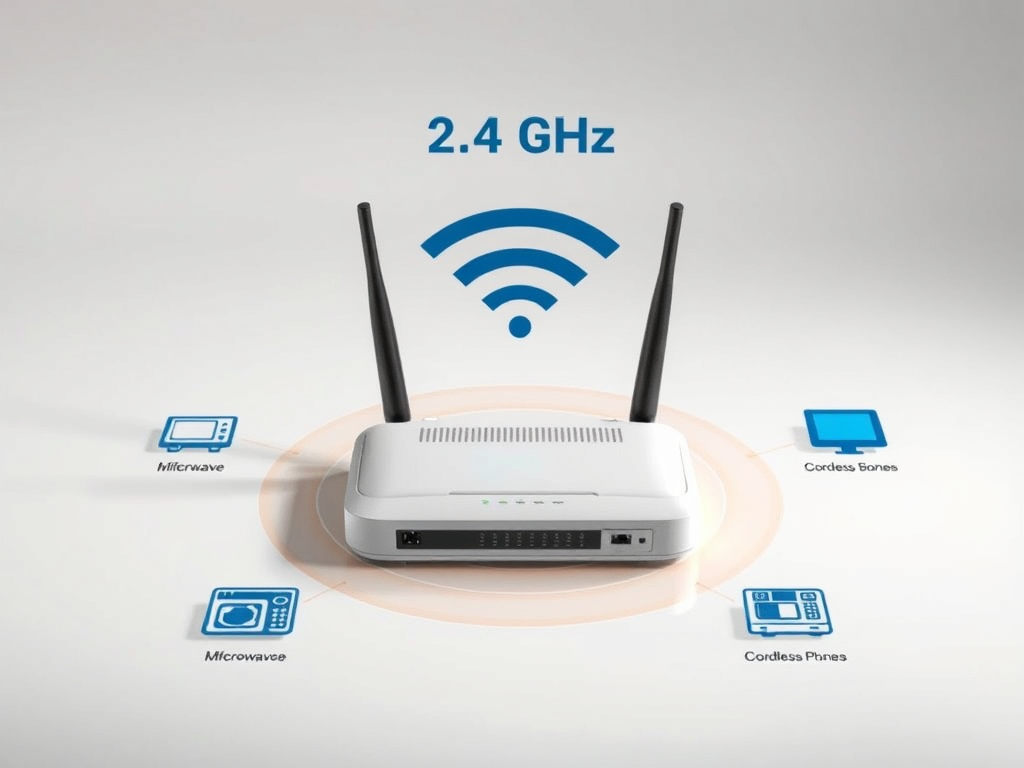
Introduced in 1999, 802.11b was a pioneering step in the evolution of WiFi. The standard operates in the 2.4 GHz Industrial, Scientific, and Medical (ISM) band, which made it highly compatible with consumer electronics but also vulnerable to interference. The technology uses Direct Sequence Spread Spectrum (DSSS) modulation, which spreads data across multiple frequencies for stronger signal reliability. Under ideal conditions, this results in a maximum throughput of 11 Mbps—a considerable leap at the time.
However, 11 Mbps is a theoretical maximum rate. In practice, due to network overhead and environmental interference, users typically experience real-world speeds closer to 5.5 Mbps or even 1 Mbps in challenging conditions. The efficiency depends on modulation schemes like Complementary Code Keying (CCK), which maximizes data transfer without requiring huge bandwidth increases. Understanding these protocols helps users appreciate the difference between “raw” data rate and actual throughput.
Key takeaways:
- Operates on 2.4 GHz frequency
- Uses DSSS with CCK modulation
- Theoretical speed: 11 Mbps; real-world: 4–6 Mbps
Summary: The 802.11b WiFi standard achieves up to 11 Mbps through DSSS technology, though practical speeds often drop due to environmental and protocol-related factors.
Factors That Influence the Real-World Data Rate
Several factors affect the real-world performance of 802.11b. Distance from the access point is one major consideration—signal strength weakens over distance, decreasing throughput. Physical obstructions like walls, metal objects, or appliances can severely limit signal reach. Additionally, since 802.11b shares the 2.4 GHz frequency with devices like cordless phones and microwaves, radio interference is a common problem that reduces effective speeds.
Another crucial element is network congestion. Since older 802.11b devices operate on a limited number of channels, having too many users in a small area reduces bandwidth availability for each. The protocol also relies on shared medium access, meaning multiple devices must “wait their turn” to transmit data, often causing latency spikes and slower speeds. Security settings and firmware versions can further impact performance if they are not properly configured or updated.
Troubleshooting tips for 802.11b plugin or device issues:
- Update router firmware and drivers.
- Change WiFi channel to reduce interference.
- Use Archer IT Solutions’ onsite IT services for diagnostics.
Summary: Real-world 802.11b speeds depend on interference, distance, congestion, and configuration quality. Regular maintenance and expert support can help maintain optimal performance.

Pros and Cons of 802.11b
Pros:
- Widely compatible and affordable
- Simple setup for small networks
- Adequate for basic browsing and emailing
Cons:
- Susceptible to interference
- Limited range and lower security features
- Outdated compared to newer WiFi standards
External resources:
Summary: While 802.11b holds historical significance and basic functionality, modern demands make professional optimization or upgrades essential.
Understanding the maximum data rate of 802.11b offers insight into how WiFi performance has evolved—and why expert guidance matters today. If you need help diagnosing slow network performance or integrating older equipment into modern systems, Archer IT Solutions can help. From web hosting to managed IT services, our specialists deliver solutions tailored for small businesses and website owners.
Reflect on your current connectivity setup—could you benefit from faster speeds or better stability? Reach out at support@archer-its.com or submit a request via archer-its.com/ticket. Most inquiries receive responses within 24 hours, ensuring that you get professional IT support exactly when you need it.
Discover more from Archer IT Solutons
Subscribe to get the latest posts sent to your email.


No responses yet