META Title: Three Overrated Elements in Modern Website Design – Finding Function Over Flash
META Description: Discover the three most overrated design trends in modern web design. Learn how to focus on what truly matters—clarity, speed, and user experience—while improving site performance and readability.
Three Outdated Web Design Trends to Avoid
In today’s digital world, businesses and creators constantly chase the latest design trend to stay relevant online. However, not all visual or interactive features contribute positively to user experience or performance. Some trends can actually hurt usability, load times, and engagement. This article explores three overrated elements in modern website design and helps you focus on what truly matters: effective content structure, clear navigation, and reliable functionality.
Are Fancy Animations Really Worth the Load Time?
Animations add movement and flair to a webpage, but too often, they slow things down. Studies from Google show that 53% of users abandon a site if it takes longer than 3 seconds to load. Overuse of animations—like parallax scrolling, overextended hover effects, or long-loading header slides—can disrupt the user journey rather than improve it. Site visitors come for information or service, not to watch long animations load in the background.
The problem goes deeper when dealing with plugin-heavy environments such as WordPress or Wix. Users frequently face compatibility issues where multiple animation plugins cause scripts to conflict, leading to sluggish interactions or browser freezing. Troubleshooting these involves clearing cache, disabling unused plugins, and testing page scripts. Developers at Smashing Magazine recommend limiting animations to lightweight CSS transitions or SVG-based motion for smoother results.
Key Takeaways:
- Avoid overusing JS-heavy animations that slow loading.
- Test plugin compatibility regularly to reduce performance issues.
- Prioritize speed and clarity over aesthetics.
Summary: Fancy animations impress some users, but they often overburden site loading and confuse navigation. Light, purposeful animations—used sparingly—are far more effective than visual overload.
Why Minimalist Trends Often Miss Real User Needs
Minimalism is praised for its clean aesthetic, but ultra-minimalist designs can hide functionality or confuse navigation. According to a Nielsen Norman Group study, visitors rely on scanning patterns—focusing first on the top-left area and prominent headings. Stripping away too many visual cues can lead users to miss crucial calls to action. For instance, websites that remove buttons or labels in the name of “simplicity” often see reduced engagement rates.
Real-world testing has shown that sites like Gov.uk demonstrate minimalism done right: clean, accessible, and clear in content hierarchy. Unlike minimalist portfolio templates that rely solely on imagery, Gov.uk maintains visual direction through strong headlines, contrast, and white space—ensuring visitors can locate services easily.
Pros:
- Faster load times
- Cleaner visual design
- Easier for mobile experiences
Cons:
- Risk of hiding functionality
- Can feel empty or cold
- May reduce CTA visibility
Summary: Minimalism should communicate, not conceal. Always ensure there are enough visual anchors—like color contrast, clickable buttons, and readable typography—to guide users.
Overcomplicating Fonts and Color Schemes
Typography and color are crucial in visual branding, but too much variation hurts readability. A good rule: limit to two or three complementary fonts and a compact color palette. Using multiple custom fonts or oversized hero text can distract rather than direct. Tools like Google Fonts already offer optimized and web-safe font families designed for speed and accessibility.
When design teams overuse gradients, neon palettes, or hyper-contrasting schemes, users may struggle to focus. Accessibility standards, such as those outlined by W3C, stress maintaining minimum contrast levels for text legibility. Overly decorative fonts may also fail to load properly, particularly on mobile networks, causing layout shifts—a common troubleshooting issue during site build.
If you encounter plugin conflicts related to custom fonts or color transitions in WordPress, the steps are straightforward:
- Disable font-related plugins one by one.
- Clear your site cache (via your host or caching plugin).
- Retest using Google’s PageSpeed Insights to verify improvements.
Summary: Clean typography and consistent color reinforce brand trust and content flow. Reducing excess styles helps keep users focused on your message, not distracted by decoration.
Modern website design should serve its users—not trends. Whether it’s flashy animations, too-minimalist layouts, or over-styled visuals, designers must ask: Does this improve the user’s experience? Focus on visual hierarchy, content readability, and load speed to create interfaces that engage naturally.
If you need expert support in balancing style and performance, Archer IT Solutions offers reliable web hosting, onsite service, and managed IT support. For technical assistance or troubleshooting plugin-related issues, visit www.archer-its.com/ticket/ or email support@archer-its.com — most inquiries receive a response within 24 hours.
Tip: Reflect on your own site’s goals—are the visuals enhancing or slowing down your message? Start refining today with a focus on clarity, performance, and audience needs.
Further Reading:
- Smashing Magazine – Designing for Performance
- Nielsen Norman Group – UX Best Practices
- Google Web.dev – Site Performance Optimization
Image Ideas:
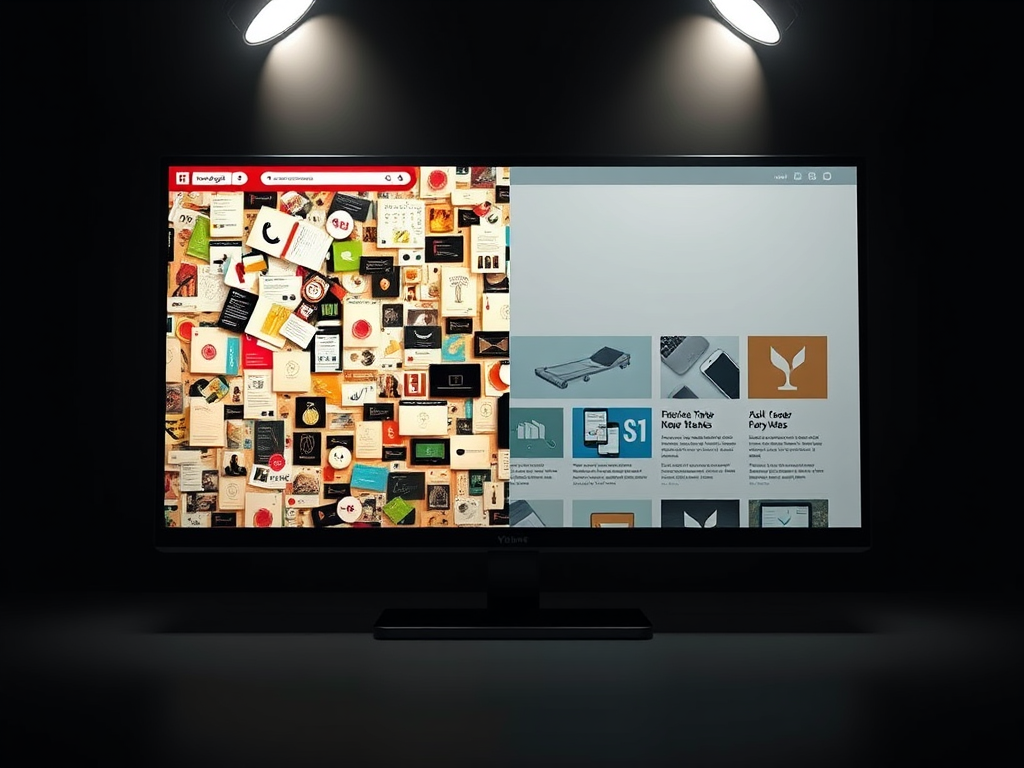
- A side-by-side image showing a cluttered vs. streamlined homepage.
- A loading animation vs. optimized static design comparison.
- A color hierarchy chart demonstrating contrast and readability.
FAST, SECURE WEB HOSTING FOR YOUR BUSINESS
Reliable Hosting for Your Business
Fast, secure and reliable hosting solutions designed to keep your website online, protected and ready to grow.
Standard Hosting
Fast, reliable hosting with the essential tools your business website needs.
- Fast, reliable hosting
- Free SSL security
- Professional email accounts
- 1-click WordPress setup
- Scalable for growing traffic
Domain Only
Register your domain with simple setup and flexible hosting options.
- Affordable yearly pricing
- Easy setup
- Works with any hosting
- Simple domain management
Reseller Hosting
Start your own hosting business or manage multiple client websites with flexible reseller hosting plans.
Reseller 1
- 10 Domains
- 100 GB Disk Space
- 2TB Bandwidth
- 100 Databases
- 100 Mailboxes
- WordPress Ready
Reseller 2
- 25 Domains
- 300 GB Disk Space
- 6TB Traffic
- 300 Databases
- 300 Mailboxes
- WordPress Ready
Reseller 3
- 50 Domains
- 600 GB Disk Space
- 12TB Traffic
- 600 Databases
- 600 Mailboxes
- WordPress Ready
Reliable web hosting with SSL, professional email, backups, and responsive technical support. Get the performance and support you need to keep your business website online and running smoothly.
Launching a new website or moving from another provider? Archer IT Solutions makes hosting simple, secure, and easy to manage.
WHY CHOOSE ARCHER IT?
Everything You Need to Keep Your Website Running Smoothly
⚡ 99.9% Uptime Guarantee
Keep your website available and accessible with reliable hosting infrastructure.
🔒 Free SSL Certificates
Protect your website and visitors with SSL security included with your hosting.
📧 Professional Business Email
Create professional email addresses using your own business domain.
⚙️ One-Click WordPress Installation
Get your WordPress website up and running quickly with easy installation.
💾 Automatic Daily Backups
Help protect your website data with regular automated backups.
🚀 Fast SSD Storage
Fast storage helps your website load efficiently and provides a smoother experience for visitors.
🛠️ 24/7 Technical Support
Get technical assistance when you need help with your hosting.
🔄 Website Migration Assistance
Move your existing website to Archer IT with assistance from the support team.
HOSTING THAT GROWS WITH YOUR BUSINESS
Whether you’re launching your first website or managing multiple client websites, Archer IT Solutions provides reliable hosting designed to support your business as it grows.
Our hosting solutions provide:
⚡ Fast Performance
🔒 Reliable Security
✓ Dependable Uptime
⚙️ Easy Website Management
🛠️ Local Expert Support
WHY BUSINESSES CHOOSE ARCHER IT HOSTING
Enterprise Security
Protect your website with free SSL certificates, malware protection, and secure hosting infrastructure.
Fast Performance
Optimized SSD storage helps your website load quickly and provides a smoother experience for visitors.
Expert IT Support
Get friendly, knowledgeable assistance when you need help with your hosting or website.
Automatic Daily Backups
Regular backups help protect your website data and make recovery easier when needed.
Professional Business Email
Create professional email addresses using your business domain to build trust with customers.
One-Click WordPress Installation
Get your WordPress website up and running quickly with easy installation.
15-DAY MONEY-BACK GUARANTEE
Try Archer IT Hosting Risk-Free
We’re confident in the reliability of our hosting services. If you’re not completely satisfied within your first 15 days, you can request a full refund.
No hidden fees.
No complicated process.
REAL PEOPLE. REAL SUPPORT.
When you need help, you can reach experienced IT professionals who understand your website and hosting needs.
Our team can assist with website migration, email setup, WordPress support, website troubleshooting, and hosting management.
Our team can help with
- Website migration
- Email setup
- WordPress support
- Website troubleshooting
- Hosting management
FREQUENTLY ASKED QUESTIONS
Find answers to common questions about Archer IT hosting, website migration, WordPress, security, and technical support.
What is web hosting?
Web hosting is a service that stores your website files and makes your website accessible on the internet.
Can you migrate my existing website?
Yes. Archer IT Solutions can help migrate your existing website to Archer hosting with minimal downtime.
Is SSL included?
Yes. Every hosting package includes a free SSL certificate to help protect your website and visitors.
Can I install WordPress?
Yes. Our hosting plans include one-click WordPress installation for quick and easy setup.
What happens if my website grows?
You can upgrade your hosting plan as your business and website requirements grow.
Do you provide IT support?
Yes. In addition to web hosting, Archer IT Solutions provides professional IT support to help keep your systems and technology running smoothly.
READY TO GET YOUR WEBSITE ONLINE?
Give your business a reliable foundation with professional web hosting and responsive IT support from Archer IT Solutions. Let us help you get online with confidence.


No responses yet