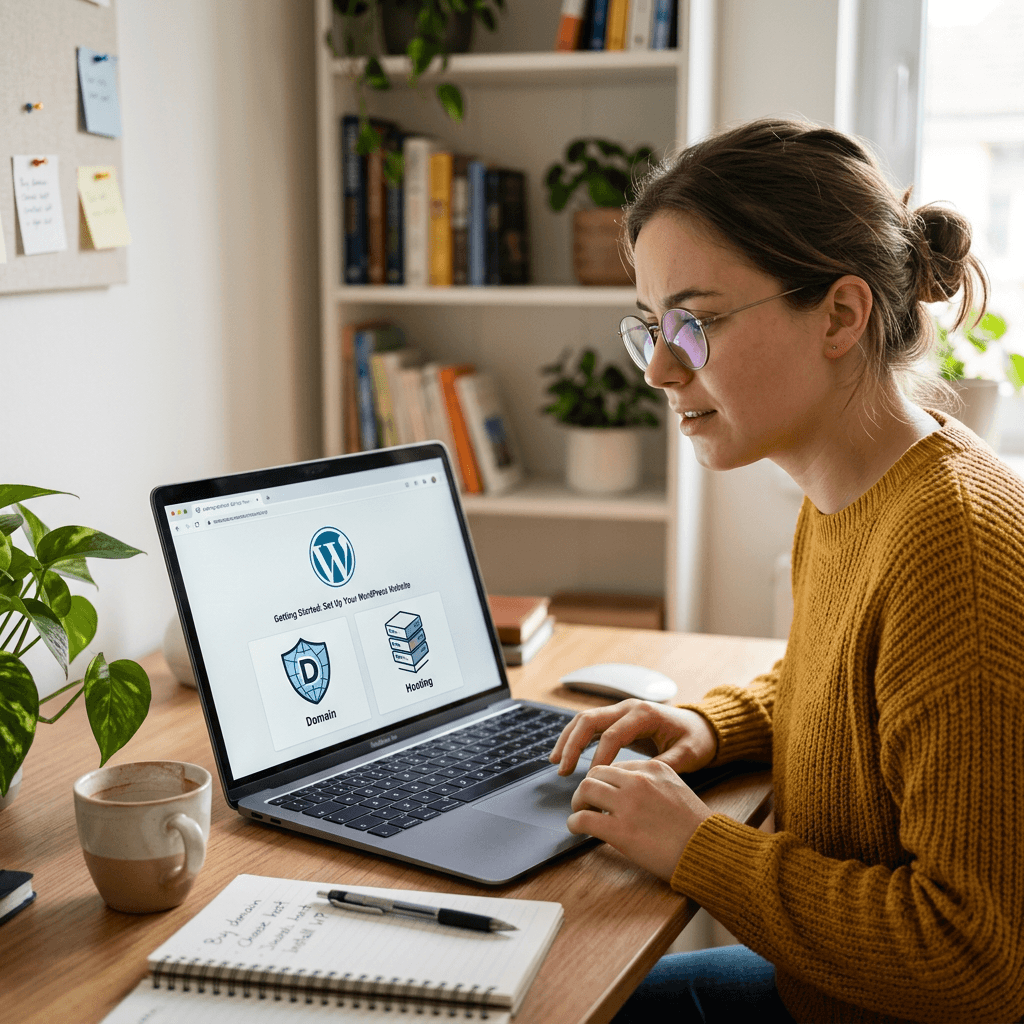
Easy Guide to Start a Website for Under $10 Without Stress
Quick Summary Box
- Goal: Start a website for under $10 without getting overwhelmed.
- Best option: Use affordable web hosting, WordPress, and free starter tools.
- Main cost: Hosting, usually the first thing you need to pay for.
- Fast solution: Choose budget hosting, install WordPress, pick a free theme, and publish a simple page.
- Need help? Contact Archer IT Solutions for beginner-friendly website setup and support.
What You’ll Learn
- What you actually need to launch a website
- How to keep your first website under $10
- Simple setup steps for beginners
- Common mistakes to avoid
- When to ask for professional help
Need help launching your first site? Contact Archer IT Solutions or ask about our Web Hosting Services today.
Featured Snippet Answer:
You can start a website for under $10 by choosing low-cost web hosting, using WordPress, selecting a free theme, and creating simple pages yourself. Your biggest expense is usually hosting. To stay on budget, avoid paid plugins, premium themes, and unnecessary add-ons until your website starts growing.
Starting a website can feel confusing when every company tries to sell you domains, hosting, themes, plugins, security tools, and design packages all at once. The good news is that you can Start a Website for under $10 if you focus only on the essentials and skip the extras in the beginning.
Many small business owners, freelancers, and new bloggers think they need hundreds or thousands of dollars to get online. That is not always true. A simple website can begin with affordable hosting, WordPress, a free design theme, and a clear plan.
At Archer IT Solutions, we help beginners and small businesses launch websites without technical headaches. If you want a clean, reliable, and budget-friendly start, this guide will walk you through the basics in plain English.
What You Need to Start a Website Under $10
To Start a Website under $10, you need three main things: a place to host your website, a website platform, and basic content such as your homepage text, business details, and contact information. Hosting is where your website lives online, WordPress is the tool that helps you build and manage the site, and your content tells visitors who you are and what you offer.
| Website Item | Budget Choice | Estimated Cost |
|---|---|---|
| Web Hosting | Basic shared or starter hosting | Under $10/month |
| Website Builder | WordPress.org | Free |
| Theme Design | Free WordPress theme | Free |
| Plugins | Free starter plugins | Free |
| Domain Name | Promo, existing domain, or add later | Varies |
A simple first website does not need expensive design tools, paid SEO software, or premium plugins. For example, a local handyman, bakery, consultant, or startup can begin with one homepage, one services page, and one contact page. That is enough to look professional, appear online, and give customers a way to reach you.
Fast, Reliable Web Hosting — at $9.99/month is a practical starting point if you want support, stability, and room to grow. Archer IT Solutions can help with hosting, WordPress installation, email setup, security basics, and troubleshooting so you do not waste hours trying to fix confusing technical issues alone.
Budget Website Pros
- Low starting cost
- Fast to launch
- Easy to manage with WordPress
- Good for small businesses and beginners
- Can grow later as your business grows
Budget Website Cons
- Limited advanced features at first
- Domain name may cost extra depending on provider
- Free themes may need customization
- DIY setup can be confusing without support
- Cheap hosting from unreliable providers can cause slow speeds
Helpful Internal Links
- Web Hosting Services
- WordPress Hosting
- Website Optimization Services
- Contact Archer IT Solutions
- Submit a Support Ticket
Helpful External Resources
Step-by-Step Setup for Your First Budget Website
The easiest way to launch your first budget website is to keep the setup small and focused. Do not try to build a massive website on day one. Start with the pages customers actually need: Home, About, Services, and Contact. You can always add blog posts, booking tools, galleries, or online stores later.
- Choose affordable hosting that fits your budget.
- Install WordPress from your hosting control panel.
- Pick a free theme that looks clean on mobile.
- Create your main pages: Home, About, Services, Contact.
- Add your business details such as phone number, email, service area, and hours.
- Install only essential plugins for security, contact forms, and SEO.
- Test your website on your phone before sharing it.
- Submit your site to Google using Google Search Console.
A real example: imagine Sarah runs a small cleaning business. She does not need a custom $2,000 website to start. She can launch a simple WordPress site with her services, pricing range, service area, photos, and contact form. Once customers start finding her online, she can upgrade the design, improve SEO, and add booking features.
If something goes wrong, start with simple troubleshooting. If your website is not loading, check your hosting account and domain settings. If WordPress looks broken, disable recently added plugins. If your site is slow, remove heavy images and avoid overloaded themes. If you get stuck, Archer IT Solutions can help with managed IT services, WordPress support, website optimization, and local IT troubleshooting.
Beginner Troubleshooting Guide
| Problem | Common Cause | Quick Fix |
|---|---|---|
| Website will not load | Hosting or DNS issue | Check hosting status and domain settings |
| WordPress login not working | Wrong password or security lockout | Reset password or contact support |
| Site looks broken | Theme or plugin conflict | Disable recent plugins |
| Website is slow | Large images or poor hosting | Compress images and use reliable hosting |
| Not showing on Google | Site not indexed yet | Submit sitemap in Google Search Console |
Common Mistakes to Avoid
- Buying every add-on during checkout
- Paying for a premium theme too early
- Installing too many plugins
- Uploading huge images
- Ignoring mobile design
- Forgetting contact information
- Choosing hosting only because it is the cheapest
Suggested Screenshots and Visuals
- Screenshot of a simple hosting checkout page
- Screenshot of the WordPress dashboard
- Screenshot of a free WordPress theme selection screen
- Diagram showing: Hosting → WordPress → Theme → Pages → Launch
- Image ALT text:
Start a Website with WordPress hosting under 10 dollars
FAQ Section
1. Can I really Start a Website for under $10?
Yes, you can start a simple website for under $10 if you use affordable hosting, WordPress, and free themes. A domain name may cost extra depending on the provider or promotion.
2. What is the cheapest way to start a website?
The cheapest way is to use basic web hosting, install WordPress for free, choose a free theme, and avoid paid plugins until you actually need them.
3. Is WordPress good for a budget website?
Yes. WordPress is one of the best options for beginners because it is free, flexible, widely supported, and works well for small business websites.
4. Do I need technical skills to start a website?
Basic websites do not require advanced technical skills, but hosting, DNS, email, and security settings can be confusing. Archer IT Solutions can help if you want a faster setup.
5. When should I upgrade from a budget website?
Upgrade when your site needs faster speed, better design, SEO support, online payments, appointment booking, or stronger security.
Free Checklist: Budget Website Launch
- Choose hosting under your monthly budget
- Install WordPress
- Use a free mobile-friendly theme
- Create Home, About, Services, and Contact pages
- Add phone number, email, and service area
- Compress images before uploading
- Install only essential plugins
- Test your site on mobile
- Submit your site to Google Search Console
- Ask for help before spending money on tools you do not need
Summary
Starting small is the smart way to build your first website. You do not need expensive software, complicated design packages, or dozens of plugins to get online. You need reliable hosting, WordPress, simple pages, and a clear message for your visitors.
For small businesses, the goal is not to build the biggest website right away. The goal is to launch something professional, useful, and easy for customers to find. Once your website starts bringing in attention, you can improve speed, SEO, design, and conversions over time.
You can Start a Website for under $10 by focusing on the basics and avoiding unnecessary upgrades. If you want help choosing hosting, installing WordPress, fixing setup problems, or improving your site, contact Archer IT Solutions today for fast, reliable support and beginner-friendly guidance.
Fast, Secure Website Hosting & IT Support for Small Businesses
Keep your website online, secure, and running at peak performance with reliable web hosting, proactive IT support, free SSL certificates, professional email, automatic backups, and expert technical assistance.
Whether you’re launching a new website or moving from another provider, Archer IT Solutions makes hosting simple, secure, and stress-free.
WHY CHOOSE ARCHER IT?
Everything You Need to Keep Your Website Running Smoothly
| ✔ 99.9% Uptime Guarantee ✔ Free SSL Certificates ✔ Professional Business Email ✔ One-Click WordPress Installation | ✔ Automatic Daily Backups ✔ Fast SSD Storage ✔ 24/7 Technical Support ✔ Website Migration Assistance |
|
🔥 Most Popular Standard Plan |
Domain Only | |
|---|---|---|
|
$9.99/month Limited-time offer | Secure your business name online | |
|
Affordable yearly pricing | |
Reseller Hosting (For Agencies & Developers)
| ||
|
Reseller 1 |
Reseller 2 |
Reseller 3 |
| $20/month | $37.50/month | $50/month |
|
|
|
|
✔ 99.9% uptime • ✔ Secure • ✔ Easy setup • ✔ Local support | ||
BUILT FOR GROWING BUSINESSES
Whether you’re creating your first website or managing multiple client websites, Archer IT Solutions provides dependable hosting that grows with your business.
Our hosting solutions deliver
- Lightning-fast performance
- Enterprise-grade security
- Reliable uptime
- Easy website management
- Local expert support
WHY BUSINESSES CHOOSE ARCHER IT HOSTING
Enterprise Security
Protect your website with free SSL certificates, malware protection, and secure servers.
Lightning Fast Performance
Optimized SSD servers deliver fast loading speeds for a better user experience.
Expert IT Support
Receive friendly, knowledgeable assistance whenever you need help.
Automatic Daily Backups
Your website is backed up regularly, making recovery simple if needed.
Professional Business Email
Build credibility with branded email addresses for your business.
One-Click WordPress Installation
Launch your WordPress website in minutes with quick and easy installation.
15-DAY MONEY-BACK GUARANTEE
Try Archer IT Hosting Risk-Free
We’re confident you’ll love our hosting services.
If you’re not completely satisfied within the first 15 days, we’ll provide a full refund.
No hidden fees.
No complicated process.
REAL PEOPLE. REAL SUPPORT.
Unlike many hosting providers, Archer IT Solutions believes customer support should be personal.
When you need help, you’ll speak with experienced IT professionals—not automated bots.
Our team can help with
- Website migration
- Email setup
- WordPress support
- Website troubleshooting
- Hosting management
FREQUENTLY ASKED QUESTIONS
What is web hosting?
Web hosting is the service that stores your website files and makes your website accessible on the internet.
Do you migrate existing websites?
Yes. We can migrate your existing website to Archer IT Solutions with minimal downtime.
Is SSL included?
Yes. Every hosting package includes a free SSL certificate to protect your website and visitors.
Can I install WordPress?
Absolutely. Our hosting plans include one-click WordPress installation for quick setup.
What happens if my website grows?
You can upgrade your hosting plan at any time as your business expands.
Do you provide IT support?
Yes. In addition to web hosting, Archer IT Solutions offers professional IT support services to help keep your systems running smoothly.
Ready to Build or Grow Your Online Presence?
Whether you need reliable web hosting, professional IT support, or a secure home for your business website, Archer IT Solutions has you covered.
Let us help you get online with confidence.


No responses yet