Optimize Your Website with Clear File Organization
When managing a website, one of the most overlooked yet crucial aspects is file organization. Whether you’re a small business owner, a developer, or a freelance designer, maintaining a clearly structured file system can make all the difference in site performance, troubleshooting, and future scalability. Poor organization leads to confusion, broken links, or even lost business opportunities — all of which cost time and money. This article will explore how clear file organization impacts site management, provide practical case studies, and offer actionable steps you can take to ensure that your website files remain tidy, accessible, and efficient.
How Clear File Organization Impacts Site Management
A clearly organized file system is like the foundation of a well-built house. Just as you wouldn’t build walls before pouring concrete, you shouldn’t start adding pages, plugins, or visuals before deciding how to structure your web files. Proper categorization ensures that your website runs efficiently and that any future edits or maintenance work can be executed smoothly. The file organization of your website affects everything — from page load speeds and server performance to search engine optimization (SEO) and ease of collaboration among your team.
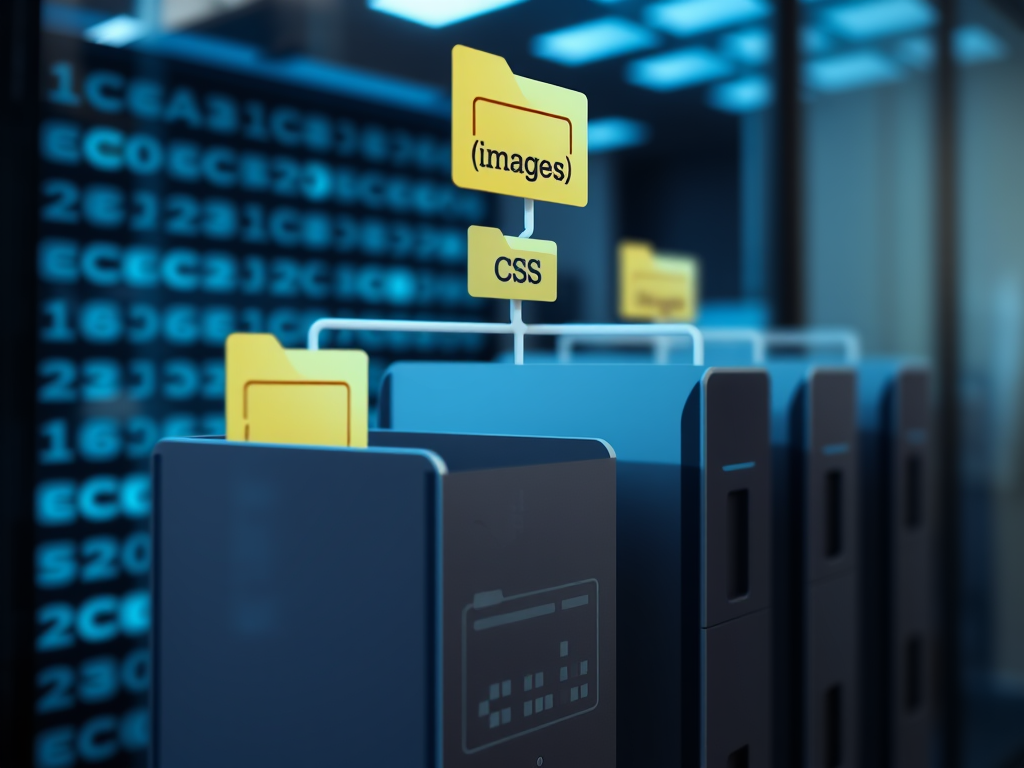
For instance, a site with hundreds of images scattered across multiple directories will make it difficult to update and optimize those images. In contrast, a site that organizes its assets into logically named folders — such as /images/, /css/, /js/, /uploads/, and /backup/ — creates a clear hierarchy that every team member can follow. A developer new to the project can immediately understand the layout, while an SEO specialist can locate and optimize content faster. This small difference can translate to improved efficiency and a reduction in website downtime.
Technical Insight: If you’re hosting your site through a professional provider such as Archer IT Solutions Web Hosting, your hosting environment can complement clear file organization by ensuring that directory permissions, data backups, and file accessibility are properly configured. For individuals unfamiliar with cPanel or file management, Archer IT Solutions provides onsite or remote support (service details here) and technical assistance via their support ticket system (submit a ticket). For technical questions, you can also email support@archer-its.com, typically receiving a response within 24 hours.
The Pros and Cons of Clear File Organization
Organizing your site files is not without its challenges. It requires an upfront investment of time and discipline, especially when migrating old websites or cleaning legacy folders. However, the benefits far outweigh the drawbacks.
Pros:
- Improved Site Speed: Files are easier to access when the server knows exactly where they reside.
- Simplified Maintenance: Updates, edits, and troubleshooting are faster when file locations are predictable.
- Easier Collaboration: Developers and designers can work together without overwriting or misplacing files.
- Better Scalability: Adding new files or expanding features becomes straightforward because of consistent structure.
- Reduced Data Loss Risks: Organized backups are simpler to manage and restore.
Cons:
- Initial Setup Time: Organizing files from scratch takes time, especially for large websites.
- Learning Curve: New contributors may need time to learn your system.
- Needs Continuous Discipline: Over time, maintaining structure requires regular audits and staff training.
According to a 2023 study by HubSpot, websites with clear internal organization saw a 27% improvement in user engagement metrics compared to those with cluttered directories. This shows that logical structure not only improves management but also affects user experience indirectly by supporting website performance.
Troubleshooting Common Issues with Plugin Compatibility
Even with great file organization, many website owners encounter problems with plugin conflicts — particularly on platforms like WordPress. These can occur when plugins attempt to access files or directories that have been moved or renamed. To minimize these disruptions, you should:
- Maintain Standard Folder Names: Most plugins assume that directories like
/wp-content/uploads/follow standard naming conventions. Avoid renaming these without updating configuration paths. - Regularly Update Plugins and Dependencies: Outdated scripts often cause compatibility issues.
- Backup Before Changes: Always create versioned backups before restructuring files. With services like those offered by Archer IT Solutions Managed IT Support, you can ensure automated backups are taken regularly and restored easily.
A common problem is when caching or security plugins interfere with file access permissions. If these tools block critical .js or .css files, your site may appear broken or have layout issues. In such cases, review your plugin’s settings or contact a support provider for advanced diagnostics. Educational platforms such as Smashing Magazine and W3Schools offer detailed tutorials on debugging site structures and resolving plugin conflicts.
Real-Life Case Studies That Prove the Benefits of Order
Consider a small business — let’s call it “EcoPrint Designs” — that ran an online store selling eco-friendly merchandise. Initially, they stored all their images in a single directory without consistent naming conventions. Over time, updates became chaotic. Product images were repeatedly overwritten, and their developers spent hours locating the correct version of each file. After consulting with Archer IT Solutions, they adopted a structured format:
/images/products/for product photography/images/marketing/for promotional graphics/downloads/for client resources
This restructuring reduced maintenance time by 40% and improved their website’s Google PageSpeed score by 20%. It also allowed them to implement an automated backup system that stored only updated directories, minimizing server strain.
A second example involves an educational nonprofit, “CodeForTeens,” which used WordPress as its CMS. After years of plugin experimentation, they faced constant 404 errors and broken image links. The root cause? Disorganized media folders. By re-categorizing uploads by year and type (e.g., /uploads/2024/videos/, /uploads/2024/pdfs/), and creating a file structure map for each content contributor, they restored site stability and avoided internal conflicts. Their experience, shared on GitHub Discussions and Stack Overflow, inspired others to adopt similar structured workflows.
A third case involves a marketing agency that hosted content-heavy client websites through multiple servers. They used a local and cloud synchronization strategy. With organized folders mirrored between production and staging servers, they experienced zero downtime during updates. File naming conventions like service_home_2024.html ensured that all versions were timestamped and easily trackable. Their IT administrator emphasized that the cost of organizing files was negligible compared to the gains in productivity and reduction in duplicate data.
Key Takeaways
To recap what you can learn from these cases, consider these actionable insights:
- Define Standard Naming Rules: Use clear, lowercase, hyphenated names (e.g.,
about-us.html) to avoid confusion. - Group Based on Functionality: Store scripts, images, and templates in separate directories.
- Document Your Structure: Maintain a shared document or visual diagram of your site architecture.
- Train Team Members: Educate employees or collaborators on where specific file types should go.
- Utilize Version Control: Tools such as Git or GitHub Desktop help keep file iterations synchronized.
- Perform Audits: Set quarterly reminders to clean obsolete or duplicate files.
Consistent adherence to these practices keeps your site robust and easier to scale. When working with web hosting experts like Archer IT Solutions, you can also benefit from integrated monitoring that alerts you to outdated scripts or unused directories, helping keep your platform lean and efficient.
Supporting Resources (Non-Commercial)
If you’d like to learn more about file organization principles without commercial bias, consider these reputable sites:
- MDN Web Docs – Developer guides for folder structure and semantic organization.
- Google Developers Web Fundamentals – Performance optimization resources.
- W3Schools File System Tutorials – Beginner-friendly file path and hierarchy explanations.
- Smashing Magazine – Case studies on web optimization and structured site management.
Such resources complement managed hosting providers like Archer IT Solutions, enabling you to apply technical knowledge with professional backup and real-world context.
When asking, “Will your site files be clearly organized?”, reflect on how much time and clarity your current system provides. A well-structured website not only boosts efficiency but also fosters collaboration, scalability, and long-term stability. Consider integrating professional tools and support systems, whether through hosts like Archer IT Solutions Web Hosting or through self-guided resources listed above, to elevate your online operations.
Take a moment today to review your existing file layout. Are your images randomly named? Are your scripts in multiple places? Cleaning things up now can save countless hours later. For more complex needs or technical upgrades, visit www.archer-its.com or reach out via support@archer-its.com for expert guidance (responses typically within 24 hours).
A clearly organized file system is more than a best practice — it’s an investment in your future productivity. Start small, stay consistent, and remember: clarity is the key to control.

An example of a clean website file hierarchy that supports long-term scalability and maintenance.
FAST, SECURE WEB HOSTING FOR YOUR BUSINESS
Reliable Hosting for Your Business
Fast, secure and reliable hosting solutions designed to keep your website online, protected and ready to grow.
Standard Hosting
Fast, reliable hosting with the essential tools your business website needs.
- Fast, reliable hosting
- Free SSL security
- Professional email accounts
- 1-click WordPress setup
- Scalable for growing traffic
Domain Only
Register your domain with simple setup and flexible hosting options.
- Affordable yearly pricing
- Easy setup
- Works with any hosting
- Simple domain management
Reseller Hosting
Start your own hosting business or manage multiple client websites with flexible reseller hosting plans.
Reseller 1
- 10 Domains
- 100 GB Disk Space
- 2TB Bandwidth
- 100 Databases
- 100 Mailboxes
- WordPress Ready
Reseller 2
- 25 Domains
- 300 GB Disk Space
- 6TB Traffic
- 300 Databases
- 300 Mailboxes
- WordPress Ready
Reseller 3
- 50 Domains
- 600 GB Disk Space
- 12TB Traffic
- 600 Databases
- 600 Mailboxes
- WordPress Ready
Reliable web hosting with SSL, professional email, backups, and responsive technical support. Get the performance and support you need to keep your business website online and running smoothly.
Launching a new website or moving from another provider? Archer IT Solutions makes hosting simple, secure, and easy to manage.
WHY CHOOSE ARCHER IT?
Everything You Need to Keep Your Website Running Smoothly
⚡ 99.9% Uptime Guarantee
Keep your website available and accessible with reliable hosting infrastructure.
🔒 Free SSL Certificates
Protect your website and visitors with SSL security included with your hosting.
📧 Professional Business Email
Create professional email addresses using your own business domain.
⚙️ One-Click WordPress Installation
Get your WordPress website up and running quickly with easy installation.
💾 Automatic Daily Backups
Help protect your website data with regular automated backups.
🚀 Fast SSD Storage
Fast storage helps your website load efficiently and provides a smoother experience for visitors.
🛠️ 24/7 Technical Support
Get technical assistance when you need help with your hosting.
🔄 Website Migration Assistance
Move your existing website to Archer IT with assistance from the support team.
HOSTING THAT GROWS WITH YOUR BUSINESS
Whether you’re launching your first website or managing multiple client websites, Archer IT Solutions provides reliable hosting designed to support your business as it grows.
Our hosting solutions provide:
⚡ Fast Performance
🔒 Reliable Security
✓ Dependable Uptime
⚙️ Easy Website Management
🛠️ Local Expert Support
WHY BUSINESSES CHOOSE ARCHER IT HOSTING
Enterprise Security
Protect your website with free SSL certificates, malware protection, and secure hosting infrastructure.
Fast Performance
Optimized SSD storage helps your website load quickly and provides a smoother experience for visitors.
Expert IT Support
Get friendly, knowledgeable assistance when you need help with your hosting or website.
Automatic Daily Backups
Regular backups help protect your website data and make recovery easier when needed.
Professional Business Email
Create professional email addresses using your business domain to build trust with customers.
One-Click WordPress Installation
Get your WordPress website up and running quickly with easy installation.
15-DAY MONEY-BACK GUARANTEE
Try Archer IT Hosting Risk-Free
We’re confident in the reliability of our hosting services. If you’re not completely satisfied within your first 15 days, you can request a full refund.
No hidden fees.
No complicated process.
REAL PEOPLE. REAL SUPPORT.
When you need help, you can reach experienced IT professionals who understand your website and hosting needs.
Our team can assist with website migration, email setup, WordPress support, website troubleshooting, and hosting management.
Our team can help with
- Website migration
- Email setup
- WordPress support
- Website troubleshooting
- Hosting management
FREQUENTLY ASKED QUESTIONS
Find answers to common questions about Archer IT hosting, website migration, WordPress, security, and technical support.
What is web hosting?
Web hosting is a service that stores your website files and makes your website accessible on the internet.
Can you migrate my existing website?
Yes. Archer IT Solutions can help migrate your existing website to Archer hosting with minimal downtime.
Is SSL included?
Yes. Every hosting package includes a free SSL certificate to help protect your website and visitors.
Can I install WordPress?
Yes. Our hosting plans include one-click WordPress installation for quick and easy setup.
What happens if my website grows?
You can upgrade your hosting plan as your business and website requirements grow.
Do you provide IT support?
Yes. In addition to web hosting, Archer IT Solutions provides professional IT support to help keep your systems and technology running smoothly.
READY TO GET YOUR WEBSITE ONLINE?
Give your business a reliable foundation with professional web hosting and responsive IT support from Archer IT Solutions. Let us help you get online with confidence.


No responses yet