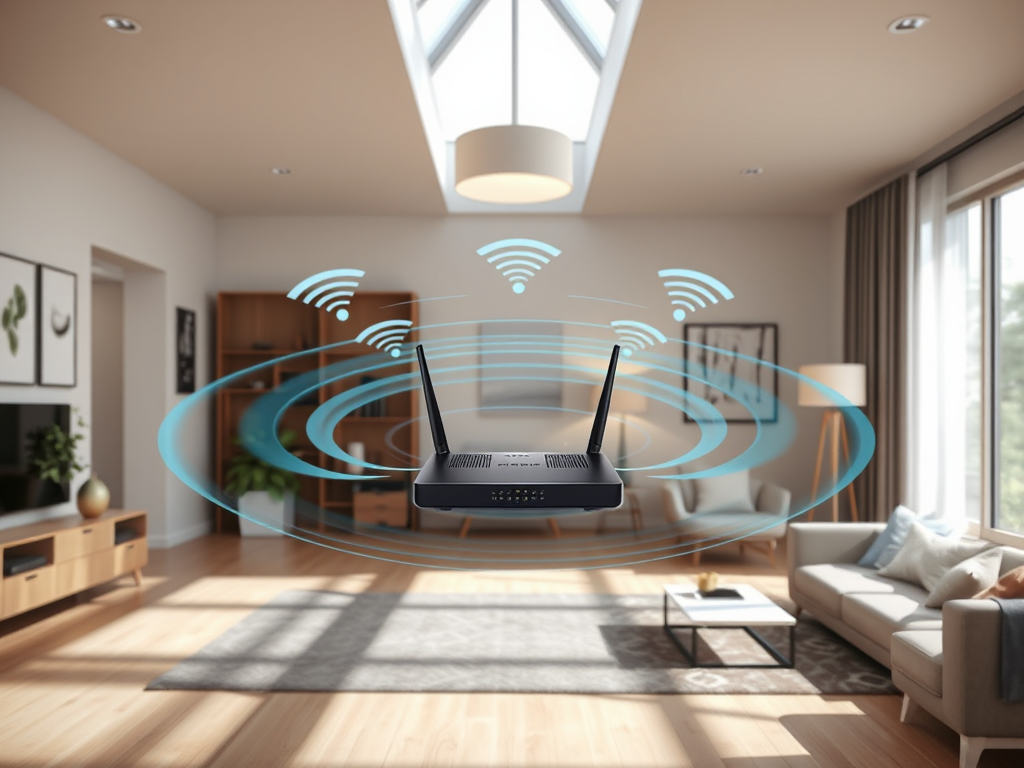
META Title: Understanding the Indoor Range and Performance of Wi-Fi 5 (IEEE 802.11ac) Networks
META Description: Explore how far Wi-Fi 5 (IEEE 802.11ac) travels indoors, real-life examples of its performance, pros and cons, and troubleshooting insights. Includes IT solutions and support from Archer IT Solutions.
The Wi-Fi 5 standard—officially known as IEEE 802.11ac—has remained one of the most widely used wireless networking technologies, delivering faster speeds and more reliable connectivity than its predecessors. Yet, one common question persists: how far does Wi-Fi 5 really travel indoors? Understanding this helps users and small businesses optimize their connections, design efficient layouts, and avoid unnecessary performance drops.
While manufacturers often advertise impressive ranges, real-world conditions tell a more nuanced story. In this article, we’ll explore what affects the indoor range of Wi-Fi 5, review practical examples of indoor performance, and include some troubleshooting and optimization strategies.
Understanding the Real Indoor Range of Wi-Fi 5 Networks
Wi-Fi 5 (IEEE 802.11ac) operates primarily in the 5 GHz frequency band, which is known for its fast data transfer rates but limited range compared to 2.4 GHz signals. In typical home or office interiors, the range is around 35 to 50 feet (10–15 meters) before performance starts to degrade significantly. However, this distance can vary based on factors such as wall composition, interference from other devices, and router design.
To break this down further technically, every wall or large piece of furniture between your device and the router acts like a barrier, absorbing or deflecting the signal. Concrete, brick, or metal structures are known to reduce the effective range drastically—sometimes down to 25 feet. Modern dual-band routers help mitigate this by switching frequencies or employing beamforming technology to direct signals more efficiently.
Key technical takeaways:
- Average indoor range: 35–50 feet under typical conditions.
- Frequency: 5 GHz provides greater speed but less penetration than 2.4 GHz.
- Enhancements: Beamforming and MU-MIMO technologies improve performance in multi-device environments.
Summary: Wi-Fi 5’s indoor range is influenced by physical and environmental factors more than by pure technical specifications. Understanding the limits allows users to plan access point placements better.
Case Studies Highlighting Wi-Fi 5 Performance Indoors
In a 2022 analysis by SmallNetBuilder, a mid-sized office of 3,000 square feet observed strong Wi-Fi 5 coverage across open spaces using a standard dual-band router placed centrally. However, coverage dropped by about 30% in rooms separated by concrete walls. Another practical test by TechRadar found a similar drop in throughput when routers were placed near metal appliances or mirrors.
For residential use, homeowners often report stable Wi-Fi 5 performance across two to three rooms, provided there’s clear line-of-sight to the router. Some augment their coverage with mesh systems or access point extenders—both of which help maintain consistent speeds across floors or across long corridors.
Pros and Cons of Wi-Fi 5 Indoors:
- Pros:
- Excellent speed for streaming, gaming, and video conferencing.
- Enhanced reliability via beamforming and improved antenna design.
- Lower latency and better throughput for multiple simultaneous users.
- Cons:
- Limited wall penetration; performance suffers in dense or multi-wall environments.
- Higher interference potential in multi-router setups without proper channel planning.
Summary: Real-world tests show that Wi-Fi 5 offers ample indoor coverage for most homes and offices, but its performance depends heavily on physical layout and placement strategy.
Troubleshooting and Optimization Tips
Many users encounter issues like signal dropouts, reduced speeds, or plugin compatibility problems—especially when using web-based management plugins or router dashboards. Incompatibility between plugins and firmware updates can cause features to malfunction temporarily. To troubleshoot, users can:
- Restart the router or update firmware manually.
- Disable incompatible plugins temporarily.
- Use router apps or dashboards optimized for the latest OS version.
For professional support, Archer IT Solutions offers managed IT services for web hosting, site maintenance, and network configuration. Their team provides remote and onsite support, accessible via support tickets or by emailing support@archer-its.com. Most inquiries receive a response within 24 hours, ensuring minimal downtime for website owners and small businesses.
Supporting Resources for Deep Learning:
- IEEE Wi-Fi 5 Standard Documentation (IEEE.org)
- Wi-Fi Alliance – Understanding Wi-Fi 5
- PCMag – Wi-Fi Range Explained
Summary: Consistent monitoring, regular firmware updates, and understanding plugin compatibility ensure a smooth Wi-Fi experience both for home users and managed network setups.
Wi-Fi 5 continues to be a dependable and high-performing standard for most indoor wireless applications. While its range hovers around 35–50 feet under average conditions, factors like router placement, interference, and environment layout can significantly affect results.
If you’re managing multiple devices or relying heavily on network-dependent services, consider how Wi-Fi 5 fits your needs—and whether managed support such as Archer IT Solutions’ Managed IT Services could help enhance stability and coverage.
Reflect on your space, connectivity needs, and the devices you use most. With proper optimization and professional support, achieving seamless indoor Wi-Fi coverage is both a science and an art.
Image Suggestion Ideas:
- Diagram of Wi-Fi 5 signal coverage in a home interior.
- Comparison chart: Wi-Fi 5 vs Wi-Fi 6 indoor range.
- Photo of an IT technician installing a router in an office.
Discover more from Archer IT Solutons
Subscribe to get the latest posts sent to your email.


No responses yet