Maximize Workflow Efficiency with Third-Party Integrations
In today’s interconnected digital landscape, the question “Will there be any third‑party applications that will need to be integrated?” is one that almost every business faces. Third‑party Integrations systems—such as CRMs, accounting tools, or social platforms—can transform how teams communicate and how efficiently workflows operate. However, the decision to integrate must balance benefits, complexity, and compatibility across various platforms and tools.
Integrating third‑party applications allows businesses like Archer IT Solutions’ customers—website owners, developers, and small businesses—to extend native functionalities without starting from scratch. This article explores real-world cases, technical considerations, and common troubleshooting issues while emphasizing design and usability principles that make integrated systems effective.
Exploring Third‑Party Integrations for Better Workflow
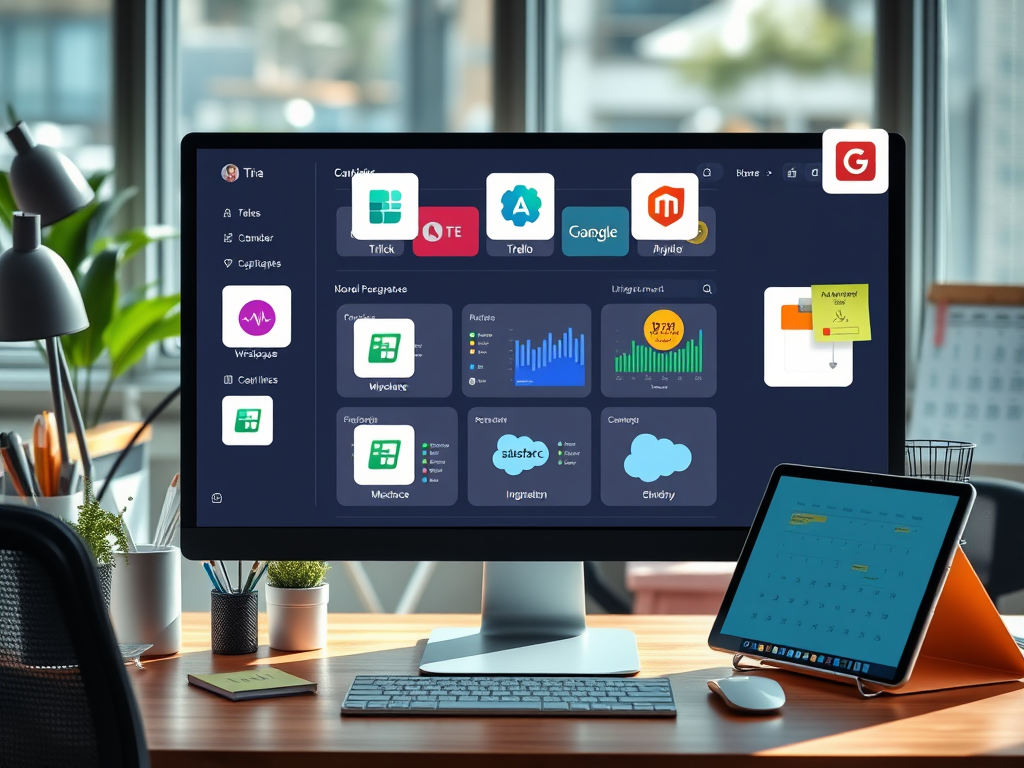
Modern workflows depend heavily on interoperability between tools. Rather than operating in isolated silos, teams can now connect platforms like Slack, Trello, Salesforce, and Google Workspace through application programming interfaces (APIs) or plugins. These integrations help eliminate repetitive tasks while ensuring data consistency across systems. According to a Workato 2023 Automation Report, organizations using third‑party integrations save an average of 35% in manual processing time annually.
From a visual and usability perspective, ensuring clear navigation—using visual hierarchy and top‑left focus areas—improves how users experience these integrations. For example, a dashboard combining Trello and Google Calendar in one interface allows seamless scheduling and task tracking. At Archer IT Solutions, clients using managed IT services often benefit from connecting analytics dashboards (e.g., Google Analytics or Matomo) to web hosting platforms, allowing real-time monitoring of visitor patterns.
Pros and Cons of Third‑Party Integrations:
- Pros: Increased productivity, reduced redundancy, improved reporting accuracy, scalability.
- Cons: Compatibility conflicts, data privacy concerns, need for continuous maintenance.
Summary:
Third‑party integration can significantly enhance workflow efficiency, provided that usability, design clarity, and compatibility are properly managed.
Real‑World Benefits and Case Studies of Seamless Integration
A good example of seamless integration can be found in small businesses linking QuickBooks Online to their e-commerce platforms such as Shopify. This link automates inventory, tax, and customer data management. Similarly, Zapier enables non-developers to connect over 3,000 applications, making workflow automation accessible without advanced coding. Case studies from Buffer and HubSpot highlight measurable increases in efficiency—marketing teams reduced manual report generation by over 50% after implementing automated integration strategies.
These integrations are not limited to marketing or sales; technical teams also benefit greatly. A web developer using Archer IT Solutions’ web hosting services might integrate GitHub for version control alongside security plugins such as Wordfence or Sucuri. The integration ensures that the hosting environment remains secure while making deployment faster and more reliable. Reliable integrations like these improve productivity while aligning with usability design principles—organized information flow, logical reading patterns, and clearly labeled navigation paths.
Sites to Explore for Further Learning:
- Zapier Blog – Real-world automation guides.
- Workato Resources – Insights into enterprise-level integrations.
- Smashing Magazine – Articles on user experience and design integration best practices.
Summary:
Real-world use cases and cross-platform solutions demonstrate that integrating external tools can drive measurable results, particularly when visual design supports user flow and accessibility.
Troubleshooting Common Plugin Compatibility and Integration Issues
Even the best integrations occasionally run into challenges. Incompatibility often occurs due to mismatched API versions, outdated plugins, or security restrictions. For example, an e-commerce plugin may fail if the hosting PHP version doesn’t align with the plugin’s requirements. At Archer IT Solutions, clients using managed IT or web-hosting support can seek quick help at www.archer-its.com/ticket/ or via email at support@archer-its.com, receiving responses within 24 hours.
Common Troubleshooting Steps:
- Check version compatibility between the main platform and the plugin.
- Disable conflicting extensions and test them one by one.
- Inspect API keys and credentials to ensure proper authentication.
- Backup your system before applying updates or changes.
- Contact professional support, such as Archer IT Solutions, for remote diagnostics or on‑site troubleshooting.
From a technical standpoint, integrations rely on API endpoints—think of them as secure bridges transferring data between systems. Understanding how these bridges work helps users identify where issues may arise. Maintaining a minimalist dashboard layout, adequate white space, and structured error messages also improves user experience during troubleshooting.
Summary:
Understanding the integration process, maintaining compatibility, and seeking expert support when needed ensures long-term reliability and system harmony.
Integrating third‑party applications has become a defining factor in modern business efficiency. From workflow automation to seamless digital experiences, properly managed integrations empower users to work smarter, not harder. While challenges such as compatibility and data security exist, the long-term benefits far outweigh the risks when guided by good design principles and professional IT support.
If you’re considering integrating third‑party tools into your current setup, reflect on your business needs and resources. Ask yourself: Which apps truly add value to my workflow? For expert assistance or to strengthen your hosting foundation, visit www.archer-its.com/web-hosting or Managed IT Services at Archer IT Solutions. Support is just a click away at www.archer-its.com/ticket/.

Image Credit: Wikimedia Commons – API Integration Model
FAST, SECURE WEB HOSTING FOR YOUR BUSINESS
Reliable Hosting for Your Business
Fast, secure and reliable hosting solutions designed to keep your website online, protected and ready to grow.
Standard Hosting
Fast, reliable hosting with the essential tools your business website needs.
- Fast, reliable hosting
- Free SSL security
- Professional email accounts
- 1-click WordPress setup
- Scalable for growing traffic
Domain Only
Register your domain with simple setup and flexible hosting options.
- Affordable yearly pricing
- Easy setup
- Works with any hosting
- Simple domain management
Reseller Hosting
Start your own hosting business or manage multiple client websites with flexible reseller hosting plans.
Reseller 1
- 10 Domains
- 100 GB Disk Space
- 2TB Bandwidth
- 100 Databases
- 100 Mailboxes
- WordPress Ready
Reseller 2
- 25 Domains
- 300 GB Disk Space
- 6TB Traffic
- 300 Databases
- 300 Mailboxes
- WordPress Ready
Reseller 3
- 50 Domains
- 600 GB Disk Space
- 12TB Traffic
- 600 Databases
- 600 Mailboxes
- WordPress Ready
Reliable web hosting with SSL, professional email, backups, and responsive technical support. Get the performance and support you need to keep your business website online and running smoothly.
Launching a new website or moving from another provider? Archer IT Solutions makes hosting simple, secure, and easy to manage.
WHY CHOOSE ARCHER IT?
Everything You Need to Keep Your Website Running Smoothly
⚡ 99.9% Uptime Guarantee
Keep your website available and accessible with reliable hosting infrastructure.
🔒 Free SSL Certificates
Protect your website and visitors with SSL security included with your hosting.
📧 Professional Business Email
Create professional email addresses using your own business domain.
⚙️ One-Click WordPress Installation
Get your WordPress website up and running quickly with easy installation.
💾 Automatic Daily Backups
Help protect your website data with regular automated backups.
🚀 Fast SSD Storage
Fast storage helps your website load efficiently and provides a smoother experience for visitors.
🛠️ 24/7 Technical Support
Get technical assistance when you need help with your hosting.
🔄 Website Migration Assistance
Move your existing website to Archer IT with assistance from the support team.
HOSTING THAT GROWS WITH YOUR BUSINESS
Whether you’re launching your first website or managing multiple client websites, Archer IT Solutions provides reliable hosting designed to support your business as it grows.
Our hosting solutions provide:
⚡ Fast Performance
🔒 Reliable Security
✓ Dependable Uptime
⚙️ Easy Website Management
🛠️ Local Expert Support
WHY BUSINESSES CHOOSE ARCHER IT HOSTING
Enterprise Security
Protect your website with free SSL certificates, malware protection, and secure hosting infrastructure.
Fast Performance
Optimized SSD storage helps your website load quickly and provides a smoother experience for visitors.
Expert IT Support
Get friendly, knowledgeable assistance when you need help with your hosting or website.
Automatic Daily Backups
Regular backups help protect your website data and make recovery easier when needed.
Professional Business Email
Create professional email addresses using your business domain to build trust with customers.
One-Click WordPress Installation
Get your WordPress website up and running quickly with easy installation.
15-DAY MONEY-BACK GUARANTEE
Try Archer IT Hosting Risk-Free
We’re confident in the reliability of our hosting services. If you’re not completely satisfied within your first 15 days, you can request a full refund.
No hidden fees.
No complicated process.
REAL PEOPLE. REAL SUPPORT.
When you need help, you can reach experienced IT professionals who understand your website and hosting needs.
Our team can assist with website migration, email setup, WordPress support, website troubleshooting, and hosting management.
Our team can help with
- Website migration
- Email setup
- WordPress support
- Website troubleshooting
- Hosting management
FREQUENTLY ASKED QUESTIONS
Find answers to common questions about Archer IT hosting, website migration, WordPress, security, and technical support.
What is web hosting?
Web hosting is a service that stores your website files and makes your website accessible on the internet.
Can you migrate my existing website?
Yes. Archer IT Solutions can help migrate your existing website to Archer hosting with minimal downtime.
Is SSL included?
Yes. Every hosting package includes a free SSL certificate to help protect your website and visitors.
Can I install WordPress?
Yes. Our hosting plans include one-click WordPress installation for quick and easy setup.
What happens if my website grows?
You can upgrade your hosting plan as your business and website requirements grow.
Do you provide IT support?
Yes. In addition to web hosting, Archer IT Solutions provides professional IT support to help keep your systems and technology running smoothly.
READY TO GET YOUR WEBSITE ONLINE?
Give your business a reliable foundation with professional web hosting and responsive IT support from Archer IT Solutions. Let us help you get online with confidence.


No responses yet