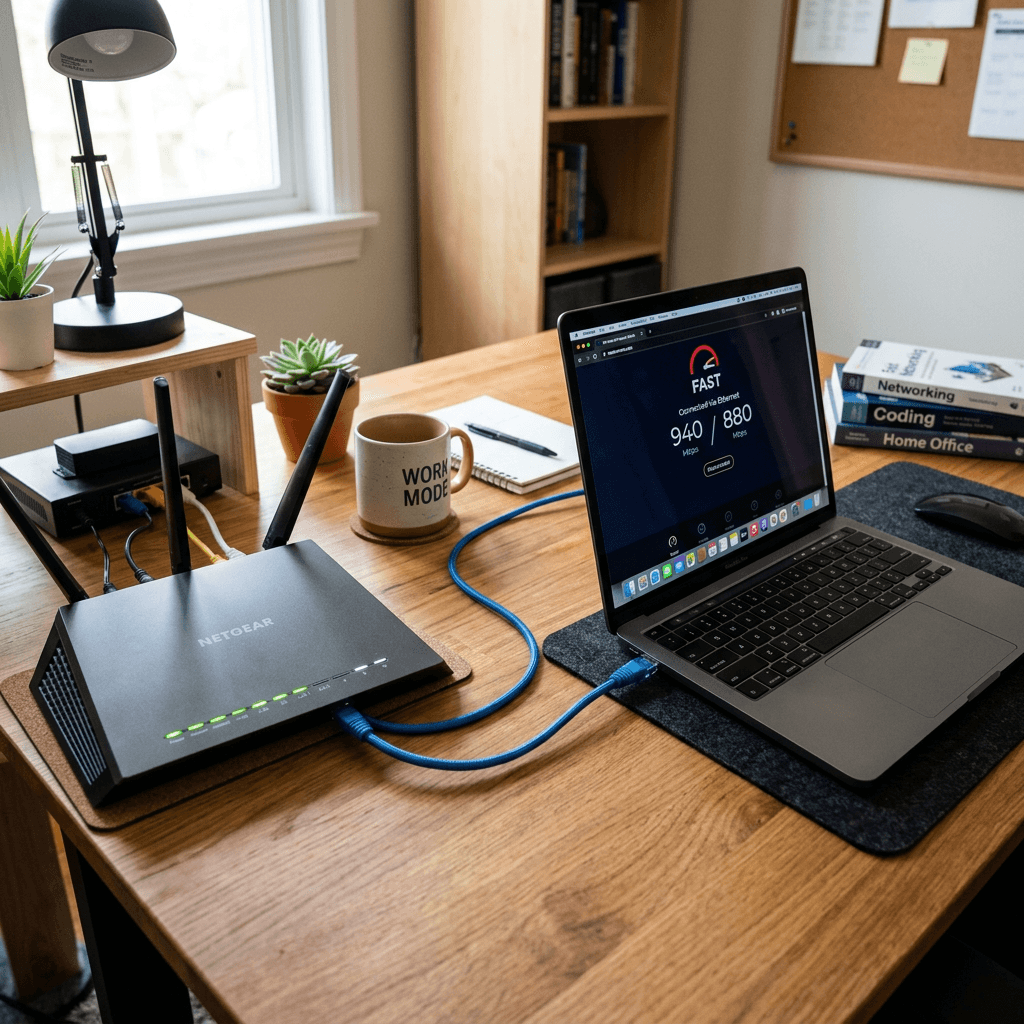
Ethernet Connection Guide for Fast and Stable Internet
- Learn how to set up an Ethernet cable correctly
- See how Ethernet improves speed, latency, and reliability
- Get simple tips to make your WiFi more stable
- Compare Ethernet vs WiFi in a quick table
- Follow easy troubleshooting steps if Ethernet is not working
What You’ll Learn
- How to connect Ethernet for faster internet
- What equipment you need before setup
- How Ethernet helps support stable WiFi performance
- Common Ethernet issues and how to fix them
- When to call for expert IT support
👉 Get Help Now: https://www.archer-its.com/contact-us/
An Ethernet connection guide is simple: plug one end of an Ethernet cable into your router or modem and the other end into your computer, game console, or switch. Ethernet usually gives you faster speeds, lower lag, and a more stable connection than WiFi, especially for work, gaming, video calls, and business use.
If your internet feels slow, drops during video calls, or struggles when multiple devices are online, this Ethernet connection guide can help. A wired connection is often the easiest way to get faster, more stable internet without complicated changes. Whether you are at home or running a small business, Ethernet can make your connection more reliable and your WiFi less overloaded.
How to Connect Ethernet for Faster Internet
The first step in any Ethernet connection guide is making sure you have the right equipment. In most cases, you need a router or modem with available LAN ports, an Ethernet cable, and a device with an Ethernet port. If your laptop does not have one, a USB-to-Ethernet adapter usually solves the problem quickly.
To connect, plug one end of the Ethernet cable into your router and the other end into your computer, smart TV, or console. Most devices will detect the wired connection automatically within a few seconds. If it does not connect right away, restarting the device and router often helps force a fresh network handshake.
Ethernet is popular because it reduces interference and delivers a direct path to your internet source. That means lower latency, more consistent speeds, and fewer random dropouts. If you work from home, upload large files, or manage websites, a wired setup can save time and reduce frustration every day.
Ethernet vs WiFi Comparison
| Feature | Ethernet | WiFi |
|---|---|---|
| Speed Stability | High | Medium |
| Latency | Low | Higher |
| Interference | Very low | More common |
| Best For | Gaming, work, streaming, servers | Phones, tablets, casual browsing |
| Security | More secure physically | Needs strong wireless security |
Pros and Cons of Ethernet
Pros
- Faster and more stable than WiFi
- Better for video meetings and gaming
- Lower lag and packet loss
- More secure for office environments
Cons
- Requires cables
- Less convenient for mobile devices
- May need adapters or extra switches
For users managing websites or online stores, a stable connection matters even more. If your business depends on uptime, pairing reliable local networking with dependable hosting is a smart move. Archer IT Solutions also offers web hosting and a helpful complete guide to web hosting if you want your online presence to be as stable as your local network.
Simple Ethernet Setup Tips for Stable WiFi
A lot of people think Ethernet and WiFi compete with each other, but they actually work well together. When you move high-demand devices like desktop PCs, smart TVs, VoIP phones, or gaming consoles to Ethernet, you free up wireless bandwidth for phones, tablets, and smart home devices. That can make your entire network feel smoother.
Router placement still matters, even if you use Ethernet for key devices. Keep the router in a central location, away from thick walls, microwaves, or metal cabinets. If your office or home has dead zones, adding a switch for wired devices or a mesh WiFi system can create a stronger and more balanced setup.
For small businesses, Ethernet is often the foundation of a dependable network. Printers, workstations, and access points can all benefit from wired backhaul or direct wired connections. If you need help planning a more reliable office setup, Archer IT Solutions provides managed IT services and onsite service to keep your systems running with less downtime.
Simple Setup Tips
- Use Cat5e, Cat6, or better Ethernet cables
- Connect stationary devices with Ethernet first
- Keep your router firmware updated
- Reboot network hardware after major changes
- Label cables if you have multiple devices
- Use a network switch if router ports are limited
Troubleshooting Ethernet Connection Problems
If Ethernet is plugged in but not working, start with the basics. Check whether the cable is damaged, loose, or plugged into the wrong port. Then restart the router and the device. A different cable or port can quickly tell you if the issue is physical.
Next, check your network settings. On Windows or macOS, confirm the Ethernet adapter is enabled and set to obtain an IP address automatically unless your business uses static IP settings. Updating network drivers can also fix connection issues that appear after system updates.
If the problem continues, test another device with the same cable. This helps isolate whether the issue is with the cable, router, or original device. For more advanced network support, Archer IT Solutions can help with setup, diagnostics, and server-side issues through its server administration guide and support team.
Supporting Resources
What is the best cable to use in an Ethernet connection guide?
Cat5e works well for most homes, but Cat6 is a better long-term option for faster speeds and improved shielding.
Does Ethernet make internet faster than WiFi?
Yes, in many cases Ethernet provides faster, more consistent speeds with lower lag than WiFi.
Can Ethernet improve stable WiFi?
Yes. Moving heavy-use devices onto Ethernet reduces wireless congestion and can improve WiFi performance for the rest of your devices.
Why is my Ethernet connected but no internet is working?
This can happen because of a bad cable, disabled network adapter, outdated driver, router issue, or ISP outage.
Is Ethernet worth it for small businesses?
Absolutely. It improves reliability, supports critical devices, and reduces connection problems that affect productivity.
- 🎁 Free Website Speed Checklist
- 🎁 Small Business IT Setup Guide
To request help or ask for these resources, contact Archer IT Solutions:
- General: https://www.archer-its.com/contact-us/
- Support: https://www.archer-its.com/ticket/
- Email: support@archer-its.com
“Archer IT made our office internet far more reliable. Video calls stopped dropping, and setup was much easier than we expected.” — Melissa R.
Case Study: We helped a small business fix unstable WiFi by moving workstations and phones to Ethernet, reducing congestion and improving call quality across the office.
A good Ethernet connection guide does not need to be complicated. In most homes and offices, plugging key devices into Ethernet is one of the fastest ways to improve speed, reduce lag, and create a more stable internet experience overall. If you want expert help with networking, hosting, managed IT, or local support, Archer IT Solutions is ready to help you get everything running the right way.
👉 Need help? https://www.archer-its.com/contact-us/
👉 Request IT Support Now: https://www.archer-its.com/ticket/
👉 Contact Archer IT Solutions Now
https://www.archer-its.com/contact-us/


No responses yet