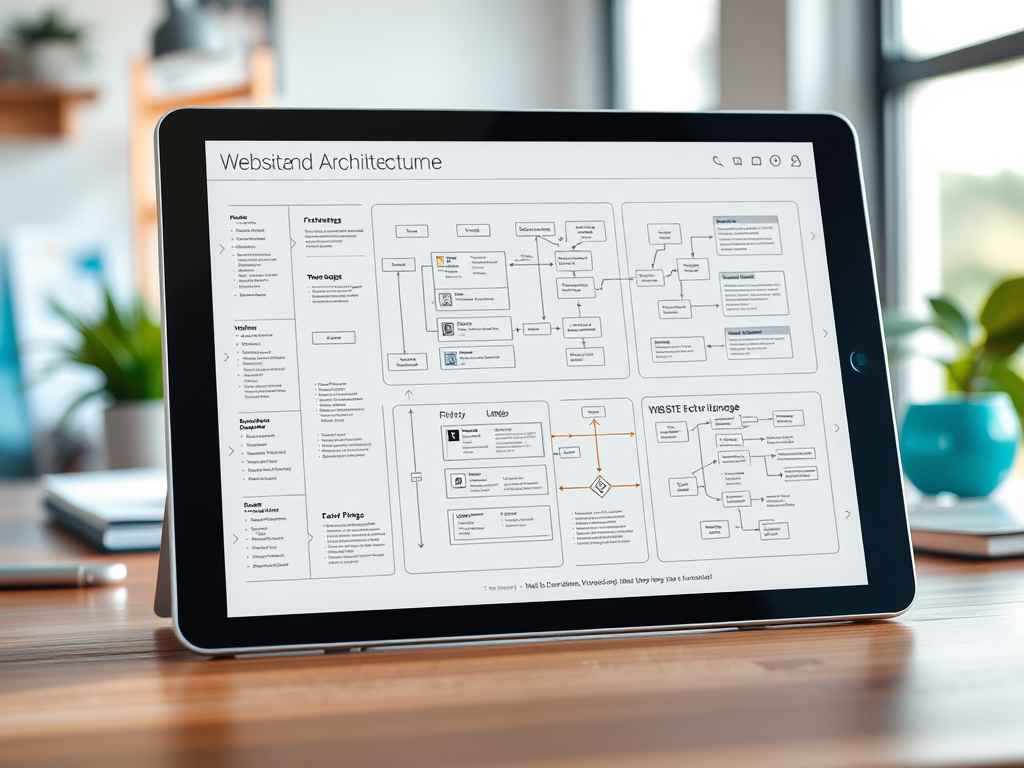
Website Architecture Planning: How to Define Scope Before You Build
A successful website starts with more than design choices. Before colors, layouts, and content are finalized, your team needs a clear plan for how the site will be organized, how pages will connect, and how visitors will move through the experience.
That plan is known as your website architecture.
Defining your website architecture scope early helps prevent confusion during design and development. It clarifies what pages, templates, features, and user paths need to be included in the project. Whether you already have a sitemap or need one created from scratch, setting these boundaries upfront can reduce rework, control costs, and create a better experience for your users.
What Website Architecture Includes
Website architecture is the structure behind your site. It defines how content is grouped, how navigation works, and how users reach important pages or actions.
A strong architecture plan often includes:
- A sitemap showing all major pages
- Page hierarchy and navigation structure
- User journeys from entry point to conversion
- Required templates and content types
- Calls-to-action for key pages
- Technical considerations such as redirects, hosting, and platform compatibility
For example, a service-based business may need separate paths for sales inquiries, support requests, billing questions, and existing client resources. Mapping those paths before development begins helps users find the right information quickly.
Why a Sitemap Matters
A sitemap acts as a blueprint for your website. It shows what will be built and how each page relates to the others.
This planning step is especially important when:
- Building a new website
- Redesigning an existing site
- Migrating from an older CMS
- Adding new services or departments
- Improving SEO performance
- Reducing navigation confusion
A clear sitemap also helps designers, developers, content writers, and stakeholders stay aligned. Instead of making structural decisions late in the project, everyone can work from the same plan from the beginning.
Archer IT Solutions supports clients with website planning, design, and development through its web design services.
Planning User Flow and Navigation
Good website architecture focuses on how real visitors use the site. The goal is to make important information easy to find without overwhelming the user.
When planning user flow, consider questions such as:
- What should visitors see first?
- What action should they take next?
- Which pages are most important for conversions?
- Where do support, billing, or service requests belong?
- Can users reach key information within a few clicks?
Simple navigation usually performs better than a complicated menu structure. Use clear page names, consistent headings, and logical content groupings. Visitors should not have to guess where to click next.
A well-planned structure also supports search engines. When pages are organized clearly and linked properly, search engines can better understand the importance and relationship of your content.
Defining the Project Scope
Scope defines what is included in the website project and what is not. This is one of the most important parts of the planning process.
Your website architecture scope should identify:
- Required pages
- Optional or future pages
- Navigation items
- Forms and calls-to-action
- Service or department sections
- Blog or resource areas
- Integrations with third-party tools
- Hosting, migration, and redirect needs
- Responsibilities for content, approvals, and launch tasks
If the site architecture has not been created yet, discovery and sitemap development should be included in the project scope. This prevents assumptions and gives the project team a clearer path forward.
Without clear scope, websites often run into scope creep. This happens when additional pages, features, or requirements are added after work has already begun. While some changes are expected, too many unplanned additions can delay launch and increase costs.
Prioritizing Important Pages First
Not every page has the same value. During architecture planning, start with the pages that matter most to users and business goals.
For many organizations, these include:
- Homepage
- Core service pages
- Contact page
- Support or help pages
- About page
- Request-a-quote or consultation page
- Client portal or ticket submission page
For example, Archer IT Solutions separates key service paths such as Managed IT Services, Onsite Services, and website support. This type of structure helps visitors choose the right path based on their needs.
Clients who need technical assistance can also submit a request through the support ticket page.
Technical Considerations Before Launch
Website architecture is not only about navigation. It also affects technical performance and long-term maintenance.
Before launch, review:
- Internal links
- Redirects from old pages
- Hosting requirements
- CMS compatibility
- Mobile usability
- Page speed
- Security settings
- Backup and recovery plans
- Form routing and notification emails
This is especially important during a website migration. If old URLs are removed without redirects, users may see broken pages and search engines may lose track of important content. Planning redirects and hosting requirements early helps protect traffic and reduce downtime.
Archer IT Solutions provides web hosting services and managed technical support for businesses that need help preparing for launch or migration.
Benefits of Defining Website Architecture Early
A clear website architecture scope offers several benefits:
- Better user experience
- Easier navigation
- Stronger SEO foundation
- More accurate project timelines
- Clearer stakeholder expectations
- Reduced development rework
- Fewer launch issues
- Easier long-term site maintenance
The main tradeoff is the time required during planning. Discovery sessions, sitemap reviews, and technical audits can take extra effort at the beginning. However, that early work usually saves time later by reducing confusion and avoiding avoidable changes during development.
Final Thoughts
Your website architecture shapes how visitors experience your brand online. When your pages, navigation, and user paths are planned clearly, your website becomes easier to use, easier to manage, and easier to improve over time.
Before starting a new website build or redesign, take time to define the structure, scope, and technical requirements. A thoughtful plan can help prevent costly revisions, reduce launch risks, and create a stronger foundation for long-term growth.
For help with website planning, hosting, migration, or IT support, visit Archer IT Solutions or contact the appropriate department directly:
- General inquiries: info@archer-its.com
- Support requests: support@archer-its.com
- Billing questions: accounting@archer-its.com
Starter Website
Use our AI bots to build a starter website for you.
$50 setup with hosting at $9.99 per month
FAST, SECURE WEB HOSTING FOR YOUR BUSINESS
Reliable Hosting for Your Business
Fast, secure and reliable hosting solutions designed to keep your website online, protected and ready to grow.
Standard Hosting
Fast, reliable hosting with the essential tools your business website needs.
- Fast, reliable hosting
- Free SSL security
- Professional email accounts
- 1-click WordPress setup
- Scalable for growing traffic
Domain Only
Register your domain with simple setup and flexible hosting options.
- Affordable yearly pricing
- Easy setup
- Works with any hosting
- Simple domain management
Reseller Hosting
Start your own hosting business or manage multiple client websites with flexible reseller hosting plans.
Reseller 1
- 10 Domains
- 100 GB Disk Space
- 2TB Bandwidth
- 100 Databases
- 100 Mailboxes
- WordPress Ready
Reseller 2
- 25 Domains
- 300 GB Disk Space
- 6TB Traffic
- 300 Databases
- 300 Mailboxes
- WordPress Ready
Reseller 3
- 50 Domains
- 600 GB Disk Space
- 12TB Traffic
- 600 Databases
- 600 Mailboxes
- WordPress Ready
Reliable web hosting with SSL, professional email, backups, and responsive technical support. Get the performance and support you need to keep your business website online and running smoothly.
Launching a new website or moving from another provider? Archer IT Solutions makes hosting simple, secure, and easy to manage.
WHY CHOOSE ARCHER IT?
Everything You Need to Keep Your Website Running Smoothly
⚡ 99.9% Uptime Guarantee
Keep your website available and accessible with reliable hosting infrastructure.
🔒 Free SSL Certificates
Protect your website and visitors with SSL security included with your hosting.
📧 Professional Business Email
Create professional email addresses using your own business domain.
⚙️ One-Click WordPress Installation
Get your WordPress website up and running quickly with easy installation.
💾 Automatic Daily Backups
Help protect your website data with regular automated backups.
🚀 Fast SSD Storage
Fast storage helps your website load efficiently and provides a smoother experience for visitors.
🛠️ 24/7 Technical Support
Get technical assistance when you need help with your hosting.
🔄 Website Migration Assistance
Move your existing website to Archer IT with assistance from the support team.
HOSTING THAT GROWS WITH YOUR BUSINESS
Whether you’re launching your first website or managing multiple client websites, Archer IT Solutions provides reliable hosting designed to support your business as it grows.
Our hosting solutions provide:
⚡ Fast Performance
🔒 Reliable Security
✓ Dependable Uptime
⚙️ Easy Website Management
🛠️ Local Expert Support
WHY BUSINESSES CHOOSE ARCHER IT HOSTING
Enterprise Security
Protect your website with free SSL certificates, malware protection, and secure hosting infrastructure.
Fast Performance
Optimized SSD storage helps your website load quickly and provides a smoother experience for visitors.
Expert IT Support
Get friendly, knowledgeable assistance when you need help with your hosting or website.
Automatic Daily Backups
Regular backups help protect your website data and make recovery easier when needed.
Professional Business Email
Create professional email addresses using your business domain to build trust with customers.
One-Click WordPress Installation
Get your WordPress website up and running quickly with easy installation.
15-DAY MONEY-BACK GUARANTEE
Try Archer IT Hosting Risk-Free
We’re confident in the reliability of our hosting services. If you’re not completely satisfied within your first 15 days, you can request a full refund.
No hidden fees.
No complicated process.
REAL PEOPLE. REAL SUPPORT.
When you need help, you can reach experienced IT professionals who understand your website and hosting needs.
Our team can assist with website migration, email setup, WordPress support, website troubleshooting, and hosting management.
Our team can help with
- Website migration
- Email setup
- WordPress support
- Website troubleshooting
- Hosting management
FREQUENTLY ASKED QUESTIONS
Find answers to common questions about Archer IT hosting, website migration, WordPress, security, and technical support.
What is web hosting?
Web hosting is a service that stores your website files and makes your website accessible on the internet.
Can you migrate my existing website?
Yes. Archer IT Solutions can help migrate your existing website to Archer hosting with minimal downtime.
Is SSL included?
Yes. Every hosting package includes a free SSL certificate to help protect your website and visitors.
Can I install WordPress?
Yes. Our hosting plans include one-click WordPress installation for quick and easy setup.
What happens if my website grows?
You can upgrade your hosting plan as your business and website requirements grow.
Do you provide IT support?
Yes. In addition to web hosting, Archer IT Solutions provides professional IT support to help keep your systems and technology running smoothly.
READY TO GET YOUR WEBSITE ONLINE?
Give your business a reliable foundation with professional web hosting and responsive IT support from Archer IT Solutions. Let us help you get online with confidence.


No responses yet