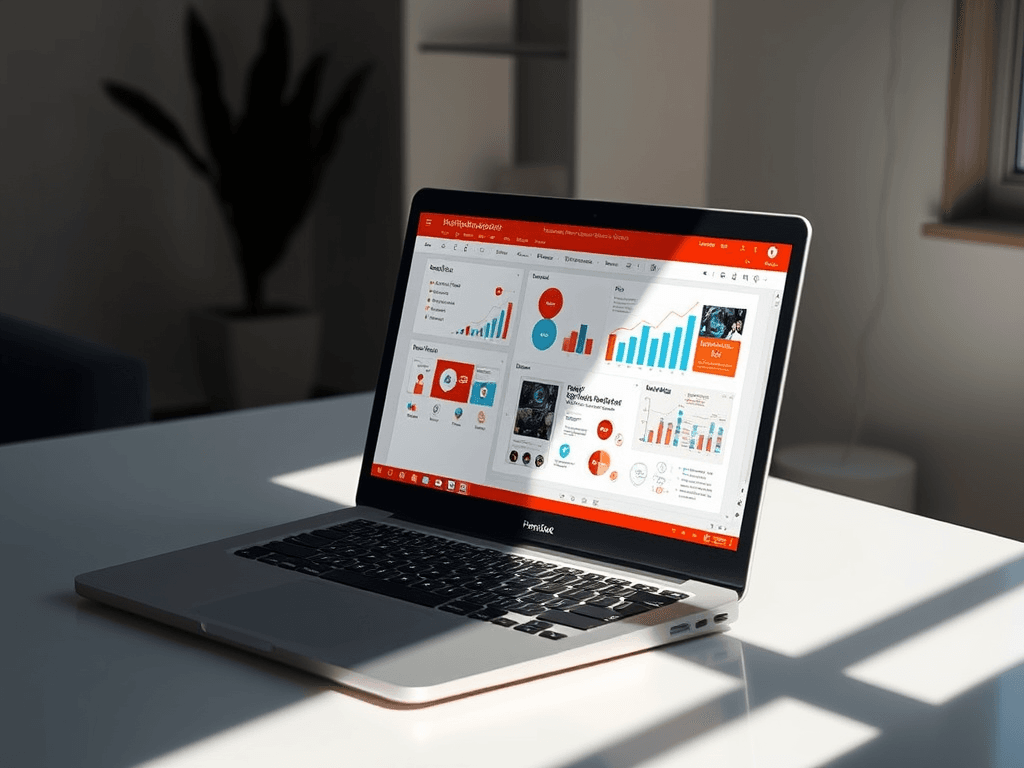
What Is Microsoft PowerPoint? A Simple Guide for Beginners
Summary Box
- Understand what Microsoft PowerPoint is
- Learn why PowerPoint matters for school, business, and personal use
- Discover beginner-friendly PowerPoint features
- See a simple comparison table
- Get troubleshooting tips for common PowerPoint issues
What You’ll Learn
- What Microsoft PowerPoint does
- Why people use it for presentations
- Which features are most useful for beginners
- Common problems and simple fixes
- Where to get IT help if you need support
👉 Get Help Now: https://www.archer-its.com/contact-us/
Quick Answer
Microsoft PowerPoint is a presentation software program created by Microsoft. It lets users build slideshows with text, images, charts, videos, and animations to share ideas clearly. People use it for business meetings, school lessons, training, sales pitches, and personal presentations because it makes information easier to present and understand.
If you’ve ever needed to explain an idea in a clear, visual way, you’ve probably come across Microsoft PowerPoint. For beginners, it can seem like just a slide tool—but it’s much more than that. PowerPoint helps turn notes, data, and ideas into presentations that are easier to follow, more professional, and more persuasive.
What Microsoft PowerPoint Does and Why It Matters
Microsoft PowerPoint is a software application used to create presentations made up of slides. Each slide can include text, pictures, shapes, graphs, audio, video, and other visual elements. Instead of sharing information in a long document, PowerPoint lets you present ideas step by step in a way that is easier for an audience to absorb.
This matters because people often understand visual information faster than plain text. A good PowerPoint presentation can help a business explain services, train staff, pitch to clients, or present reports. For students, it can make class projects more engaging. For personal users, it can even be used for event slideshows, family memories, or simple instructional guides.
PowerPoint is also important because it works across many everyday environments. Small businesses use it for sales and internal meetings. Teams use it in online presentations through Microsoft Teams or Zoom. If your business depends on clear communication, the right tools matter—just like reliable Managed IT Services, local IT support, and strong digital infrastructure from Archer IT Solutions.
Pros and Cons of Microsoft PowerPoint
Pros:
- Easy for beginners to learn
- Great for visual communication
- Works well for business, school, and personal use
- Supports multimedia like images, charts, and video
- Integrates with other Microsoft Office tools
Cons:
- Overuse of animations can make slides distracting
- Poor design can make presentations hard to follow
- Large files can become slow
- Requires planning to create effective presentations
Comparison Table: PowerPoint vs Other Simple Presentation Options
| Tool | Best For | Ease of Use | Offline Use | Business Use |
|---|---|---|---|---|
| Microsoft PowerPoint | Professional presentations | Easy | Yes | Excellent |
| Google Slides | Collaboration online | Easy | Limited | Very Good |
| Canva Presentations | Design-focused visuals | Very Easy | Limited | Good |
| Keynote | Apple users | Easy | Yes | Good |
PowerPoint stands out because it balances ease of use with professional-level features. If your company relies on digital tools, pairing productivity software with dependable hosting and support matters too. You may also want to explore Archer’s guide on server administration to understand the backend systems that keep business tools running smoothly.
Key PowerPoint Features Every Beginner Should Know
One of the first features beginners should know is slide creation and layout selection. PowerPoint gives you ready-made layouts for title slides, content slides, image slides, and comparison slides. This makes it much easier to organize information without needing graphic design skills. You simply choose a layout and add your content.
Another important feature is themes and design templates. These help your slides look polished and consistent. Instead of manually changing every font, color, and background, you can apply a theme across the full presentation. This is especially useful for small businesses that want presentations to look more professional and aligned with their branding.
Beginners should also learn the basics of transitions, animations, charts, and media insertion. Transitions move from one slide to the next, while animations control how objects appear on a slide. Charts help explain numbers visually, and inserting videos or images can keep an audience engaged. Microsoft offers official help on these tools through the Microsoft Support site, and you can also explore productivity guidance at Microsoft 365.
Key Features at a Glance
- Templates: Save time with pre-designed slides
- Text formatting: Control fonts, sizes, and colors
- Images and icons: Make slides more visual
- Charts and graphs: Present data clearly
- Animations: Add movement to elements
- Transitions: Smooth slide changes
- Presenter View: See notes while presenting
- Export options: Save as PDF, video, or slideshow
Troubleshooting Common PowerPoint Problems
If PowerPoint is running slowly, start by reducing file size. Large images and videos often make presentations lag. Compress your pictures, remove unused slides, and save the file again. If needed, restart PowerPoint and update Microsoft Office to the latest version.
If your formatting looks different on another computer, use standard fonts and save a backup version as a PDF. This helps preserve layout and design. You can also embed fonts in the file if the feature is available in your version of PowerPoint.
If videos or media do not play during a presentation, make sure the files are embedded correctly and the format is supported. Test the slideshow before presenting. For broader IT reliability—especially for businesses using cloud tools, websites, or WordPress—Archer IT Solutions can help with web design services, infrastructure support, and ongoing technical guidance. You can also learn more from GCFGlobal’s PowerPoint tutorials.
Simple Troubleshooting Steps
- Save your presentation and restart PowerPoint
- Compress large images or videos
- Update Microsoft Office
- Test fonts and layouts on another device
- Save a PDF backup before presenting
- Check audio/video compatibility
- Contact IT support if issues continue
FAQ
What is Microsoft PowerPoint used for?
Microsoft PowerPoint is used to create slideshow presentations for business meetings, school projects, training sessions, sales pitches, and personal events.
Is Microsoft PowerPoint easy for beginners?
Yes. Microsoft PowerPoint is beginner-friendly because it includes templates, simple editing tools, and drag-and-drop design features.
Can Microsoft PowerPoint be used for business?
Absolutely. Businesses use Microsoft PowerPoint for reports, proposals, training, client presentations, and team communication.
What are the main features of Microsoft PowerPoint?
The main features include slides, templates, themes, charts, images, video support, transitions, animations, and presenter tools.
Do I need IT support for PowerPoint?
Not always, but businesses often benefit from IT support when dealing with software setup, Microsoft 365 issues, user training, or device problems.
Helpful Resources
Internal links:
External links:
Free Offers
- 🎁 Free Website Speed Checklist
- 🎁 Small Business IT Setup Guide
To request help or resources, contact Archer IT Solutions:
- General: info@archer-its.com
- Sales: sales@archer-its.com
- Support: support@archer-its.com
Response time: within 24 hours
“Archer IT Solutions made our systems easier to manage and helped our team work more efficiently.”
Case study: We helped a small business fix ongoing software and device issues that were slowing down presentations, meetings, and staff productivity. With better IT support and system setup, their team worked faster and with fewer interruptions.
Microsoft PowerPoint is a simple but powerful tool for sharing ideas visually. Whether you’re creating a school project, a client presentation, or internal business training, it helps organize information in a clear and professional way. If you need help with Microsoft tools, business technology, hosting, managed IT, or local support, Archer IT Solutions is ready to help.
👉 Need help? https://www.archer-its.com/contact-us/
Summary
- Microsoft PowerPoint is used to create visual presentations
- It helps businesses, students, and personal users communicate clearly
- Beginners should start with layouts, themes, charts, and media tools
- Common issues can often be fixed with simple troubleshooting
- Archer IT Solutions can help with broader IT, support, hosting, and business technology needs
👉 Contact Archer IT Solutions Now
https://www.archer-its.com/contact-us/


No responses yet