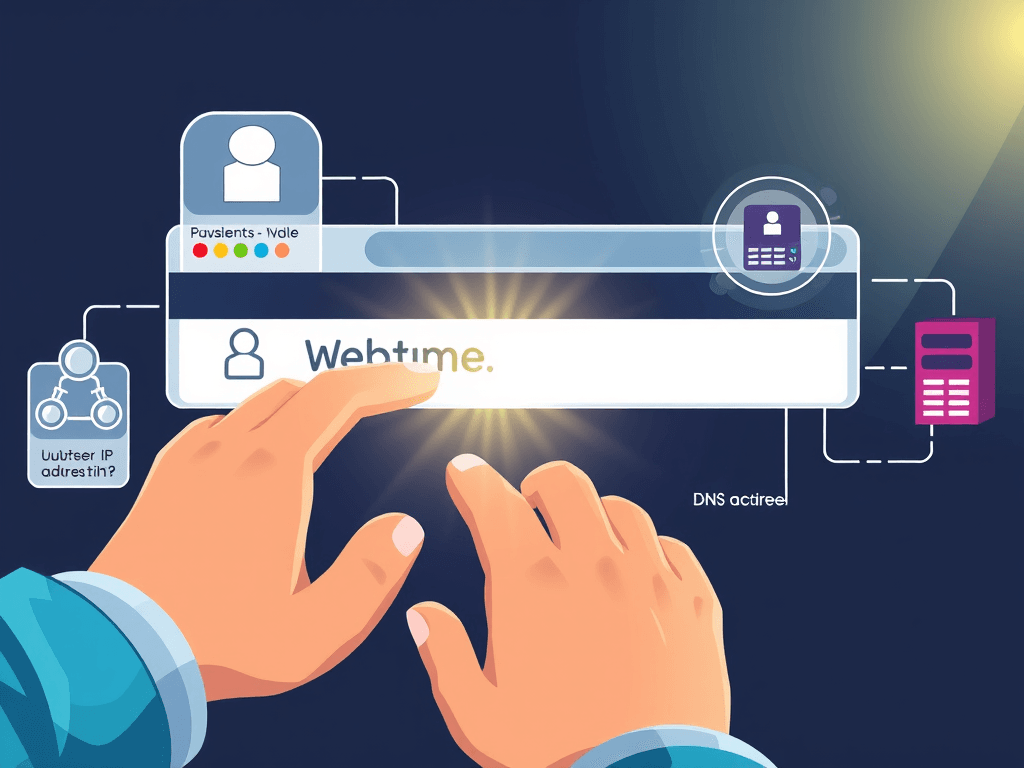
What Is DNS Explained Simply
What is DNS and why does it matter when you open a website? If you are new to computers, web hosting, or domains, DNS can sound technical at first. But the idea is actually simple. DNS is the system that helps your browser find the correct website by translating a name you can remember into an IP address that computers use to communicate.
Think about the last time you typed a website name into your browser. You probably entered something easy to read, like a business name or blog address, not a long string of numbers. That is where DNS comes in. Without it, you would need to remember numerical IP addresses for every site you visit, which would be difficult for most people and frustrating for businesses trying to attract customers online.
For website owners, small businesses, and anyone using web hosting or WordPress hosting, understanding DNS helps prevent confusion when a site does not load, an email stops working, or a domain points to the wrong server. If you are building a website or managing online services, knowing the basics of DNS can save time, reduce stress, and help you make smarter support decisions.
Jump Navigation
- What DNS Does When You Type a Website Name
- A Simple DNS Example for First-Time Learners
- Common DNS Problems and Simple Fixes
- Pros and Cons of DNS
- Helpful Visual Ideas and Learning Resources
- FAQ
- Next Steps
What DNS Does When You Type a Website Name
When you type a website name into your browser, DNS starts working in the background almost instantly. Your computer first checks if it already knows the IP address for that website. If it does not, it asks a DNS resolver, which is usually provided by your internet service provider or a public DNS service, to look it up.
That resolver then searches through the DNS system to find the correct answer. It may contact root servers, then top-level domain servers, and then the website’s authoritative DNS server. This process sounds complex, but it happens in seconds. Once the correct IP address is found, your browser uses it to connect to the right web server and load the website.
For a beginner, the easiest way to understand what is DNS is to compare it to a phone contact list. You search for a name, and the system gives you the number needed to make the connection. In the same way, DNS connects a human-friendly web address to the machine-friendly location where the site actually lives. This is especially important in web hosting, where domains must point to the correct hosting server before a website can go live.
DNS also helps users avoid one of the biggest online frustrations: not being able to find the site they need. Imagine owning a business website and customers keep typing your domain name, but the domain is not set up correctly. They may see an error page, leave immediately, and choose a competitor instead. That is the real pain point behind DNS issues. A simple setup mistake can cost traffic, trust, and sales.
Another helpful beginner idea is this: DNS does not store your full website. It only helps direct traffic to the place where your website files are hosted. Your web hosting account stores the pages, images, databases, and email settings. DNS acts more like a traffic guide that tells browsers where to go. That is why changing nameservers or DNS records can affect whether your visitors reach the right website or service.
If you use WordPress hosting, DNS matters even more because many users connect a domain from one company to hosting at another company. For example, your domain registrar might be separate from your hosting provider. In that case, DNS records must be configured properly so your WordPress site loads, your SSL certificate works, and your business email keeps flowing normally.
Quick DNS Flow Diagram
You type website.com
        ↓
Browser checks local cache
        ↓
DNS resolver looks for IP address
        ↓
DNS system finds the correct server
        ↓
Browser connects to the website
        ↓
Website loads
Why this matters for beginners
- You do not need to memorize IP addresses
- DNS makes websites easier to access
- It helps domains connect to web hosting
- It affects website speed, access, and reliability
- Bad DNS settings can break websites and email
A Simple DNS Example for First-Time Learners
Let’s say you want to visit www.examplebusiness.com. You type that address into your browser and press Enter. Your browser does not magically know where that website is stored. It needs the IP address first. DNS steps in, finds the IP address connected to that domain, and sends your browser to the correct web server.
Now imagine that the website owner recently changed hosting companies. Their old hosting account was canceled, and the new site is on a different server. If the DNS settings still point to the old server, visitors may see an outdated website or nothing at all. This is a common real-world problem for small businesses moving to better web hosting or WordPress hosting services.
This example shows why DNS is so important. It is not just a technical detail for developers. It affects whether real people can find your website, contact your business, and trust your brand online. For beginners, that is the clearest answer to what is DNS: it is the internet tool that points names to the right places.
Here is another simple everyday example. Think of DNS like asking for directions to a shop. You know the shop name, but not the exact street coordinates. DNS is the system that gives your browser the precise location. Without it, your browser would not know how to reach the site even if the site exists and is running perfectly on a server.
This matters to website hosting owners because many services depend on different DNS records. A website may use one record to point the domain to the hosting server, another for email delivery, and another for verification or security. If just one is wrong, something important may stop working. That is why DNS can feel confusing at first, but once you understand the purpose, it becomes far less intimidating.
For first-time learners, it also helps to know that DNS changes are not always instant. When you update nameservers or records, it can take time to spread across the internet. This delay is called propagation. During that time, some users may see the new website while others still reach the old one. That does not always mean something is broken. Sometimes it simply means DNS is still updating.
Example Table: Domain Name vs IP Address
| Domain Name | What You Type | What DNS Finds |
|---|---|---|
example.com | Easy website name | Numerical IP address |
myshop.net | Brand-friendly address | Server location |
myblog.org | Memorable domain | Hosting server IP |
Common DNS record types beginners may hear about
- A Record – Points a domain to an IPv4 address
- AAAA Record – Points a domain to an IPv6 address
- CNAME Record – Points one domain name to another
- MX Record – Controls where email is delivered
- TXT Record – Used for verification and email security
Common DNS Problems and Simple Fixes
One of the most common DNS issues is when a website does not load after a domain change. This often happens because the DNS records are still pointing to an old hosting account, or the nameservers were entered incorrectly. For a beginner, this can feel like the whole website is broken, but the problem may simply be that the domain is not directing traffic to the right server.
Another common issue is DNS cache. Your browser, computer, or internet provider may temporarily store old DNS information. That means even after you fix your DNS settings, you might still see the old website or an error page. Clearing your browser cache, flushing DNS on your device, or trying a different network can often help confirm whether the problem is local or global.
Email problems also happen when DNS records are changed without checking MX settings. A business might move its website to new web hosting but accidentally interrupt email delivery at the same time. This is a serious problem because missed messages can mean missed leads, customer frustration, and lost revenue. The solution is to review DNS changes carefully before saving them and verify that website and email records are both correct.
Basic DNS troubleshooting checklist
- Confirm the domain name is spelled correctly
- Check whether the nameservers are correct
- Verify the A record or CNAME record points properly
- Make sure MX records are still active if email matters
- Wait for propagation after making changes
- Clear local DNS cache and browser cache
- Test on another device or internet connection
- Ask your hosting provider or DNS provider for help
Problem and solution
Problem: You typed your website name, but the site does not open after switching hosting.
Solution: Check whether your domain’s DNS records point to the new hosting server. If they do, allow time for propagation. If not, update the records through your domain registrar or DNS manager. If you need expert help with hosting or domain setup, you can contact Archer IT Solutions here: Contact Archer IT Solutions
Helpful command examples for advanced beginners
- Windows:
ipconfig /flushdns - Mac:
sudo dscacheutil -flushcache; sudo killall -HUP mDNSResponder
If that seems too technical, do not worry. Many users simply restart the browser, try a private window, or switch from Wi-Fi to mobile data to see whether the DNS update has started working elsewhere.
Pros and Cons of DNS
DNS has many clear advantages for everyday users and businesses. The biggest benefit is simplicity. People can remember names like yourbusiness.com much more easily than strings of numbers. This makes the internet easier to use, helps brands stand out, and supports better marketing for business owners building websites.
DNS is also flexible. A website owner can change hosting providers while keeping the same domain name. That means your customers still visit the same familiar address even if the backend server changes. This is especially valuable for businesses upgrading web hosting or moving to improved WordPress hosting without rebranding.
Still, DNS is not perfect. It can be confusing for beginners, and changes may take time to update. A small mistake in a DNS record can bring down a website, break email, or send visitors to the wrong place. That is why having clear setup steps, reliable support, and good documentation matters so much.
DNS pros
- Easy-to-remember website names
- Supports branding and trust
- Lets domains connect to different services
- Makes hosting changes easier
- Helps organize internet traffic efficiently
DNS cons
- Can be confusing for first-time users
- Wrong settings can cause downtime
- Propagation delays may create confusion
- Some troubleshooting steps feel technical
- Multiple record types can overwhelm beginners
Helpful Visual Ideas and Learning Resources
To make this topic easier for scan readers, it helps to include visual support in a published blog post. A simple flowchart showing “domain name to DNS lookup to web server” can explain the process faster than a long technical paragraph. A screenshot of a DNS management panel can also help beginners understand where records are edited.
You could also embed a short explainer video or animated diagram near the top of the article. Since many users skim before they commit to reading, visual learning tools can keep them engaged longer. This is especially useful for intro computer users, small business owners, and people comparing web hosting options while trying to understand why their domain setup matters.
If you publish this article on a website, consider adding interactive content such as a “DNS quiz” or accordion section that reveals answers when clicked. That kind of engagement can improve time on page and help readers feel more confident. You can also enable scroll tracking or engagement tracking through analytics tools to see which sections readers care about most.
Suggested image ideas
- DNS lookup flow diagram
- Alt text: what is DNS flow diagram for beginners
- Screenshot of DNS records panel
- Alt text: what is DNS settings example
- Chart comparing A, CNAME, MX, and TXT records
- Alt text: what is DNS record types chart
Useful non-selling resources
- Cloudflare Learning Center: What is DNS
- ICANN Beginner Guide to DNS
- Mozilla Developer Network DNS Overview
- Google Public DNS Introduction
- Wikipedia DNS Overview
Related Reading
If you want to keep learning after this beginner guide, these related pages may help you understand the bigger picture around domains, hosting, and website setup:
- The Complete Guide to Web Hosting
- Web Hosting Services
- Web Design Services
- Managed IT Services
- Onsite or Remote Computer Support
- About Archer IT Solutions
- Support Ticket Page
If you are moving a domain, launching a new website, or trying to fix DNS errors, these pages can help you take the next step.
FAQ
What is DNS in simple words?
DNS is the system that translates a website name into the IP address needed to find that website online. It works like an address book for the internet.
Why do I need DNS?
Without DNS, you would need to remember number-based IP addresses instead of easy website names. DNS makes browsing simple and practical.
Can DNS affect email too?
Yes. DNS controls more than websites. MX records are used to direct email to the correct mail server.
Why is my website not loading after I changed hosting?
Your DNS may still point to the old server, or the changes may still be propagating. Check your records and allow time for updates.
Is DNS part of web hosting?
DNS and web hosting are connected, but they are not the same thing. Hosting stores your website files. DNS directs visitors to the correct hosting server.
How long do DNS changes take?
Some changes appear quickly, but full propagation can take up to 24 to 48 hours in some cases.
Next Steps
If you are a beginner, the best next step is to look at your domain settings and identify where your DNS is managed. It may be through your domain registrar, hosting company, or a third-party DNS provider. Just seeing the DNS panel once can make this subject feel much less mysterious.
If you run a business website, make a simple list of your important services before changing any DNS settings. Include your website, email, subdomains, and any verification records. This reduces mistakes and gives you a backup plan if something stops working during an update.
And if you want help with setup, migration, or troubleshooting for web hosting or WordPress hosting, it is smart to get support before a small DNS mistake turns into lost traffic or missed leads. You can reach out here: https://www.archer-its.com/contact-us/
DNS may sound technical, but the basic idea is simple: it helps the internet match website names with the correct server addresses. Once you understand that one concept, a lot of domain and hosting questions become easier to solve. For beginners, learning what is DNS is one of the smartest first steps toward understanding how websites really work.
If there is one key takeaway, it is this: DNS is often the hidden reason a website works perfectly or fails unexpectedly. It affects website access, email delivery, and online trust. Whether you are a personal user, small business owner, or developer, a little DNS knowledge can save you time and frustration.
If this article helped, consider reviewing related guides, checking your current domain setup, and leaving a comment or question on your website blog. The more familiar you become with DNS, the more confident you will feel when managing domains, web hosting, and online services.
Power your website with an affordable web hosting plan that does not cut corners.
 Mini | Standard | Domain Only |
| $12 per year | $1.99/month | low yearly prices |
| *10 GB Space** *100 GB Bandwidth** *FTP access *10 email account *PHP/CGI/PERL/SSI Support *SSL | *100 GB Space *1TB Bandwidth *10 FTP accounts *100 email account *PHP/CGI/PERL/SSI Support *10 Databases *SSL WordPress, Joomla, or Drupal hosting | |
 Reseller 1 | Reseller 2 | Reseller 3 |
| $20 month | $37.50 month | $50 month |
| *10 Domains *100 GB Diskspace *2TB of traffic *100 Databases *100 Mailboxes *WordPress options | *25 Domains *300 GB Diskspace *6TB of traffic *300 Databases *300 Mailboxes *WordPress options | *50 Domains *600 GB Diskspace *12TB of traffic *600 Databases *600 Mailboxes *WordPress options |
| Specials | ||
Don’t wait — grab your deal and launch today ** temporary offered | ||
Stop settling for slow, unreliable hosting. With Archer IT Solutions, get a robust website hosting plans that deliver speed, security, and the uptime. Grab your domain and hosting package in one seamless plan, optimized for WordPress, small businesses, and personal websites.
Enjoy affordable web hosting plans without compromises, complete with professional email, one-click CMS installs, and round-the-clock website hosting support. Built for Businesses. Perfect for WordPress. Take control of your online presence. Try it risk-free with our 15-day money-back guarantee.
Launch your first personal blog or scale a growing small business site with hosting optimized for performance. Get the best web hosting for plus simple setup — all powered by secure Linux servers and easy Plesk control panel.
Why Choose Archer IT Hosting?
- Free SSL Certificates – Protect customers & boost trust
- Custom Email Accounts included
- One-Click CMS Installs – WordPress, Joomla & Drupal ready
- 15-Day Money-Back Guarantee – Risk-free hosting
- 24/7 Customer Support and Service – Real help when you need it
- Features you’ll actually will use
- Powered by Linux for speed & reliability
- Simplified management with Plesk Control Panel
- Automatic backups for worry-free security
Trust. Reliability. Zero Guesswork.
Your website stays online with uptime, protected by a free SSL certificate, and supported by real people around the clock. And if it’s not right for you? Our 15-day money-back guarantee makes it a no-risk choice. Take your business or personal project online with hosting that’s secure, affordable, and built to perform.
Discover more from Archer IT Solutons
Subscribe to get the latest posts sent to your email.
Discover more from Archer IT Solutons
Subscribe to get the latest posts sent to your email.

No responses yet