Variable Guide for Beginners: What Is a Variable?
Quick Answer
A variable is a named place that stores a value, such as a number, word, or true/false result. In programming, variables help computers remember information and use it later. If you are asking what is a variable, think of it as a labeled box that holds data you can change when needed.
If you are new to coding, websites, or digital tools, one of the first ideas you will run into is what is a variable. It sounds technical at first, but the concept is actually simple. A variable is just a way to store information so a program, script, or website can use it later.
For small businesses and website owners, understanding variables can make technology feel less intimidating. Whether you are editing a website form, learning basic automation, or talking with a developer, variables come up everywhere. Knowing the basics helps you ask better questions and make smarter decisions.
At Archer IT Solutions, we often help clients bridge the gap between “I’m not technical” and “I understand what this does.” That matters when you are investing in web design, support, or WordPress hosting. If you want help with your website, support, or digital setup, you can always contact our team.
What Is a Variable and Why Should You Care?
A simple answer to what is a variable is this: it is a container for data. In programming, a variable stores a value under a name. That value might be a customer name, product price, login status, or total order amount. Instead of repeating the value everywhere, you store it once and refer to it by its name.
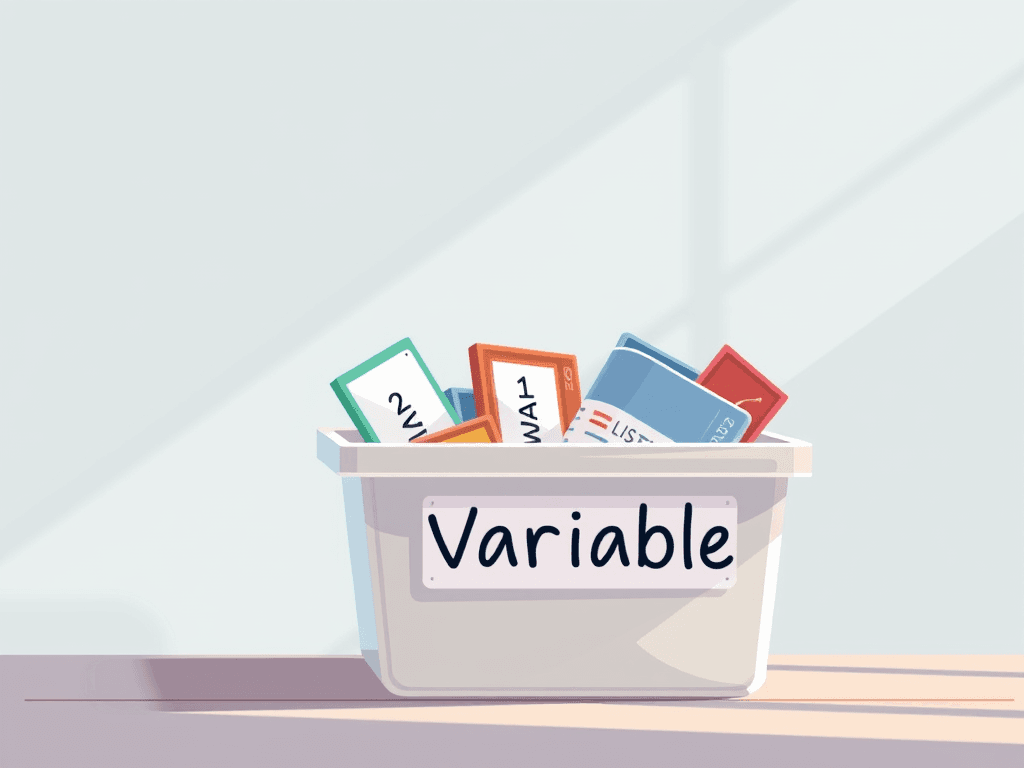
Think of a variable like a labeled storage bin in an office. If the label says “CustomerName,” you know what belongs inside. If the customer changes, you can update the value in that bin without rebuilding the whole system. This saves time, reduces errors, and makes websites and software easier to manage.
Why should you care? Because variables power many of the digital tools businesses use every day. Contact forms, shopping carts, website personalization, and reports all depend on stored values. If you run a website or work with developers, knowing what is a variable helps you understand how your systems function and where issues may happen.
Why variables matter in real life
- They store important data
- They make code easier to update
- They help automate tasks
- They reduce repeated work
- They support website forms and business apps
- They improve readability for developers
Pros and cons of using variables
Pros
- Easy to organize information
- Makes code more flexible
- Simplifies updates
- Useful for automation and website logic
Cons
- Poor naming can cause confusion
- Wrong values can create bugs
- Beginners may mix up variable types
- Too many variables can make code harder to follow
Comparison table: Variable vs fixed value
| Term | Meaning | Example | Why it matters |
|---|---|---|---|
| Variable | A named value that can change | price = 19.99 | Flexible and reusable |
| Fixed value | A value written directly into code | 19.99 | Simple, but less flexible |
Helpful resources
- Mozilla Developer Network: JavaScript Guide
- W3Schools Variables Tutorial
- Khan Academy Intro to Programming
Simple Variable Examples Beginners Can Use
The easiest way to understand what is a variable is by looking at examples. Imagine you run a website and want to store the name of a customer. You might use a variable called customerName. If the person is Anna, the value becomes Anna. Later, your site can show “Welcome, Anna” using that stored value.
Another beginner example is price. Suppose you sell a product online for $25. Instead of typing 25 in multiple places, a developer can create productPrice = 25. If the price changes, they update one variable instead of hunting through the entire code. This is one reason variables are so useful for business websites.
A third example is a yes-or-no value. Your website may need to know whether a user is logged in. A variable such as isLoggedIn = true helps the system decide what to show next. That simple logic is used in dashboards, member areas, checkout systems, and even support portals.
Fast, Reliable Web Hosting — Starting at $1.99/month
If you are building or managing a business website, reliable hosting matters just as much as clean code. Explore Archer IT Solutions Web Hosting services for dependable performance, support, and scalable options, including WordPress hosting for growing websites.
Beginner-friendly examples
- Name variable:
customerName = "Anna" - Number variable:
orderTotal = 49.99 - Boolean variable:
isLoggedIn = true - Text variable:
welcomeMessage = "Thanks for visiting" - Quantity variable:
stockCount = 120
What beginners should remember
- A variable has a name
- A variable stores a value
- That value can often change
- Good naming makes code easier to read
- Variables are used in websites, apps, forms, and reports
Simple example chart
Variable Name    ->    Stored Value
customerName     ->    Anna
productPrice     ->    25
isLoggedIn       ->    true
Troubleshooting common variable problems
If variables seem confusing at first, that is normal. One common issue is using unclear names like x or data1, which make it hard to know what the variable does. Use names like customerEmail or invoiceTotal instead. Clear naming saves time and reduces mistakes.
Another common problem is storing the wrong type of value. For example, a number and text may behave differently in some programming languages. If a price is treated like text instead of a number, calculations may fail. That is why developers pay attention to how a variable is defined and used.
Finally, some errors happen because a variable was never given a value at all. If a website expects userName but it was never set, the output may be blank or broken. When that happens, testing and support matter. If you need technical help, you can submit a request through the Archer IT Solutions support page.
FAQ
What is a variable in simple words?
A variable is a named place to store information. It lets a program remember data and use it later. If you want the simplest answer to what is a variable, it is a label attached to a value that can be updated when needed.
Why do programmers use variables?
Programmers use variables to store and reuse data efficiently. Instead of repeating values throughout code, they save them under a clear name. This makes websites, apps, and scripts easier to update, troubleshoot, and scale.
What are examples of variables?
Examples include a customer name, order total, login status, product price, or email address. These values help websites and software react to user activity and display the right information at the right time.
Can a variable change?
Yes. In most cases, a variable can change as new information comes in. For example, a shopping cart total increases when a customer adds more products. That flexibility is one reason variables are so useful.
Related Resources
- Related guide: The Complete Guide to Server Administration
- Service page: Web Design Services
- Supporting blog/company page: About Archer IT Solutions
Understanding what is a variable is one of the first real steps toward understanding how websites, software, and automation work. The idea is simple: a variable stores a value so a system can use it later. Once you grasp that, many technical topics become much easier to follow.
For small businesses and website owners, this knowledge is practical, not just academic. It helps you communicate with developers, understand website behavior, and feel more confident when investing in digital tools. If you want expert help with your website, hosting, or support needs, click here to contact Archer IT Solutions and start the conversation today.
Discover more from Archer IT Solutons
Subscribe to get the latest posts sent to your email.

No responses yet