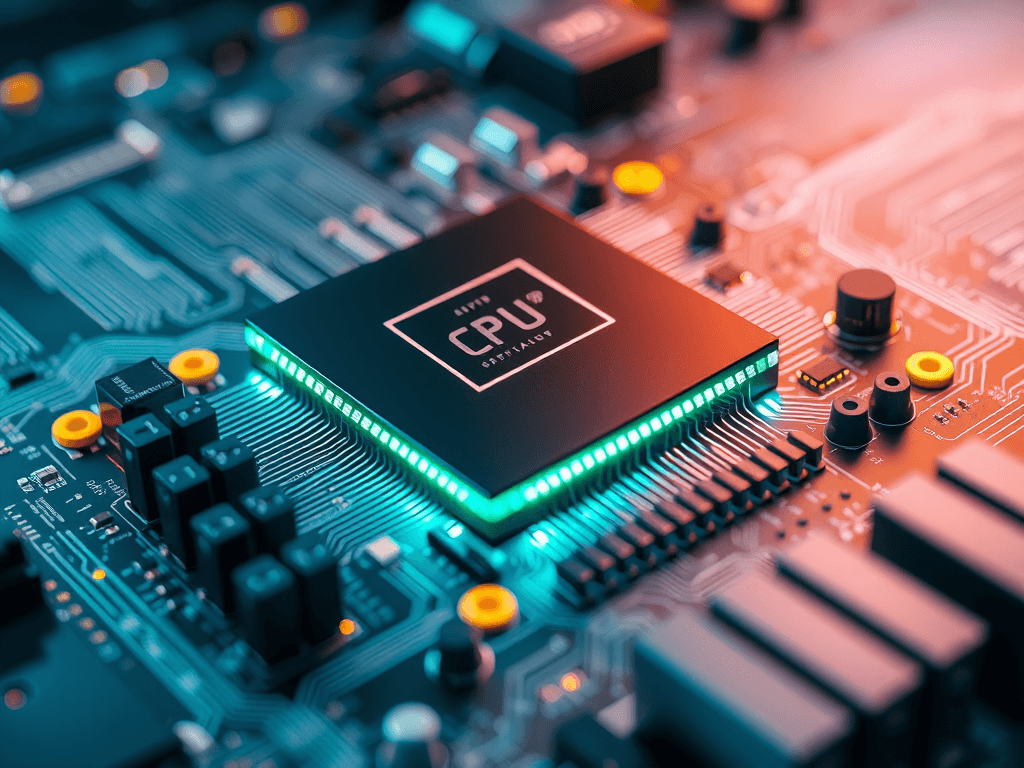
CPU Guide: What Is a CPU and Why Does It Matter?
Quick Answer
A CPU is the central processing unit in your computer—the part that handles instructions, calculations, and system tasks. It matters because it affects how fast your device opens apps, runs websites, manages business software, and handles multitasking. A better CPU often means smoother, faster, and more reliable everyday performance.
If your computer feels slow, freezes during simple tasks, or struggles when you open too many tabs, the CPU may be part of the reason. The CPU is often called the “brain” of a computer, and that description is accurate: it processes instructions and keeps your system moving. For home users, business owners, web developers, and hosting customers alike, understanding the CPU helps you make smarter buying and support decisions.
At Archer IT Solutions, we regularly help users who are not sure whether they need a full computer upgrade, better Local IT support, or just a system check. In many cases, the CPU plays a major role in performance. If you know what it does and why speed matters, you will be in a better position to choose the right device, improve productivity, and avoid wasting money on the wrong fix.
For readers scanning this article, here is the key takeaway: a CPU affects speed, responsiveness, and how well your computer handles modern tasks. Whether you are running office software, managing a business website, using WordPress hosting, or working from home, the CPU has a direct impact on your day-to-day experience.
What Is a CPU and What Does It Actually Do?
A CPU stands for central processing unit. It is the main chip inside a computer that carries out instructions from programs and the operating system. Every time you click, type, open a browser, launch software, or save a file, the CPU is involved in processing that action.
Think of the CPU as the decision-maker of your computer. It receives information, performs calculations, and tells other components what to do. While storage holds your files and memory helps with short-term active tasks, the CPU is the part doing the actual processing work in real time.
For most users, that means the CPU affects basic activities like browsing the web, sending emails, editing documents, joining video calls, running business tools, and even managing backend tasks for websites or development environments. If your system is underpowered, these everyday actions can become frustratingly slow.
What the CPU handles every day
- Opening applications
- Running your operating system
- Processing browser tabs and web apps
- Managing spreadsheets and office software
- Supporting video meetings and multitasking
- Helping developers compile code and run tools
- Powering business systems and administrative tasks
Here is a simple way to understand it:
Input → CPU processes instructions → Output on screen or device actionCPU vs other parts of a computer
| Component | Main Job | Why It Matters |
|---|---|---|
| CPU | Processes instructions | Affects speed and responsiveness |
| RAM | Holds active data temporarily | Helps with multitasking |
| Storage | Saves files and software | Affects load times and capacity |
| GPU | Handles graphics processing | Important for gaming, video, and design |
This matters because many users assume every slowdown is caused by “the computer being old.” In reality, the issue might be the CPU, low RAM, outdated storage, or a mix of all three. That is why a professional check can save time and money. If you need help diagnosing a slow system, our onsite or remote computer support service can help.
Pros and cons of a faster CPU
Pros
- Faster everyday performance
- Better multitasking
- Smoother business software use
- Improved longevity for newer apps
Cons
- Can increase device cost
- May not solve every performance issue alone
- Some users pay for more power than they need
A quick example: we helped a small business owner who thought their whole office needed new computers. After reviewing their systems, we found that only a few workstations had outdated processors and low memory. With targeted upgrades and Local IT support, they improved speed without replacing everything. That kind of practical fix matters when budgets are tight.
Related resources:
Helpful external sources:
Why CPU Speed Matters for Your Daily Tasks
CPU speed matters because it directly affects how quickly your computer can complete instructions. In simple terms, a faster CPU usually means less waiting. Programs open faster, websites respond more smoothly, and your system is better at handling multiple tasks at once.
However, speed is not only about one number. Modern CPUs also vary by number of cores, threads, architecture, and efficiency. So while clock speed is useful, real-world performance depends on how well the processor is designed for the tasks you actually do every day.
For a typical user, this becomes obvious when using video calls, accounting software, browser-based business tools, cloud apps, or content management platforms. For developers and online business owners, CPU performance can also affect local testing, database tasks, and website management workflows. Even if you use WordPress hosting, your own computer’s CPU still matters when you build, edit, or upload content.
Signs your CPU may be holding you back
- Your computer feels sluggish during normal tasks
- Video calls stutter while other apps are open
- Your fan runs loudly even with light usage
- Web browsers freeze with multiple tabs
- Software takes too long to open or respond
- Updates and background tasks make the whole system crawl
Troubleshooting basic CPU-related performance issues
If you suspect CPU-related slowdowns, start with these steps:
- Restart your computer to clear stuck processes.
- Check Task Manager or Activity Monitor for apps using high CPU.
- Close unused browser tabs and background programs.
- Install operating system and driver updates.
- Scan for malware or unwanted software.
- Review whether your hardware matches your current workload.
If those steps do not help, you may need deeper troubleshooting. That is where Local IT support becomes valuable. Archer IT Solutions can help identify whether the issue is the CPU, overheating, memory limits, storage bottlenecks, or software conflicts. For support requests, visit: https://www.archer-its.com/ticket/
Why businesses and buyers should care
If you are buying computers for a team, choosing the right CPU can improve productivity and reduce support issues. Employees waste time when systems lag, freeze, or struggle with common business applications. Over time, those small delays cost money.
For small to medium-sized businesses, CPU selection also affects reliability. A front-desk computer, office workstation, remote employee laptop, or admin machine should match the workload. Buying too little power creates frustration. Buying too much power can waste budget. The right fit is what matters most.
This is also where guided service matters. Our team helps customers align hardware and support with their actual needs—whether that means computer optimization, managed services, or performance planning tied to their wider IT setup. If you want to discuss your current systems or request service, visit our contact page.
Buyer-focused takeaways
- A stronger CPU improves responsiveness
- Better performance helps staff work faster
- The right processor can extend device usefulness
- Support and diagnosis prevent unnecessary upgrades
Social proof
“Archer IT Solutions helped us identify why our office PCs were running slowly. We thought we needed all new hardware, but they pinpointed the issue and saved us money.”
— Small Business Client
Case Study: We helped a local business fix slow system performance during daily office work by identifying outdated processors and excessive background usage. With targeted recommendations and support, they improved stability and productivity without a full replacement cycle.
FAQ
What is a CPU in simple terms?
A CPU is the main processor in a computer. It handles instructions, calculations, and tasks so your device can run programs and respond to what you do.
Why is the CPU important?
The CPU is important because it affects how fast and smoothly your computer works. A weak or overloaded CPU can make everything feel slower.
Does a faster CPU make a computer better?
Usually, yes—but only if the rest of the system is balanced. RAM, storage, cooling, and software condition also affect performance.
How do I know if I need a new CPU or a new computer?
If your computer is old, incompatible with newer upgrades, or struggling across multiple hardware areas, a full replacement may make more sense. If the issue is more specific, support can help identify the best value option.
Can Archer IT Solutions help with slow computers?
Yes. If your device is running slowly, our team can help diagnose performance issues and recommend the right next step. Learn more here: Onsite or Remote Support
Free Guide
Want practical help improving performance?
- Free Website Speed Checklist
- Small Business IT Setup Guide
To request help or ask about services, visit: https://www.archer-its.com/contact-us/
Need help? 👉 https://www.archer-its.com/contact-us/
The CPU may be a small component inside your computer, but it has a big impact on how your technology feels every day. It helps determine whether your system is fast, responsive, and capable of keeping up with your work. For home users, business owners, and developers, understanding the CPU is a smart first step toward better performance and better buying choices.
If your computer is slowing you down, do not guess. Let Archer IT Solutions help you identify the real problem and recommend the right fix—whether that is support, managed services, or a hardware upgrade. Contact us today to get expert guidance and keep your systems working the way they should.


No responses yet