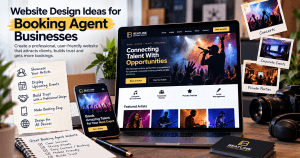
Website Design Ideas for Booking Agent Businesses
A booking agent website should do more than look professional. It should help visitors quickly understand your services, trust your business, and take the next step—whether that means submitting an inquiry, scheduling a consultation, or completing a booking.
For booking agents, design choices directly affect user confidence. A confusing layout, slow-loading pages, or unclear calls to action can cause potential clients to leave before they ever contact you. A strong website combines clear structure, simple navigation, useful content, and reliable performance.
Below are practical website design ideas that can help booking agent businesses create a better experience for visitors and improve the path from first visit to inquiry.
1. Start With a Clear, User-Focused Layout
Your homepage should immediately answer three questions:
- What services do you offer?
- Who do you help?
- What should the visitor do next?
Place your most important message near the top of the page. A short headline, a brief explanation of your services, and a clear call-to-action button can help visitors understand your value quickly.
Example homepage structure:
- Hero section with headline and booking CTA
- Short overview of services
- Featured booking categories or specialties
- Client testimonials or trust signals
- Simple inquiry or booking form
- Contact details and frequently asked questions
A clean, grid-based layout can also make your site easier to scan. Most visitors will not read every word, so organize content into short sections with descriptive headings.
2. Make Booking Actions Easy to Find
The main goal of a booking agent website is usually to generate inquiries or bookings. Your call-to-action buttons should be easy to see and consistent throughout the site.
Good CTA examples include:
- “Request a Booking”
- “Schedule a Consultation”
- “Check Availability”
- “Contact an Agent”
Avoid using too many different calls to action on the same page. If every button asks users to do something different, the experience can feel confusing. Choose one primary action and repeat it naturally throughout the page.
3. Use Visual Hierarchy to Guide Visitors
Visual hierarchy helps visitors understand what matters most on a page. You can create hierarchy through font size, spacing, color, contrast, and placement.
Important information should stand out, including:
- Your main headline
- Primary CTA buttons
- Service categories
- Testimonials or reviews
- Contact or booking forms
Use larger headings for major sections and shorter paragraphs for supporting details. Add enough white space between sections so the page does not feel crowded.
A strong visual hierarchy helps visitors move naturally from learning about your services to taking action.
4. Build Trust With Useful Content and Proof
Trust is especially important for booking agent businesses because visitors may be planning important events, travel, entertainment, or professional services.
Consider adding trust-building elements such as:
- Client testimonials
- Case studies or success stories
- Service guarantees, if applicable
- Professional photos
- Clear contact information
- Business location or service area
- FAQs about pricing, timelines, and booking steps
If you include performance claims, make sure they are accurate and supported. For example, avoid saying a redesign “increased engagement by 45%” unless you can explain how that result was measured.
A more trustworthy version would be:
“After improving page structure, call-to-action placement, and booking form visibility, businesses may see better engagement when these changes are supported by analytics and ongoing testing.”
5. Choose Images That Support the Message
Images can help visitors connect with your brand, but they should support the content rather than distract from it.
For a booking agent website, useful image types may include:
- Professional consultation scenes
- Event or travel-related images
- Team photos
- Client interaction photos
- Service-specific visuals
If you use stock images from sites like Pexels or Unsplash, choose images that feel authentic and relevant to your audience. Avoid generic visuals that do not clearly relate to your services.
Also, compress images before uploading them to improve page speed.
6. Keep Forms Simple
Long or complicated forms can reduce the number of people who complete them. Ask only for the information you need at the first point of contact.
A simple booking inquiry form may include:
- Name
- Email address
- Phone number
- Service needed
- Preferred date or timeframe
- Short message field
You can always collect more details after the first conversation. The goal is to make the first step as easy as possible.
7. Make the Website Mobile-Friendly
Many visitors will view your booking website on a phone. Your site should be easy to use on smaller screens.
Check that:
- Buttons are large enough to tap
- Forms are easy to complete
- Text is readable without zooming
- Menus are simple
- Pages load quickly
- Booking steps work smoothly on mobile devices
Mobile usability is important for both user experience and search visibility.
8. Improve Page Speed and Technical Performance
A slow website can affect both user experience and search performance. Booking websites often use images, forms, calendars, and third-party tools, so performance should be reviewed regularly.
Ways to improve speed include:
- Compressing images
- Using reliable hosting
- Limiting unnecessary plugins
- Caching pages where appropriate
- Keeping WordPress themes and plugins updated
- Testing performance with tools like Google PageSpeed Insights
If your booking website runs on WordPress, professional hosting and maintenance can help keep it secure, stable, and fast.
9. Organize Content Around Visitor Questions
A helpful booking website should answer the questions visitors are already asking.
Consider adding FAQ content such as:
How does the booking process work?
Explain each step clearly, from the first inquiry to confirmation.
What information do I need to provide?
List the details clients should prepare before contacting you.
How far in advance should I book?
Give practical guidance based on your service type.
Do you offer custom booking support?
Clarify whether you handle special requests, group bookings, event coordination, or ongoing support.
This type of content helps users and may also make your site easier for search engines to understand.
10. Use Professional Support When Needed
Designing a booking agent website involves more than choosing colors and images. It also requires planning the user journey, building secure forms, optimizing performance, and maintaining the site over time.
If you need help with web design, WordPress hosting, or technical support, Archer IT Solutions offers services that can support website planning, hosting, and ongoing IT needs.
You can also learn more about hosting options at Archer IT Solutions Web Hosting.
Final Thoughts
A strong booking agent website should be simple, trustworthy, and easy to use. Focus on clear messaging, visible booking actions, fast performance, and helpful content that answers real customer questions.
By improving layout, visual hierarchy, mobile usability, and site speed, you can create a better experience for visitors and make it easier for them to take the next step.
For support with web design, hosting, or IT services, visit Archer IT Solutions or contact the team directly for guidance.
[submit “Submit”]
1
[_site_title] “[your-subject]”
[_site_title]
[_site_admin_email]
From: [your-name] [your-email]
Subject: [your-subject]
Message Body:
[your-message]
—
This is a notification that a contact form was submitted on your website ([_site_title] [_site_url]).
Reply-To: [your-email]
1
1
[_site_title] “[your-subject]”
[_site_title]
[your-email]
Message Body:
[your-message]
—
This email is a receipt for your contact form submission on our website ([_site_title] [_site_url]) in which your email address was used. If that was not you, please ignore this message.
Reply-To: [_site_admin_email]
1
1
Thank you for your message. It has been sent.
There was an error trying to send your message. Please try again later.
One or more fields have an error. Please check and try again.
There was an error trying to send your message. Please try again later.
You must accept the terms and conditions before sending your message.
Please fill out this field.
This field has a too long input.
This field has a too short input.
There was an unknown error uploading the file.
You are not allowed to upload files of this type.
The uploaded file is too large.
There was an error uploading the file.
Please enter an email address.
Please enter a URL.
Please enter a telephone number.
Please enter a date in YYYY-MM-DD format.
This field has a too early date.
This field has a too late date.
Please enter a number.
This field has a too small number.
This field has a too large number.
The answer to the quiz is incorrect.


No responses yet