Understanding the Frequency Range of WiMAX Networks
WiMAX (Worldwide Interoperability for Microwave Access) is a wireless communication standard designed to provide high-speed internet over long distances. Similar to other wireless systems, WiMAX networks operate within specific frequency bands that determine their range, speed, and reliability. Understanding these frequency ranges is essential for network engineers, developers, and business owners who rely on dependable broadband connectivity for their operations.

Exploring the Core Frequency Spectrum of WiMAX
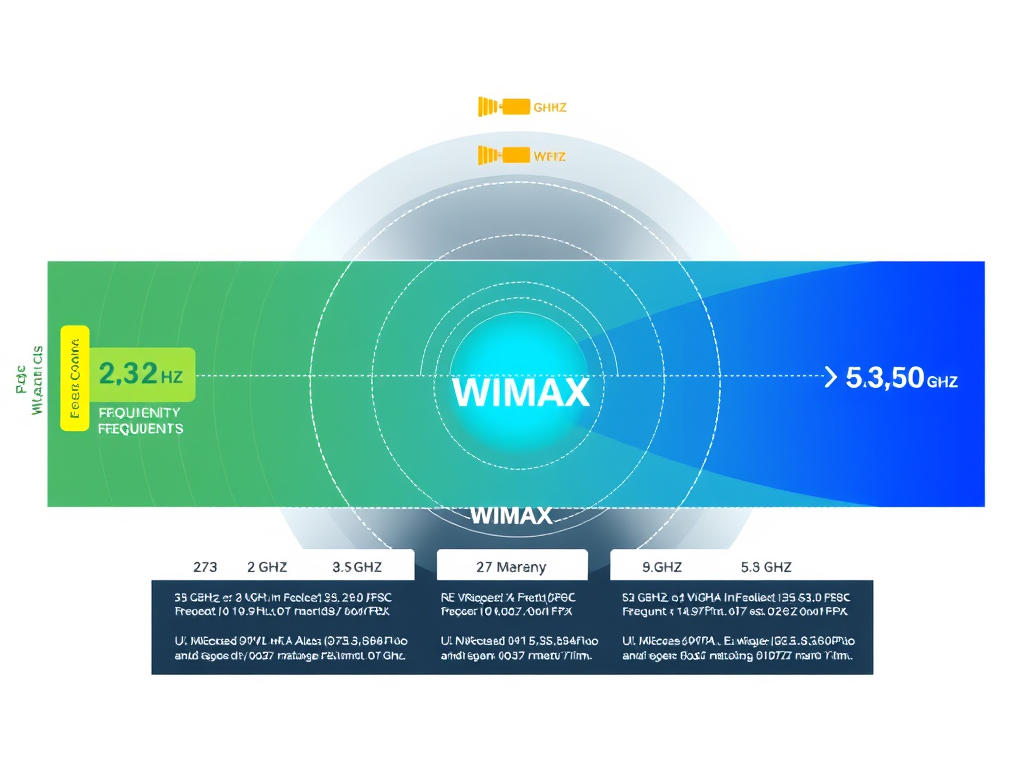
WiMAX typically operates across several licensed and unlicensed frequency bands, primarily within the 2.3 GHz, 2.5 GHz, 3.5 GHz, and 5.8 GHz ranges. Each of these frequencies offers unique advantages. For example, lower frequencies like 2.3 GHz support extended coverage with better penetration through buildings, while higher frequencies such as 5.8 GHz provide higher capacity but shorter range. The most widely adopted range for commercial deployments is around 2.5 GHz to 3.5 GHz, providing a balanced compromise between range and data throughput.
According to reports from the WiMAX Forum, many countries have standardized the 3.5 GHz band to facilitate consistent global performance. This harmonization allows equipment manufacturers and network providers to design systems that are cross-compatible, reducing operational costs and simplifying spectrum management. The average download speed of a well-optimized WiMAX network ranges between 10 Mbps and 40 Mbps, depending on the assigned spectrum and channel bandwidth.
From a technical perspective, WiMAX frequency allocation also determines how easily the network integrates with other broadband systems. Compatibility with LTE and other wireless broadband technologies is often influenced by how efficiently the allocated WiMAX frequencies are utilized within national regulatory policies.
Key Takeaways:
- Common WiMAX bands: 2.3, 2.5, 3.5, and 5.8 GHz
- Lower frequencies = longer range, better wall penetration
- Higher frequencies = higher throughput but reduced distance
How Frequency Bands Impact WiMAX Network Performance
The chosen frequency band influences several critical network performance factors: coverage radius, signal strength, and data capacity. In rural areas, lower frequencies are more effective because they can travel longer distances with minimal interference. In contrast, urban deployments usually rely on higher frequencies for improved data density and faster speeds despite shorter range. These trade-offs must be considered when designing or optimizing a WiMAX network.
Environmental factors like topography, building density, and weather can further impact performance. For instance, heavy rainfall can attenuate higher frequencies, while urban multipath reflections might disrupt connectivity at certain bands. Engineers often use adaptive modulation techniques in WiMAX to adjust to these challenges in real-time, ensuring optimal service continuity for users across varying conditions.
Pros and Cons of WiMAX Frequency Allocation:
Pros
- Flexible range selection for diverse environments
- Good scalability for metropolitan and rural networks
- Strong backward compatibility with existing broadband systems
Cons
- Limited global harmonization in some bands
- Susceptibility to interference in crowded frequency zones
- Reduced throughput at extreme distances
Summary: Choosing the right spectrum is fundamental for achieving optimal network performance. Frequency directly impacts speed, stability, and cost efficiency.
Troubleshooting Common Frequency and Plugin Compatibility Issues
When configuring or maintaining WiMAX networks, technical teams may encounter issues with frequency conflicts or plugin incompatibility—particularly when integrating with web-hosted monitoring dashboards or spectrum analysis tools. Misaligned firmware versions, outdated drivers, or poorly optimized plugins can all contribute to unreliable data or inconsistent connection performance.
Troubleshooting Tips:
- Ensure that the latest WiMAX firmware and drivers are installed.
- Verify that your spectrum management plugins are compatible with the software version in use.
- Re-scan channel allocations after major system updates or nearby frequency changes.
- For web hosting or server-side plugin issues, Archer IT Solutions provides dedicated Managed IT Support and technical expertise via Support Portal.
If users require email assistance, queries can be directed to:
- Technical Support: support@archer-its.com
- Web Hosting Services: www.archer-its.com/web-hosting
- General Info: info@archer-its.com
For advanced study on frequency management standards and best practices, visit these references:
Summary: Regular maintenance, proper plugin configuration, and staying updated on firmware standards will ensure your WiMAX network operates smoothly. Partnering with managed IT providers like Archer IT Solutions helps prevent compatibility issues.
In summary, understanding the frequency range of WiMAX networks empowers businesses to maximize connectivity potential and optimize broadband performance. Whether you manage a small enterprise or a large data network, choosing the right frequency and ensuring compatibility can greatly influence speed, reliability, and customer satisfaction. Reflect on your own network requirements and consider seeking tailored support through Archer IT Solutions to design or refine your connectivity frameworks.
Engage Further:
Have questions or want to discuss a customized setup? Reach out today via Archer IT Solutions Contact Page or open a ticket — responses usually arrive within 24 hours.
Discover more from Archer IT Solutons
Subscribe to get the latest posts sent to your email.


No responses yet