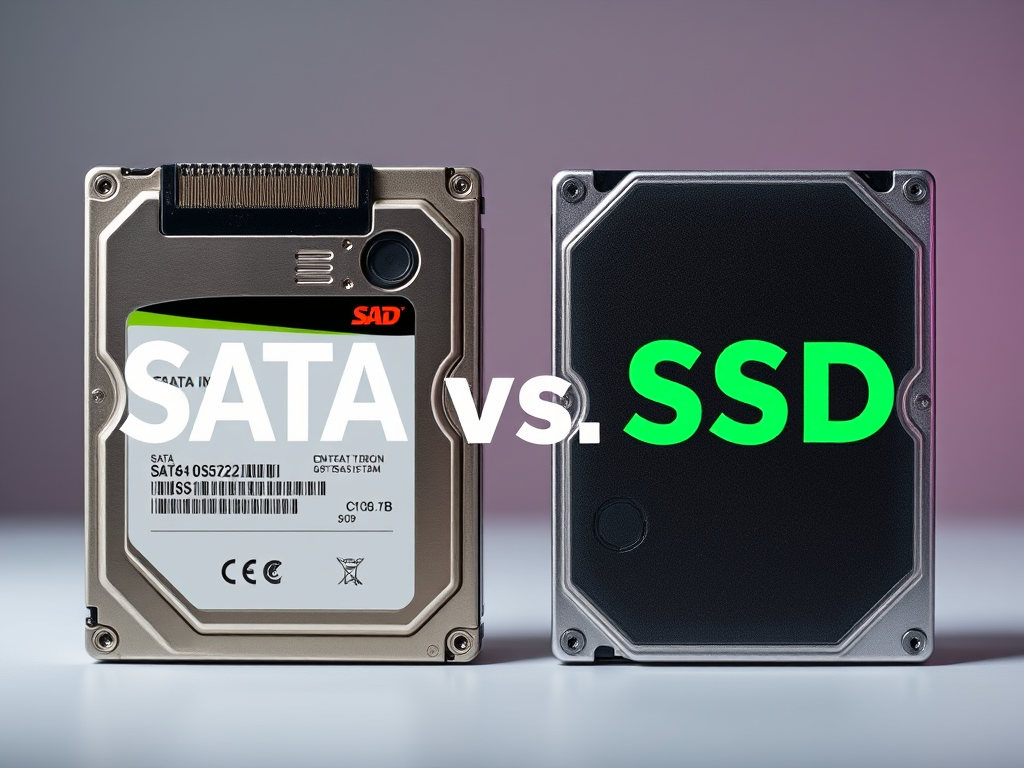
When it comes to upgrading or choosing storage for your computer system, one of the most common decisions users encounter is the choice between SATA and SSD technologies. Although both refer to methods of data storage, they operate differently and deliver vastly different performance results. This decision plays a major role in determining how fast your system boots, how quickly applications launch, and how efficiently your workflows perform—especially in environments like web development, server hosting, and data-intensive applications.
In this article, we’ll take an in-depth look at the factors you need to consider when comparing SATA drives and SSDs, covering both technical and real-world implications. We’ll also discuss performance insights, troubleshooting tips, and how Archer IT Solutions can assist businesses with choosing and maintaining the right storage configuration for their goals. Whether you’re a website owner or a small business professional seeking improved IT infrastructure, understanding these distinctions can transform the way your technology supports your operations.

Comparing SATA and SSD: Key Factors to Evaluate
Understanding the Basics
SATA (Serial ATA) is a long-established storage interface standard designed for connecting hard drives and optical drives to a computer’s motherboard. It has evolved through various versions (SATA I, II, III), offering maximum data transfer speeds up to 6 Gb/s (approximately 600 MB/s theoretical maximum). Despite being relatively fast compared to older methods like PATA, SATA is constrained by mechanical limitations when used with Hard Disk Drives (HDDs) that rely on spinning platters.
In contrast, Solid State Drives (SSDs) represent a leap forward in speed and reliability. Rather than using mechanical components, SSDs rely on NAND flash memory to store data, which allows much quicker access times. The difference can be dramatic — while typical SATA HDDs have read/write speeds around 100–150 MB/s, entry-level SATA SSDs can exceed 500 MB/s, and NVMe SSDs can deliver speeds beyond 3000 MB/s. This makes SSDs ideal for operating systems, software installs, and data-access intensive workloads.
From a user’s standpoint, this means reduced system startup time and enhanced responsiveness. Gamers experience smoother loading, developers notice faster compilation times, and businesses hosting web applications benefit from improved page load speed. Check out resources such as Backblaze’s SSD reliability study or Tom’s Hardware SSD Benchmarks for real-world performance comparisons.
Pros and Cons of Each Technology
No technology is perfect, and both SATA and SSDs have trade-offs worth considering.
Advantages of SATA (particularly HDD-based):
- Lower cost per gigabyte — beneficial for archiving large media or backups.
- Broad compatibility with older systems and motherboards.
- Easier recovery options in some instances of failure.
Advantages of SSD:
- Faster read/write speeds, resulting in quicker operations.
- No moving parts, leading to greater durability and fewer physical failures.
- Lower power consumption and noise output.
Potential drawbacks:
- SSDs are more expensive per gigabyte.
- Data recovery can be more complex if the memory cells fail.
- Over time, write cycles can wear out flash cells (though modern drives handle this well).
Ultimately, it’s not a question of one being strictly better—it depends on your usage patterns, budget, and system goals. Many IT administrators and web hosting providers, including Archer IT Solutions, recommend pairing a fast SSD for crucial system files and applications with larger SATA drives for storage—a hybrid approach that gives the best of both worlds.
Technical Considerations and Compatibility
When deciding between SATA and SSD, users should examine data interface, performance requirements, and hardware compatibility. SATA-based SSDs still exist and will fit into older systems supporting SATA connectors. However, NVMe SSDs, which use the faster PCIe interface, require newer motherboard slots (M.2 or PCIe). Performance-seeking professionals—particularly those involved in web hosting and virtual environments—are encouraged to use NVMe when possible.
Another important consideration lies in firmware updates and plugin compatibility. For instance, some backup software or CMS (like WordPress) plugins perform better on faster drives to prevent timeout errors during data reads. In systems managed by Archer IT Solutions, regular firmware updates and compatibility checks ensure stability across servers and websites.
Troubleshooting common drive-related issues:
- Drive not detected: Check BIOS/UEFI for SATA or NVMe configuration.
- Slow speeds: May indicate TRIM is disabled, or firmware is outdated.
- Plugin errors (CMS/Web hosting): Test I/O operations to confirm disk latency isn’t affecting plugin execution, especially on web servers using caching plugins.
You can consult external troubleshooting references such as Crucial’s SSD troubleshooting guide or Microsoft’s Storage Troubleshooting Resource for deeper insights.
Real-Life Performance Insights and Case Studies
Case Study 1: Small Business Web Hosting
One small design agency that switched to an SSD-NVMe hosting package under Archer IT Solutions Web Hosting reported significant improvement in customer satisfaction. Their clients’ websites loaded 43% faster on average, and resource-intensive operations such as image compression plugins and database queries executed without delay.
In comparison, a similar project previously hosted on legacy SATA-based infrastructure suffered from intermittent lag when accessing high-traffic resources. By leveraging Archer IT’s remote IT support and managed services (Managed IT Support), the migration process was completed smoothly with zero downtime.
Key takeaway:
- Faster server drives directly translate to better web performance, improved SEO rankings, and happier clients.
- Proactive maintenance, such as firmware checks and regular data backups, maintains consistent drive operation and decreases support tickets.
Case Study 2: Developer Environment Optimization
Developers often encounter significant time lost waiting for files to compile. A UK-based software startup migrated from conventional SATA-based HDDs to SSDs for all developer machines under Archer IT Solutions’ remote setup service (Onsite or Remote Support). Compilation times decreased by 60%, and local virtual machines booted nearly instantly.
This aligns with findings from research published by PCMag and TechRadar, where SSD-powered environments displayed between five and ten times faster load rates compared to traditional disk drives. Furthermore, SSDs significantly improved the responsiveness of integrated development environments (IDEs) and reduced errors tied to caching or data I/O bottlenecks.
Key takeaway:
- Faster access speeds decrease developer frustration and enhance productivity.
- Investing in SSDs improves operational efficiency and supports agile workflows.
Common Issues and Troubleshooting Plugin Compatibility
Even with the advantages of SSDs, technical compatibility challenges can occasionally arise—particularly within content management or web hosting environments. Websites utilizing multiple caching or backup plugins may face complexity if the storage is not configured appropriately. Here are some troubleshooting tactics:
- Check Plugin I/O Operations: Ensure web plugins are configured to store temporary files on a disk partition with enough space and fast I/O.
- Adjust Disk Cache Settings: Some SSDs benefit from enabling or disabling write caching depending on workload.
- Monitor Firmware Versions: Outdated firmware can cause random slowdowns or I/O errors during heavy plugin operations.
Partnering with a professional IT management provider like Archer IT Solutions ensures these compatibility hurdles are reduced. Their support team (submit a support ticket or email support@archer-its.com) generally responds within 24 hours.
External Troubleshooting References:
Case Study 3: Data Backup and Long-Term Storage Strategy
While SSDs outperform SATA drives in speed and reliability, cost becomes a serious concern when planning large-scale data storage or archival solutions. A mid-sized retail client managed by Archer IT Solutions adopted a hybrid strategy: their live databases and frequently accessed applications run on SSDs, while older logs and media backups are kept on larger, slower SATA drives configured with RAID.
This approach offered balanced cost efficiency and redundancy. Performance-critical operations like sales dashboards and customer queries ran on SSD, while SATA served as dependable backup storage. Real-world testing from StorageReview.com supports this hybrid method, reporting that companies gain up to 70% cost savings compared to full-SSD setups without compromising access speed for mission-critical files.
Key takeaway:
- Hybrid setups simplify cost controls while ensuring reliability.
- A combination of SSD and SATA maximizes performance under budget constraints.
Future Outlook and Sustainability Factors
Looking forward, the gap between SATA and SSD pricing continues to narrow. As NAND flash production scales and technologies like QLC (Quad-Level Cell) evolve, solid-state storage prices drop steadily. According to Statista (2023 data), the cost per gigabyte for SSDs has fallen by over 400% in the past decade, making them increasingly appealing for both consumer-grade and enterprise-level setups.
Moreover, energy efficiency plays a growing role in modern IT planning. SSDs consume significantly less power than mechanical SATA drives, which reduces electricity costs and lowers thermal output—ideal for eco-conscious businesses. Hosting companies like Archer IT Solutions, which also handle data center energy optimization, are actively encouraging clients to adopt more efficient SSD storage solutions.
Key takeaway:
- SSDs provide not only speed advantages but also environmental benefits.
- Cost trends make it practical for even small businesses to invest in SSD-based infrastructure.

Additional Resources for Readers
For those eager to explore a deeper technical understanding, the following reputable resources provide comprehensive analysis:
- Backblaze Drive Reliability Reports
- Tom’s Hardware SSD Reviews
- Extensive Windows Storage Management Docs
- Linux Storage Performance Guides
Remember, your storage decision might also dictate how your applications interact with hardware plugins, file caching systems, and overall hosting responsiveness. To make an informed decision, test both technologies under actual operating conditions if possible.
Choosing between SATA and SSD ultimately depends on your workload, budget, and system goals. SATA drives remain reliable for backup and bulk storage, but SSDs excel in speed, durability, and efficiency—factors essential to modern computing and web performance. By understanding these key differences and balancing your infrastructure strategically, you can achieve the perfect equilibrium between performance and cost.
If you’re running a business that relies on high-performance hosting, responsive websites, or streamlined development environments, consulting professionals like Archer IT Solutions can make all the difference. Their Managed IT Services, Web Hosting, and Onsite/Remote Support ensure your systems remain reliable and secure. For any troubleshooting or technical assistance, reach out via www.archer-its.com/ticket or email support@archer-its.com for a response within 24 hours.
Finally, reflect on your specific needs: Do you prioritize speed or capacity? Are future scalability and performance optimization critical for your business? Understanding these questions will help you select the right drive technology for your situation—and make your digital operations smoother, faster, and more reliable than ever.
Discover more from Archer IT Solutons
Subscribe to get the latest posts sent to your email.


No responses yet