Port Forwarding Guide for Small Business Beginners
Quick Answer
A port forwarding guide helps small businesses understand how to direct internet traffic from a router to a specific device or service inside the office network. It is commonly used for remote access, cameras, servers, and business apps, but it must be configured carefully to avoid security risks.
If you run a small business, manage a website, or need secure remote access to office systems, port forwarding can seem technical at first. In simple terms, it tells your router where to send incoming internet traffic so the right device or application receives it. When done correctly, it can support everything from website hosting and remote desktop tools to security cameras and file access.
For beginners, the biggest challenge is not the idea itself, but knowing when to use it, how to do it safely, and when to ask for help. That is where a practical port forwarding guide becomes useful. At Archer IT Solutions, we regularly help business owners simplify networking, hosting, and Local IT support so they can stay productive without getting buried in technical jargon.
If your business depends on online access, internal systems, or reliable WordPress hosting, understanding the basics of port forwarding can save time and reduce frustration. It can also help you decide whether to manage it yourself or work with a professional team for setup, security, and ongoing support.
What Is Port Forwarding and Why It Matters
Port forwarding is a network setting that allows outside internet traffic to reach a specific device or service inside your private network. Your office router usually blocks unsolicited incoming traffic by default, which is good for security. Port forwarding creates a rule that says, “If traffic comes in on this port, send it to this internal device.”
A “port” is simply a numbered communication channel used by different services. For example, websites often use port 80 for HTTP and port 443 for HTTPS. Remote desktop, email tools, game servers, security cameras, and custom business applications may all rely on different ports. In a beginner-friendly port forwarding guide, the key point is this: ports help devices know which application should receive the data.
Why does this matter for small businesses? Because many business systems need access from outside the office. If you want to check a server remotely, connect to a hosted application, or manage a device at your location, port forwarding may be part of the setup. That said, opening ports without proper security can create risk, which is why planning and support matter just as much as the technical settings.
Common examples of port forwarding use:
- Remote desktop access to an office computer
- Accessing security camera systems from outside the office
- Running an email, file, or application server
- Supporting website and hosting tools
- Connecting to network-attached storage
- Testing development or staging environments
Pros of port forwarding:
- Enables remote access to business systems
- Supports hosted applications and devices
- Improves flexibility for staff and website owners
- Useful for custom tools and special business software
Cons of port forwarding:
- Can expose services to the public internet
- Incorrect setup may create security vulnerabilities
- May require static IP settings or DNS configuration
- Can be confusing for non-technical users
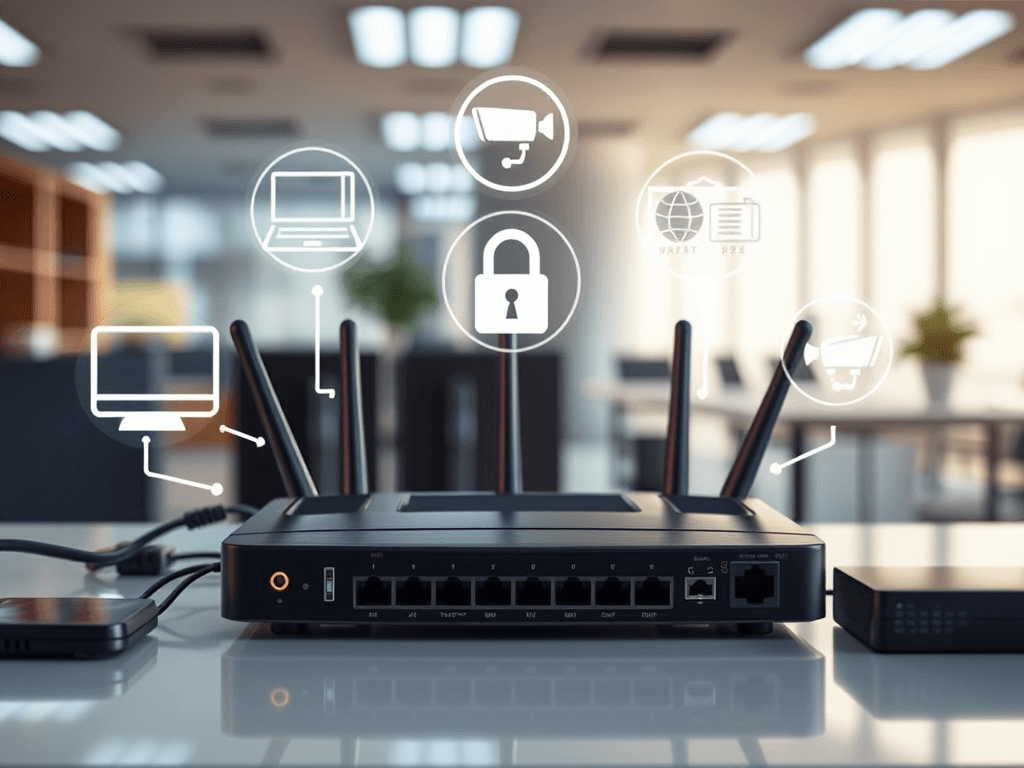
Image suggestion: Diagram of a router forwarding internet traffic to an office computer or server
Alt text: Port forwarding diagram showing router sending outside traffic to an internal business device
Embedded YouTube suggestion:
Suggested embed: “Port Forwarding Explained in 5 Minutes” by a reputable networking educator such as PowerCert Animated Videos
Helpful resources:
- Cloudflare Learning Center: What is Port Forwarding?
- Microsoft Networking Basics
- The Complete Guide to Server Administration
How Port Forwarding Helps Small Businesses
For small businesses, port forwarding is often about access and efficiency. Imagine you need to log into an office system while working remotely, or you want to view a security camera feed after business hours. Port forwarding can make that possible by connecting outside requests to the right device on your internal network. It helps small teams operate more flexibly without needing enterprise-level infrastructure.
It can also support web-related services. If you host certain services in-house, test website environments, or manage applications tied to WordPress hosting, port forwarding may be part of the process. For example, a web developer might need external access to a staging system, or a business owner may want remote visibility into a server or connected device. In these cases, proper setup reduces downtime and confusion.
Still, not every business should configure it alone. If your setup includes critical files, customer information, hosted services, or multiple office locations, it is smart to involve professionals. Archer IT Solutions can assist with secure setup, Local IT support, and remote troubleshooting so your business gets the benefit of connectivity without taking unnecessary risks. If you need expert help, take a look at our onsite or remote support services or contact us here.
Common small business use cases
- Remote access to point-of-sale or office systems
- External access to surveillance cameras
- Hosting a file server or internal app
- Managing web development or staging tools
- Supporting website systems tied to hosting infrastructure
Port forwarding vs. VPN
| Option | Best For | Security Level | Setup Difficulty | Typical Small Business Use |
|---|---|---|---|---|
| Port Forwarding | Direct access to one service | Moderate to low if not secured | Medium | Cameras, test servers, specific apps |
| VPN | Secure remote network access | High | Medium to high | Staff remote access, multi-device access |
| Cloud Service Access | Simple remote tools | High, depends on provider | Low | SaaS apps, cloud dashboards |
In many cases, a VPN is safer than opening ports directly to the internet. But some applications still require port forwarding, especially with legacy systems or specialized business tools. The right choice depends on your goals, budget, and security needs.
Soft CTA: If you are unsure whether port forwarding or a VPN is right for your business, explore our managed IT services or speak with our team for guidance.
Troubleshooting Port Forwarding Basics
One of the most common beginner issues is that the rule is configured, but the service still does not work. In many cases, the problem is not the port forwarding rule itself. It may be a firewall block, the wrong internal IP address, the service not running, or the internet provider blocking certain ports. A good port forwarding guide should always explain that setup is only one part of the process.
Start by checking whether the target device has a static local IP address. If the router forwards traffic to the wrong device because the IP changed, the connection will fail. Next, confirm the application or service is actively listening on the expected port. Then review both the router firewall and the device firewall. Even if the router sends traffic correctly, the device may still reject it.
For business owners, the safest approach is to test carefully and document every change. If your website, server, or office network is important to daily operations, professional support can save a lot of time. Archer IT Solutions offers practical help for troubleshooting, secure configuration, and service recovery through our support page and technical team.
Quick troubleshooting checklist
- Confirm the internal device IP address is correct
- Use a static IP or DHCP reservation
- Verify the service is running on the device
- Check device firewall settings
- Confirm the correct port number and protocol
- Test from an external network, not inside the same LAN
- Check whether your ISP blocks the port
- Review if double NAT is present from multiple routers
Beginner mistakes to avoid
- Forwarding the wrong port
- Pointing traffic to the wrong device
- Forgetting to secure exposed services
- Leaving unused ports open
- Testing from inside the network and assuming failure
- Not changing default passwords on devices
FAQ
What is port forwarding in simple terms?
Port forwarding is a router setting that sends incoming internet traffic to a specific device or application inside your business network. It allows outside users or services to reach something behind your router, such as a camera system, office PC, or server.
Is port forwarding safe for a small business?
It can be safe if configured properly, but it does carry risk. Open ports can expose systems to the internet, so businesses should use strong passwords, limit access, update software, and consider safer alternatives like VPNs when possible.
Do I need port forwarding for my website?
Not always. If your website is hosted by a provider, you usually do not need to set up port forwarding yourself. But if you host services on-site, test environments locally, or manage custom server tools, it may be necessary. For businesses exploring hosting options, see The Complete Guide to Web Hosting.
What is the difference between port forwarding and opening a port?
Opening a port allows traffic through the router or firewall. Port forwarding goes one step further by directing that traffic to a specific internal device. In short, forwarding includes both access and destination.
When should I get professional help?
You should get help when the service is business-critical, customer data is involved, the setup includes multiple devices, or security is a concern. This is especially true for offices using hosting tools, Local IT support needs, or integrated web systems.
Key Takeaways
- A port forwarding guide helps beginners understand how routers send outside traffic to internal devices
- Small businesses use port forwarding for remote access, cameras, servers, and special applications
- It is useful, but it must be handled carefully because it can create security risks
- VPNs are often a safer alternative for remote access
- Troubleshooting usually involves checking IP addresses, services, and firewall settings
- Professional help can reduce downtime and protect business systems
Supporting resources:
Port forwarding is one of those technical topics that sounds more intimidating than it really is. Once you understand that it simply directs internet traffic to the right device or service, the concept becomes much easier to manage. For small businesses, it can support remote work, device access, website operations, and more, but only when it is configured with security in mind.
If you are dealing with hosting, remote access, servers, or network issues, the right setup can save time and prevent costly mistakes. Archer IT Solutions helps small businesses with secure configurations, WordPress hosting support, Local IT support, and practical troubleshooting that keeps operations running smoothly.
If you want expert help with port forwarding, business connectivity, or secure support services, visit our contact page or explore our onsite and remote IT support services. For sales questions, you can also email sales@archer-its.com.
Discover more from Archer IT Solutons
Subscribe to get the latest posts sent to your email.


No responses yet