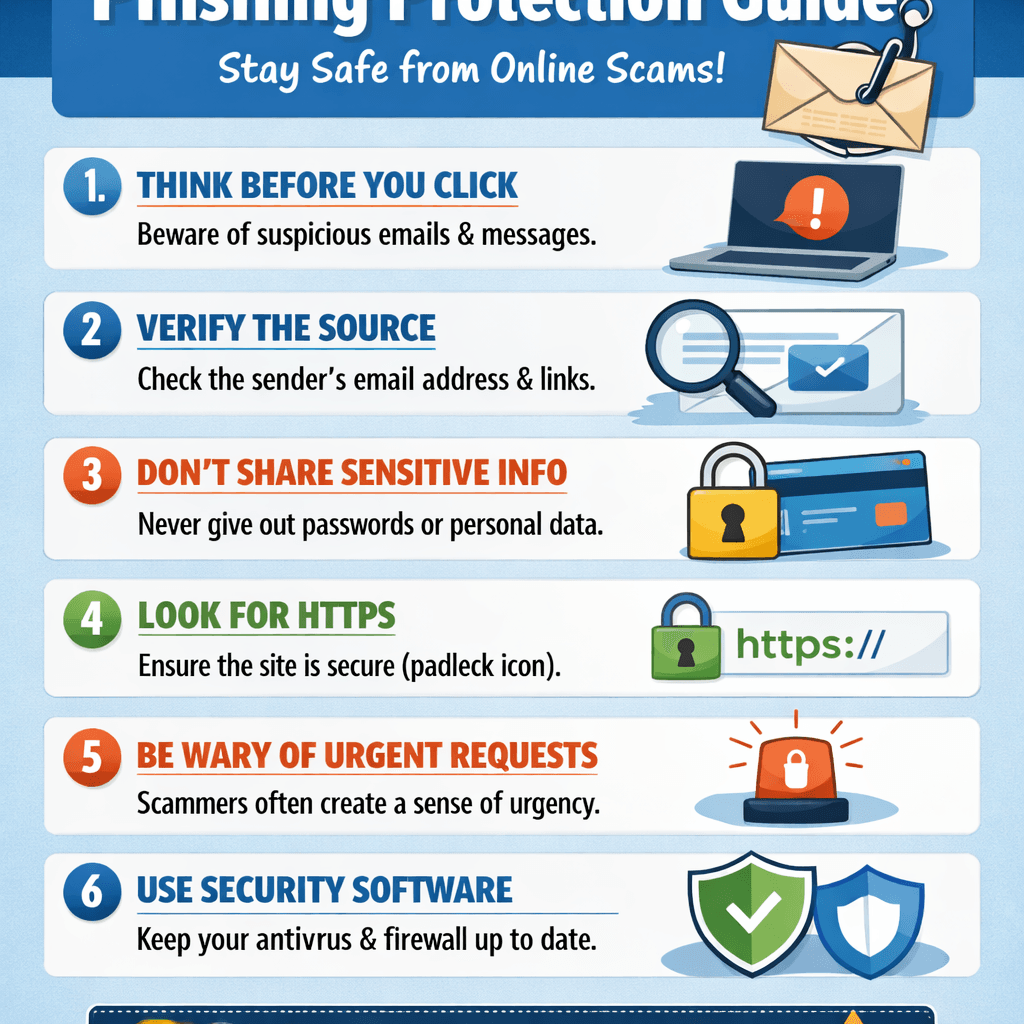
Phishing Guide: How to Spot and Stop Online Scams Fast
🔍 Summary Box
This guide covers:
- What phishing really is
- How cybercriminals trick users
- Common phishing tactics
- How to prevent and report phishing attacks
💡 What You’ll Learn
- The psychology behind phishing scams
- How to identify fake emails and websites
- Real-world phishing examples
- Steps to protect your business online
- How Archer IT Solutions can help you stay secure
👉 Get Help Now: https://www.archer-its.com/contact-us/
✅ Quick Answer
Phishing is a form of online fraud where attackers impersonate trusted entities—like banks, tech companies, or even colleagues—to trick users into revealing sensitive information such as passwords or credit card numbers. Recognizing red flags early helps prevent damage and data theft.
Every minute, thousands of phishing emails and fake websites target unsuspecting users. Whether you run a small business or just manage personal accounts, the threat is real. In this Phishing Guide, you’ll learn exactly how to detect scams before it’s too late—and how to protect your online presence with help from security experts at Archer IT Solutions.
Understanding Phishing and How It Tricks You Online
Phishing is a cybercrime designed to exploit human trust. Attackers use emotional triggers like fear, urgency, or excitement to prompt you to click a malicious link or share private data. The message might look like it’s from your bank, delivery company, or even your own IT team—but one wrong click can expose your entire system.
Cybercriminals go beyond simple email tricks. With AI-generated content and cloned websites, phishing attacks are increasingly sophisticated. A single well-crafted email can infiltrate business systems or compromise entire customer databases. That’s why understanding how phishing works is your first line of defense.
To stay secure, recognize that phishing isn’t a technical bug—it’s a human engineering problem. Attackers study behaviors, company structures, and even social media habits. By learning to spot the manipulation tactics, you can respond intelligently instead of emotionally, minimizing risk and downtime.
Common Phishing Tactics Every User Should Recognize
Phishers use multiple delivery methods to catch targets off guard. The most common are email phishing, spear phishing, SMS (“smishing”), and voice (“vishing”). You might receive a “reset your password” alert, a “package delivery notice,” or an “urgent business request.” The messages always share one thing: they want your data fast.
Look for warning signs such as poor grammar, mismatched URLs, unexpected attachments, or unusual requests. Even polished messages may conceal danger—hover over links before clicking, and confirm sender identities through official channels. Real companies never ask you to verify personal info via email.
Remember, prevention starts with awareness. Train your team to think critically before reacting. Using managed IT services like Archer IT Solutions adds an extra layer of scrutiny—automated email filtering, domain validation, and ongoing system checks to detect threats before they reach your inbox.
📊 Comparison Table: Phishing Methods Overview
| Type of Phishing | Delivery Channel | Common Goal | Example Scenario |
|---|---|---|---|
| Email Phishing | Collect credentials | “Update your bank info” | |
| Spear Phishing | Targeted email | Access company networks | “CEO requesting a transfer” |
| Smishing | SMS/Text | Steal login links | “Your package is waiting” |
| Vishing | Phone call | Obtain sensitive data | “Tech support” impersonation |
🧠 Pros & Cons of Anti-Phishing Tools
| Tools | Pros | Cons |
|---|---|---|
| Email filters | Blocks spam | May flag legit mail |
| Browser extensions | Alerts on fake sites | Can slow browsing |
| Security training | Improves awareness | Needs regular refresh |
📸 Image: Phishing Email Example
Description: Visual comparison between a real email and a phishing version, highlighting suspicious elements.
ALT text: Example of a phishing email showing fake sender and malicious link.
🔧 Troubleshooting: What to Do After a Phishing Attempt
- Disconnect immediately from the internet if you clicked a link.
- Run antivirus scans and remove suspicious programs.
- Change all passwords, starting with your main email.
- Enable multi-factor authentication (MFA) for added protection.
- Report the incident to your IT provider or use Archer’s support portal.
👉 Fast, Reliable IT Protection — Keep your business safe with proactive IT management from Archer IT Solutions.
External Resources
- Cybersecurity & Infrastructure Security Agency (CISA)
- Norton Cybersecurity Education
- Microsoft Phishing Protection Guide
🧩 Frequently Asked Questions
Q1: What is phishing in simple terms?
Phishing is a scam where attackers pretend to be legitimate companies or people to steal your information online.
Q2: How can I identify phishing emails?
Look for strange email addresses, spelling errors, and urgent or unusual requests—these are red flags.
Q3: What should I do if I clicked a phishing link?
Don’t panic—disconnect, scan for viruses, change passwords, and contact your IT support immediately.
Q4: Can phishing affect my business reputation?
Yes. Data breaches erode customer trust and could lead to compliance or legal issues.
Q5: How can Archer IT Solutions help?
They provide managed IT, web hosting, and on-site services to monitor threats and secure your systems.
Phishing is evolving, but your awareness is your strongest defense. By understanding how these scams work and staying alert, you can keep your organization and data safe. Whether you need training, IT support, or full system management, Archer IT Solutions is your trusted partner for a safer, smarter online experience.
🔁 SUMMARY:
- Phishing relies on human error, not system flaws.
- Recognize and report suspicious messages.
- Managed IT and proactive monitoring are key.
👉 Contact Archer IT Solutions Now: https://www.archer-its.com/contact-us/
📧 Email: support@archer-its.com
📍 Response within 24 hours
🎁 Free Offers:
Archer IT Solutions — Your Partner for Secure, Reliable Digital Operations.


No responses yet