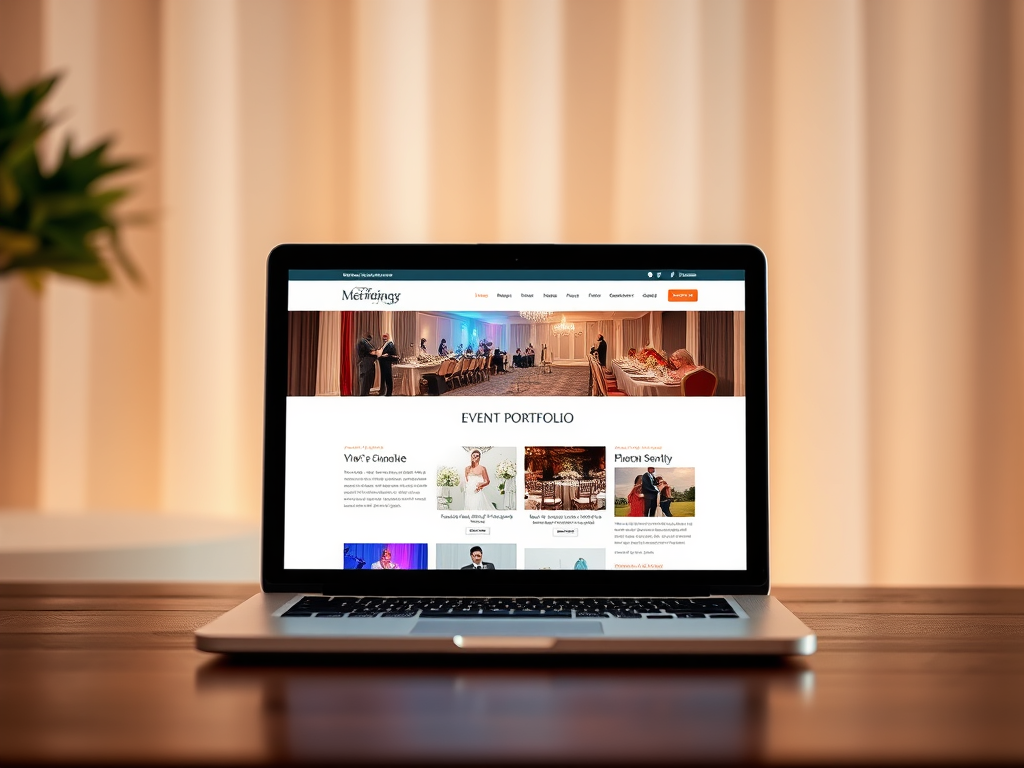
How to Choose the Perfect Website for Your Event Specialist Business
Launching or running an Event Specialist business is an exciting journey. You’re in the business of creating memories, organizing unforgettable moments, and handling countless moving parts that make events successful. But to attract clients and stand out in a competitive market, one of your strongest assets is a well-crafted website—one that does more than list your services; it should represent your brand, build trust, and help you manage your business efficiently. The question is: what type of website should you have?
Below, we’ll explore how to choose the right website style for your Event Specialist business and what tools, best practices, and examples can help guide your journey. Whether you’re building your site yourself or working with a professional team such as Archer IT Solutions, this article will serve as a complete guide—from planning and setup to optimization and maintenance.
Choosing the Right Website Style for Event Specialists
A great website for an event specialist is not just a digital brochure; it is an interactive portfolio, booking platform, and communication hub all rolled into one. When designing your site, the first step is understanding your target audience. Are you catering to corporate clients, social events like weddings and birthdays, or large conventions? Each audience expects different navigation and content. For example, a corporate client might value your scheduling efficiency and testimonial credibility, while a couple planning their wedding might focus more on visuals and emotional storytelling.
Your site should have a design that mirrors your brand’s personality. Use high-quality imagery, preferably photos or videos of past events, because visuals account for up to 90% of first impressions online according to a 2023 survey by WebFX. Keep navigation simple—visitors should find information in three clicks or less. This isn’t just an aesthetic consideration; search engines also reward intuitive, accessible sites. Include clear calls to action, such as “Book a Consultation” or “Request a Quote,” to guide potential clients toward conversion.
Another essential element is functionality. Incorporate tools like integrated calendars, online booking systems, and payment gateways. If budget allows, include an AI chatbot or virtual assistant to respond to inquiries instantly. You can use website builders like WordPress, Squarespace, or Wix, or hire experts who specialize in blending IT and design solutions like Archer IT Solutions Web Design Services. They can ensure your hosting setup is resilient, secure, and optimized for performance, which enhances customer experience and reduces bounce rates.
Pros and Cons of Different Website Types for Event Specialists
Each website structure or platform comes with its advantages and drawbacks. Understanding these can save you time and money.
1. Template-Based Websites (Wix, Squarespace):
- Pros:
- Easy to use even for beginners.
- Affordable monthly plans.
- Visually appealing with drag-and-drop functions.
- Cons:
- Can be restrictive when adding custom features.
- May not perform well under heavy traffic spikes from large events.
2. Custom-Coded Websites (HTML/CSS/WordPress with Custom Theme):
- Pros:
- Greater design flexibility and scalability.
- Easier to integrate custom booking or CRM systems.
- Better SEO control.
- Cons:
- Higher upfront cost due to developer involvement.
- Requires regular maintenance and professional updates.
3. Managed Solutions (With IT providers like Archer IT Solutions):
- Pros:
- Comprehensive hosting and design support in one place.
- Faster issue resolution and remote technical help.
- Security and data backup handled by professionals.
- Cons:
- Slightly higher initial investment compared to DIY builders.
- May require coordination with a support team.
Determine your choice based on how much time you want to spend managing your digital presence. Remember, your website isn’t a one-and-done project—it evolves with your brand.
Real-World Examples and Tools to Build Your Ideal Site
Looking at successful event business websites can spark inspiration and clarify the direction for your own online presence. PartySlate (www.partyslate.com), for example, uses large-scale imagery and client testimonials prominently across its pages. Its strong categorization (corporate events, weddings, social gatherings) allows visitors to navigate easily and book talents or venues directly. Another excellent model is Eventbrite (www.eventbrite.com), which integrates ticketing and payment seamlessly—perfect for specialists hosting multiple ongoing events.
Archer IT Solutions (www.archer-its.com) provides a comprehensive web hosting and IT support service that ensures these highly functional designs run smoothly. Their Web Hosting packages include tools that enhance uptime reliability and security—both crucial for event specialists who gather personal client data. For troubleshooting or upgrades, their IT support team is accessible via support@archer-its.com or through their ticketing system at www.archer-its.com/ticket/.
When building your event specialist website, include the following key components:
- Portfolio Page: with before-and-after visuals of events, highlighting venue transformations.
- Testimonials Section: collect feedback through email or Google reviews and display these as social proof.
- Interactive Booking Calendar: allows clients to check availability instantly.
- Blog Section: share event planning tips—this also supports SEO growth organically.
- Contact and Support Section: provide fast communication with potential clients and redirect them to professional IT help if technical issues occur.
Tools and Extensions That Enhance Event Specialist Websites
To bring functionality and security to your website, leverage industry-standard tools and plugins wisely. For WordPress users, plugins such as The Events Calendar, WooCommerce Bookings, and Elementor are great for integrating online bookings and creating visually engaging layouts. However, plugin compatibility is a common issue among event specialists who build their own sites without technical guidance.
If plugins clash or your site slows down, first check plugin version compatibility and disable any new installations one by one to pinpoint the source. Use a lightweight, professionally managed hosting platform—such as the ones offered by Archer IT Solutions—to mitigate slow load times. A simple rule of thumb: limit your plugins to those necessary for performance, SEO, and analytics.
Additionally, you can use third-party integration tools like Zapier for automating event confirmations or HubSpot CRM to track leads and manage follow-ups. These integrations work best with stable hosting services and responsive technical support. If you encounter technical difficulties, Archer IT Solutions provides onsite or remote support (www.archer-its.com/onsite-service) to quickly resolve issues such as plugin crashes, backup failures, or connectivity problems between your hosting and event management platforms.
Case Studies: How the Right Website Design Made an Impact
Case Study 1 – Social Event Planner (London, UK):
An independent planner saw a 45% increase in client inquiries after switching from a DIY Wix template to a custom WordPress site built with professional IT support. The incorporation of a virtual consultation calendar streamlined bookings and reduced back-and-forth emails significantly.
Case Study 2 – Corporate Events Agency (New York, USA):
A small firm utilized Archer IT Solutions’ managed hosting to handle a surge in virtual conference registration traffic. With zero downtime and improved load speeds, their SEO ranking improved by 23% over six months.
Case Study 3 – Wedding Coordinator (Sydney, AUS):
The addition of an image-based portfolio paired with social media integrations led to a 30% growth in organic reach. A custom contact form routed inquiries directly to their CRM, saving administrative time.
These examples show that the right combination of design, hosting reliability, and technical maintenance can directly affect an event specialist’s success. Websites must not only look professional but also operate efficiently behind the scenes.
Troubleshooting Common Issues and Maintaining Website Health
No matter how advanced your website, occasional technical challenges are inevitable. Common problems include plugin incompatibility, slow site performance, and form submission errors. Event specialists often experience such issues when scaling up or integrating multiple tools.
To prevent plugin conflicts, only install trusted extensions from verified sources and make sure they match your WordPress or CMS version. Always update plugins in a staging environment to test compatibility before deploying them live. If your site suddenly slows down after an update, check your host server performance metrics or your media file size—large uncompressed images are a frequent culprit for lagging websites.
For more complex troubleshooting, or if you’re running out of time to manage tech issues yourself, you can depend on managed IT partners such as Archer IT Solutions. Their remote support service helps website owners identify plugin conflicts, perform data backups, and optimize database usage—all while you focus on what you do best: planning and executing events.
Security and Data Management Best Practices
Security is a top priority, especially for event specialists handling sensitive client information such as billing data and personal details. Use SSL certificates to encrypt data transmission, ensure that all online payments are processed via secure gateways, and schedule regular site backups. Many professionals opt for managed hosting services—for example, Archer IT Solutions Web Hosting—to ensure core updates and patches are applied automatically, reducing risks from outdated software.
Regular auditing of plugins, themes, and user permissions ensures your website remains protected against cyber threats. The 2023 Cybersecurity Report by Statista found that over 41% of SMEs experienced at least one website security incident due to outdated CMS plugins. Investing time into preventive maintenance saves significant repair costs and downtime later.
If data loss or website errors occur unexpectedly, having a backup support contact like support@archer-its.com ensures timely recovery—most requests are acknowledged within 24 hours or less. Remember, an actively monitored and well-supported website builds credibility and maintains client trust.

Image: Event specialist team planning a large event (Creative Commons source)
Real-World Maintenance Schedule and Hosting Recommendations
Managing an event specialist website doesn’t stop at launch. A monthly maintenance schedule helps avoid downtime and preserve performance. Activities may include updating themes and plugins, creating new content, monitoring analytics, and backing up files.
A professional hosting provider such as Archer IT Solutions offers managed hosting plans that include automated backups, malware scanning, and technical support. Such services are especially beneficial for small businesses that lack in-house IT teams. With managed hosting, you benefit from 24/7 oversight—something invaluable when client inquiries come in after business hours.
Key Takeaways for Maintenance Best Practices:
- Back up your website weekly.
- Enable automatic updates for your CMS.
- Monitor website speed using tools like Google PageSpeed Insights.
- Review contact forms to ensure delivery to your email inbox.
- Partner with an IT services provider for advanced troubleshooting.
By following a structured schedule, you can maintain peak performance and turn your website into a 24-hour business tool that complements your event management services.
Crafting a standout website for your Event Specialist business goes beyond choosing appealing colors or layouts. It’s about creating an experience that mirrors the memorable events you design for your clients. Whether you build your own site using an intuitive platform like WordPress or work alongside an IT support team like Archer IT Solutions, the goal remains the same—to merge creativity, functionality, and reliability.
Reflect on what matters most to you: Do you need complete design control, or do you want the peace of mind that comes from professional managed support? There’s no one-size-fits-all solution. With the right guidance, tools, and hosting foundation, your website can elevate your credibility and client engagement effortlessly.
Take time today to evaluate your current web presence, outline your objectives, and reach out for dedicated technical support if required. Your digital stage is just as important as the events you create—so make sure it shines every bit as brightly.
Fast, Reliable Web Hosting — Starting at $1.99/month
|
🔥 Most Popular Standard Plan | Domain Only | |
|
$1.99/month Limited-time offer | Secure your business name online | |
|
Affordable yearly pricing Easy setup Works with any hosting | |
Reseller Hosting (For Agencies & Developers)Start your own hosting business or manage client sites | ||
| Reseller 1 | Reseller 2 | Reseller 3 |
| $20/month | $37.50/month | $50/month |
|
|
|
| ✔ 99.9% uptime • ✔ Secure • ✔ Easy setup • ✔ Local support | ||
Stop settling for slow, unreliable hosting. With Archer IT Solutions, get a website hosting plans that deliver speed, security, and 99.9% uptime guarantee. Grab your domain and hosting package in one seamless plan, optimized for WordPress users, small and medium size businesses, and personal websites.
Enjoy affordable web hosting plans without compromises unlike the big guys. Complete with professional email, one-click CMS installs, and round-the-clock hosting support. Perfect for WordPress users.
Built for Real Businesses
Whether you’re launching your first blog or scaling a growing business, Archer IT gives you:
+ Speed that keeps visitors engaged
+ Reliability you can count on
+Tools that actually make sense
Launch your first personal blog or scale a growing small business site with hosting optimized for performance. Get the best web hosting for plus simple setup — all powered by secure Linux servers and easy Plesk control panel.
Why Choose Archer IT Hosting?
🔒 Free SSL Certificates (Security + SEO Boost)
📧 Professional Email Accounts Included
⚡ Fast Linux Servers (Optimized Performance)
🧩 One-Click WordPress, Joomla & Drupal Installs
💬 Real 24/7 Support — No Bots, Just Help
💾 Automatic Backups for Peace of Mind
Risk-Free Guarantee
Try it with confidence.
If it’s not right for you, get your money back within 15 days.🔥 Don’t Wait — Launch Your Website Today
Stop overpaying for slow hosting.
Get everything you need in one simple plan.
Your website stays online with uptime, protected by a free SSL certificate, and supported by real people around the clock. And if it’s not right for you? Our 15-day money-back guarantee makes it a no-risk choice. Take your business or personal project online with hosting that’s secure, affordable, and built to perform.
💬 Real Support. No Runaround.
Unlike big hosting companies, you get:
- Direct help from real people
- No ticket delays
- No upsell traps
Discover more from Archer IT Solutons
Subscribe to get the latest posts sent to your email.
Discover more from Archer IT Solutons
Subscribe to get the latest posts sent to your email.


No responses yet