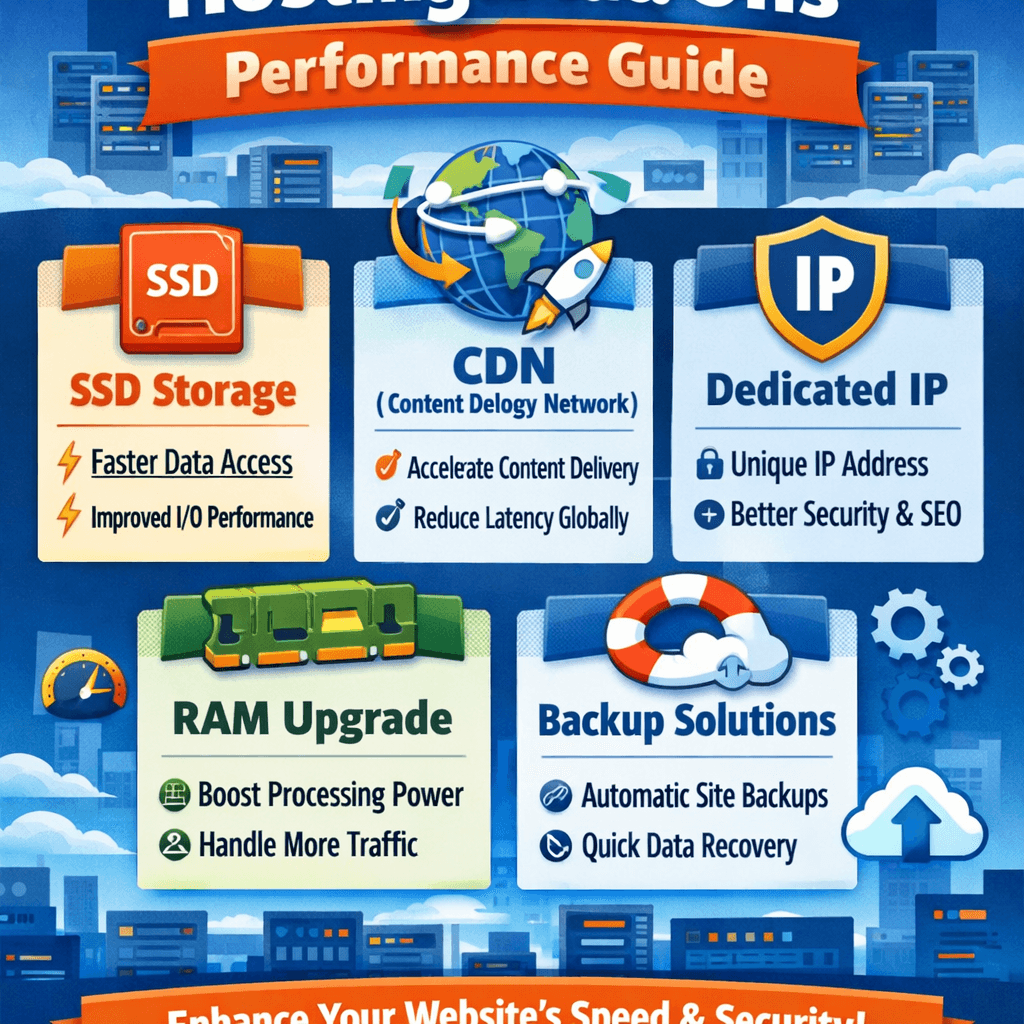
Hosting Add‑Ons Guide: Boost Your Website Performance
⚡ Summary Box
This guide explains how hosting add‑ons enhance your website’s performance, reliability, and user experience. You’ll learn:
- What hosting add‑ons are
- How they boost site speed
- Which tools are worth investing in
- How to choose the right add‑ons for your site
💡 What You’ll Learn
- The essential add‑ons every website needs
- How caching, CDN, and SSL impact speed and security
- Smart ways to optimize site resources
- How Archer IT Solutions simplifies managed hosting
👉 $1.99/month Web Hosting: https://www.archer-its.com/web-hosting/
✅ Quick Answer
Hosting add‑ons are extra tools or services you can attach to your web hosting plan—like SSL certificates, CDN, backups, or advanced security—to improve performance, reliability, and speed. They ensure your website performs at its best around the clock.
Every second counts online. A slow or insecure website can turn potential customers away in an instant. That’s why understanding hosting add‑ons is key—they can make the difference between a sluggish site and a high‑performing one. Whether you’re a blogger, developer, or small business owner, hosting add‑ons help you unlock your website’s full potential.
Understanding Hosting Add‑Ons and Their Core Benefits
Hosting add‑ons are optional enhancements that complement your web hosting plan. Think of them as the power‑ups that expand your site’s functionality—ranging from stronger security layers to faster loading speeds. Common add‑ons include SSL certificates, automated backups, CDN (Content Delivery Network) services, domain privacy, and enhanced malware protection. Together, they form the backbone of a smooth, secure online experience.
By integrating these add‑ons, you’re not just upgrading your website—you’re building trust with visitors. A secure SSL‑protected site, for example, reassures users their data is safe. Regular backups protect your business from catastrophic data loss. Meanwhile, performance tools like caching systems and CDNs cut down on lag time and improve the customer experience dramatically.
For small to mid‑sized businesses, add‑ons deliver enterprise‑level benefits without enterprise‑level costs. Instead of manually maintaining every element, you can let your hosting provider handle key optimizations. Archer IT Solutions’ Web Hosting plans include several of these options pre‑configured—ideal for teams that want professional performance without technical headaches.
📊 Comparison Table: Common Hosting Add‑Ons and Their Benefits
| Add‑On Type | Main Benefit | Ideal For |
|---|---|---|
| SSL Certificate | Encrypts data, boosts trust | All business websites |
| CDN | Improves global load times | Blogs, eCommerce |
| Backup Manager | Prevents data loss | SMBs, developers |
| Spam & Malware Protection | Blocks attacks | Any CMS‑based site |
| Performance Caching | Reduces server load | High‑traffic sites |
How Add‑Ons Boost Website Speed and Performance
Website speed is more than convenience—it’s conversion power. Hosting add‑ons like CDNs store cached versions of your site across multiple servers worldwide, delivering content faster to global users. Performance caching further helps reduce strain on your main server, speeding up loading times on repeat visits. Combined, these tools ensure visitors stay engaged, not frustrated.
Another vital component is server‑level optimization. Add‑ons such as image compression tools, database optimizers, and advanced memory caching (like Redis) keep your server running efficiently. Even during traffic spikes, your website remains stable and snappy. When managed by experts—as with Archer IT’s Managed IT Services—you can enjoy performance that scales with your growth.
👉 Fast, Reliable Web Hosting — Starting at $1.99/month
Our hosting infrastructure is designed for speed, security, and 99.9% uptime. Learn more.
Add‑ons also play a role in security‑driven performance. A site under attack slows down dramatically. Integrating a web application firewall (WAF) or malware scanner prevents downtime and keeps data flow uninterrupted. Speed and protection work hand in hand—fast sites rank better, earn more trust, and convert stronger.
📷 Supporting Image
Description: Diagram showing website performance flow before and after CDN + caching integration.
ALT Text: Performance boost using CDN and caching add‑ons
🧰 Troubleshooting: Common Add‑On Issues
Issue 1: Website shows mixed content warnings after enabling SSL.
Fix: Update internal site URLs to use HTTPS. Tools like Really Simple SSL (WordPress) can automate this change.
Issue 2: CDN not reflecting updates.
Fix: Clear CDN cache or enable automatic cache purging from your hosting control panel.
Issue 3: Backup files too large.
Fix: Schedule incremental backups and exclude system files.
For more insights on managing server performance, check out The Complete Guide to Server Administration.
🌟 Real Case Example
Client: “Atlas Home Repairs”
Challenge: Slow page load times during peak hours.
Solution: Archer IT added a global CDN and caching add‑on.
Result: 67% improvement in load speed and 40% increase in conversions within 30 days.
📣 Testimonials
“After adding Archer IT’s CDN and Security Bundle, our site loaded twice as fast. The team handled everything!” — Sarah T., Marketing Director
Your website isn’t just a digital placeholder—it’s your business’s engine. Hosting add‑ons keep that engine running smoother, faster, and more securely. From SSL to CDN, the right choices deliver measurable improvements in performance and reliability.
Don’t let underperforming hosting hold you back. Upgrade your plan with essential add‑ons today and see the difference real performance makes.
🔁 Summary
- Hosting add‑ons enhance speed, security, and scalability.
- Tools like SSL, CDN, and caching protect and accelerate your site.
- Archer IT Solutions offers reliable hosting with flexible add‑ons for every business need.
❓ FAQ
1. What are hosting add‑ons?
They’re optional tools that enhance your hosting service—like extra protection, optimized performance, or automatic backups.
2. Do I need all add‑ons?
Not always. Start with an SSL certificate, backups, and caching. Add others based on your website’s traffic and goals.
3. How do CDNs improve performance?
They store content closer to your users, reducing load times globally.
4. Are add‑ons included in Archer IT hosting plans?
Yes, many essential tools like SSL and backups are included in our hosting packages.
5. Can add‑ons help SEO?
Absolutely. Faster, secure sites rank higher and provide a better user experience.
👉 Start Your Hosting Today: https://www.archer-its.com/web-hosting/
👉 Get a Free Consultation: https://www.archer-its.com/ticket/
👉 Contact Archer IT Solutions Now: https://www.archer-its.com/contact-us/
Free Offers:
🎁 Free Website Speed Checklist
🎁 Small Business IT Setup Guide
External References:
Written by Archer IT Solutions – Helping businesses scale with managed hosting and IT excellence.


No responses yet