Folder Structure Best Practices for Better Workflow
A messy digital workspace can harm productivity as quickly as a tangled pile of cords under your desk. Folder Structure Best Practices aren’t just about aesthetics—they’re about efficiency, security, and scalability. Whether you’re a website hosting professional, web designer, small business owner, or a member of a Local IT support team, the right folder hierarchy can help you find what you need instantly while maintaining a seamless team workflow.
In today’s cloud-first and remote-driven environment, file management is more than a storage issue—it’s a collaboration issue. Bad structure creates delays, confusion, duplicate files, and even data loss. The good news? With a deliberate and scalable folder system, your team can achieve transparent file navigation and accelerate productivity.
This article from Archer IT Solutions explores proven Folder Structure Best Practices to improve your workflow, from structuring project hierarchies logically to implementing consistent naming conventions across teams. Let’s dig in!
How to Build a Logical Folder Structure That Scales
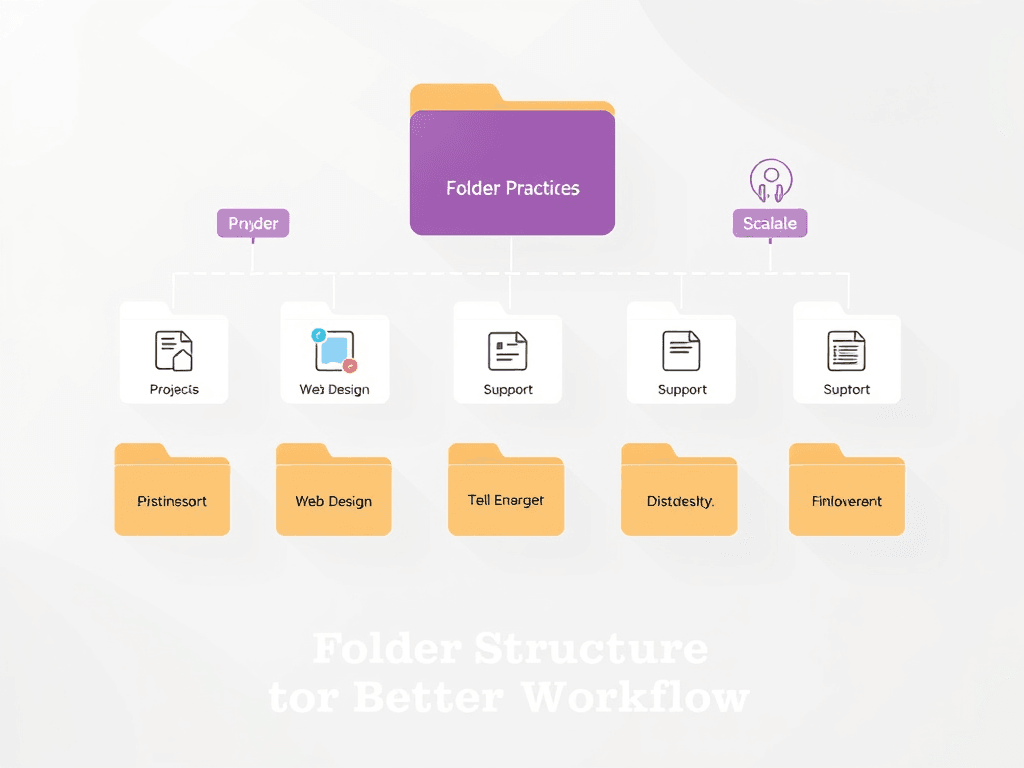
Building a folder structure that grows with your business or project is crucial. Start by categorizing top-level folders by function, department, or project type. For example, an IT agency might structure it as /Projects/Web-Design/ClientName/Assets or /Support/Remote/ServiceTickets. Logical nesting ensures that even new team members can locate documents without a long briefing. Visualize your folder structure like a tree diagram, where each branch leads logically to a subcategory. (See Figure 1 below.)

Figure 1: Example of a logical, scalable folder hierarchy.
Next, think scalability. As your web hosting or managed IT support business expands, more clients and projects will naturally be added. Create folders with generic but clear naming schemes so that onboarding new accounts doesn’t break your structure. For example, instead of naming a folder /Project1, name it by project type and client: /Web-Hosting/ClientName/Invoices. This helps maintain order even when the volume of work triples.
Also, use tools that mirror your structure across cloud services like Google Drive, OneDrive, or your WordPress hosting environment. Syncing local folder naming with cloud setups ensures consistency for your remote or local IT teams. For an automated approach, check out Microsoft’s OneDrive Folder Sync Guide and Google Workspace’s best practices.
Streamline Team Workflow With Consistent File Naming
A well-organized folder system means little if file names are inconsistent. Implementing standardized file naming conventions saves time, reduces duplicates, and simplifies version tracking. For example, adopt a pattern like Client_Project_Date_Version such as ArcherIT_WebHosting_2024-06_V1. This straightforward system helps team members instantly identify what a file contains without opening it.
File convention standards are especially vital when managing multiple clients in fields like web hosting, web design, or managed IT services. Imagine handling backups or migration scripts—uniform naming prevents disastrous overwrites or confusion between similar client files. Using clear suffixes like _FINAL, _DRAFT, or _ARCHIVE can help track project stages at a glance.
For cross-team environments, documents should align with version control systems (like Git or SVN). Encourage your team to avoid vague names like final-final-rev2.docx. Instead, adopt numbering systems. As part of training, maintain a simple internal wiki document that outlines all naming rules and folder logic. Archer IT Solutions provides guidance through their Managed IT Services to help companies keep digital assets structured and secure.
Troubleshooting Common Folder Structure Challenges
Even the best folder system can face common issues such as duplication, permission mismanagement, or outdated categories. The first step in troubleshooting is conducting quarterly or bi-annual folder audits. These ensure obsolete files are archived and permissions are up to date. For example, old client folders can be moved to an /Archive/2023 directory.
Second, automate repetitive organization tasks. Tools like TreeSize Free or WinDirStat visualize folder sizes to help identify clutter. If you’re running a shared local drive for IT or creative teams, setting automated rules using scripts or third-party apps like Zapier can keep your folder structure consistent.
Lastly, train team members. Poor habits reintroduce chaos faster than any misconfiguration. Create easy-to-follow internal tutorials or short videos demonstrating naming conventions and folder categorization. Consider partnering with a Local IT support provider like Archer IT Solutions via their Onsite Support program to establish standardized infrastructure and maintain file discipline.
Example Folder Structure for Web Design Teams
Here’s how a practical folder tree might look for a web design or WordPress hosting client:
/Clients/
   /ClientName/
       /Design/
           /Wireframes/
           /Mockups/
           /Approved/
       /Development/
           /HTML/
           /CSS/
           /Scripts/
       /Hosting/
           /Backups/
           /DNS/
       /Invoices/
This layout suits small-to-medium businesses because it separates creative assets, development code, and operational data. Using this pattern minimizes confusion among developers, designers, and administrative staff.
Whenever new projects are launched, simply duplicate the structure as a template. Incorporating a version control system ensures all changes within /Development are traceable. For WordPress hosting clients, this can mean linking production sites directly from the /Hosting/ directory to maintain a clear trace between local and live assets.
Finally, integrate visuals into your documentation. Add a diagram showing how data flows from /Projects → /Client → /Assets → /Deliverables. This not only aids comprehension but also helps newcomers instantly grasp connections across teams. Archer IT Solutions encourages adopting visual workflows in documentation to help reduce onboarding times.
Additional Resources and Non-Selling Links
- Google Workspace Admin Help: Organize Drive Folders
- Atlassian: File Management for Distributed Teams
- Harvard Digital Accessibility: Naming Conventions
- Tree Testing for Folder Structures – Nielsen Norman Group
For more advanced server organization strategies, explore The Complete Guide to Server Administration or connect with the Archer IT Solutions team via Contact Us.
FAQ: Folder Structure Best Practices
Q1: Why is folder hierarchy important for workflow?
A: It creates a predictable structure so users can locate or store files quickly, avoiding redundancy and confusion.
Q2: What tools can help maintain folder consistency?
A: Utilize version control platforms, cloud sync tools, and periodic audits via TreeSize or WinDirStat.
Q3: How often should folders be cleaned or reorganized?
A: Every 3–6 months. Include this as a standard task in your team’s workflow.
Q4: What’s the simplest folder naming rule?
A: Keep it logical, date-structured, and client-oriented—for example, Client_Project_YYYYMMDD_V1.
Q5: Who should manage folder permissions?
A: Ideally, your Local IT Support provider or IT administrator to ensure compliance and access security.
Organizing your digital workspace through Folder Structure Best Practices is an investment in time and efficiency. Clear hierarchies, consistent naming, and proactive audits prevent chaos, speed up workflows, and make collaboration seamless—especially for teams in web hosting, WordPress hosting, or IT services.
By applying these strategies and leveraging expert advice from Archer IT Solutions, you’ll ensure your business scales smoothly while keeping files accessible and well-managed.
Next Step:
Explore Managed IT Services or Web Hosting Solutions to improve your workflow infrastructure today and experience the difference of professional IT organization.
Internal Related Posts:
- The Complete Guide to Web Hosting
- Managed IT Support Advantages
- How to Secure Your Local IT Network
- Improving WordPress Hosting Performance
- Professional Web Design Services
Discover more from Archer IT Solutons
Subscribe to get the latest posts sent to your email.

No responses yet