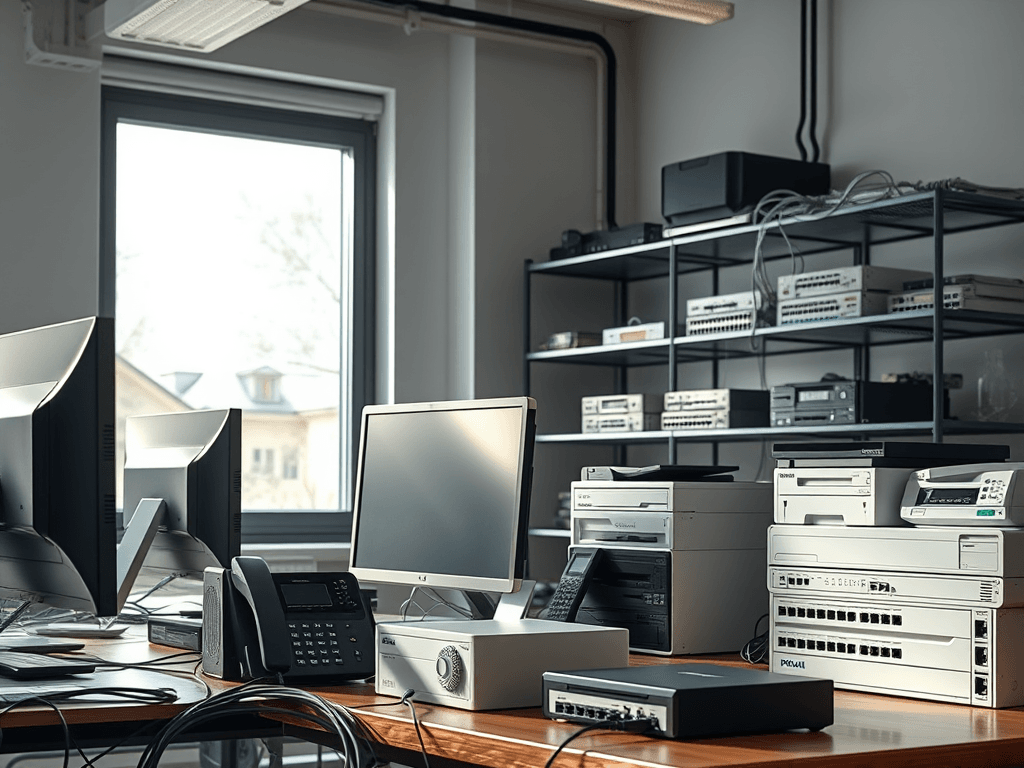
Ethernet Explained: A Simple Guide for Small Business
Quick Answer
Ethernet explained: Ethernet is a wired networking technology that connects computers, printers, phones, servers, and internet equipment through cables and switches. For small businesses, it matters because it delivers fast, stable, and secure connections for daily work, websites, cloud apps, and VoIP systems.
If your business relies on the internet, file sharing, payment systems, or cloud tools, your network matters more than ever. Ethernet explained in simple terms means understanding the wired foundation that keeps many businesses running smoothly behind the scenes. While Wi-Fi gets most of the attention, Ethernet is often the quiet workhorse that provides better speed, lower lag, and more reliability.
For small businesses, that reliability can make a real difference. Slow uploads, dropped calls, and unstable office connections waste time and frustrate staff and customers. Whether you run a retail shop, manage a few office PCs, host websites, or support remote workers, knowing how Ethernet fits into your setup can help you make smarter IT decisions.
At Archer IT Solutions, we often speak with business owners who are not looking for complex technical theory. They want clear answers, practical advice, and a path to a network that simply works. This guide breaks down what Ethernet is, how it works, where it helps most, and when it makes sense to get Local IT support for setup or troubleshooting.
What Is Ethernet and Why It Matters Today
Ethernet is a standard way for devices to communicate over a wired local network. In plain English, it lets computers and other hardware exchange data through physical cables, usually with the help of a network switch or router. It has been around for decades, but it remains one of the most dependable ways to build a business network.
For a small business, Ethernet is often the backbone of everyday operations. Desktop computers, VoIP phones, printers, network storage, security systems, and point-of-sale equipment can all use Ethernet connections. Compared with wireless connections, wired Ethernet is usually more stable and less affected by distance, walls, or signal interference.
That matters today because businesses use more connected tools than ever before. Cloud apps, customer databases, video meetings, backups, and website management all demand a network that performs consistently. If you run online services, manage business files, or depend on WordPress hosting for websites, a strong wired network can reduce interruptions and improve productivity.
Ethernet also matters because of security and predictability. While Wi-Fi is useful and convenient, Ethernet connections are physically tied to your equipment. That can make access easier to control in office environments. It is not a complete security solution on its own, but it can be a more controlled starting point for sensitive business systems.
Another reason Ethernet stays relevant is performance under load. If several employees are uploading files, making video calls, and accessing shared folders at the same time, Wi-Fi can become congested. Ethernet helps maintain consistent speed for devices that need it most, such as servers, workstations, and business-critical equipment.
For many small businesses, the best approach is not Ethernet instead of Wi-Fi, but Ethernet alongside Wi-Fi. Wired connections can support fixed devices and essential systems, while wireless handles mobile phones, tablets, and guest access. That balance gives you flexibility without sacrificing reliability.
Pros and cons of Ethernet
Pros
- Faster and more stable than many Wi-Fi connections
- Lower latency for calls, meetings, and cloud apps
- Better for file transfers, backups, and shared storage
- More reliable for desktop PCs and business hardware
- Easier to manage for fixed office devices
Cons
- Requires physical cabling
- Less convenient for mobile devices
- Installation can cost more upfront
- Cable clutter can become an issue without planning
Ethernet vs Wi-Fi comparison
| Feature | Ethernet | Wi-Fi |
|---|---|---|
| Speed consistency | High | Varies by signal and interference |
| Reliability | Excellent | Good, but can fluctuate |
| Mobility | Low | High |
| Security control | Strong physical control | Requires strong wireless security |
| Best use | Desktops, printers, VoIP, servers | Phones, tablets, guest devices |
Soft CTA: If your office network feels slow or unreliable, Archer IT Solutions can help assess your setup and recommend practical improvements through Managed IT Services or Local IT support.
How Ethernet Works for Small Business Networks
At a basic level, Ethernet works by sending data packets between connected devices over cables. A modem connects your business to the internet, a router directs traffic, and a switch expands the number of available wired connections. From there, Ethernet cables link your devices to the network so they can talk to each other and reach online services.
In a small office, the setup is usually straightforward. Your internet service comes into the modem or gateway. That connects to a router, and often to a switch if you need more ports. Then cables run to computers, printers, phones, access points, and other devices. Each connected device gets a path to the network that is usually faster and more consistent than a purely wireless setup.
This matters for practical business reasons. If your team regularly uploads website files, accesses cloud software, prints over the network, or uses shared storage, Ethernet reduces delays and disconnections. For website owners and developers, a dependable office network also makes managing live sites, backups, and hosting dashboards easier.
The most common Ethernet cables today are Cat5e, Cat6, and Cat6a. For many small businesses, Cat5e is still usable for gigabit speeds, but Cat6 is often a better long-term choice. The exact cable you need depends on speed goals, cable length, and future growth. If you are planning upgrades, it is worth thinking ahead instead of installing the minimum.
Here is a simple view of common network components:
- Modem: Brings internet service into the building
- Router: Manages traffic between your local network and the internet
- Switch: Adds more Ethernet ports for business devices
- Ethernet cable: Physically carries data between devices
- Access point: Extends Wi-Fi while often relying on Ethernet for backhaul
If this feels a little technical, that is normal. Many business owners know they need a better network but do not want to become networking experts. That is where Archer IT Solutions support or our contact page can help you move from confusion to a working solution.
Common small business Ethernet use cases
Ethernet is especially useful for fixed devices that need stable connectivity all day. That includes office desktops, VoIP phones, network printers, NAS devices, CCTV systems, and reception workstations. If a device stays in one place and matters to your daily workflow, Ethernet is usually worth considering.
It is also useful for businesses with website management needs. If your team handles uploads, design files, server access, or control panels for WordPress hosting, stronger local connectivity can reduce bottlenecks inside the office. Your hosting quality still matters, but your internal network matters too.
For growing businesses, Ethernet supports scalability. You can add a larger switch, segment traffic, or support more access points as your team expands. A proper wired foundation makes future improvements easier, whether that means better Wi-Fi, stronger security, or cleaner infrastructure.
Troubleshooting common Ethernet problems
If Ethernet is not working as expected, start with the basics. Check whether the cable is plugged in securely, whether the switch or router lights are active, and whether the correct port is being used. A damaged or low-quality cable is one of the most common causes of network trouble.
Next, test the issue step by step. Try a different Ethernet cable, use another port on the switch, and restart the affected device. If one computer has no connection but others do, the problem may be local to that device. If several devices fail at once, the issue may be with the switch, router, or internet service.
Here are a few quick troubleshooting checks:
- Confirm link lights are on at both ends
- Swap in a known-good cable
- Restart router, switch, and device
- Check network adapter settings
- Test another port or another workstation
- Contact Local IT support if the issue keeps returning
FAQ
What is Ethernet in simple terms?
Ethernet is a wired way for devices to connect to a local network and the internet. It uses cables and networking equipment to provide stable communication between business devices.
Is Ethernet better than Wi-Fi for small business?
For speed consistency and reliability, yes. Ethernet is usually better for fixed devices like office PCs, printers, and phones, while Wi-Fi is better for mobility and guest access.
Do I need Ethernet if I already have Wi-Fi?
In many cases, yes. Wi-Fi is convenient, but Ethernet is ideal for important devices that need a stable connection all day. Many businesses benefit from using both together.
What cable should a small business use?
Cat6 is a strong choice for many offices because it supports modern speeds and offers good future flexibility. Cat5e can still work in some setups, but Cat6 is often the safer investment.
When should I call for professional help?
If your network is slow, drops often, needs more devices, or supports essential systems like phones, websites, or shared files, professional setup can save time and prevent recurring problems.
Helpful resources
Internal links
- Managed IT Services
- Onsite or Remote Computer Support
- The Complete Guide to Server Administration
- About Archer IT Solutions
External links
Suggested YouTube embed
YouTube video suggestion:
“Ethernet, Switches, and Routers Explained for Beginners”
Embed a beginner-friendly networking video that visually shows how devices connect in a small office.
Ethernet explained simply comes down to this: it is one of the most reliable ways to keep your small business connected. It supports faster file transfers, steadier calls, better device performance, and a stronger foundation for growth. If your current setup feels messy, slow, or unreliable, a better Ethernet network may solve more problems than you think.
For small businesses, beginners, and website owners, the goal is not just understanding Ethernet. The goal is using it to create a smoother, more dependable work environment. A smart combination of wired and wireless networking often gives the best results, especially when supported by the right equipment and planning.
If you are ready to improve your office network, get help from Archer IT Solutions. Visit our contact page for general questions, request help through our support page, or explore our Local IT support services. If you want expert advice within 24 hours, email sales@archer-its.com and take the next step toward a faster, more reliable business network.


No responses yet