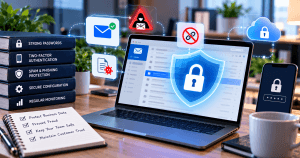
How to Secure Your Email Hosting Accounts: Practical Tips for Businesses
Email accounts are one of the most common targets for phishing, malware, credential theft, and business email compromise. For small and medium-sized businesses, a compromised mailbox can lead to data loss, financial fraud, downtime, and loss of customer trust.
The good news is that many email security risks can be reduced with consistent security practices, proper hosting configuration, and reliable IT support. This guide explains practical steps you can take to better protect your email hosting accounts.
1. Use Strong Passwords and Two-Factor Authentication
Start with the basics. Every email account should use a strong, unique password that is not reused across other services.
A strong password should:
- Be at least 12 characters long
- Include a mix of letters, numbers, and symbols
- Avoid common words, names, or business details
- Be stored in a trusted password manager
You should also enable two-factor authentication, also called 2FA or multi-factor authentication. This adds an extra layer of protection by requiring a second verification step, such as an authentication app or security key.
Even if a password is stolen, 2FA can help prevent unauthorized access.
2. Enable Secure Email Connections
Email accounts should use encrypted connections whenever possible. Make sure your email client or hosting control panel is configured to use:
- SSL/TLS for incoming and outgoing mail
- Secure IMAP, POP3, and SMTP settings
- Updated email client software
Avoid using outdated or unsecured mail settings, especially on shared devices or public networks.
If you are unsure whether your email accounts are using secure connections, check your hosting provider’s documentation or contact your IT support provider.
3. Configure SPF, DKIM, and DMARC Records
Email spoofing happens when attackers send messages that appear to come from your domain. To help protect your domain reputation and reduce spoofing, configure these DNS records:
- SPF: Identifies which mail servers are allowed to send email for your domain
- DKIM: Adds a digital signature to verify that messages were not altered
- DMARC: Tells receiving servers how to handle suspicious or unauthenticated messages
Before making DNS changes, review your current records and confirm the correct settings with your hosting or email provider. Incorrect DNS records can affect email delivery.
4. Keep Email Software, Hosting Tools, and Plugins Updated
Outdated software can create security gaps. Regular updates help patch vulnerabilities before attackers can exploit them.
Update the following regularly:
- Email clients
- Hosting control panels
- WordPress plugins and themes
- Server software
- Security tools and spam filters
If your business uses WordPress hosting alongside email hosting, make sure both environments are monitored and maintained. A compromised website or hosting account can sometimes put related email accounts at risk.
5. Back Up Business-Critical Email Data
Email often contains contracts, invoices, customer conversations, and other important business records. Backups help protect your organization from accidental deletion, ransomware, account compromise, or service disruption.
Good backup practices include:
- Using encrypted cloud-based backups
- Keeping backups separate from the primary email account
- Testing restore options regularly
- Reviewing retention policies for compliance needs
If you use Google Workspace or Microsoft 365, review the admin console settings and available backup options. For many businesses, a dedicated third-party backup solution may provide stronger recovery options.
6. Monitor Login Activity and Account Behavior
Regular monitoring can help identify suspicious activity early.
Watch for signs such as:
- Logins from unfamiliar locations
- Repeated failed login attempts
- Unexpected forwarding rules
- New devices connected to accounts
- Emails being sent without the user’s knowledge
- Sudden increases in spam or bounce-back messages
If suspicious activity is found, reset the account password immediately, review recovery settings, revoke unknown sessions, and check for unauthorized forwarding rules.
7. Train Staff to Recognize Phishing Attempts
Technology helps, but employee awareness is also important. Many email breaches begin with a phishing message that tricks someone into clicking a link, opening an attachment, or entering login credentials on a fake website.
Staff should be trained to look for:
- Urgent or threatening language
- Unexpected payment requests
- Suspicious links or attachments
- Messages asking for passwords or verification codes
- Slightly misspelled sender domains
- Requests to bypass normal approval processes
Encourage employees to report suspicious emails instead of ignoring or deleting them.
Troubleshooting Checklist for Email Security Issues
If you notice unusual account activity, take these steps:
- Reset the affected account password
- Enable or reconfigure 2FA
- Review recent login activity
- Remove unknown forwarding rules
- Check connected devices and third-party apps
- Confirm SPF, DKIM, and DMARC settings
- Scan devices for malware
- Contact your hosting or IT support provider if the issue continues
When to Consider Managed IT Support
Some email security tasks are easy to handle internally, while others may require technical support. A managed IT provider can help with DNS configuration, monitoring, backup planning, user access policies, spam filtering, and incident response.
Archer IT Solutions provides support for businesses that need help managing email hosting, web hosting, WordPress hosting, and IT security. Services include:
For support requests, you can create a ticket at www.archer-its.com/ticket/ or email support@archer-its.com.
For general questions, contact info@archer-its.com.
Related Security Resources
For additional guidance, review these trusted cybersecurity resources:
- Understanding Email Spoofing Attacks – CISA
- NIST Cybersecurity Framework
- Microsoft Security Blog: Password Guidance
Final Thoughts
Securing your email hosting accounts requires more than one tool. Strong passwords, two-factor authentication, encrypted connections, DNS authentication records, regular updates, backups, and user awareness all work together to reduce risk.
If your business needs help reviewing or improving email security, Archer IT Solutions can provide hosting support, managed IT services, and practical guidance for protecting your business communications.
Schedule a free IT consultation with Archer IT Solutions to review your email hosting, web hosting, or managed IT support needs. Web hosting services include a 15-day refund policy.
[submit “Submit”]
1
[_site_title] “[your-subject]”
[_site_title]
[_site_admin_email]
From: [your-name] [your-email]
Subject: [your-subject]
Message Body:
[your-message]
—
This is a notification that a contact form was submitted on your website ([_site_title] [_site_url]).
Reply-To: [your-email]
1
1
[_site_title] “[your-subject]”
[_site_title]
[your-email]
Message Body:
[your-message]
—
This email is a receipt for your contact form submission on our website ([_site_title] [_site_url]) in which your email address was used. If that was not you, please ignore this message.
Reply-To: [_site_admin_email]
1
1
Thank you for your message. It has been sent.
There was an error trying to send your message. Please try again later.
One or more fields have an error. Please check and try again.
There was an error trying to send your message. Please try again later.
You must accept the terms and conditions before sending your message.
Please fill out this field.
This field has a too long input.
This field has a too short input.
There was an unknown error uploading the file.
You are not allowed to upload files of this type.
The uploaded file is too large.
There was an error uploading the file.
Please enter an email address.
Please enter a URL.
Please enter a telephone number.
Please enter a date in YYYY-MM-DD format.
This field has a too early date.
This field has a too late date.
Please enter a number.
This field has a too small number.
This field has a too large number.
The answer to the quiz is incorrect.


No responses yet