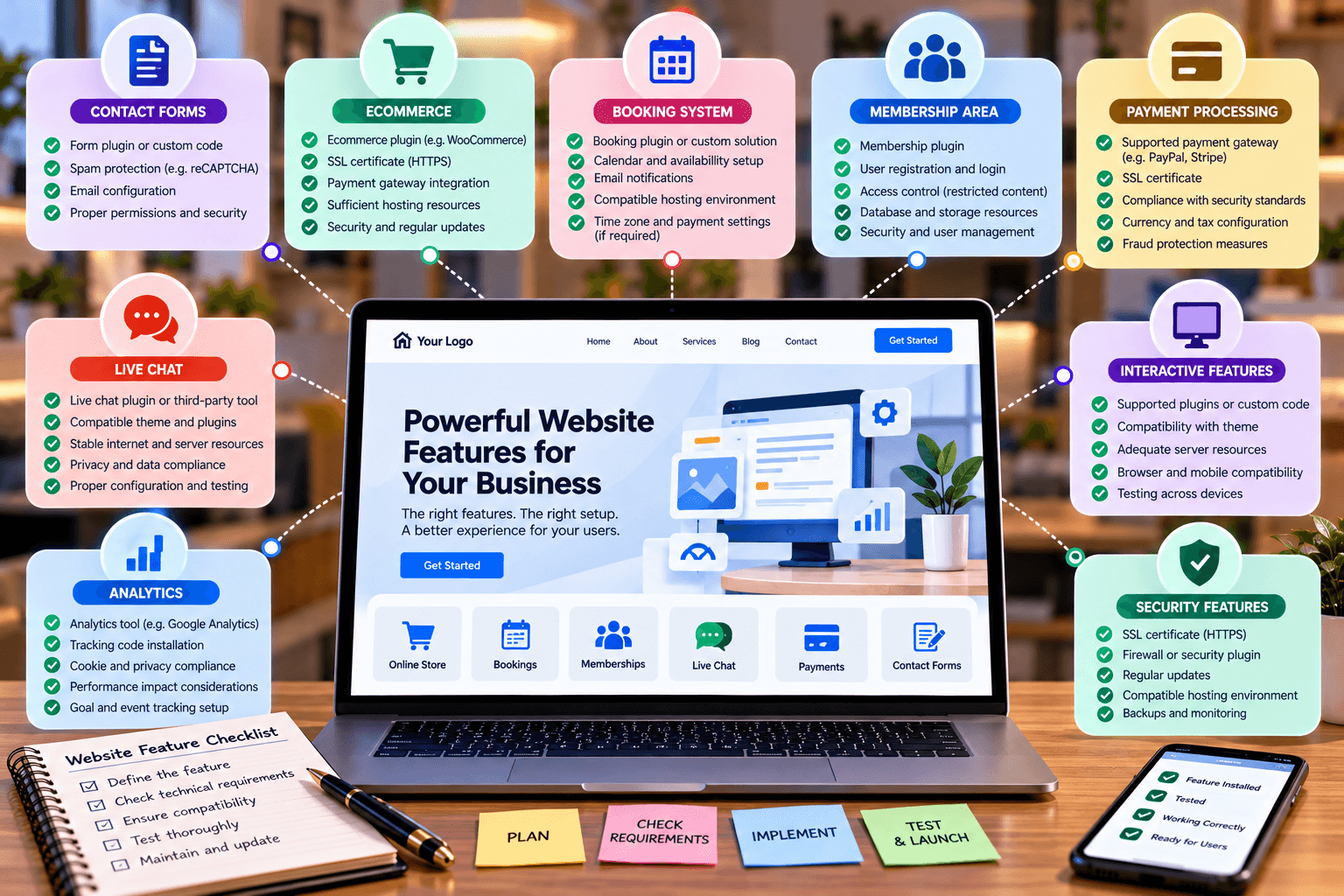
Essential Requirements for Website Features
Adding a new feature to your website can be as simple as installing a plugin—or it can require changes to your hosting environment, software, security settings, or website code.
Features such as online forms, e-commerce, booking systems, membership areas, payment processing, live chat, analytics, and interactive elements all have technical requirements. If those requirements are not met, a feature may fail to load, work incorrectly, slow down the website, or create conflicts with other parts of the site.
Before adding a new website feature, it is important to understand what your website needs to support it reliably.
1. Hosting Environment
Your hosting environment provides the server resources and software your website needs to run.
For a WordPress website, this can include:
- A supported PHP version
- A compatible database such as MySQL or MariaDB
- HTTPS support
- Sufficient server resources
- Required PHP extensions
- Appropriate file and directory permissions
- Adequate storage and memory
WordPress recommends checking your hosting environment against its current technical requirements before installation or major changes. An improperly configured server can prevent WordPress or specific website functions from working correctly.
This becomes particularly important when installing resource-intensive plugins, e-commerce functionality, membership systems, or applications that require specific server configurations.
If your website is experiencing hosting-related problems, Archer IT Solutions’ web hosting service can provide a starting point for reviewing your hosting environment and website requirements.
2. Plugins and Integrations
Many website features depend on plugins or third-party integrations.
For example, a website may use plugins for:
- Contact forms
- Online payments
- E-commerce
- Appointment booking
- SEO
- Security
- Caching
- Customer relationship management
- Analytics
- Email marketing
Installing a plugin does not automatically guarantee that it will work correctly with your website. Plugins can have compatibility requirements and may interact with other plugins, themes, or WordPress itself.
WordPress recommends checking plugin compatibility information before installation, particularly when the plugin has not been tested with your current version of WordPress.
It is also important to avoid installing unnecessary plugins. Every additional component introduces another dependency that may need to be maintained, updated, or troubleshot.
3. Theme Compatibility
Your website theme controls much of its visual presentation and can also affect how certain features function.
A theme may influence:
- Page layouts
- Navigation
- Forms
- Buttons
- Templates
- JavaScript functionality
- CSS styling
- Mobile responsiveness
- Compatibility with plugins
A feature may technically be installed but still display incorrectly because the theme overrides its styling or functionality.
Before introducing an important new feature, test it on the actual website theme rather than assuming that compatibility on another website means it will work on yours.
For businesses that need a website built around specific functionality, Archer IT Solutions’ web design services can be relevant when the website needs to be designed around its functional requirements rather than adding features as an afterthought.
4. Browser Compatibility
Website visitors use different browsers, operating systems, screen sizes, and devices.
A feature that works correctly in one browser may behave differently in another if it depends on particular JavaScript functionality, browser capabilities, or third-party scripts.
Test important features across commonly used environments, including:
- Desktop browsers
- Mobile browsers
- Different screen sizes
- Different operating systems
- Older devices where relevant to your audience
This is particularly important for interactive features such as menus, forms, calculators, booking systems, sliders, pop-ups, and checkout processes.
Testing should focus on the browsers and devices your actual visitors use rather than trying to support every possible environment.
5. SSL Certificate and HTTPS
HTTPS is an important requirement for modern websites, particularly when visitors submit information, log in, make payments, or interact with forms.
An SSL/TLS certificate enables encrypted HTTPS connections between the visitor’s browser and the website. WordPress strongly recommends HTTPS to help protect administrator accounts and visitors.
HTTPS is especially important for websites that handle:
- Login credentials
- Contact information
- Customer accounts
- Payment information
- Online forms
- Personal data
After installing or renewing an SSL certificate, test the entire website to make sure pages, forms, images, scripts, and other resources are loading securely.
6. JavaScript and CSS
Many modern website features depend on JavaScript and CSS.
JavaScript can provide functionality such as:
- Interactive menus
- Calculators
- Form validation
- Sliders
- Filters
- Pop-ups
- Dynamic content
- Online applications
CSS controls much of the appearance and layout of these elements.
Problems can occur when scripts conflict with one another, files fail to load, code is incorrectly implemented, or a plugin introduces a compatibility issue. WordPress’s developer documentation also notes that JavaScript conflicts can occur when different components use incompatible or duplicated libraries.
If a feature suddenly stops working after installing a plugin or changing a theme, checking browser-console errors and recently changed scripts can help identify the problem.
7. User Roles and Permissions
Some website features are available only to particular users.
For example, an administrator may be able to:
- Install plugins
- Change website settings
- Edit themes
- Manage users
- Configure integrations
While an editor or other user role may have more limited access.
If a feature appears to be missing or does not work for one user but works for another, permissions may be part of the problem.
User permissions are particularly important for websites with multiple administrators, employees, developers, content managers, or external contractors.
Only give users the level of access they actually need. This reduces the risk of accidental changes and can also help limit security exposure.
8. Database and Server Resources
Some website features place considerably more demand on the server than a basic informational website.
For example, an e-commerce store with hundreds of products, a membership website with thousands of accounts, or a website running complex searches may require more server resources than a small brochure website.
Relevant resources can include:
- CPU
- RAM
- Storage
- Database capacity
- PHP memory limits
- Upload limits
- Execution time
- Server response time
If your website is reaching its hosting limits, adding more plugins may not solve the underlying problem. You may need to optimize the website or review the hosting environment.
WordPress’s Site Health tools can also provide useful information about the site’s server configuration, PHP environment, plugins, themes, HTTPS status, and other technical details.
For more complex server requirements, you can also review Archer IT Solutions’ guide to server administration.
9. Software Versions and Compatibility
Website software needs to remain compatible as it is updated.
A typical WordPress website may involve several layers:
Server → PHP → WordPress → Theme → Plugins → Custom code → Third-party integrations
A change in one layer can sometimes affect another.
For example, updating WordPress may expose a compatibility problem with an outdated plugin. Similarly, upgrading PHP may reveal code in an old theme that is no longer compatible.
Keeping WordPress, themes, plugins, and server software appropriately maintained is therefore an important part of keeping website features functional.
WordPress notes that newer PHP versions provide security and performance improvements, while also warning that older themes and plugins may not always be compatible with newer PHP versions.
10. Third-Party Services and APIs
Some website features rely on external services rather than operating entirely within your website.
Examples include:
- Payment gateways
- Google Maps
- Email delivery services
- Social media integrations
- CRM systems
- Shipping platforms
- Analytics platforms
- Customer support tools
These integrations may require API keys, authentication credentials, domain verification, specific settings, or an active account with the third-party provider.
If an external service changes its API, authentication method, pricing, or technical requirements, the feature on your website may also require an update.
11. Website Security
A new feature should not only work—it should work securely.
Before adding a plugin, integration, or custom functionality, consider:
- Who developed it?
- Is it actively maintained?
- Is it compatible with your software versions?
- Does it handle sensitive information?
- What permissions does it require?
- Does it communicate with an external service?
- Is it regularly updated?
- Does it introduce unnecessary security risks?
WordPress Site Health can identify certain security and configuration concerns, including outdated PHP versions and plugins that require updates.
For websites that handle customer information or business operations, security should be considered during feature selection—not after something goes wrong.
12. Testing Before and After Installation
Before adding a major feature, create a backup and, where possible, test the change in a staging environment.
After implementation, test:
- The feature itself
- Website navigation
- Contact forms
- Login and account functions
- Mobile responsiveness
- Page loading
- Other important plugins
- Checkout or payment processes, if applicable
- Website security
- Any connected third-party services
This is particularly important when making changes to a live business website.
A feature that appears to work on one page may still create problems elsewhere, so testing should cover the main customer journeys through the website.
How to Check Whether Your Website Can Support a New Feature
Before installing a new feature, use this simple checklist:
- Check the feature’s technical requirements.
- Confirm your hosting environment meets those requirements.
- Check PHP, database, and WordPress compatibility.
- Review plugin and theme compatibility.
- Confirm HTTPS is working correctly.
- Check whether additional API keys or third-party accounts are required.
- Review available server resources.
- Back up the website before mak


No responses yet