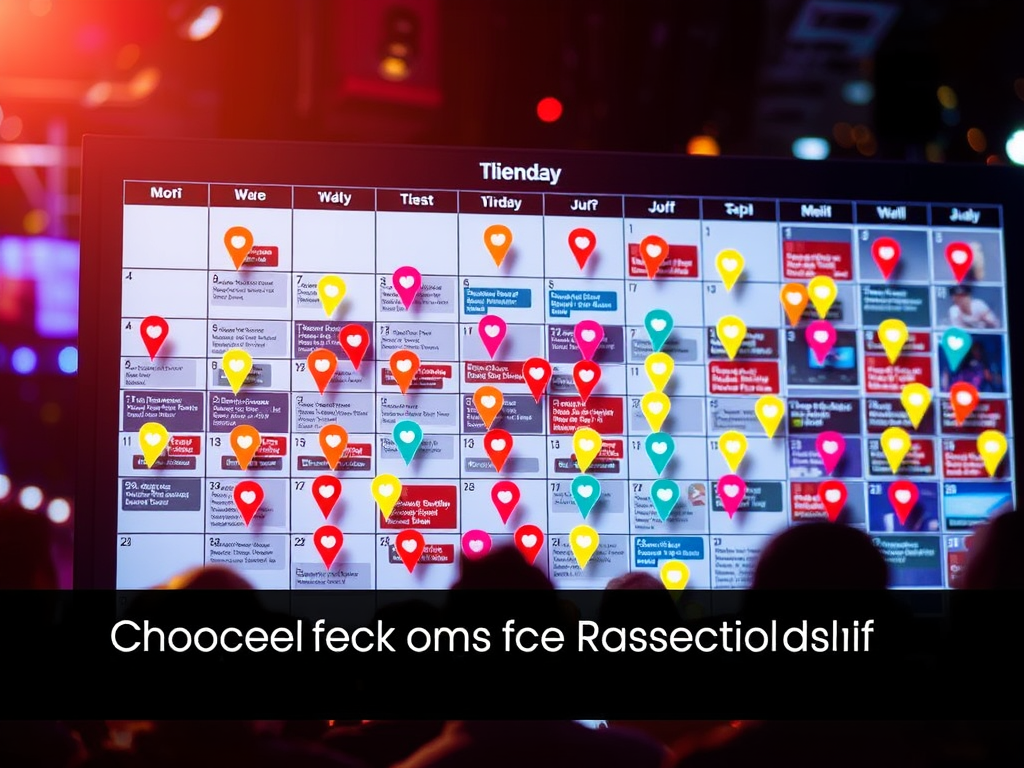
Choosing the Right Events Calendar for Your Website
Choosing an events calendar for your website can do more than just list dates—it creates a hub of engagement, streamlines communication, and helps visitors plan ahead. Whether you’re a business owner, community organizer, or online educator, having the right calendar plug-in ensures both functionality and user satisfaction. In this article, we’ll explore how to evaluate features, navigate common compatibility issues, and ensure your calendar system supports your site’s goals.
Evaluating Event Calendar Features and Benefits
When selecting an events calendar, start with understanding your site’s purpose. Are you managing virtual events, educational workshops, or team meetings? Each scenario calls for specific tools—think recurring event support, RSVP or ticketing capabilities, and easy synchronization with external apps like Google Calendar or Outlook. According to Statista, over 40% of small businesses use a digital calendar solution to organize customer interactions, making integration an essential consideration.
The best calendars also emphasize user experience. Choose one that meshes with your site’s layout, loads quickly, and provides visual clarity. Layout elements like bold titles, whitespace, and color-coded tags can subtly guide user attention. Remember that most users begin reading from the top-left quadrant, so placing critical cues there improves scanability. A responsive design—optimized for mobile and tablet—ensures no visitor struggles to find event details on the go.
Pros and Cons:
- Pros: Enhances engagement, simplifies registration, integrates automation tools.
- Cons: May cause plugin conflicts, require frequent updates, and consume server resources.
Key Takeaways:
- Identify your event management needs before selecting tools.
- Prioritize compatibility and mobile responsiveness.
- Review customer support and security updates regularly.
Summary: A well-chosen events calendar boosts communication and conversion. Balance aesthetics and functionality to create a compelling, efficient scheduling experience for your users.

Troubleshooting Plugin Conflicts and Compatibility
Even a well-built calendar can run into obstacles—especially when paired with multiple plugins. Common issues include conflicts with caching plugins, outdated PHP versions, or mismatched jQuery scripts. These can lead to calendars failing to display correctly or load slowly. When this happens, disable other plugins temporarily to identify the conflict source, then re-enable them one by one. Platforms like WPBeginner’s Troubleshooting Guide provide detailed steps for WordPress users.
If your website is hosted on a managed platform, you can often rely on technical support to diagnose these issues quickly. For example, Archer IT Solutions provides both remote and onsite troubleshooting for web hosting services. Their customers—ranging from website owners to small businesses—benefit from reliable, 24-hour response times through support@archer-its.com or support tickets. This personalized assistance ensures your site remains stable even during major updates.
Common Troubleshooting Steps:
- Clear your site’s cache and browser data.
- Update your plugins and test compatibility with the latest CMS version.
- Use staging sites to test new installations before making them live.
Summary: Calendar plugin conflicts are fixable with patience and structured testing. Keep backups and seek expert assistance—especially if your website is mission-critical—to maintain uninterrupted accessibility.

Selecting the right events calendar isn’t just a technical decision—it’s a reflection of how your organization communicates with visitors. Take time to review your goals, test performance, and ensure compatibility with your hosting environment. If you encounter issues, don’t hesitate to reach out to professional services like Archer IT Solutions for quick resolution.
Reflect on your website’s unique needs and consider how an optimized calendar can enhance engagement, booking efficiency, and content flow. For further learning, you can explore resources like The Events Calendar Documentation, Smashing Magazine, or W3C to deepen your understanding. Your calendar is more than a date display—it’s your audience’s gateway to participation.
Power your website with an affordable web hosting plan that does not cut corners.
 Mini | Standard | Domain Only |  Reseller 1 | Reseller 2 | Reseller 3 |
| $12 per year | $1.99/month | low yearly prices | $20/month | $37.50/month | $50/month |
| *10 GB Space** *100 GB Bandwidth** *FTP access *10 email account *PHP/CGI/PERL/SSI Support *SSL | *100 GB Space *1TB Bandwidth *10 FTP accounts *100 email account *PHP/CGI/PERL/SSI Support *10 Databases *SSL WordPress, Joomla, or Drupal hosting | *10 Domains *100 GB Diskspace *2TB of traffic *100 Databases *100 Mailboxes *WordPress options | *25 Domains *300 GB Diskspace *6TB of traffic *300 Databases *300 Mailboxes *WordPress options | *50 Domains *600 GB Diskspace *12TB of traffic *600 Databases *600 Mailboxes *WordPress options | |
| Specials | |||||
Don’t wait — grab your deal and launch today ** temporary offered | |||||

Stop settling for slow, unreliable hosting. With Archer IT Solutions, get a robust website hosting plans that deliver speed, security, and the uptime. Grab your domain and hosting package in one seamless plan, optimized for WordPress, small businesses, and personal websites.
Enjoy affordable web hosting plans without compromises, complete with professional email, one-click CMS installs, and round-the-clock website hosting support. Built for Businesses. Perfect for WordPress. Take control of your online presence. Try it risk-free with our 15-day money-back guarantee.
Launch your first personal blog or scale a growing small business site with hosting optimized for performance. Get the best web hosting for plus simple setup — all powered by secure Linux servers and easy Plesk control panel.
Why Choose Archer IT Hosting?
- Free SSL Certificates – Protect customers & boost trust
- Custom Email Accounts included
- One-Click CMS Installs – WordPress, Joomla & Drupal ready
- 15-Day Money-Back Guarantee – Risk-free hosting
- 24/7 Customer Support and Service – Real help when you need it
- Features you’ll actually will use
- Powered by Linux for speed & reliability
- Simplified management with Plesk Control Panel
- Automatic backups for worry-free security
Trust. Reliability. Zero Guesswork.
Your website stays online with uptime, protected by a free SSL certificate, and supported by real people around the clock. And if it’s not right for you? Our 15-day money-back guarantee makes it a no-risk choice. Take your business or personal project online with hosting that’s secure, affordable, and built to perform.
Questions
Discover more from Archer IT Solutons
Subscribe to get the latest posts sent to your email.
Discover more from Archer IT Solutons
Subscribe to get the latest posts sent to your email.


No responses yet