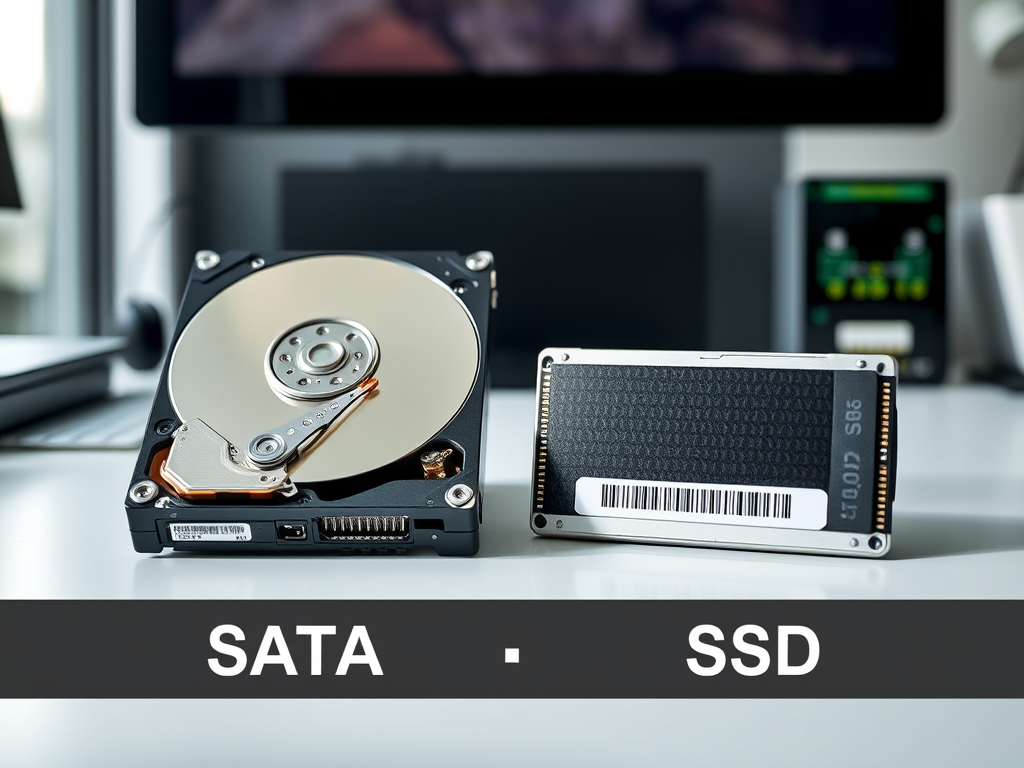
Choosing Between SATA and SSD for Better Performance
Upgrading storage is one of the quickest ways to boost computer performance. But with so many choices—especially between SATA and SSD storage—figuring out what’s best can feel confusing. In this post, we’ll explore the core differences, consider key buying factors, and offer guidance on troubleshooting storage-related issues with expert assistance from Archer IT Solutions.
Understanding SATA vs SSD: Performance Essentials
When you’re comparing SATA and SSD, you’re really looking at two different storage technologies. SATA—short for Serial Advanced Technology Attachment—is an interface that connects traditional hard drives or SATA-based solid-state drives. An SSD (Solid-State Drive) uses flash memory to store data, which means it has no moving parts. This makes SSDs far faster in terms of read/write speeds and more resistant to physical shock compared to traditional SATA hard drives.
Performance-wise, SSDs can be up to 10 times faster than SATA hard drives, offering read/write speeds exceeding 500 MB/s versus roughly 100 MB/s for most SATA drives (source). This difference translates into faster boot times, shorter load screens, and snappier software performance. For professionals managing hosting environments or websites—like many of the clients at Archer IT Solutions—this speed can significantly improve server response and uptime.
Pros and Cons Summary:
Pros of SSDs:
- Faster data access & improved durability
- Lower power consumption
- Silent operation
Cons of SSDs:
- Higher cost per GB
- Limited write cycles
Takeaway: SSDs dramatically outperform SATA in speed and reliability but may cost more. Archer IT Solutions often recommends SSDs for web hosting clients that require fast, consistent performance.
Key Factors to Consider Before Making Your Choice
Before upgrading, consider compatibility, performance, and budget. SATA drives are usually more affordable and compatible with older systems, making them a sensible option for light workloads or storage needs. SSDs, however, offer next-level speed that enhances operating system boot time, gaming, and website performance. If your system supports NVMe SSDs, even better—they outperform SATA SSDs by using PCIe lanes for faster transfer rates.
When evaluating the right drive, think about long-term usage and scalability. SSDs deliver a smoother experience for businesses handling multiple active applications—especially for web hosting or databases managed remotely. Archer IT Solutions provides expert setup and onsite or remote computer support for those seeking a professional configuration. Their web-hosting solutions integrate high-speed SSD storage to ensure optimal uptime and reliability.
Troubleshooting Plugin Compatibility Issues:
Sometimes, performance issues aren’t from hardware but from poorly optimized plugins—especially on CMS platforms like WordPress. Common issues include:
- Outdated plugins causing read/write delays
- Incompatible caching mechanisms
- Improper configurations affecting SSD utilization
To fix these, update regularly, use reputable plugins, and consider consulting Archer’s managed IT support for professional troubleshooting. Visit Archer’s support portal for hands-on assistance or email support@archer-its.com.
Takeaway: Choosing the right drive is about balancing speed, cost, and future scalability. Whether you go with SSD or stay with SATA, expert guidance can make a huge difference.
Selecting between SATA and SSD depends on your performance expectations, workload type, and budget comfort. SSDs bring undeniable speed advantages, while SATA drives remain practical for secondary storage. Before you buy, assess your daily use and goals. If performance matters most—especially for hosting or design—Archer IT Solutions can help identify the ideal setup. Contact their team via sales@archer-its.com or explore their Web Design Services to elevate your site’s performance today.
Explore More:
Summary:
- SSDs outperform SATA drives in speed and energy efficiency.
- Budget-conscious users may prefer SATA for simple storage.
- Businesses should seek professional guidance for optimal configuration.
Need technical help?
Reach out to Archer IT Solutions – fast, reliable, and personal tech support for all your system needs.
Discover more from Archer IT Solutons
Subscribe to get the latest posts sent to your email.


No responses yet