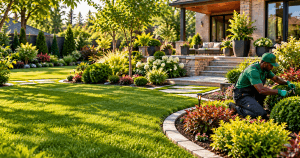
Website Design Ideas for Landscaping Businesses That Attract More Clients
A landscaping website should do more than display a phone number and a few pictures of gardens. It should help potential customers understand your services, see examples of your work, trust your business, and take the next step toward requesting an estimate.
For a landscaping company, the website is often part of the sales process. A homeowner may discover your business through Google, visit your website on a phone, look through your project gallery, check whether you serve their area, and decide within a few minutes whether to contact you.
That makes website design, page speed, mobile usability, local information, and clear calls to action important parts of the customer journey.
Here are practical website design ideas that can help a landscaping business turn more website visitors into inquiries.
1. Make the Homepage Immediately Explain What You Do
A visitor should not have to scroll through several sections to figure out what your landscaping company offers.
Your homepage should quickly communicate:
- What services you provide
- Where you provide them
- Who you serve
- What visitors should do next
For example:
Professional Landscaping and Outdoor Living Services in [Service Area]
From lawn care and landscape design to patios, planting, and outdoor lighting, we help homeowners create beautiful and functional outdoor spaces.
[Request an Estimate] [View Our Work]
This gives visitors useful information immediately while providing two logical next steps.
The same principle applies to any service-based website. Archer IT Solutions’ own professional website design and hosting services are built around presenting services clearly and giving visitors straightforward ways to take action. archer-its.com
2. Put Your Best Landscaping Work Front and Center
Landscaping is highly visual, so your completed projects can do much of the selling for you.
Instead of relying heavily on generic stock photography, showcase your actual work whenever possible.
Useful images include:
- Completed backyard transformations
- Patios and outdoor living spaces
- Walkways
- Retaining walls
- Lawn transformations
- Garden installations
- Outdoor lighting
- Before-and-after projects
- Commercial landscaping projects
A potential customer should be able to look at your website and quickly understand the quality and type of work you provide.
Don’t Forget Image Optimization
High-quality images are valuable, but huge image files can make a website unnecessarily slow.
Before uploading project photos, resize and compress them appropriately. Tools such as TinyPNG can reduce image file sizes while maintaining visual quality. tinypng.com
Google also recommends descriptive image filenames and useful alt text. Alt text should describe the image naturally rather than being stuffed with landscaping-related keywords. Google for Developers
For example:
Better filename:backyard-patio-landscaping-project.jpg
Better alt text:Stone patio and landscaped backyard with outdoor lighting
Not:
landscaping landscaping company landscaping services landscaping contractor patio lawn garden
The goal is to help users and search engines understand the image, not manipulate rankings.
3. Create Individual Pages for Your Main Services
Don’t put every landscaping service into one giant paragraph.
If your business offers several services, give important services their own pages.
For example:
- Landscape design
- Lawn care
- Lawn maintenance
- Hardscaping
- Patio installation
- Walkway installation
- Retaining walls
- Garden design
- Outdoor lighting
- Irrigation
- Seasonal cleanup
A dedicated service page gives you room to explain:
- What the service includes
- Who it is suitable for
- What the process involves
- Areas you serve
- Relevant project photos
- Frequently asked questions
- How customers can request an estimate
It also creates more useful landing pages for people searching for specific services.
If you’re building a new landscaping website, the same principle applies to other service businesses. Archer’s website design and hosting services combine website development with hosting and ongoing website support. archer-its.com
4. Build a Project Gallery That Helps Customers Imagine the Result
A portfolio shouldn’t simply be a page full of random photographs.
Organize projects so visitors can quickly find examples relevant to them.
For example:
Residential Landscaping
Show front yards, backyards, gardens, lawns, and outdoor living areas.
Hardscaping
Show patios, walkways, retaining walls, stonework, and other structures.
Outdoor Living
Show outdoor kitchens, seating areas, fire pits, patios, and lighting.
Commercial Projects
Show landscaping work completed for offices, retail properties, apartment buildings, or other commercial locations.
Whenever appropriate, add a short description to each project.
For example:
Backyard Patio Transformation
Natural stone patio with landscaped borders, new planting beds, and low-voltage outdoor lighting.
This gives visitors more context than an image alone.
Google recommends placing images near relevant page content and using descriptive filenames and alt text so search engines can better understand the subject of the images. Google for Developers
5. Make Your Request-a-Quote Button Impossible to Miss
A landscaping website should make contacting the business easy.
Don’t make visitors hunt for your phone number or contact page.
Useful calls to action include:
- Request an Estimate
- Get a Landscaping Quote
- Schedule a Consultation
- Call for an Estimate
- View Our Projects
Place your primary CTA:
- Near the top of the homepage
- After important service sections
- Near project galleries
- On service pages
- At the bottom of important pages
The CTA should also describe what happens next.
For example:
Ready to Transform Your Outdoor Space?
Tell us about your project and we’ll help you determine the next step.
Request an Estimate
That is more useful than simply placing a generic “Submit” button on a form.
6. Make the Website Work Properly on Mobile
A landscaping customer may discover your company while searching from a phone, so the mobile experience needs to be treated as a primary part of the website—not an afterthought.
Check that:
- Text is easy to read
- Buttons are easy to tap
- Phone numbers are clickable
- Forms work properly
- Navigation is simple
- Project photos display correctly
- Important content isn’t hidden on mobile
- Pages don’t take unnecessarily long to load
Google uses the mobile version of website content for indexing and recommends responsive web design for mobile experiences. Google for Developers
You can also test your site’s performance with Google PageSpeed Insights, which evaluates pages on mobile and desktop and provides performance recommendations. Google for Developers
7. Keep Navigation Simple
A landscaping website rarely needs a complicated navigation system.
A straightforward menu might look like:
Home | Services | Our Work | About | Reviews | Contact
If you have many services, use a Services dropdown.
The important thing is that visitors should be able to answer questions such as:
- What does this company do?
- Where do they work?
- What projects have they completed?
- How can I contact them?
without having to figure out a complicated menu.
Simple navigation also helps search engines discover important pages through internal links. Archer’s own sitemap guidance recommends keeping navigation simple and linking important pages from prominent areas of the website. archer-its.com
8. Clearly Show the Areas You Serve
Landscaping is typically a local service, so location information should be easy to find.
Mention your service area naturally on relevant pages.
For example:
We provide landscape design, lawn care, and hardscaping services throughout [City], [City], and surrounding communities.
You can include service-area information on:
- Homepage
- Service pages
- Contact page
- Footer
- Project descriptions
- About page
Don’t create paragraphs stuffed with dozens of city names simply to target local keywords. Write for customers first.
You should also keep your business information accurate on your Google Business Profile. Google allows businesses to manage information that appears on Google Search and Maps, including business details, photos, services, and customer-facing links. Google Support
9. Add Genuine Customer Reviews
Reviews can help answer the question every new visitor is silently asking:
“Can I trust this company to do a good job?”
Consider displaying genuine customer feedback on your homepage or creating a dedicated reviews section.
Specific reviews are generally more useful than vague statements.
For example:
“They completely redesigned our backyard, installed the patio and planting beds, and finished the project when promised.”
If you publish testimonials, make sure they are genuine and used with the customer’s permission.
Do not create fictional testimonials simply to make the website appear more established.
10. Show the Process, Not Just the Finished Product
Another effective website feature is a simple explanation of what happens after someone contacts you.
For example:
How It Works
1. Tell Us About Your Project
Submit your project details and tell us what you’re looking to accomplish.
2. Discuss Your Property
We’ll learn more about your space, preferences, and requirements.
3. Receive Your Estimate
You’ll receive the appropriate pricing or next steps based on the project.
4. Plan the Work
Once approved, the project can move into scheduling and preparation.
This reduces uncertainty and helps potential customers understand what happens after they click Request an Estimate.
11. Make Your Contact Form Simple
A landscaping quote form shouldn’t feel like an application for a mortgage.
Ask for information that actually helps you begin the conversation.
Useful fields might include:
- Name
- Phone number
- Project location
- Type of landscaping project
- Brief project description
- Preferred contact method
- Optional photo upload
You can also allow customers to upload photos of their yard if your website system supports it.
Keep the form as short as possible while still collecting the information your team needs.
12. Improve Website Speed Before Adding More Features
A beautiful landscaping website can still lose potential customers if it takes too long to load.
Large project galleries are one potential source of performance problems, but they aren’t the only one. Other factors can include:
- Poor hosting
- Excessive plugins
- Heavy themes
- Unoptimized scripts
- Missing caching
- Database issues
- Third-party services
Archer’s website performance guidance similarly recommends testing the site first and then addressing the actual bottleneck rather than automatically upgrading hosting. archer-its.com
If you use WordPress, Archer also has a guide explaining how WordPress hosting can affect website performance.
For businesses whose websites have outgrown their current hosting environment, Archer provides web hosting services with features including SSL, automatic daily backups, SSD storage, WordPress installation, migration assistance, and technical support. archer-its.com
13. Connect Related Pages with Internal Links
Internal links shouldn’t be added simply because an SEO checklist says you need them.
They should help visitors move naturally from one relevant page to another.
For a landscaping website, you might connect:
Homepage → Services → Individual Service → Project Gallery → Contact
For example:
Learn more about our hardscaping services, then explore examples of our recent patio and retaining-wall projects before requesting an estimate.
This creates a logical journey rather than forcing visitors to return to the main menu after every page.
Internal linking also helps search engines discover and understand the relationship between pages. Archer’s own content on cross-promotion highlights relevant internal links as a way of helping visitors discover related content. archer-its.com
14. Don’t Forget Website Security
A landscaping website may not handle highly sensitive information, but it still needs basic security.
At minimum, make sure the website uses:
- HTTPS/SSL
- Strong administrator passwords
- Updated software
- Secure forms
- Reliable backups
- Appropriate access controls
If the website runs on WordPress, keep WordPress, themes, and plugins updated and remove software that is no longer needed.
A reliable hosting environment can also provide an important foundation. Archer’s hosting service includes free SSL certificates, automatic daily backups, and technical support. archer-its.com
15. Use SEO to Support the Website, Not Take It Over
Good landscaping SEO starts with understanding what potential customers actually search for.
Depending on the business, relevant topics could include:
- Landscaping services in [City]
- Landscape design in [City]
- Lawn care in [City]
- Patio installation in [City]
- Retaining wall installation
- Commercial landscaping
- Outdoor lighting
- Garden design
But don’t create a separate page for every possible keyword variation if the pages would contain essentially the same information.
Instead, build useful service pages around genuine customer needs and make the content specific to the business.
Your page titles, headings, URLs, internal links, images, and copy should all help communicate what each page is about.
16. Create Content That Answers Real Customer Questions
A landscaping company can also use its blog to answer questions potential customers have before hiring someone.
For example:
- How much does landscaping cost?
- How often should a lawn be maintained?
- What is the best time to install a new lawn?
- How much does patio installation cost?
- What is the difference between hardscaping and landscaping?
- How do you prepare a yard for winter?
- What plants work well in [local climate]?
These articles can support the main service pages rather than existing as disconnected blog posts.
For example:
Blog post: How Much Does Patio Landscaping Cost?
↓
Internal link: Patio Installation Service
↓
CTA: Request an Estimate
That creates a much stronger relationship between informational content and lead generation.
17. Make the Website Easy to Maintain
A website isn’t finished when it launches.
Landscaping businesses should periodically review:
- Outdated service information
- Old project photos
- Broken links
- Contact forms
- Phone numbers
- Service areas
- Testimonials
- Page speed
- Hosting resources
- Software updates
- Website backups
This is especially important when the website generates leads. A broken contact form can quietly cost a business inquiries without producing an obvious error for the owner.
A Simple Landscaping Website Structure
If you’re starting from scratch, a practical structure could look like this:
Home
→ Main message + services + projects + reviews + CTA
Services
→ Landscape Design
→ Lawn Care
→ Hardscaping
→ Outdoor Lighting
→ Other Services
Our Work
→ Residential
→ Commercial
→ Before & After
About
→ Company + experience + approach
Reviews
→ Genuine customer feedback
Service Areas
→ Cities and communities served
Blog
→ Helpful landscaping advice
Contact
→ Phone + email + estimate form
This structure keeps the website easy for visitors to understand while giving search engines a clear picture of the business.
Final Thoughts
The best landscaping websites don’t try to impress visitors with unnecessary effects or complicated layouts. They make it easy for potential customers to understand the business, see the quality of its work, confirm that it serves their area, and request an estimate.
Focus on real project photography, clear service pages, simple navigation, mobile usability, local information, genuine reviews, fast performance, and strong calls to action.
And remember that design and hosting work together. A visually impressive website still needs a reliable technical foundation. Archer IT Solutions provides professional website design and hosting for businesses that need a website that is both functional and dependable. archer-its.com
Starter Website
Use our AI bots to build a starter website for you.
$50 setup with hosting at $9.99 per month
[submit “Submit”]
1
[_site_title] “[your-subject]”
[_site_title]
[_site_admin_email]
From: [your-name] [your-email]
Subject: [your-subject]
Message Body:
[your-message]
—
This is a notification that a contact form was submitted on your website ([_site_title] [_site_url]).
Reply-To: [your-email]
1
1
[_site_title] “[your-subject]”
[_site_title]
[your-email]
Message Body:
[your-message]
—
This email is a receipt for your contact form submission on our website ([_site_title] [_site_url]) in which your email address was used. If that was not you, please ignore this message.
Reply-To: [_site_admin_email]
1
1
Thank you for your message. It has been sent.
There was an error trying to send your message. Please try again later.
One or more fields have an error. Please check and try again.
There was an error trying to send your message. Please try again later.
You must accept the terms and conditions before sending your message.
Please fill out this field.
This field has a too long input.
This field has a too short input.
There was an unknown error uploading the file.
You are not allowed to upload files of this type.
The uploaded file is too large.
There was an error uploading the file.
Please enter an email address.
Please enter a URL.
Please enter a telephone number.
Please enter a date in YYYY-MM-DD format.
This field has a too early date.
This field has a too late date.
Please enter a number.
This field has a too small number.
This field has a too large number.
The answer to the quiz is incorrect.


No responses yet