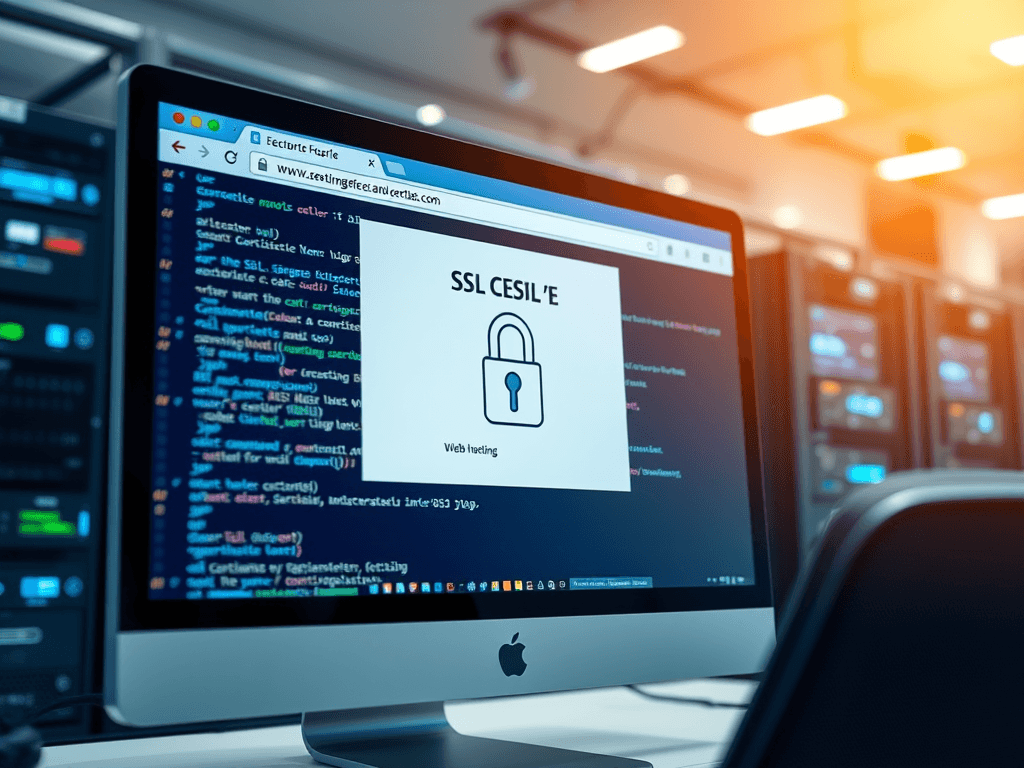
What Every Beginner Should Know About SSL Certificates
Every time you visit a secure website with a padlock icon in the browser bar, you’re seeing the result of an SSL certificate at work. For beginners diving into web hosting or web design, understanding what SSL certificates do—and how to choose the right one—is a critical first step toward protecting your visitors and your brand. This guide explains what every beginner should know about SSL certificates, how they work, and what factors to consider before buying one.
Understanding the Basics of SSL Certificates
An SSL certificate (Secure Sockets Layer) is a digital credential that validates the identity of a website and enables encrypted connections between users and servers. It ensures that sensitive information such as passwords, credit card numbers, and personal data remain private and secure when transmitted over the internet. Today, all reputable web hosting providers, including Archer IT Solutions’ Web Hosting Services, include SSL by default because of the essential trust it builds with visitors.
From a technical standpoint, SSL works through encryption protocols. When a user connects to an SSL-enabled site, the browser initiates a “handshake” that verifies the legitimacy of the server. Once verified, all communication becomes encrypted, indicated by the HTTPS prefix in your browser’s address bar. Without SSL, browsers may display a “Not Secure” warning—instantly discouraging potential customers and damaging credibility.
For beginners in web hosting, SSL certificates are not just a “nice-to-have”—they’re a necessity. Beyond encryption, Google uses SSL as a ranking signal, meaning sites with HTTPS are more likely to appear higher in search results. That alone makes SSL a practical investment for small businesses, online stores, and even WordPress hosting websites wanting to grow their traffic and security reputation.
🧭 Types of SSL Certificates Explained
There are several types of SSL certificates available depending on purpose and validation level:
- Domain Validation (DV) – Quick and inexpensive, ideal for small personal sites or blogs.
- Organization Validation (OV) – Recommended for small or medium businesses, verifying both domain ownership and organizational identity.
- Extended Validation (EV) – The highest level of trust, displaying the company name in the address bar. Perfect for eCommerce or enterprise-level websites.
Each type serves a different goal, but they all provide a fundamental layer of trust. When selecting, think long-term. WordPress hosting providers often automate DV certificates via Let’s Encrypt, making it affordable for beginners. However, if your website collects payments or stores user data, opting for OV or EV certification should be a top priority.
Visual Tip:
Consider displaying an SSL badge or trust seal on your homepage or checkout pages. It directly increases customer confidence and conversion rates.
⚙️ Troubleshooting Common SSL Issues
One common pain point for beginners is the dreaded “Mixed Content Warning.” This occurs when a website uses both HTTPS and HTTP assets (like images or scripts). The fix is simple: update all media and script links to HTTPS. Tools like Why No Padlock can scan your site for insecure elements.
Another frequent issue is SSL Certificate Expiration. If your certificate expires, browsers may block access to your website entirely. Always set calendar reminders or use your web hosting provider’s renewal services. With Archer IT Solutions Managed IT Services, clients enjoy automated monitoring and renewal—eliminating downtime and security lapses.
Lastly, incorrect installation can cause errors like “ERR_CERT_COMMON_NAME_INVALID.” Beginners should always verify that their certificate matches their domain name precisely. Hosting platforms, including Archer IT’s Onsite Support Services, can help you configure SSL properly, ensuring your website is both secure and reliable.
Key Factors Beginners Should Evaluate Before Buying
When you’re purchasing SSL certificates for the first time, pricing can be confusing. Some providers charge over $200 annually, while others offer free certificates. The cost usually reflects the validation level, warranty protection, and customer support provided. For instance, a DV certificate is sufficient for personal pages, while EV certificates—which provide rigorous business verification—are ideal for professional or eCommerce sites.
Tip: For startups or small web hosting customers, combining SSL certificates with managed WordPress hosting is cost-effective. Services like Archer IT Solutions Web Hosting include SSL support out-of-the-box, reducing your setup time and risk exposure.
Another factor to consider is browser compatibility. A good SSL certificate should be trusted by all major browsers—Chrome, Firefox, Safari, and Edge—to prevent trust errors. Before you buy, check for “99.9% browser recognition” in the certificate’s specifications or documentation.
🔍 Pros and Cons of SSL Certificates
Pros:
- Builds immediate trust and credibility
- Encrypts data and prevents identity theft
- Boosts SEO rankings and user retention
- Enables secure online transactions
Cons:
- Requires periodic renewal and maintenance
- May cause mixed content errors if not properly configured
- Higher-level certificates (EV) have a steeper cost upfront
For those using Local IT support services or remote web management through Archer IT, professionals can handle installation and renewals, ensuring your investment provides consistent protection and compliance with today’s strict safety standards.
🧠 Example: Choosing the Right SSL for Your Business
Imagine a small bakery launching an online store using WordPress hosting. Initially, a Domain Validated SSL from Let’s Encrypt works perfectly to get started. But as the store grows and begins processing credit card payments, upgrading to an EV SSL becomes vital for customer trust.
Pro Tip: Before shopping, make a checklist:
- Does my site handle customer data or transactions?
- Do I need to display my company verification in the address bar?
- Can I handle renewals myself, or should I use a managed IT service?
By answering these questions, even beginners can make confident, strategic decisions. For further reading, explore the Complete Guide to Server Administration or the Complete Guide to Web Hosting.
📈 External Resources for Beginners
Enhance your knowledge of SSL and web security by visiting:
- Mozilla’s SSL Configuration Guidelines
- Let’s Encrypt Official Documentation
- Cloudflare’s Beginner Guide to SSL
These non-selling pages offer additional insights into configuration, encryption best practices, and troubleshooting tips—helping even novice users feel more confident securing their web hosting.
FAQ: SSL Certificates for Beginners
Q1: Do I need an SSL certificate if I don’t sell products online?
Yes. Even if your website is informational, SSL protects visitor data, login credentials, and improves SEO visibility.
Q2: What happens if my SSL certificate expires?
Visitors will see a “Connection Not Secure” message, which can instantly drop visitor trust. Renew certificates before expiration.
Q3: Can I install SSL myself on WordPress hosting?
Yes. Many panels like cPanel or Plesk make this simple, but if you’re unsure, contact Archer IT Local IT Support for quick assistance.
Q4: What’s the quickest way to get SSL for free?
Use Let’s Encrypt through your hosting platform. It’s widely supported and ideal for beginners.
Q5: Do SSL certificates improve loading speed?
While SSL itself doesn’t directly increase speed, it supports HTTP/2, which can enhance performance on modern browsers.
SSL certificates are no longer optional—they’re an essential layer of trust, privacy, and professionalism for modern websites. For beginners in web hosting or design, learning how to choose and manage SSL certificates is key to safeguarding your online presence. Whether you’re setting up a blog, online shop, or business landing page, taking the time to install and maintain an SSL certificate ensures security for your visitors and credibility for your brand.
For expert help or streamlined installation, reach out to Archer IT Solutions or email support@archer-its.com. Secure your site today and build a foundation of trust that helps your website grow.
Next Step:
📍 Explore more educational resources:
- The Complete Guide to Web Hosting
- The Complete Guide to Server Administration
- Managed IT Services
- Web Design Services
Discover more from Archer IT Solutons
Subscribe to get the latest posts sent to your email.

No responses yet