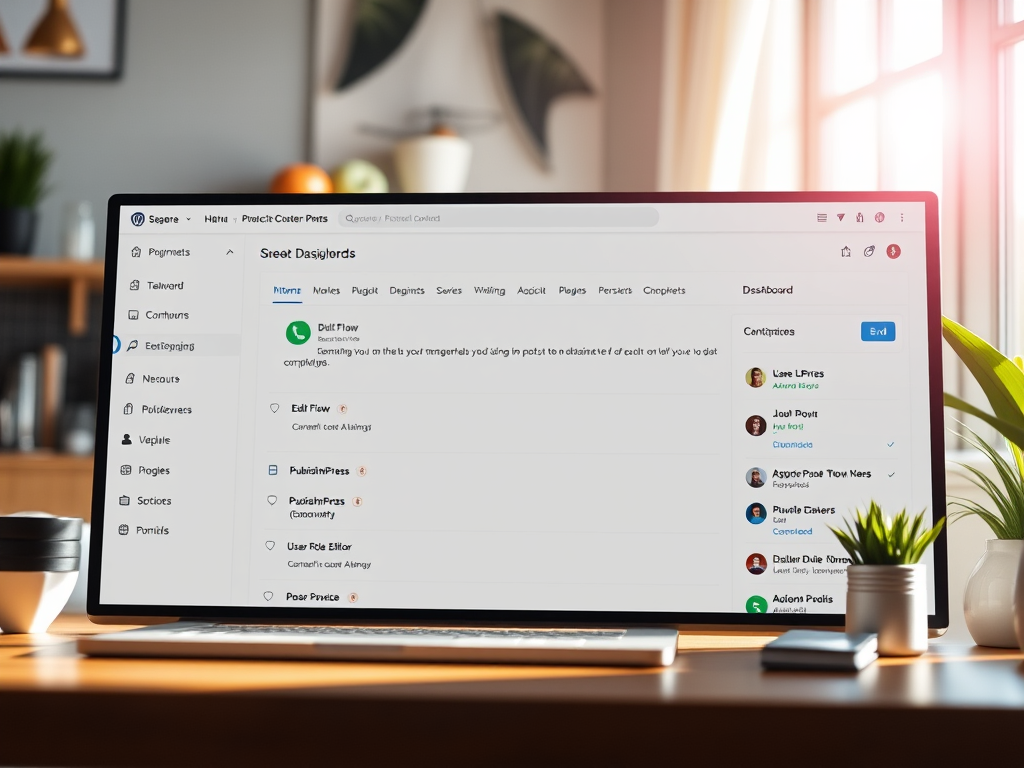
Many WordPress users wonder if they can use two plugins that both control posts — for example, plugins handling post scheduling, editing permissions, or content visibility. On the surface, it seems convenient to blend several tools for more control, but compatibility and functionality depend heavily on how these plugins interact with each other and with WordPress core. Let’s explore the potential, risks, and real-world examples to help you make informed decisions before installing multiple post management plugins.
Exploring the Use of Two Post Control Plugins in WordPress
Using two plugins that both manipulate or “control” posts in WordPress is possible, but it requires careful consideration. Post control functionality might include features like managing publication dates, restricting user roles from editing posts, or automating content updates. Examples of such plugins include Edit Flow, PublishPress, and User Role Editor. If two plugins attempt to override the same functions — such as post status transitions — conflicts may occur, resulting in errors or duplicated tasks.
From a technical perspective, WordPress allows multiple plugins to hook into the same actions and filters. However, the execution order is vital. If one plugin modifies a post’s metadata while another alters its visibility based on that metadata, the result might depend on which plugin executes first. Developers often mitigate these issues by using unique prefixes in function names or conditional checks to prevent redundancy.
It’s essential to test plugin combinations on a staging site rather than directly on a live site. For example, you might pair Edit Flow for editorial workflows with Restrict Content Pro for post access control. Both can coexist if their hooks don’t overlap. However, issues such as saved post conflicts or incorrect user permissions may arise if their configurations are not properly managed.
Key takeaways:
- Combining plugins is possible, but compatibility testing is essential.
- Always back up your site before experimenting.
- Prefer plugins that specify compatibility with others or follow WordPress coding standards.
Image suggestion:

Real-Life Examples and Case Studies on Plugin Compatibility
A 2023 survey from WPEngine found that over 62% of WordPress site owners use at least five active plugins that affect post handling or content workflow. This rise underlines the importance of understanding plugin compatibility. Let’s look at real-life examples and case studies that showcase how multiple post control plugins can work together — or not.
One case involved a digital magazine that used PublishPress for editorial workflow and Yoast Duplicate Post for content cloning. Initially, editors noticed that cloned drafts were missing assigned authors. After debugging, developers found both plugins hooked into the save_post action, causing inconsistent meta-data saving. A small adjustment in plugin priority solved the conflict, showing that even when overlaps occur, there are ways to maintain harmony.
Another success story comes from an educational blog that paired Members with WP Scheduled Posts. The site needed teachers to pre-schedule content while restricting student roles from publication. By configuring user permissions carefully, they achieved a seamless experience. The key was to test combinations after each update and document plugin settings to ensure consistent functionality across team members.
Key takeaways:
- Conduct regular performance and conflict testing.
- Maintain clear documentation of all plugin configurations.
- Learn from others’ experiences and review plugin support forums.
Image suggestion:

While WordPress allows multiple plugins to manage posts, harmony depends on understanding each plugin’s purpose and coding standards. The best approach is to match plugins that complement rather than duplicate functions. Before installation, test on a staging environment, check for overlapping hooks, and create backups.
Think about what you truly need: do you want workflow control, publishing automation, or content restriction? Each goal may be met by a combination of compatible tools — or sometimes just one well-designed plugin. Take the time to evaluate your site’s specific requirements and aim for a balance between functionality and stability.
What about you — have you tried using two or more post control plugins simultaneously? Share your experiences or lessons learned in the comments below to help other WordPress users make more informed choices.
 Mini Mini | Standard | Domain Only |  Reseller 1 Reseller 1 | Reseller 2 | Reseller 3 |
| $12 per year | $9.99/month | low yearly prices | $20/month | $37.50/month | $50/month |
| *10 GB Space** *100 GB Bandwidth** *FTP access *10 email account *PHP/CGI/PERL/SSI Support *SSL | *100 GB Space** *1TB Bandwidth** *10 FTP accounts *100 email account *PHP/CGI/PERL/SSI Support *10 Databases *SSL WordPress, Joomla, or Drupal hosting | *10 Domains *10 GB Diskspace *200 GB of traffic *10 Databases *10 Mailboxes *WordPress options | *25 Domains *30 GB Diskspace *600 GB of traffic *30 Databases *30 Mailboxes *WordPress options | *50 Domains *60 GB Diskspace *1200 GB of traffic *60 Databases *60 Mailboxes *WordPress options | |
| Specials | |||||
 3 months on us. 1TB Bandwidth, FTP accounts, email accounts, PHP/CGI/PERL/SSI SupportD, Databases, Ability to add WordPress, Joomla, or Drupal. 3 months on us. 1TB Bandwidth, FTP accounts, email accounts, PHP/CGI/PERL/SSI SupportD, Databases, Ability to add WordPress, Joomla, or Drupal.
Don’t wait — grab your deal and launch today ** temporary offered | |||||
Discover more from Archer IT Solutons
Subscribe to get the latest posts sent to your email.


No responses yet