Understanding Different User Roles on Your Website
In today’s digital environment, managing user access isn’t just about security — it’s about creating a structured system that supports collaboration and smooth functionality. When you assign the right roles to the right users, you ensure that everyone has the tools and access they need to make your website perform efficiently. Understanding these user types and their permissions can also help prevent security risks and streamline workflows.
Exploring Key User Roles That Shape Your Website
When developing a modern website, identifying different user roles is essential to maintain organization and efficiency. The most common roles include external users, staff users, administrators, and developers. Each role interacts with the site in unique ways — for instance, external users (visitors) browse and engage with content, while staff users update posts, manage forms, and handle customer inquiries. Understanding these categories helps businesses provide role-appropriate tools and access levels.
Administrators hold the highest level of access and control over the website. They manage system configurations, add or remove users, approve content, and oversee security policies. In contrast, developers or technical staff handle website maintenance, updates, and integration with new tools or APIs such as Archer IT Solutions’ Web Design Services. This division of labor ensures that operations run smoothly and securely while maintaining accountability across all levels of access.
Example: Consider a medium-sized eCommerce company that uses distinct user roles: customers (external users), content creators (staff users), web admins, and back-end developers. Each user performs a specific function that complements the other, resulting in improved usability, faster support, and reduced risks of unauthorized access. If you need support managing your user tiers effectively, Archer IT Solutions’ Managed IT Services can help design scalable access structures.
Visual Element Suggestion:
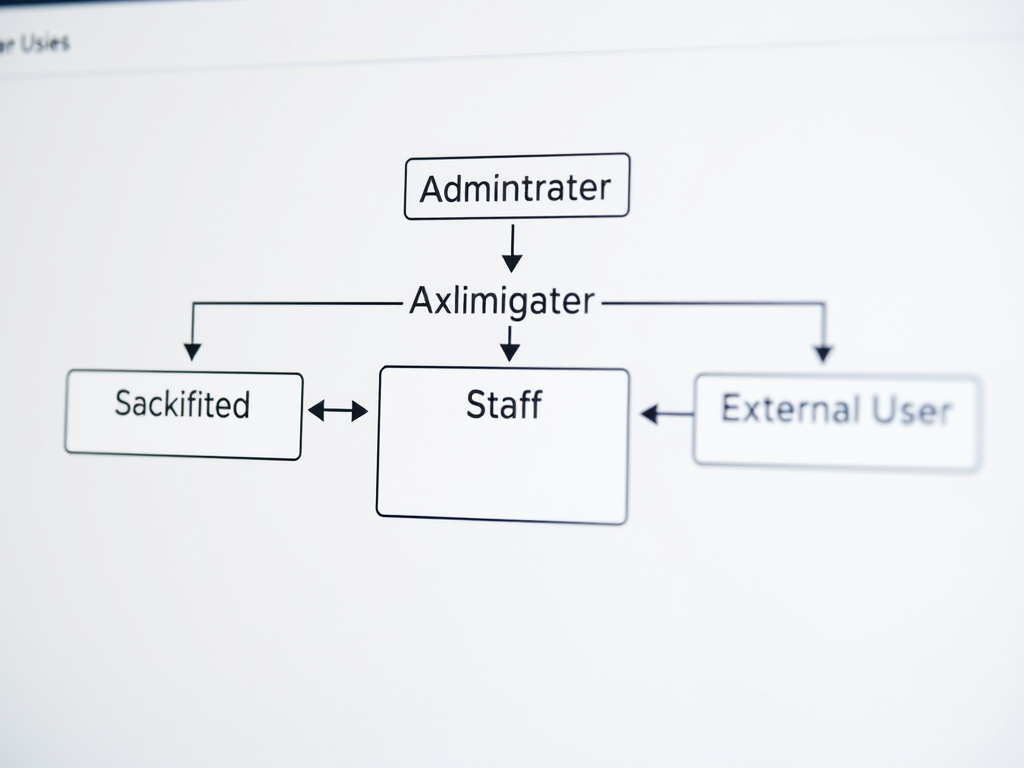
Insert a labeled diagram showing different website user roles such as Administrator → Staff → External User, with arrows indicating hierarchy and permissions.
How Role Permissions Influence Site Functionality
Role permissions act as the backbone of access control, determining what users can view, edit, or manage. By assigning the correct permissions, website owners can ensure smoother collaboration without jeopardizing data security. For example, giving an external user administrative privileges can expose sensitive files or system settings. Segregating permissions helps maintain operational integrity and protects business data from internal and external risks.
Pros and Cons:
- Pros: Enhances security, promotes accountability, simplifies training, and supports effective teamwork.
- Cons: Misconfigurations may cause access errors, restrict legitimate use, or require frequent updates when expanding teams.
Troubleshooting role-based access often involves reviewing user permission logs or checking authentication credentials. For instance, if a staff member loses publishing access, verify their user group assignment. Archer IT Solutions’ Support Portal offers assistance for these technical issues. Additionally, external resources like Smashing Magazine’s guide on role-based systems provide helpful best practices for role implementation and testing.
Example: A blog site managed by multiple authors can implement Editor, Contributor, and Subscriber roles to control publishing rights. Editors proof content; Contributors submit drafts; Subscribers engage as readers. With scalable permissions, businesses maintain quality control while fostering collaboration.
Visual Element Suggestion:
Insert a table comparing role permissions (View, Edit, Delete, Publish) for Admins, Editors, and Users for quick visual reference.
Assigning and managing user roles isn’t just about security — it’s about empowering each person on your team to fulfill their responsibilities efficiently. From admins who maintain full control to external visitors who engage with your content, each role adds to your website’s functionality and user experience. Take the time to design a clear structure, review permissions regularly, and use professional support when needed. For expert help, contact Archer IT Solutions at info@archer-its.com or explore their Web Hosting Services to create a secure, well-managed digital environment.
Call to Action:
Ensure your website runs efficiently with clearly defined user roles. Visit Archer IT Solutions or get direct support at support@archer-its.com within 24 hours.
Supporting External Resources:
- https://blog.hubspot.com/website/user-roles – Article explaining website role management strategies.
- https://www.smashingmagazine.com/ – Insightful design and development best practices to align permissions with usability.
Power your website with an affordable web hosting plan that does not cut corners.
 Mini |
Standard |
Domain Only |  Reseller 1 |
Reseller 2 |
Reseller 3 |
| $12 per year | $1.99/month | low yearly prices | $20/month | $37.50/month | $50/month |
| *10 GB Space** *100 GB Bandwidth** *FTP access *10 email account *PHP/CGI/PERL/SSI Support *SSL |
*100 GB Space *1TB Bandwidth *10 FTP accounts *100 email account *PHP/CGI/PERL/SSI Support *10 Databases *SSL WordPress, Joomla, or Drupal hosting |
*10 Domains *100 GB Diskspace *2TB of traffic *100 Databases *100 Mailboxes *WordPress options |
*25 Domains *300 GB Diskspace *6TB of traffic *300 Databases *300 Mailboxes *WordPress options |
*50 Domains *600 GB Diskspace *12TB of traffic *600 Databases *600 Mailboxes *WordPress options |
|
| Specials | |||||
|
Don’t wait — grab your deal and launch today ** temporary offered |
|||||

Stop settling for slow, unreliable hosting. With Archer IT Solutions, get a robust website hosting plans that deliver speed, security, and the uptime. Grab your domain and hosting package in one seamless plan, optimized for WordPress, small businesses, and personal websites.
Enjoy affordable web hosting plans without compromises, complete with professional email, one-click CMS installs, and round-the-clock website hosting support. Built for Businesses. Perfect for WordPress. Take control of your online presence. Try it risk-free with our 15-day money-back guarantee.
Launch your first personal blog or scale a growing small business site with hosting optimized for performance. Get the best web hosting for plus simple setup — all powered by secure Linux servers and easy Plesk control panel.
Why Choose Archer IT Hosting?
- Free SSL Certificates – Protect customers & boost trust
- Custom Email Accounts included
- One-Click CMS Installs – WordPress, Joomla & Drupal ready
- 15-Day Money-Back Guarantee – Risk-free hosting
- 24/7 Customer Support and Service – Real help when you need it
- Features you’ll actually will use
- Powered by Linux for speed & reliability
- Simplified management with Plesk Control Panel
- Automatic backups for worry-free security
Trust. Reliability. Zero Guesswork.
Your website stays online with uptime, protected by a free SSL certificate, and supported by real people around the clock. And if it’s not right for you? Our 15-day money-back guarantee makes it a no-risk choice. Take your business or personal project online with hosting that’s secure, affordable, and built to perform.
Questions
Discover more from Archer IT Solutons
Subscribe to get the latest posts sent to your email.
Discover more from Archer IT Solutons
Subscribe to get the latest posts sent to your email.


No responses yet