Starting an application development business is both exciting and demanding — you get to bring innovative app ideas to life and help clients turn their digital visions into real products. But one key question every new app developer faces is: what type of website should I have to best showcase my skills, attract clients, and grow my business? Choosing the right website type goes far beyond design; it’s a reflection of your brand, expertise, and technical credibility. In this article, we’ll explore the types of websites that work best for application developers, real-world examples of what makes these websites successful, and practical advice on optimizing, troubleshooting, and maintaining your platform effectively.
Choosing the Best Website Type for Your App Business
When building a website for your application development business, the goal should be to represent your technical skills while also making the site approachable for potential clients who may not have a deep understanding of technology. A good starting point is to design a portfolio-driven website — one that showcases your projects, highlights your technical stack, and allows visitors to easily understand what you do. For instance, many successful app developers use a combination of bold visuals, real screenshots of their apps, and concise explanations about the tech stacks they use, such as Flutter, React Native, or Swift. This approach brings authenticity and transparency, allowing prospective clients to quickly evaluate your capabilities.
Another effective structure is a service-oriented business website that focuses on what you offer, how you deliver, and why you stand out. While portfolio sites are great for visual appeal, service-style websites dive deeper into detail by integrating structured sections like “Services,” “Industries We Serve,” “Client Results,” and “Technology Expertise.” The most effective ones use clean design with clear CTAs (Call-to-Actions), guiding clients to request a quote, schedule a consultation, or download a brochure. According to research from Clutch, 88% of potential clients judge a company’s credibility based on website design — so professional presentation is nonnegotiable.
A hybrid website offers the best of both worlds. In this setup, you combine a portfolio section with service pages and a blog or resource hub. Adding a blog gives you a platform to share knowledge — tutorials, app case studies, or updates about industry trends — which builds trust and authority. Developers who regularly post thought-leadership content often see higher conversion rates because clients perceive them as experts in their field. Additionally, incorporating search engine optimization (SEO) best practices helps new clients find your site organically when searching for related services like “custom app development” or “mobile app design consulting.”
Pros and Cons of Each Website Type
Portfolio Website
- Pros: Highly visual, perfect for demonstrating app interface design; easy to showcase experience.
- Cons: May lack depth if it doesn’t explain how you solve specific client problems.
Service-Oriented Website
- Pros: Very clear and conversion-driven; ideal for B2B and client acquisition.
- Cons: Can feel too “corporate” if not personalized with real examples.
Hybrid Website
- Pros: Balanced approach; SEO-friendly due to added content; great for thought leadership.
- Cons: Needs more maintenance to keep blog sections updated and relevant.
Key Takeaway: The hybrid website approach offers the best long-term benefits for most application development businesses because it combines storytelling, professional appeal, and educational value.
Real-Life Examples and Key Features That Drive Success
One of the best ways to understand what type of website fits your development business is by studying real-life examples. Consider Fueled, a top-rated app development agency with a sleek, highly interactive website. Their homepage emphasizes a concise tagline: “We design and build beautiful mobile apps.” Right beneath that, they highlight their success stories with major brands. Visual animations engage visitors while a clean navigation system directs them to case studies and service pages. This structure helps potential clients connect the dots between problem, solution, and result quickly.
Another example is Toptal, known for connecting freelance developers with clients. Their website doesn’t just sell a service; it explains the process. Through a simple onboarding flow and a strategically placed “Hire Top Developers” button, they reduce friction in client interactions. At the same time, Toptal offers detailed profiles for each developer, with examples of apps built and technologies mastered. This builds trust — a crucial part of client conversion for any technical service provider. Your own site can replicate such features: include testimonials, case studies, and tech expertise lists to make your website a true reflection of your capability.
On a smaller scale, take independent developers on platforms like GitHub Pages or Netlify. Many successful freelancers build simple yet elegant portfolio sites hosted free or cheaply but integrate powerful backend analytics or GitHub repositories. This transparency allows potential employers or partners to view real code samples. If you run an application development business rather than a solo freelance practice, scaling this idea into a professional design with structured client sections makes your site even more credible.
Key Features Every App Developer Website Should Include
To make your app business website truly effective, you should integrate the following features:
- Showcase of Work: Screenshots, interactive demos, or app videos.
- Clear Service Descriptions: Explain whether you specialize in iOS, Android, web, or cross-platform development.
- Testimonials & Case Studies: Back up claims with measurable success.
- Contact & Quote Forms: Provide fast communication channels.
- Technological Stack Section: Mention frameworks like React Native, Flutter, Kotlin, or Swift.
- Blog or Insights Page: Adds SEO value and builds authority.
- Downloadable Content: Whitepapers or e-books discussing industry insights.
Each feature contributes to a holistic website experience. The more effectively your site communicates your credibility, the stronger your online conversions will be.
Incorporating Imagery and Brand Elements
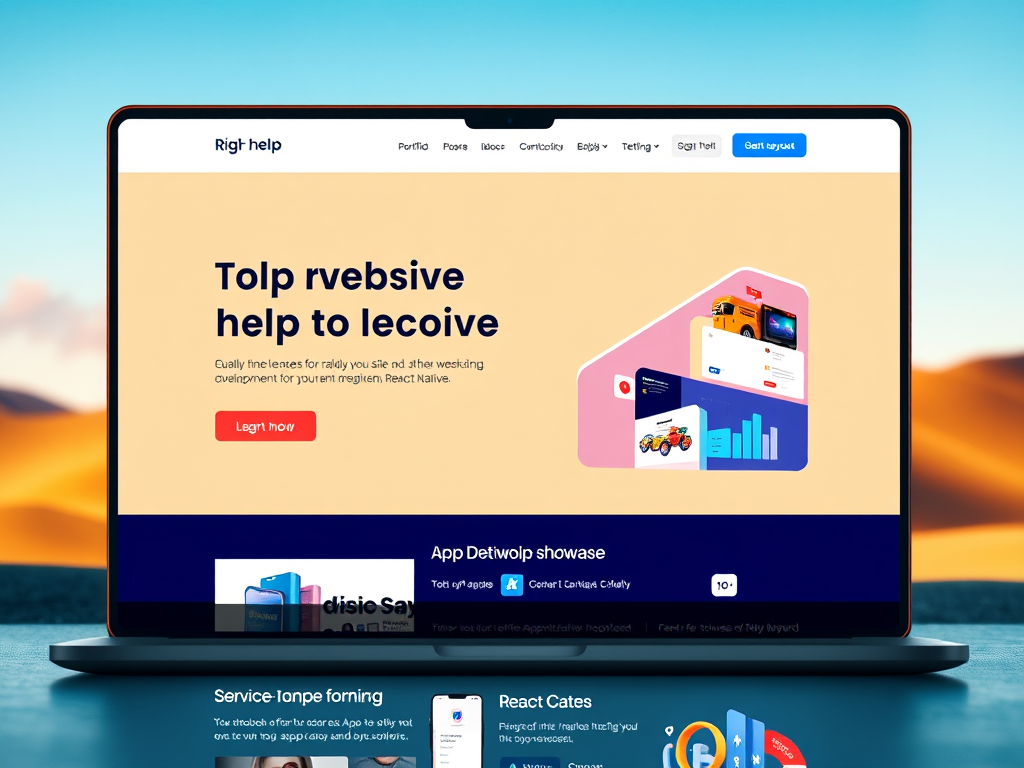
A visually compelling website helps you stand out in a highly competitive app development marketplace. Use high-resolution mockups or real application screenshots to convey capability. If you have branding assets such as a logo, custom color palette, or app icons, incorporate them consistently across pages. For example, a background image showing your app in action on different devices — like smartphones, tablets, and smartwatches — can quickly signal the platforms you develop for.
Tip: Tools like Canva, Adobe XD, or Figma can help you quickly design beautiful mockups to include in your site’s visuals.
(Suggested Image Placeholder: “App Developer Website Mockup Displaying Project Showcases”)
Troubleshooting Common Issues with Website Functionality and Plugin Compatibility
If you’re using a CMS like WordPress or Webflow to build your website, plugin compatibility can sometimes cause frustration. Plugins that handle form submissions, caching, SEO optimization, or portfolio galleries may conflict with theme updates or other third-party extensions. For instance, a contact form plugin might suddenly stop sending submissions after a PHP update — something many WordPress developers encounter. When troubleshooting, always check plugin version compatibility first, then review error logs and temporarily disable nonessential extensions to isolate the issue.
Here’s a quick troubleshooting guide to handle common problems:
- Performance Lag: Use caching plugins and compress large images. Plugins like WP Rocket or W3 Total Cache improve load times dramatically.
- JavaScript Conflicts: These occur when multiple scripts attempt to modify the same element. Use browser console tools to identify conflict origins and load scripts asynchronously.
- Broken Designs After Updates: Always create a staging environment before updating themes or plugins. This allows you to test updates without breaking the live site.
If your business has technical capacity, consider implementing version control using Git, even for website code. Maintaining version histories enables you to roll back to working configurations instantly if something fails.
Preventative Measures and Long-Term Maintenance
To avoid compatibility issues in the long term, it’s best to maintain an update schedule. Check plugin and theme updates monthly and perform full site backups before making changes. You can also use performance monitoring tools like Google PageSpeed Insights and GTmetrix to track page load scores. Lower-performing websites not only frustrate visitors but can also affect your SEO, with Google penalizing sites that take longer than 3 seconds to load.
Security is another area that deserves attention. Use SSL certificates for encryption and security plugins to prevent hacking attempts. According to a 2023 report by HubSpot, over 43% of small businesses experienced cyberattacks due to unpatched website vulnerabilities. Regular updates and monitoring prevent such breaches. By keeping attention to both backend stability and user experience, you protect both your brand and your clients.
Technical Simplification for Non-Coders
If you’re an app developer focusing primarily on mobile and not used to web coding, site builders like Squarespace, Wix, or Webflow can be incredibly powerful alternatives. They provide pre-engineered sections for portfolios, blogs, and contact pages with minimal coding requirements. You can still add custom HTML/CSS for small tweaks without learning full-stack web frameworks. Alternatively, if you’re familiar with JavaScript frameworks, tools like Next.js and Gatsby can help you create fast, modern static sites with deep customization options.
The main idea: use the tools that match your current skill level — and grow from there. Over time, you might migrate from a simple builder to a fully coded, self-hosted website that gives you full control over functionality.
Enhancing Your Website’s SEO and Conversion Potential
An application developer’s website should not only look professional but also perform well in search engine rankings. Ensuring search discoverability helps bring consistent client inquiries. Start by using concise, keyword-rich meta titles such as “Professional App Development Services | [Your Company Name].” Then, use schema markup to highlight your services for search engines. Adding technical blogs about “App Development Trends in 2024” or “Troubleshooting Android App Bugs” provides content that improves ranking authority and attracts visitors genuinely interested in your niche.
Conversion optimization is another important element. Your site should make it as easy as possible for visitors to take action. For example:
- Use sticky navigation menus with a “Contact Us” button.
- Offer free consultations through a time-booking plugin like Calendly.
- Include interactive elements like sliders or micro-animations to demonstrate technical sophistication.
- Display social proof: logos of apps you’ve developed or partner companies enhance trust.
Real-world case studies also play an important conversion role. A clutch study in 2023 revealed that 74% of clients request at least one case study before committing to an app development agency. So, showcase your work, include technical details about how challenges were overcome, and feature performance outcomes such as “App downloads increased by 200% within four months after launch.”
Using Analytics to Improve Performance
Analytics tools like Google Analytics 4 (GA4) and Hotjar allow you to observe user behavior. By tracking visitor paths, bounce rates, and session durations, you can discover where users leave your site — and adjust accordingly. For example, if potential clients abandon the contact page, maybe the form fields are too long or the CTA isn’t visually prominent. Making data-driven improvements ensures continuous optimization.
When interpreted well, analytics act as a mirror to your business. As your traffic grows, you’ll gain insights into which app services attract the most clients, such as mobile game design versus enterprise software solutions. This data helps shape future marketing and development strategies.
Integrating Automation and CRM for Client Management
Beyond just display content, you can integrate automation tools like Zapier or HubSpot CRM into your site. These automatically handle contact inquiries, categorize leads, and follow up with personalized responses. For app development businesses juggling multiple projects, such automation saves precious time. Add functionality like chatbots or FAQ sections using plugins or embedded widgets to answer common client queries instantly — building stronger engagement without increasing workload.
(Suggested Image Placeholder: “Analytics Dashboard Showing User Journey on App Developer Website”)
Long-Term Growth Strategies and Continuous Improvement
A well-designed website is just the foundation. The real growth comes from maintaining and evolving it alongside your business. Regularly updating content showcases your ongoing expertise in the industry. This could mean publishing articles on new technologies (like Kotlin Multiplatform or SwiftUI) or success updates about recently launched apps. Doing so not only drives SEO but also keeps returning visitors engaged.
You could also create a section that offers downloadable developer resources — sample code snippets, UI templates, or API integration guides. These demonstrate your technical skills while helping peers and potential clients. In return, these resources can attract backlinks from other tech blogs, improving your domain authority. Collaboration in the developer community fosters reputation and credibility.
Finally, promote your site strategically. Share blogs on platforms like LinkedIn, Reddit’s r/webdev and r/Entrepreneur, or Product Hunt. Networking through professional communities is essential. According to Statista, 2023 saw over 6.92 million developers globally using GitHub, proving that maintaining a professional online presence gives significant exposure. Pairing social visibility with a high-performing website ensures your business stays competitive.
Building the right website for your application development business isn’t about jumping on trends — it’s about aligning design, function, and purpose. Whether you choose a portfolio, service-oriented, or hybrid approach, your site should be an authentic reflection of your technical know-how and client-focused approach. Consider your audience: are they enterprises, startups, or individuals looking for collaboration? Once you define that, your content and design choices will flow naturally.
Don’t forget the long-term view. Maintain your site like you maintain your apps — update regularly, monitor performance, and evolve with new technologies. Your website is more than a digital business card; it’s an engine for growth. Take a moment today to evaluate your current site: Does it reflect your capabilities and vision? If not, now is the perfect time to build one that truly does — a website that both showcases your skill and attracts the right clients for your app development journey.
Fast, Reliable Web Hosting — Starting at $1.99/month
|
🔥 Most Popular Standard Plan | Domain Only | |
|
$1.99/month Limited-time offer | Secure your business name online | |
|
Affordable yearly pricing Easy setup Works with any hosting | |
Reseller Hosting (For Agencies & Developers)Start your own hosting business or manage client sites | ||
| Reseller 1 | Reseller 2 | Reseller 3 |
| $20/month | $37.50/month | $50/month |
|
|
|
| ✔ 99.9% uptime • ✔ Secure • ✔ Easy setup • ✔ Local support | ||
Stop settling for slow, unreliable hosting. With Archer IT Solutions, get a website hosting plans that deliver speed, security, and 99.9% uptime guarantee. Grab your domain and hosting package in one seamless plan, optimized for WordPress users, small and medium size businesses, and personal websites.
Enjoy affordable web hosting plans without compromises unlike the big guys. Complete with professional email, one-click CMS installs, and round-the-clock hosting support. Perfect for WordPress users.
Built for Real Businesses
Whether you’re launching your first blog or scaling a growing business, Archer IT gives you:
+ Speed that keeps visitors engaged
+ Reliability you can count on
+Tools that actually make sense
Launch your first personal blog or scale a growing small business site with hosting optimized for performance. Get the best web hosting for plus simple setup — all powered by secure Linux servers and easy Plesk control panel.
Why Choose Archer IT Hosting?
🔒 Free SSL Certificates (Security + SEO Boost)
📧 Professional Email Accounts Included
⚡ Fast Linux Servers (Optimized Performance)
🧩 One-Click WordPress, Joomla & Drupal Installs
💬 Real 24/7 Support — No Bots, Just Help
💾 Automatic Backups for Peace of Mind
Risk-Free Guarantee
Try it with confidence.
If it’s not right for you, get your money back within 15 days.🔥 Don’t Wait — Launch Your Website Today
Stop overpaying for slow hosting.
Get everything you need in one simple plan.
Your website stays online with uptime, protected by a free SSL certificate, and supported by real people around the clock. And if it’s not right for you? Our 15-day money-back guarantee makes it a no-risk choice. Take your business or personal project online with hosting that’s secure, affordable, and built to perform.
💬 Real Support. No Runaround.
Unlike big hosting companies, you get:
- Direct help from real people
- No ticket delays
- No upsell traps
Discover more from Archer IT Solutons
Subscribe to get the latest posts sent to your email.
Discover more from Archer IT Solutons
Subscribe to get the latest posts sent to your email.


No responses yet