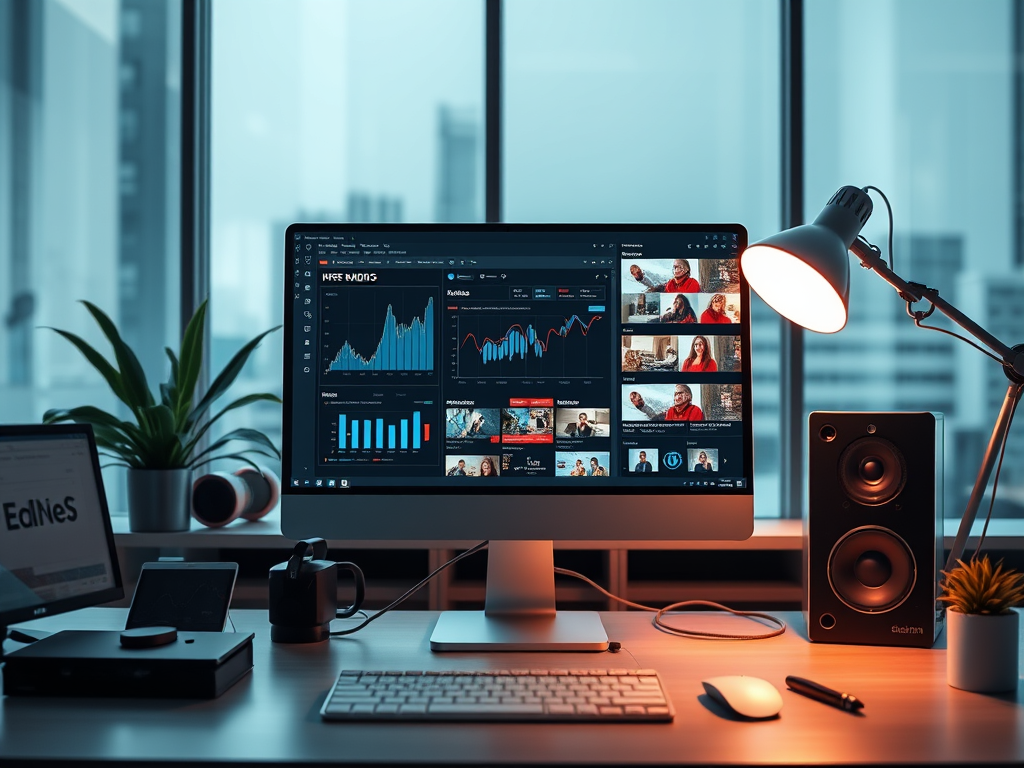
Optimizing Multimedia for Better Website Engagement
When designing or refreshing a website in today’s fast-paced digital world, multimedia plays a vital role. Videos and audio content have become essential tools for engaging visitors, improving SEO ranking, and keeping audiences on your site longer. However, one of the most common questions that website owners ask is, “How many videos or audio files should I add or create for my website?” The answer depends on several factors—your website’s goals, target audience, content management capacity, and hosting infrastructure.
This article provides a deep dive into how to find the right balance between multimedia and other forms of content, illustrates real-world examples and data-driven insights, and explains common technical issues and troubleshooting practices. You’ll also find practical advice from Archer IT Solutions, a trusted provider of web hosting and managed IT services, to help you optimize content performance and scalability.
Balancing Multimedia: Finding the Right Content Mix
Why Multimedia Matters More Than Ever
In the digital age, users increasingly expect multimedia to explain, demonstrate, or complement text content. According to a 2023 Wyzowl Video Marketing Survey, 91% of businesses use video as a marketing tool, and 88% of marketers report that video provides positive ROI. Audio content, especially podcasts or embedded sound bites, can help maintain engagement when visual attention isn’t feasible. The challenge lies not in whether to use multimedia—but in determining the right quantity and balance between quality and performance.
For most small- to mid-sized websites, hosting three to five well-crafted videos per primary service offering is often sufficient to create strong visual engagement. Supplementing with background or explanatory audio—such as podcasts or sound snippets—can diversify your content while improving accessibility. Remember, each multimedia file should serve a specific purpose, such as product explanation, tutorial, testimonial, or thought leadership content.
Still, the volume of videos or audio shouldn’t outweigh site performance. The average user expects websites to load within three seconds. A page overloaded with large video files will negatively affect load time and bounce rate. That’s why finding the ideal number of files must balance engagement with speed and hosting efficiency. If you’re uncertain about your hosting capacity, companies like Archer IT Solutions can help assess bandwidth usage and offer scalable hosting solutions optimized for multimedia integration.
Quality Over Quantity: Best Practices for Multimedia Integration
Too many videos or audio clips can overwhelm users and degrade website performance. Quality matters far more than quantity. Focus on clarity, accessibility, and strategic placement. Each video should support your written message, provide extra value, and align with your site’s structure. For instance, a homepage may feature one short introductory video summarizing your brand, while detailed product pages might include one or two instructional clips.
If you manage a blog or knowledge base, embed short audio summaries or discussions—no more than one per post—to offer a different consumption mode for visitors on the go. Embedding from platforms like YouTube, Vimeo, or SoundCloud can reduce server load. However, this introduces plugin compatibility challenges on WordPress or other CMSs, which may require technical troubleshooting. Archer IT Solutions’ Web Design Services can provide expert configuration and testing to prevent video conflicts or slowdowns.
Key takeaways for balancing content:
- Start small: 3–5 high-quality videos are usually enough for initial deployment.
- Prioritize purpose: Each video or audio file must enhance comprehension or engagement.
- Optimize load speed: Use compression tools and lazy loading to maintain performance.
- Seek help: Consult hosting support such as support@archer-its.com if media files affect uptime or responsiveness.
Technical Perspective: Hosting and Compatibility
From a technical standpoint, how many media files your website can handle depends on your hosting environment. Shared hosting has limits on bandwidth and storage, while managed or dedicated hosting environments (like those available through Archer IT Solutions Managed IT Support) can support more robust multimedia setups. For example, a local fitness coach with limited traffic may function well with three embedded videos hosted externally, while a training institution serving hundreds of daily users might need optimized internal hosting and CDN integration.
File compression, caching plugins, and content delivery networks (CDNs) help balance performance. Failing to compress media files or incorrectly configuring plugins frequently leads to “plugin conflicts”, where videos stop displaying or site speed drops drastically. Troubleshooting often involves checking plugin updates, deactivating one at a time, or using staging environments—secure backup areas—to isolate conflicts before pushing updates live. Archer IT Solutions Onsite or Remote IT Support can help diagnose such compatibility issues effectively.
For small business owners not trained in web development, these details can seem intimidating. In simple terms: the more multimedia you add, the heavier your site becomes. Proper hosting and optimization settings ensure your videos and audio remain an enhancement—not a liability—on your site.
Real-Life Insights: How Videos and Audio Boost Engagement
Case Study 1 — Educational and Training Websites
Take the example of an online education provider that incorporated five short video tutorials per course page. Within six months, visitor dwell time increased by 43%, and conversion rates improved by 27%. The videos clarified complex concepts better than text alone, reducing the need for one-on-one support calls. However, the website initially struggled with buffering due to limited hosting. Upgrading their hosting plan with a managed provider like Archer IT Solutions resolved these delays, resulting in smoother playback.
This case highlights how incremental adoption—starting small and scaling responsibly—can have long-lasting positive outcomes. The provider didn’t upload hundreds of videos; they simply focused on making each one count. By progressively expanding their library and monitoring analytics, they found the right equilibrium between informational depth and technical viability.
When choosing how many multimedia elements to add, analyze data metrics such as average page time, bounce rate, or heatmaps. These insights reveal how users interact with your video or audio content and help determine if adding more—or fewer—files benefits the experience.
Case Study 2 — E-Commerce and Product Demonstration
E-commerce brands have increasingly embraced video as a decision-making catalyst. According to HubSpot (2023), 73% of individuals are more likely to purchase after watching a product video. For small online shops, adding one concise demo video per product category often yields better conversions than saturating each product page with multiple clips. The key is diversity—mix tutorials, customer testimonials, and feature highlights—to appeal to different buyer preferences.
Audio also plays a valuable, though often underestimated, role. Embedding brief sound cues or background music, for instance, can subtly enrich user emotions and perception of brand style. Yet site owners must remain cautious, as auto-play music can irritate users or slow mobile browsing. Always include mute or play controls.
If technical difficulties arise, particularly when videos don’t render or the sound doesn’t sync, this may indicate plugin or coding conflicts. In such cases, clients of Archer IT Solutions can easily access technical support through www.archer-its.com/ticket and expect a response typically within 24 hours. Reliable hosting and efficient issue resolution ensure your multimedia investments don’t backfire due to performance glitches.
Case Study 3 — Service Providers and Testimonials
For service-oriented businesses—like IT support firms, law offices, or consultants—video testimonials can significantly elevate credibility. A website featuring 3–5 authentic client testimonial videos often converts more leads than one with just written reviews. Seeing real faces and hearing genuine voices builds trust and transparency. In one example, a local IT company saw a 35% increase in customer inquiries after uploading short customer feedback videos.
However, producing too many videos in one place can confuse visitors or dilute the focus. It’s best to distribute them throughout relevant service pages rather than clustering them on a single “gallery.” Consider pairing testimonial videos with accompanied transcript audio or voiceovers for accessibility. This approach supports hearing-impaired visitors and enhances SEO by providing keyword-optimized text around your media files.
For website maintenance, service companies like Archer IT Solutions provide end-to-end technical management—from hosting to troubleshooting and design integration—ensuring your media library remains smooth and well-organized. Their dedicated hosting services also include backup solutions that protect file integrity and ensure consistent uptime for multimedia-heavy websites.
Pros and Cons of Adding Multimedia
Pros:
- Enhances user engagement and dwell time.
- Improves SEO by keeping visitors on site longer.
- Demonstrates professionalism and builds credibility.
- Provides accessibility for visual or auditory learners.
- Supports storytelling that text alone can’t convey.
Cons:
- Can increase page load times if poorly optimized.
- May cause plugin or script conflicts on some CMSs.
- Requires additional bandwidth and storage.
- Needs consistent monitoring, updates, and technical support.
- Production costs and editing times can add up for small teams.
Troubleshooting Common Plugin Compatibility Issues
When adding videos or audio plugins, website owners often encounter issues like overlapping player controls, broken playback, or incomplete file rendering. One typical cause is using multiple plugins that compete to display media. To troubleshoot:
- Deactivate all media plugins and reactivate one by one to isolate the cause.
- Test on multiple browsers and devices using incognito mode to rule out cache issues.
- Update all themes and plugins to their latest versions.
- Clear cache and CDN storage to ensure newly uploaded media is displayed correctly.
- Back up the website before implementing major plugin adjustments.
If performance issues persist, switching to a managed hosting solution—like those provided by Archer IT Solutions—often resolves compatibility challenges, as dedicated engineers can optimize your plugins for both video and audio systems.
For ongoing use, you may establish a content audit schedule every six months to evaluate which videos and audio files remain relevant, which need updating, or which should be removed. Not every piece of multimedia needs to live forever on your site, and periodic maintenance ensures both performance and content relevance remain high.
Illustrations and Reference Images
(Suggested visuals you can include in your article or website layout)
- Infographic: “Optimal Multimedia Balance on Websites” – showing recommended ratios of text, image, audio, and video.
- Screenshot: Example of an optimized video grid layout for a service or portfolio page.
- Workflow Diagram: “How to Troubleshoot Plugin Conflicts” – simple visual of deactivation/reactivation order.
- Statistical Chart: Engagement metrics before and after adding multimedia content.
Visual aids enhance article comprehension and break up dense content while reinforcing your message. Embedding well-optimized images compressed for the web (under 150KB) will avoid slowing page load speeds.
Determining how many videos or audio files to include on your website doesn’t have to be complicated—it’s about balance and purpose. Start with a few key multimedia elements that support your brand messaging, then scale as analytics prove their effectiveness. Regular evaluation, optimization, and maintenance ensure performance stays strong even as your content grows.
If you’re managing hosting, design, or technical aspects, experts like Archer IT Solutions can provide comprehensive guidance—from optimizing video playback speeds to resolving plugin conflicts. Visit www.archer-its.com or reach out to their support desk for tailored assistance.
Reflect on your specific website goals, audience, and technical abilities. Whether you choose to integrate two or ten multimedia elements, your main focus should be on delivering value: content that educates, informs, and engages. In the end, it’s not the number of videos or audio clips that defines success—it’s how well they serve your users and strengthen your online presence.
Fast, Reliable Web Hosting — Starting at $1.99/month
|
🔥 Most Popular Standard Plan | Domain Only | |
|
$1.99/month Limited-time offer | Secure your business name online | |
|
Affordable yearly pricing Easy setup Works with any hosting | |
Reseller Hosting (For Agencies & Developers)Start your own hosting business or manage client sites | ||
| Reseller 1 | Reseller 2 | Reseller 3 |
| $20/month | $37.50/month | $50/month |
|
|
|
| ✔ 99.9% uptime • ✔ Secure • ✔ Easy setup • ✔ Local support | ||
Stop settling for slow, unreliable hosting. With Archer IT Solutions, get a website hosting plans that deliver speed, security, and 99.9% uptime guarantee. Grab your domain and hosting package in one seamless plan, optimized for WordPress users, small and medium size businesses, and personal websites.
Enjoy affordable web hosting plans without compromises unlike the big guys. Complete with professional email, one-click CMS installs, and round-the-clock hosting support. Perfect for WordPress users.
Built for Real Businesses
Whether you’re launching your first blog or scaling a growing business, Archer IT gives you:
+ Speed that keeps visitors engaged
+ Reliability you can count on
+Tools that actually make sense
Launch your first personal blog or scale a growing small business site with hosting optimized for performance. Get the best web hosting for plus simple setup — all powered by secure Linux servers and easy Plesk control panel.
Why Choose Archer IT Hosting?
🔒 Free SSL Certificates (Security + SEO Boost)
📧 Professional Email Accounts Included
⚡ Fast Linux Servers (Optimized Performance)
🧩 One-Click WordPress, Joomla & Drupal Installs
💬 Real 24/7 Support — No Bots, Just Help
💾 Automatic Backups for Peace of Mind
Risk-Free Guarantee
Try it with confidence.
If it’s not right for you, get your money back within 15 days.🔥 Don’t Wait — Launch Your Website Today
Stop overpaying for slow hosting.
Get everything you need in one simple plan.
Your website stays online with uptime, protected by a free SSL certificate, and supported by real people around the clock. And if it’s not right for you? Our 15-day money-back guarantee makes it a no-risk choice. Take your business or personal project online with hosting that’s secure, affordable, and built to perform.
💬 Real Support. No Runaround.
Unlike big hosting companies, you get:
- Direct help from real people
- No ticket delays
- No upsell traps
Discover more from Archer IT Solutons
Subscribe to get the latest posts sent to your email.
Discover more from Archer IT Solutons
Subscribe to get the latest posts sent to your email.


No responses yet