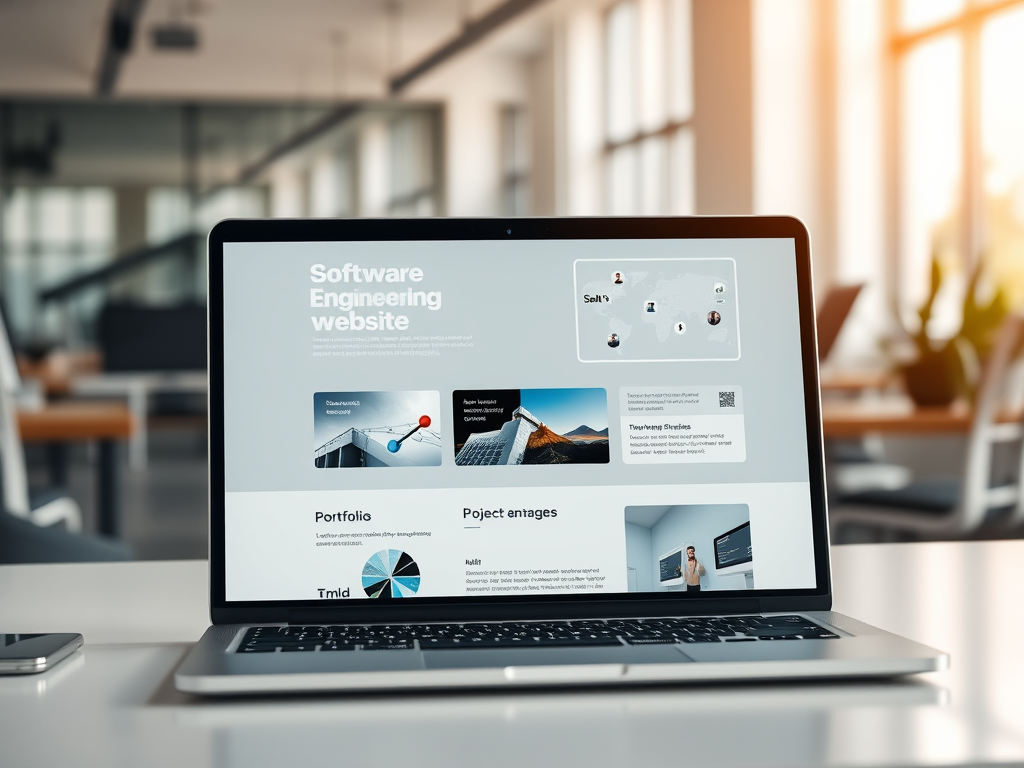
Optimize Your Software Engineering Website for Success
Running a software engineering business today means more than just writing great code. Your website acts as the digital front door to your company—it’s where potential clients assess your technical capability, learn about your services, and decide if they can trust you to build or maintain their own systems. In an industry where first impressions often happen online, the right kind of website can dramatically impact how quickly your business grows and how you’re perceived in a competitive market.
Below, we’ll dive deep into how to choose the ideal website structure for your software engineering business, what elements you should prioritize, and how data-driven strategies can help you make smarter choices. We’ll also look at common technical issues such as plugin compatibility, discuss the pros and cons of different site styles, and draw inspiration from real-world examples.
Choosing the Right Website Style for Your Software Firm
Running a software engineering firm involves delivering highly technical services—ranging from custom app development to automation solutions, cloud integration, or cybersecurity frameworks. Yet, your website’s purpose isn’t just to show off your programming skills—it’s to communicate value clearly. For this reason, your website should blend professionalism with usability. Clients visiting your site are often managers, founders, or non-technical decision-makers. They want clarity on your expertise without feeling overwhelmed by complex jargon or overly technical layouts.
Consider these website styles often suited for software engineers:
- Portfolio Websites: Highlight project showcases, technologies used, and measurable results.
- Corporate Websites: For established firms offering broader B2B services and partnerships.
- Product‑Focused Websites: For software companies that sell specific SaaS or tools.
- Content‑Rich Platforms: When thought leadership (via blogs, whitepapers, or case studies) drives leads.
Each structure can be valuable, depending on the stage and goals of your business. For instance, a portfolio-focused site can help small agencies attract initial clients through work samples. Meanwhile, established developers with recurring clientele may shift toward corporate-style sites emphasizing awards, client testimonials, and integrations.
A report by HubSpot (2023) found that companies with well-structured websites generating consistent educational content enjoy 55% more visitors and 67% more monthly leads than those with static “brochure” pages. This reflects the importance of regular content updates and a clear site architecture. A poorly designed site can cause potential leads to bounce due to unclear navigation or a lack of trust signals such as secure forms and testimonials.
Modern web design for software engineers often follows a “minimalist tech aesthetic.” This doesn’t mean empty white space, but rather using consistent typography, engaging visuals (like flow diagrams or screenshots), and light animations to reflect technical competence. Avoid excessive animations or cluttered backgrounds—they distract rather than impress. Instead, incorporate responsive layouts, high‑contrast typography, and optimized load speeds to elevate user experience.
Web performance is crucial. According to Google’s Core Web Vitals data, users are 32% more likely to abandon a site if page load time increases from one second to three. A software firm’s site, if sluggish, instantly undermines credibility since performance is part of what you’re selling. Therefore, implementing optimization tools (e.g., caching plugins, code minification, and lazy loading) is non‑negotiable.
To help your site rank organically, ensure you follow SEO best practices. Use technical blogging, targeting software‑related keywords such as “custom app development,” “DevOps consulting,” or “API integration services.” Having structured data and using semantic HTML tags also boosts discoverability. Your visitors—and search engines—should immediately understand who you are and the scope of your services.
Pros and Cons of Major Website Styles:
| Style | Pros | Cons |
|---|---|---|
| Portfolio Website | Showcases your actual projects visually; establishes credibility fast | Requires continuous updates as projects complete |
| Corporate Website | Supports scalability and professionalism; appeals to enterprise clients | Can appear too formal for small/local clients |
| Product/SaaS Website | Directly markets software offerings; allows self-service sales funnel | Needs strong product demos and onboarding flow |
| Content-Based Blog Site | Attracts organic traffic through thought leadership | Time-consuming to maintain consistent quality |
Key Takeaway: Your ideal website should match your operational model. If your business thrives on technical partnerships rather than one-off engagements, focus on service clarity and authority. If you depend on inbound marketing, a content‑rich, SEO‑driven layout may outperform a purely visual portfolio.
Real‑World Examples and Data‑Driven Benefits Explained
Drawing from real-world examples helps clarify what works. Let’s examine three types of firms:
- Small Development Studios – A three-person team might create a sleek portfolio site that lists client projects with short case studies. For example, a firm like Covalent Apps showcases each project using a simple layout: a high-resolution image, a paragraph on challenges solved, and technology used (e.g., React, Django, AWS). The measurable benefit comes from transparency and technical storytelling—a vital tactic that increased their conversion rate by 25% after a site redesign (Clutch 2022).
- Mid‑Sized Firms – Consider a company like InnoTech Solutions, which provides enterprise software engineering and has integrated analytics dashboards on their website. They use interactive demos where potential clients can test mini‑features in-browser. Metrics later showed that leads engaging with these demos were 60% more likely to request consultations. This technique can be replicated with embeddable code sandboxes or software preview widgets.
- SaaS Product Companies – Asana or Notion represent companies whose “software engineering” origins evolved into full SaaS delivery. Their websites incorporate simple sign‑up flows, crisp UI previews, and extensive documentation. They rely on A/B tested CTAs (“Try it free”) to convert visitors efficiently. Even smaller firms emulating this pattern can grow leads by marrying technical depth with practical clarity.
The Role of Analytics
Collecting data through tools like Google Analytics, Hotjar, or Microsoft Clarity helps determine how visitors navigate your website. For a software engineering business, understanding where users drop off (whether at the pricing section or contact form) is priceless. Heatmaps and user recordings show if buttons or navigation confuse visitors, allowing you to refine user journeys methodically.
From an empirical perspective, data‑informed decision‑making is often more reliable than subjective “design taste.” For example, switching from a paragraph‑heavy landing page to a three‑step service breakdown could reduce bounce rates by 40%. Integrating conversion tracking pixels also lets you trace which sources—LinkedIn ads, GitHub profiles, or tech blogs—generate the best clients.
Another useful metric is the Average Session Duration. Sites with case studies and readable formatting average 2x more time-on-page (Statista, 2023). Hence, adding client stories, video briefings, or short developer insights can extend user engagement significantly.
Troubleshooting Plugin Compatibility and Technical Challenges
When developing your business website, especially if you’re using WordPress, Drupal, or Next.js, you may confront plugin or dependency conflicts. These conflicts can slow your site or even break essential features. Common causes include:
- Outdated plugins incompatible with your site’s CMS version.
- Scripts loading in the wrong sequence, causing JavaScript errors.
- CSS conflicts affecting visual layout, especially when integrating third-party widgets.
Troubleshooting Tips:
- Use a staging environment. Before updating plugins, test new versions on a clone of your live site.
- Check browser console logs. They reveal which script triggers an error.
- Disable conflicting plugins temporarily. Reactivate them one by one to pinpoint the issue.
- Rely on minimal plugins. The fewer, the better—custom code often runs smoother and faster.
If you’re not using a CMS and working with custom stacks (React, Angular, or Django), ensure dependency management tools such as npm audit or pip check are part of your deployment pipeline. Automating version checks via CI/CD (Continuous Integration/Continuous Deployment) prevents downtime. For security, update dependencies monthly; old libraries pose vulnerabilities that could compromise both your site and client data.
Real‑World Performance Impact
Let’s consider a real‑world statistic from Google’s Web.Dev case studies. When Nordstrom optimized images and reduced unused CSS/JS by 35%, they improved page speed and increased conversions by 27%. A software engineering firm can expect similar proportional improvements when applying technical optimizations. Even if your site doesn’t sell directly, performance enhancements boost professionalism.
For smaller agencies, using static-site generators such as Hugo or Gatsby yields speed and security advantages. There are fewer moving parts than in dynamic CMS platforms. Static builds limit plugin conflicts, simplify version control, and often achieve sub‑second load times. However, the trade‑off is reduced flexibility when non‑developers need to update content—a con worth weighing against performance benefits.
Pros and Cons of Common Tech Stacks:
| Tech Stack | Pros | Cons |
|---|---|---|
| WordPress + Elementor | Quick setup, vast plugin ecosystem | Slower load times, potential plugin conflicts |
| Next.js (React-based) | Fast, scalable, modern SSR/SSG | Requires programming proficiency |
| Django + Tailwind | Secure, backend-powerful, customizable | Heavier initial setup |
| Static Generators (Gatsby/Hugo) | Speed, SEO performance, no database | Editing requires developer input |
Services to Highlight on Your Website
When planning your service sections, clarity and hierarchy matter. Prospective clients aren’t necessarily technical—they need quick understanding of your offerings. For a software engineering business, consider structuring your services like this:
- Custom Software Development – Tailored solutions for specific business workflows.
- API & System Integration – Modernizing legacy systems and connecting platforms.
- Cloud Architecture & DevOps – Deployment automation, security, and scaling strategies.
- UI/UX Engineering – Building intuitive, operable interfaces for end users.
- Maintenance & Support – Post-launch care and real-time troubleshooting.
Each service can be accompanied by proof points—short metrics such as “cut client processing time by 50%” or logos of trusted partners (AWS, Google Cloud, Microsoft). Using icons or diagrams enhances comprehension for non‑technical viewers.
Visuals and Imagery
Images add emotional and professional depth to your brand. While real photographs of your team are ideal, designers often overlook functional imagery—like flowcharts, whiteboard sketches, or network maps—that communicate engineering expertise. Including images of your UI mockups, code snippets (readable but not proprietary), or development tools signals authenticity.
Avoid stock photos that feel generic (for example, “people pointing at computers”); they diminish trust. Instead, showcase imagery grounded in process transparency. If possible, use before‑and‑after screenshots from projects—this visual storytelling converts visitors into leads.
Suggested Image Ideas:
- “Workflow diagram showing app development lifecycle.”
- “Screenshot of responsive design testing across multiple devices.”
- “Team collaboration photo during a cloud deployment session.”
Each visual should reinforce credibility rather than distract. Compress and optimize images to maintain site speed (use formats like WebP and responsive image sets).
Understanding the Human Factor
Beyond technical excellence, clients want a sense of partnership. Integrate short bios of lead engineers, open-source contributions, published research, or certifications (AWS, Azure, Google Cloud). This personal touch increases perceived reliability.
Embedding a contact form with structured fields (budget, timeline, project type) not only qualifies leads but streamlines your internal process. Integrate tools like HubSpot, Calendly, or Zoho CRM to make client onboarding frictionless.
Finally, think accessibility: ensure color contrast ratios meet WCAG standards, all images include alt text, and forms accommodate screen readers. Around 15% of global users live with some form of disability (W3C, 2022)—a compliant site extends reach and reflects corporate responsibility.
Ongoing Maintenance and Improvement
Launching the site is only the first phase. A high-performing software engineering website demands constant iteration. Regularly test contact forms, newsletter signup integrations, and CMS updates. Consider a quarterly review that checks:
- Broken links or outdated API references.
- Plugin or dependency updates for security.
- Blog freshness—does content align with current technologies (AI, ML, containerization, etc.)?
- Schema markup validity for Google indexing.
Even companies with static websites benefit from monthly performance audits. Use Lighthouse reports or GTmetrix scans to monitor Core Web Vitals like “Largest Contentful Paint” or “Cumulative Layout Shift.” Clients deeply appreciate when a software vendor practices optimization internally.
A well-crafted website for your software engineering business is as critical as your code repository—it demonstrates your professionalism, reliability, and depth of technical knowledge. By aligning the structure of your site with your business model, focusing on measurable performance, and preventing common technical pitfalls, you create a digital foundation that fuels long-term growth.
Reflect on what your clients value most: do they seek innovation, transparency, or speed? Build your website around those attributes. Use real data to continually refine, and treat the process like software development itself—agile, iterative, and evidence-driven. Whether you’re refactoring your existing website or building one from scratch, let it truly represent the intelligence and integrity of your engineering work.
Fast, Reliable Web Hosting — Starting at $1.99/month
| 🔥 Most Popular Standard Plan | Domain Only | |
| $1.99/month Limited-time offer | Secure your business name online | |
| Affordable yearly pricing Easy setup Works with any hosting | |
Reseller Hosting (For Agencies & Developers)Start your own hosting business or manage client sites | ||
| Reseller 1 | Reseller 2 | Reseller 3 |
| $20/month | $37.50/month | $50/month |
|
|
|
| ✔ 99.9% uptime • ✔ Secure • ✔ Easy setup • ✔ Local support | ||
Stop settling for slow, unreliable hosting. With Archer IT Solutions, get a website hosting plans that deliver speed, security, and 99.9% uptime guarantee. Grab your domain and hosting package in one seamless plan, optimized for WordPress users, small and medium size businesses, and personal websites.
Enjoy affordable web hosting plans without compromises unlike the big guys. Complete with professional email, one-click CMS installs, and round-the-clock hosting support. Perfect for WordPress users.
Built for Real Businesses
Whether you’re launching your first blog or scaling a growing business, Archer IT gives you:
+ Speed that keeps visitors engaged
+ Reliability you can count on
+Tools that actually make sense
Launch your first personal blog or scale a growing small business site with hosting optimized for performance. Get the best web hosting for plus simple setup — all powered by secure Linux servers and easy Plesk control panel.
Why Choose Archer IT Hosting?
🔒 Free SSL Certificates (Security + SEO Boost)
📧 Professional Email Accounts Included
⚡ Fast Linux Servers (Optimized Performance)
🧩 One-Click WordPress, Joomla & Drupal Installs
💬 Real 24/7 Support — No Bots, Just Help
💾 Automatic Backups for Peace of Mind
Risk-Free Guarantee
Try it with confidence.
If it’s not right for you, get your money back within 15 days.🔥 Don’t Wait — Launch Your Website Today
Stop overpaying for slow hosting.
Get everything you need in one simple plan.
Your website stays online with uptime, protected by a free SSL certificate, and supported by real people around the clock. And if it’s not right for you? Our 15-day money-back guarantee makes it a no-risk choice. Take your business or personal project online with hosting that’s secure, affordable, and built to perform.
💬 Real Support. No Runaround.
Unlike big hosting companies, you get:
- Direct help from real people
- No ticket delays
- No upsell traps


No responses yet