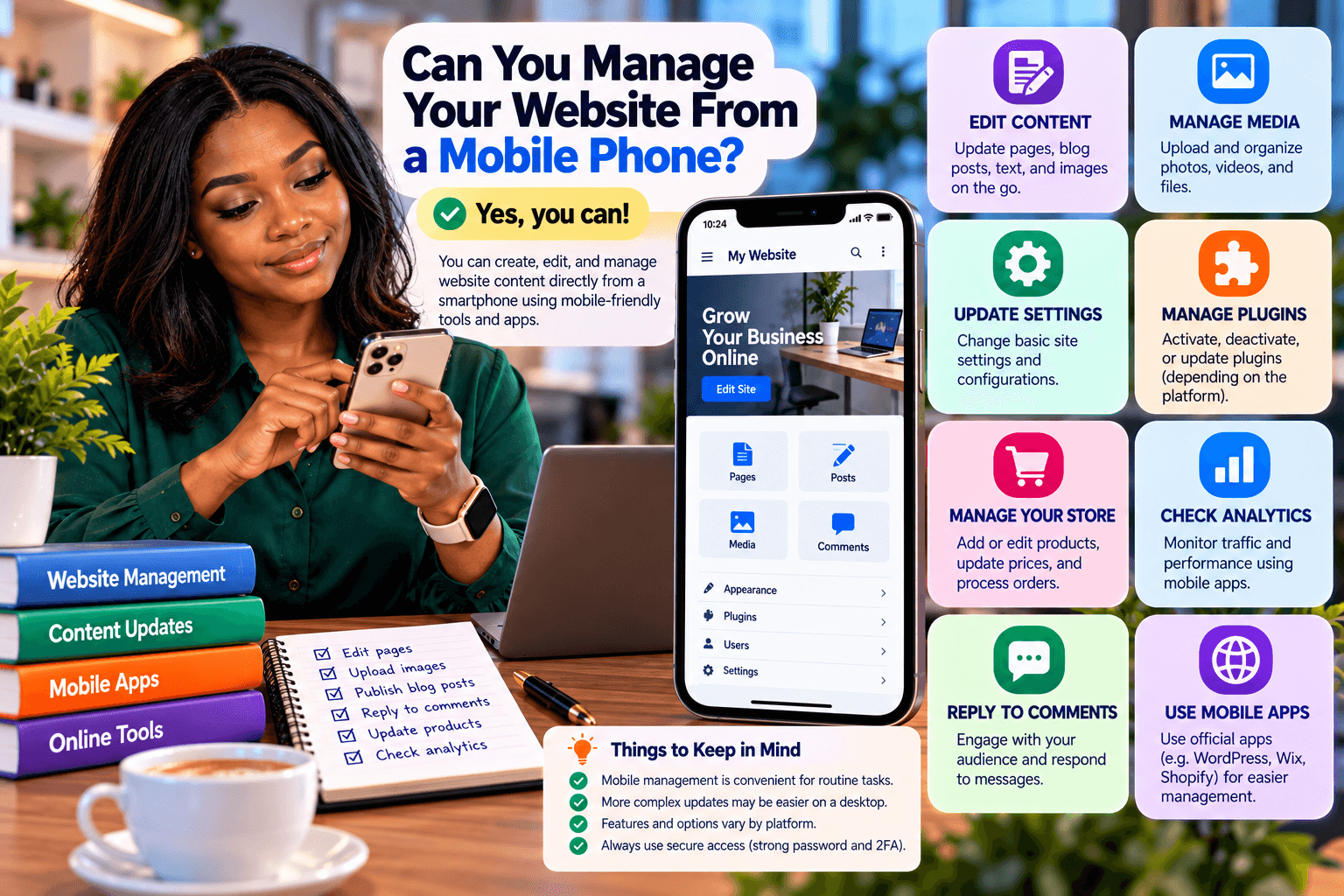
Can You Manage Your Website From a Mobile Phone?
Yes. In many cases, you can create, edit, and manage website content directly from a smartphone. Modern content management systems (CMS), website builders, hosting platforms, and online tools increasingly provide mobile-friendly interfaces or dedicated mobile apps.
This means you do not necessarily need to be sitting at a desktop computer every time you want to update your website.
However, what you can comfortably manage from a phone depends on the platform you use and the complexity of the task.
What Can You Do From a Mobile Phone?
Depending on your CMS or website platform, you may be able to perform many everyday website management tasks from your phone.
Create and Edit Content
You can use your smartphone to:
- Write blog posts
- Edit existing pages
- Update product or service information
- Add headings and formatting
- Publish or schedule content
- Moderate comments
- Update basic website information
For straightforward content changes, a mobile interface can be sufficient.
Upload Images and Other Media
Smartphones make it particularly convenient to create and upload visual content.
You can:
- Take photographs
- Record videos
- Edit images
- Resize or compress media
- Upload images to your website
- Add images to articles and pages
Apps such as Canva and other mobile editing tools can also be used to prepare images before uploading them to your website.
For a website that publishes frequently, this can make the content workflow considerably more flexible.
Manage Your Website Through a CMS
Many popular CMS platforms provide mobile apps or responsive administrative interfaces.
For example, WordPress offers mobile options for managing websites and publishing content.
The exact features available depend on your WordPress setup, plugins, hosting environment, and the type of changes you want to make.
A simple blog post may be easy to create from a phone, while more complicated website development may still be considerably easier on a computer.
Manage Website Content Through Your Browser
You do not always need a dedicated mobile app.
If your CMS provides a responsive administration area, you may be able to log into it through your smartphone’s web browser.
From there, you may be able to:
- Edit pages
- Publish posts
- Upload media
- Manage comments
- Review website settings
- Update certain content
The experience varies significantly between platforms, so it is worth testing the CMS on the mobile devices your team actually uses.
Mobile Management Is Not the Same as Full Website Administration
Although smartphones can handle many content-management tasks, they are not always the most practical tool for technical website administration.
For example, a desktop or laptop may be preferable when you need to:
- Edit complex page layouts
- Modify website code
- Configure server settings
- Troubleshoot technical problems
- Manage large numbers of files
- Perform detailed SEO work
- Configure advanced plugins
- Work with databases
- Perform extensive website redesigns
A useful approach is to use your phone for routine content management and a computer for more complex technical work.
Make Sure Your Website Is Mobile-Friendly
If you plan to manage your website from a phone, the website platform itself should have a usable mobile interface.
Consider whether you can comfortably:
- Navigate the dashboard
- Edit content
- Upload media
- Preview changes
- Publish updates
- Manage forms
- Review notifications
A responsive website is also important for your visitors. A website that looks good on a desktop but is difficult to use on a smartphone can lose potential customers.
If you are building or improving a website, Archer IT Solutions’ web design services can help with responsive website design and functionality.
Use a Reliable Internet Connection
Managing a website requires a stable internet connection, particularly when uploading images, videos, or other large files.
If your connection is unreliable, you may encounter:
- Failed uploads
- Incomplete changes
- Slow dashboard loading
- Publishing errors
- Interrupted sessions
For routine text edits, mobile data may be sufficient. Larger uploads may require a more reliable connection.
Protect Your Mobile Website Access
If you manage a website from your smartphone, remember that your phone effectively becomes another device through which your website can be accessed.
Protect your account by using:
- A strong, unique password
- Multi-factor authentication where available
- A screen lock on your phone
- Updated operating system and apps
- Secure Wi-Fi connections
- Separate user accounts where appropriate
Avoid saving sensitive login credentials in insecure locations or sharing your CMS credentials with other people.
For additional information, see Archer’s guide to improving website security.
What About Website Hosting?
Your website can remain hosted on a web server while you manage its content remotely from your phone.
The hosting server handles the underlying website infrastructure, while your CMS or hosting control panel provides the interface through which you make changes.
In other words:
Your website is hosted on the server → You access the CMS remotely → You create or edit content from your phone → The changes are published to the website.
Your phone does not need to physically contain the website’s files for you to manage the site’s content.
For businesses reviewing their hosting setup, Archer IT Solutions’ web hosting services provide hosting-related options and support.
When Mobile Website Management Makes Sense
Managing your website from a phone can be particularly useful when you need to make quick updates while away from your computer.
For example, you might want to:
- Publish a short announcement
- Update a business notice
- Upload a new photograph
- Respond to comments
- Edit a blog post
- Publish time-sensitive content
- Check whether a website update has gone live
It provides flexibility without requiring you to carry a laptop everywhere.
Final Thoughts
A smartphone can be a useful tool for managing website content. With a suitable CMS or website platform, you can write, edit, publish, and upload content remotely.
However, mobile management has practical limitations. Simple content updates are generally more convenient on a phone, while complex design, development, server administration, and troubleshooting tasks are better suited to a computer.
The most important consideration is choosing a website platform and hosting environment that support the way you actually work.
If you need help setting up, hosting, maintaining, or managing a business website, contact Archer IT Solutions to discuss your requirements.


Comments are closed