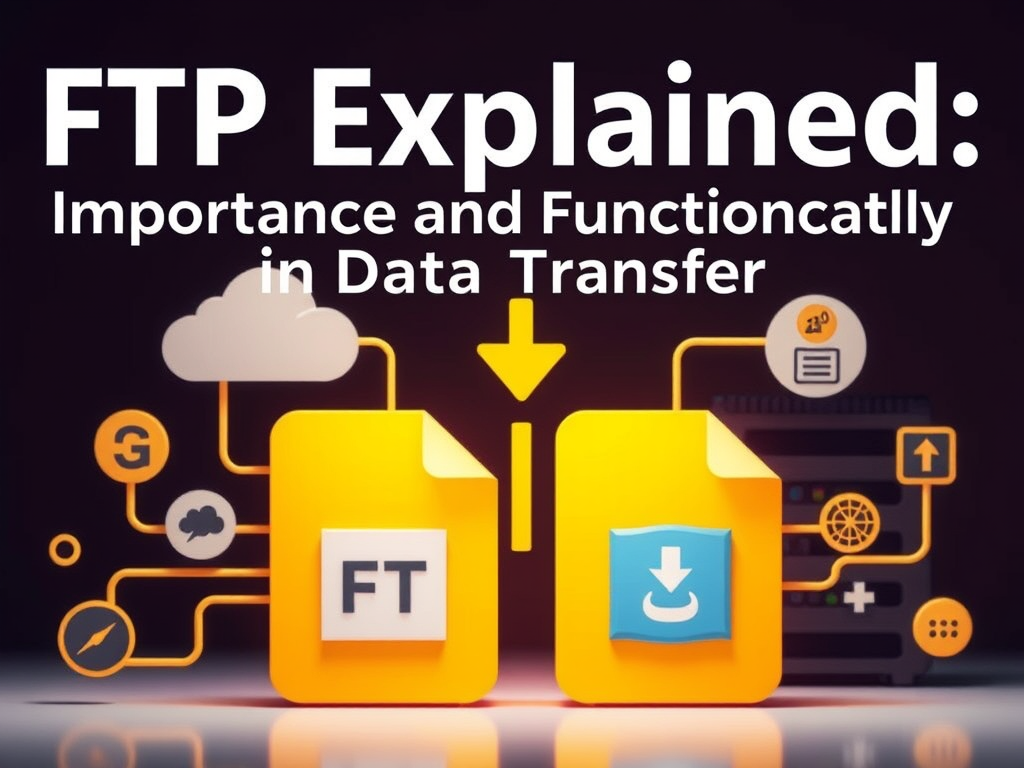
Understanding What FTP Means and How It Really Works
The digital world runs on data transfer—moving files from one location to another. Whether you’re managing a website, sharing software updates, or backing up files, one term that frequently appears is FTP. Short for File Transfer Protocol, FTP is a foundational system that has helped shape how we exchange data online. This article will dive deep into what FTP means, how it works under the hood, and how it continues to impact online workflows today.
What is FTP and Why Is It Important?
FTP (File Transfer Protocol) is a standard network protocol used to transfer files between a client and a server over the internet or a local network. Originally designed back in the early 1970s as part of the early ARPANET systems, FTP was revolutionary—it provided an efficient way to move large amounts of data long before cloud computing or modern file-sharing platforms existed. In simple terms, FTP acts as a “bridge” between your local computer (the client) and a remote system (the server), enabling uploads, downloads, and file management through dedicated FTP clients like FileZilla, WinSCP, or command-line interfaces.
At its core, FTP works on a client-server model. The client initiates a connection to a server using credentials (commonly a username and password) and requests file access or data transfers. The server then responds, allowing file uploads, downloads, renaming, or deletion based on the user permissions. Many modern websites still rely on an FTP layer for file updates and maintenance, particularly in content management systems like WordPress and Joomla.
The importance of FTP lies in its simplicity and reliability. Despite being one of the oldest networking protocols, it remains relevant due to its ability to handle large files efficiently. It’s especially preferred for cases where consistent, automated, and repeatable transfers are needed—such as moving log data, database backups, or web assets. Even though newer alternatives exist, FTP’s straightforward functionality makes it a practical backbone solution in IT and web administration.
How FTP Works: Diving into the Technical Side
FTP operates primarily over TCP/IP, which means it uses a guaranteed communication channel that ensures reliable data delivery. When a user initiates a connection, two core channels are established: the control channel and the data channel. The control channel manages commands and responses (like login, directory navigation, or file requests), while the data channel handles the actual transfer of files. This dual-channel model ensures that communication commands don’t interfere with ongoing file transfers.
There are two major operating modes: Active mode and Passive mode. In active mode, the client opens a dynamic port and waits for the server to connect back, which can sometimes be blocked by firewalls. Passive mode, on the other hand, allows the client to initiate both connections, making it more firewall-friendly and preferred in modern networks. Understanding the operational modes can help users troubleshoot connectivity issues when configuring FTP settings for hosting environments.
From a security perspective, plain FTP transfers data without encryption, which presents vulnerabilities. This is where FTPS (FTP Secure) and SFTP (SSH File Transfer Protocol) play crucial roles. Although their names sound similar, they differ significantly. FTPS adds SSL/TLS encryption layers on top of FTP, whereas SFTP works over the Secure Shell (SSH) protocol, providing stronger encryption and more robust authentication. Modern hosting providers like AWS, Google Cloud, and DigitalOcean offer strong support for SFTP due to its security benefits.
Pros and Cons of Using FTP
Pros:
- Reliability: FTP has stood the test of time and is supported by nearly all operating systems and servers.
- Automation: Works seamlessly with batch scripts and cron jobs for scheduled backups and file transfers.
- Flexibility: Supports various commands for directory navigation, file permissions, and remote file editing.
Cons:
- Lack of security in classic FTP: Plain FTP transfers are vulnerable to packet sniffing.
- Firewall configuration challenges: Active mode often faces issues behind strict firewalls.
- Less user-friendly than modern cloud-based file sharing: FTP requires some technical understanding to set up correctly.
Still, FTP remains a trusted solution in IT departments, especially for managing backend resources securely when wrapped with proper encryption or VPNs.
Real-Life Examples and Case Studies Showing FTP Benefits
FTP in Web Hosting and Development
For most developers, FTP is a daily tool for uploading web content. Web hosting companies like Bluehost, SiteGround, and Hostinger often provide FTP credentials to their clients to manage website files directly. For instance, when launching a new site, developers upload files—such as HTML, CSS, and JavaScript—from their local environment to the hosting server via FTP.
A real-world example involves WordPress plugin updates. Many premium WordPress themes and plugins require FTP access because automated updates sometimes fail due to file permission issues. Developers use FTP clients like FileZilla to manually upload new versions to the /wp-content/plugins/ directory. Additionally, using FTP helps diagnose compatibility errors by allowing developers to replace or remove faulty plugins without needing access to the site’s dashboard.
In one case study published by W3Techs (2023), over 32% of developers reported still relying on FTP for at least part of their deployment workflow, particularly in legacy or managed hosting setups. Despite newer systems like Git-based deployment, FTP remains a vital fallback method for troubleshooting, file restoration, and emergency patches.
Corporate and Enterprise Use Cases
In enterprise environments, FTP plays a key role in automated data transfer workflows. For example, banks, logistics firms, and healthcare organizations use secure FTP (SFTP) to transfer sensitive information between internal servers and external partners. A 2022 Deloitte study found that nearly 45% of Fortune 500 companies still employ managed file transfer (MFT) systems built on FTP/SFTP technology.
An illustrative example is FedEx, which manages shipment data across multiple regions using secure FTP protocols to synchronize tracking updates between databases. Similarly, hospitals and insurance agencies use SFTP to transmit patient data or billing information in compliance with data protection standards like HIPAA.
What makes FTP still attractive for these use cases is the ability to combine it with modern automation tools—such as Python scripts, PowerShell, or Jenkins pipelines—to streamline massive daily file movements with precision, while encryption ensures data integrity along each step.
Common Troubleshooting and Plugin Compatibility Issues
Despite its usefulness, FTP users often run into problems, especially when integrating it with CMS platforms or website plugins. Common obstacles include incorrect credentials, firewall restrictions, or conflicting ports. For WordPress users, one frequent issue arises when plugin auto-updates fail, prompting a request for FTP credentials each time an installation occurs. This typically means file permissions or ownership rights are misconfigured on the server.
Troubleshooting steps include:
- Verify correct credentials (username, password, host, and port).
- Switch to Passive Mode in the FTP client to bypass firewall blocks.
- Adjust file permissions using CHMOD commands (usually
755for folders and644for files). - Check plugin compatibility with the current PHP or CMS version.
- Review server log files for connection errors or blocked IPs.
Some hosting services also restrict the number of concurrent FTP connections. Platforms like cPanel and Plesk include built-in FTP management tools that visualize sessions, allowing administrators to terminate stuck connections that could prevent uploads. Understanding these common challenges helps maintain smoother operations, ensuring FTP remains a stable component in digital workflows.
FTP in Research and Education
FTP has also been widely used in academic and scientific research to distribute large data sets. Many institutions use FTP servers to make research resources available to the public or internal departments. For example, the NASA Earthdata FTP server allows researchers to download satellite imagery and climate models efficiently. Other organizations such as the Protein Data Bank (PDB) and NOAA maintain FTP repositories for biological and environmental data.
In university computing labs, FTP servers often function as local repositories for sharing class projects or software tools that are too large for email distribution. These implementations highlight FTP’s continued relevance beyond web hosting—it remains a dependable method of structured file exchange in fields that depend on vast or specialized data.
Statistical Insights and Market Relevance
According to Statista (2023), nearly 53% of IT administrators still maintain at least one FTP or SFTP server in active use. Furthermore, managed FTP and SFTP services are projected to grow by 4.8% annually between 2024 and 2030 as companies upgrade legacy systems to more secure implementations rather than replacing them entirely. This trend demonstrates that FTP is evolving, not disappearing.
Services such as:
- AWS Transfer Family (for SFTP and FTPS)
- Google Cloud Storage FTP bridge
- Azure Blob with SFTP support
have modernized how FTP frameworks can be integrated with cloud infrastructure. This hybrid approach enables traditional FTP functionality to fit alongside REST APIs and cloud workflows, giving enterprises the flexibility to modernize system components gradually.

Figure: A simplified diagram illustrating the FTP data flow between client and server.
As we’ve explored, FTP is far more than an outdated file transfer tool—it’s a robust, flexible, and foundational protocol that continues to adapt to modern digital needs. Whether you’re a developer uploading site files, a researcher sharing large data sets, or an enterprise managing secure transfers, understanding how FTP works can improve productivity and reliability.
If you’re currently managing data exchanges, take a moment to reflect on your workflow. Are you using the most secure and efficient method available? Integrating SFTP or FTPS into your infrastructure could be a great step forward. By striking the right balance between legacy reliability and modern security, FTP will continue to serve as a valuable bridge in the digital world for years to come.
Power your website for 3 months free with our $9.99 plan.
 Mini Mini | Standard | Domain Only |  Reseller 1 Reseller 1 | Reseller 2 | Reseller 3 |
| $12 per year | $9.99/month | low yearly prices | $20/month | $37.50/month | $50/month |
| *10 GB Space** *100 GB Bandwidth** *FTP access *10 email account *PHP/CGI/PERL/SSI Support *SSL | *100 GB Space** *1TB Bandwidth** *10 FTP accounts *100 email account *PHP/CGI/PERL/SSI Support *10 Databases *SSL WordPress, Joomla, or Drupal hosting | *10 Domains *10 GB Diskspace *200 GB of traffic *10 Databases *10 Mailboxes *WordPress options | *25 Domains *30 GB Diskspace *600 GB of traffic *30 Databases *30 Mailboxes *WordPress options | *50 Domains *60 GB Diskspace *1200 GB of traffic *60 Databases *60 Mailboxes *WordPress options | |
| Specials | |||||
 3 months on us. 1TB Bandwidth, FTP accounts, email accounts, PHP/CGI/PERL/SSI SupportD, Databases, Ability to add WordPress, Joomla, or Drupal. 3 months on us. 1TB Bandwidth, FTP accounts, email accounts, PHP/CGI/PERL/SSI SupportD, Databases, Ability to add WordPress, Joomla, or Drupal.
Don’t wait — grab your deal and launch today ** temporary offered | |||||
Stop settling for slow, unreliable hosting. With Archer IT Solutions, get a robust website hosting plans that deliver speed, security, and the uptime. Grab your domain and hosting package in one seamless plan, optimized for WordPress, small businesses, and personal websites.
Enjoy affordable web hosting plans without compromises, complete with professional email, one-click CMS installs, and round-the-clock website hosting support. Built for Businesses. Perfect for WordPress. Take control of your online presence. Try it risk-free with our 15-day money-back guarantee.
Launch your first personal blog or scale a growing small business site with hosting optimized for performance. Get the best web hosting for plus simple setup — all powered by secure Linux servers and easy Plesk control panel.
Why Choose Archer IT Hosting?
- Free SSL Certificates – Protect customers & boost trust
- Custom Email Accounts included
- One-Click CMS Installs – WordPress, Joomla & Drupal ready
- 15-Day Money-Back Guarantee – Risk-free hosting
- 24/7 Customer Support and Service – Real help when you need it
- Features you’ll actually will use
- Powered by Linux for speed & reliability
- Simplified management with Plesk Control Panel
- Automatic backups for worry-free security
Trust. Reliability. Zero Guesswork.
Your website stays online with uptime, protected by a free SSL certificate, and supported by real people around the clock. And if it’s not right for you? Our 15-day money-back guarantee makes it a no-risk choice. Take your business or personal project online with hosting that’s secure, affordable, and built to perform.
Questions
Discover more from Archer IT Solutons
Subscribe to get the latest posts sent to your email.
Discover more from Archer IT Solutons
Subscribe to get the latest posts sent to your email.


No responses yet