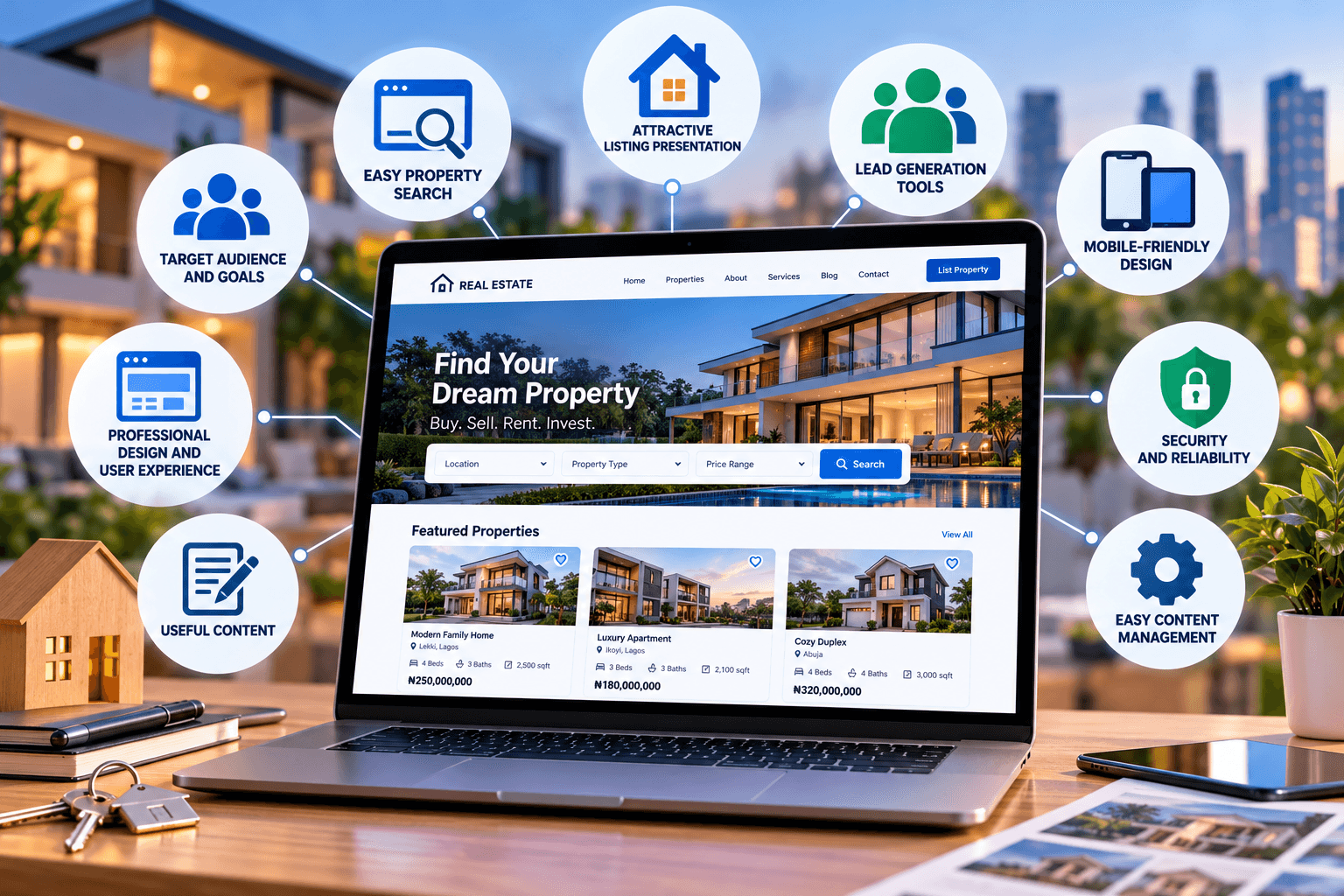
Essential Things to Consider for a Real Estate Website
A real estate website needs to do more than look professional. It should make it easy for potential buyers, sellers, renters, and investors to find relevant properties, understand their options, and contact the right person.
A successful real estate website combines good user experience, effective property search, strong visual presentation, useful content, lead-generation tools, security, and easy administration.
Whether you’re building a website for a real estate agency, property management company, realtor, developer, or property investment business, consider the following factors.
1. Prioritize User Experience and Design
Your website may be the first interaction a potential client has with your business. If visitors cannot quickly find what they’re looking for, they may leave before contacting you.
The website should have:
- Clear and intuitive navigation
- Easy-to-understand menus
- A responsive design
- Readable typography
- Consistent branding
- Clear property categories
- Prominent contact options
- Fast-loading pages
The original content correctly identifies intuitive navigation, responsive design, and visual presentation as fundamental considerations.
Make Mobile Usability a Priority
Many prospective property buyers and renters will browse listings from smartphones.
Your website should therefore work properly across:
- Smartphones
- Tablets
- Laptops
- Desktop computers
Property images, search filters, maps, enquiry forms, and contact buttons should remain usable on smaller screens.
A beautiful desktop website isn’t enough if the mobile experience is difficult to navigate.
2. Build a Strong Property Listing System
Property listings are the core of most real estate websites.
Each listing should provide enough information for a visitor to understand the property without having to contact an agent simply to obtain basic details.
Depending on the property, listings may include:
- Property name or title
- Property type
- Location
- Price
- Number of bedrooms
- Number of bathrooms
- Property size
- Key features
- Property description
- High-quality photographs
- Floor plans
- Virtual tours
- Availability
- Contact information
The original article also recommends detailed descriptions, high-resolution images, virtual tours, and relevant property specifications.
Avoid creating listings that contain only a few photographs and a short description. More complete information can make it easier for visitors to determine whether a property is relevant to them.
3. Make Property Search Easy
If you have a large number of listings, visitors shouldn’t have to scroll through every property to find what they need.
A useful property search system can allow users to filter by criteria such as:
- Location
- Property type
- Price
- Bedrooms
- Bathrooms
- Property size
- Sale or rental status
- Amenities
- Availability
The specific filters should reflect the types of properties you offer and the information your customers actually use when making decisions.
The source article specifically identifies location, price range, property type, and size as useful search criteria.
4. Include Maps and Location Information
Location is one of the most important considerations when evaluating property.
Consider incorporating maps into property listings so visitors can understand where a property is located.
Depending on your business and privacy requirements, you might show:
- General property location
- Nearby roads
- Schools
- Shopping areas
- Public transportation
- Hospitals
- Business districts
- Other relevant landmarks
Interactive maps can make property listings more useful and help prospective clients evaluate the surrounding area.
5. Use High-Quality Property Photography
Real estate is highly visual, so photography deserves serious attention.
Poor-quality or badly presented images can make an otherwise attractive property look unappealing.
When adding property photographs:
- Use clear, high-resolution images.
- Make sure rooms are well lit.
- Keep image dimensions consistent where practical.
- Compress images to avoid unnecessarily large files.
- Use descriptive filenames and alt text where appropriate.
- Avoid uploading dozens of near-identical photographs.
You should also consider how images appear on mobile devices because large image files can affect page-loading performance.
6. Consider Virtual Tours and Video
Virtual tours and property videos can provide prospective buyers or renters with additional context that photographs cannot always provide.
Depending on your market, you might use:
- 360-degree virtual tours
- Property walkthrough videos
- Video introductions
- Floor-plan presentations
- Drone footage where appropriate and legally permitted
These features can be particularly useful when potential clients are unable to visit a property immediately.
However, don’t add video simply because it looks impressive. Large media files can affect website performance, so they should be implemented carefully.
7. Choose a CMS That Makes Listings Easy to Manage
Real estate websites often need frequent updates.
Properties may be:
- Added
- Edited
- Marked as sold
- Marked as rented
- Removed
- Repriced
- Updated with new photographs
Your content management system (CMS) should make these changes straightforward.
The original article correctly emphasizes the importance of being able to add, modify, and remove listings efficiently.
A website that requires a developer every time an agent needs to update a property can become inefficient and expensive to maintain.
8. Build SEO Into the Website
A real estate website needs to be discoverable when people search for relevant properties and services.
SEO considerations include:
- Descriptive page titles
- Useful meta descriptions
- Clear headings
- Search-friendly URLs
- Unique property descriptions
- Internal links
- Optimized images
- Location-specific content
- Fast page performance
- Mobile usability
- Structured data where appropriate
Avoid copying identical property descriptions across multiple listings. Where properties are genuinely different, provide unique and useful descriptions.
You can also create useful content around questions prospective clients ask, such as buying processes, neighbourhood guides, property maintenance, financing considerations, or preparing a property for sale.
For general guidance, Google’s SEO Starter Guide is a useful reference.
9. Create Strong Lead-Generation Paths
A real estate website ultimately needs to help turn website visitors into enquiries and clients.
Make it easy for visitors to take the next step.
Useful options include:
- Contact forms
- Phone numbers
- Email links
- Viewing requests
- Property enquiry forms
- Appointment booking
- Newsletter subscriptions
- WhatsApp or other appropriate communication channels
The source article also highlights contact forms, calls to action, and CRM integration as important lead-generation considerations.
Make Calls to Action Specific
Instead of using the same generic button everywhere, match the call to action to the visitor’s intent.
For example:
- Schedule a Viewing
- Request Property Details
- Ask About This Property
- Book a Consultation
- Contact an Agent
The action should make it clear what happens when the visitor clicks.
10. Connect the Website to Your CRM
If your business receives a significant number of enquiries, manually managing leads from email alone can become difficult.
A CRM integration can help organize information such as:
- New enquiries
- Prospective buyers
- Sellers
- Viewing requests
- Follow-up activities
- Communication history
- Lead status
The goal isn’t simply to collect more leads. It is to make sure legitimate enquiries are recorded and followed up appropriately.
11. Protect Customer and Business Data
Real estate websites can collect personal information through contact forms, account registrations, enquiries, newsletters, and other interactions.
Security should therefore be considered from the beginning.
Important measures can include:
- HTTPS/SSL
- Strong administrator passwords
- Multi-factor authentication
- Regular software updates
- Secure hosting
- Access controls
- Malware monitoring
- Reliable backups
- Secure handling of customer information
Your privacy policy should also clearly explain how personal information is collected and used, subject to the laws applicable to your business.
For broader technical support, Archer IT Solutions’ managed IT services can help businesses manage their wider IT environment.
12. Choose Reliable Web Hosting
Your hosting environment affects the availability and performance of your website.
This becomes particularly important for real estate websites because property pages can contain large numbers of photographs, videos, maps, and other resources.
When choosing hosting, consider:
- Available storage
- Performance
- Reliability
- Security
- Backup options
- Technical support
- Scalability
- WordPress or CMS compatibility
Archer IT Solutions’ web hosting services include website and WordPress-related support.
Don’t choose hosting based solely on storage capacity or price. Consider the overall requirements of the website.
13. Keep the Website Fast
A property website can become heavy very quickly because of large photographs, videos, maps, tracking scripts, and third-party integrations.
Performance optimization should therefore be part of ongoing website management.
Consider:
- Compressing images
- Using appropriately sized images
- Browser caching
- Efficient hosting
- Minimizing unnecessary plugins
- Reducing unnecessary scripts
- Using a content delivery network where appropriate
- Monitoring Core Web Vitals
Google’s PageSpeed Insights can be used to test individual pages and identify performance issues.
14. Add Useful Content Beyond Property Listings
A real estate website doesn’t have to consist entirely of listings.
A blog or resource section can help answer questions your potential customers are already asking.
Content could cover:
- Buying guides
- Selling tips
- Rental advice
- Property maintenance
- Local area information
- Market explanations
- Home preparation
- Investment considerations
- Frequently asked questions
The original source also recommends a blog or news section for industry news, market insights, and advice.
This content can also create additional opportunities for organic search traffic when it genuinely addresses useful search queries.
15. Include Social Proof Carefully
Testimonials and reviews can help demonstrate previous customer experiences.
However, they should be genuine and attributable to real customers.
You can consider including:
- Verified customer reviews
- Client testimonials
- Relevant awards
- Professional memberships
- Completed project information
Avoid creating generic or anonymous testimonials simply to make the website appear more credible.
The original article identifies testimonials and reviews as potential trust-building elements.
16. Make Contact Information Easy to Find
Don’t make visitors search for your contact details.
Your website should make it easy to find relevant information such as:
- Phone number
- Email address
- Office location
- Business hours
- Contact form
- Viewing or consultation process
For a real estate business, contact information should be accessible from property pages as well as the main contact page.
17. Keep Property Information Current
An outdated property listing can damage trust.
If a property has been sold, rented, withdrawn, or is no longer available, update its status promptly.
Create an internal process for reviewing listings so that your website doesn’t become filled with properties that are no longer available.
This is particularly important if property information is also being published on social media, property portals, or other third-party platforms.
18. Make the Website Easy to Maintain
Launching the website is only the beginning.
Someone needs to be responsible for:
- Updating listings
- Updating prices
- Removing unavailable properties
- Installing software updates
- Checking forms
- Reviewing website security
- Maintaining backups
- Monitoring performance
- Updating content
- Checking broken links
If your team doesn’t have the technical capacity to handle these responsibilities, ongoing website and IT support can reduce the maintenance burden.
For businesses that need assistance with website development and maintenance, Archer IT Solutions’ web design services provide another option to consider.
Real Estate Website Checklist
Before launching or redesigning a real estate website, review the following:
| Area | Questions to ask |
|---|---|
| Design | Is the website easy to navigate on desktop and mobile? |
| Listings | Does each property have complete and useful information? |
| Search | Can visitors quickly filter properties by relevant criteria? |
| Images | Are photographs high quality without unnecessarily large file sizes? |
| Maps | Can visitors understand where properties are located? |
| SEO | Can search engines understand and discover the important pages? |
| Lead generation | Can visitors easily enquire or schedule a viewing? |
| CRM | Are leads captured and organized effectively? |
| Security | Is customer and business information adequately protected? |
| Hosting | Can the hosting environment handle the site’s resources and traffic? |
| Performance | Do pages load efficiently, particularly on mobile? |
| Content | Does the website provide useful information beyond listings? |
| Maintenance | Is there a process for keeping the site current? |
Building a Real Estate Website That Works for Your Business
A successful real estate website should combine attractive presentation with practical functionality.
Visitors should be able to find properties, filter their options, understand the details, explore locations, and contact your business without unnecessary friction.
At the same time, your team needs a website that is easy to maintain, secure, fast, and flexible enough to accommodate new listings and business growth.
If you’re planning a new real estate website or need to improve an existing one, Archer IT Solutions’ web design services can help you consider the technical and functional requirements of your project.
You can also contact Archer IT Solutions to discuss your website requirements.


No responses yet