Exploring the Core Wi-Fi Network Topologies and Their Benefits
Wireless networking has become the foundation of digital communication in homes, offices, and public spaces. Understanding which Wi-Fi network topology is used—whether infrastructure or ad-hoc—helps you make smarter choices when setting up or troubleshooting a network. In this guide, we’ll explore the most common Wi-Fi topologies, their advantages and drawbacks, and how to ensure your setup is both secure and efficient.

Understanding the Core Wi-Fi Network Topologies
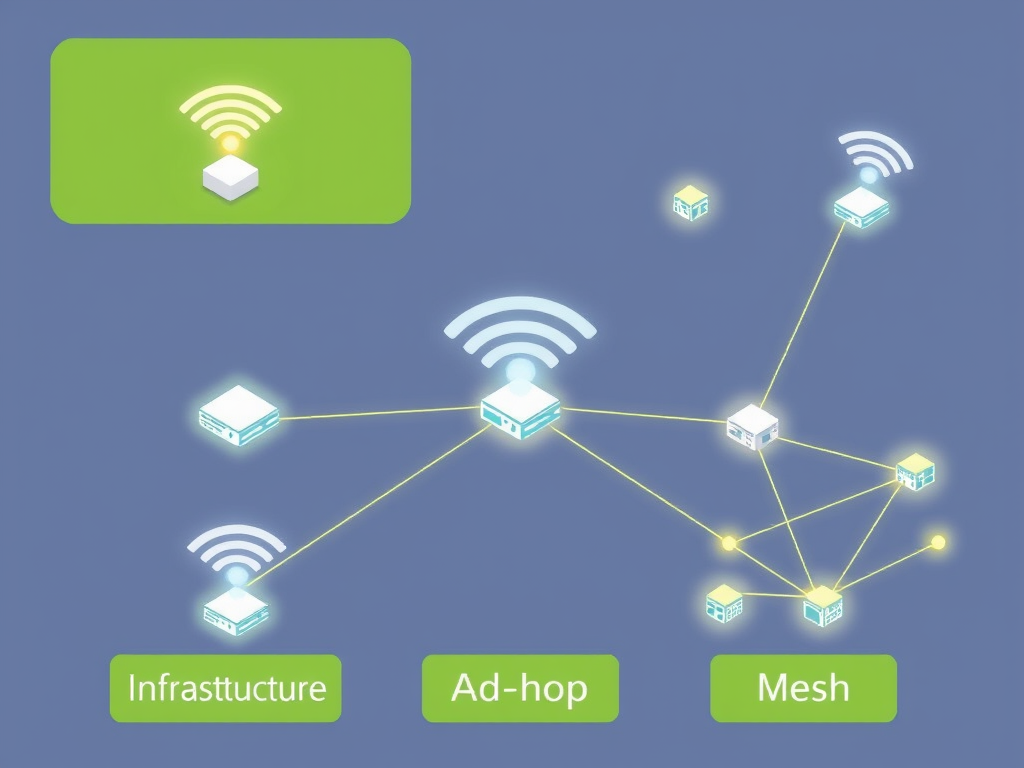
Wi-Fi networks typically operate in two main topologies: infrastructure mode and ad-hoc mode (peer-to-peer). In an infrastructure topology, devices connect through a central access point (AP), such as a router, that manages traffic and connectivity. This centralized structure is the standard for home and business networks because of its stability, scalability, and control.
According to IEEE, approximately 85% of wireless networks use infrastructure mode due to its compatibility with most modern IoT and smart devices.
In an ad-hoc topology, devices connect directly to one another without using an access point. This topology is common for temporary setups, such as sharing files between laptops or connecting devices in areas with no router. However, ad-hoc networks tend to have limited range and weaker security compared to infrastructure mode.
Another variation, mesh topology, has gained popularity due to its ability to extend coverage and eliminate dead zones. Each node acts as an access point, relaying signals to other nodes. This is ideal for larger buildings or outdoor spaces.
- Key Takeaways:
- Infrastructure networks dominate Wi-Fi setups.
- Ad-hoc and mesh topologies cater to specific connectivity needs.
- Each topology offers trade-offs between simplicity, control, and coverage.
Summary: Wi-Fi networks today rely primarily on infrastructure topology, with ad-hoc and mesh designs serving specialized purposes. Understanding these foundations helps in choosing the most efficient configuration for your space.
Pros, Cons, and Best Practices for Wi-Fi Setup
Each topology has its pros and cons.
- Infrastructure Mode:
- Pros: Centralized control, extended range, enhanced security protocols (like WPA3).
- Cons: Requires more hardware and setup time.
- Ad-Hoc Mode:
- Pros: Quick to deploy and hardware-light.
- Cons: Limited range, slower speeds, and less secure.
- Mesh Networks:
- Pros: Seamless roaming, self-healing connections, broad coverage.
- Cons: Higher cost and complex installation.

When setting up a Wi-Fi network, consider the layout of your space, number of users, and the types of devices connected. Proper placement of routers and access points can improve signal strength drastically. Tools like Wi-Fi Analyzer can help identify weak zones and interference sources. Additionally, regular firmware updates and network monitoring help maintain performance and security.
For troubleshooting issues, such as connectivity interruptions or slow speeds, verify that firmware is up to date and minimize overlapping channels. If you use plugins like captive portals or IoT device managers and experience compatibility issues, disable conflicting extensions or contact your IT provider, such as Archer IT Solutions, for help. Their managed IT support team can provide remote and onsite services to optimize your wireless setup.
Summary: Choosing the best topology and maintaining it with proper configuration, updates, and analysis tools can yield stronger, more reliable Wi-Fi connectivity.
Wi-Fi topology selection depends on your goals—whether it’s seamless office connectivity or quick file sharing on the go. Take time to evaluate your devices, physical environment, and the level of control you need. For ongoing support or expert assistance, Archer IT Solutions provides comprehensive Wi-Fi and IT support through onsite, remote, and managed services. Visit www.archer-its.com or submit a ticket at https://www.archer-its.com/ticket.
Reflect on your current setup—does it meet your speed, coverage, and reliability expectations? Considering a topology change or optimization could make all the difference in your network’s performance.


No responses yet