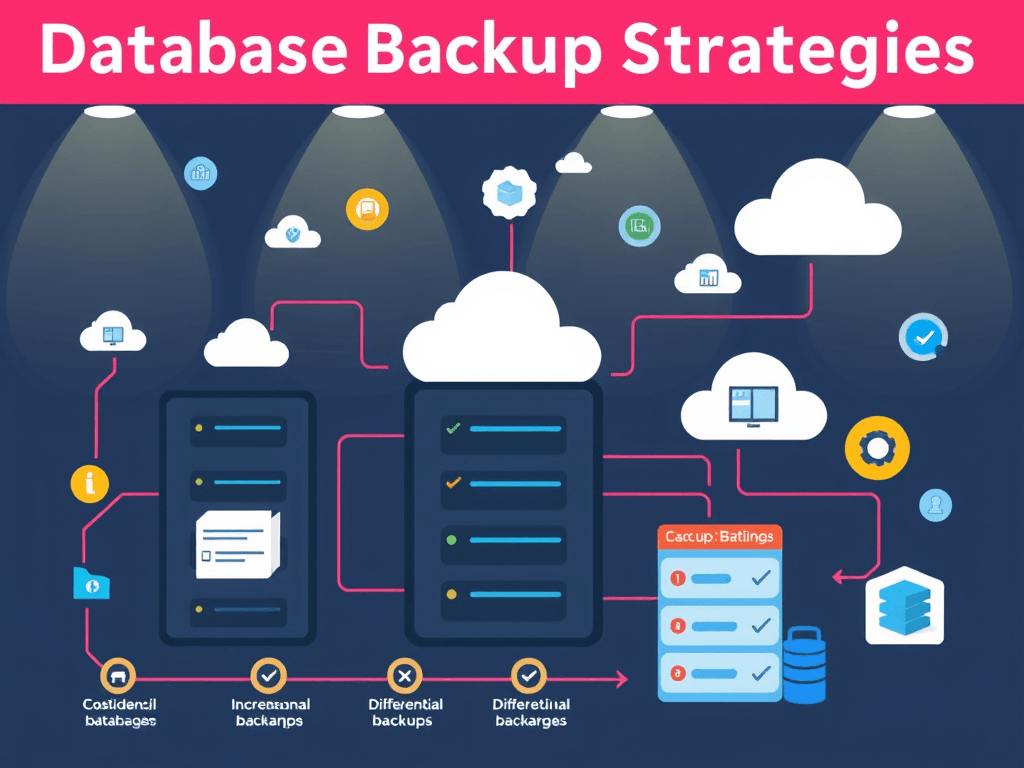
Database Backup Strategies Guide for Better Hosting
Quick Answer
The best database backup strategies for hosting combine automated daily backups, offsite storage, regular restore testing, and retention policies. Small businesses should use a mix of full and incremental backups to protect websites, customer data, and WordPress hosting databases while keeping recovery fast, simple, and affordable.
If your website database fails, gets corrupted, or is hit by malware, your business can lose orders, customer details, and critical site content in minutes. That is why strong database backup strategies are essential for any hosting setup. For small businesses and website owners, the goal is simple: back up often, store copies safely, and make recovery easy. In this guide, we will explain practical backup methods, show what works best in real hosting environments, and help you choose a solution that protects your business without adding unnecessary complexity.
Choosing the Right Database Backup Strategy
The right database backup strategies depend on how often your website changes, how important your data is, and how quickly you need to recover after a problem. A small brochure site may only need daily backups, while an active ecommerce store or busy WordPress hosting environment may need backups several times a day. The key is to match backup frequency to business risk.
Most hosting environments benefit from using more than one backup type. A full backup captures the entire database, while incremental backups only save changes made since the last backup. Differential backups save changes since the last full backup. Using a mix of these options helps balance storage costs, backup speed, and recovery time. For many small businesses, a weekly full backup plus daily incremental backups is a practical starting point.
Another important factor is restore reliability. A backup is only useful if it can actually be restored when needed. Many website owners assume their host is backing up everything perfectly, but they never verify it. That creates risk. A smarter approach is to review your hosting backup policy, keep your own copies when needed, and test restore procedures regularly so there are no surprises during an outage.
What is a database backup strategy?
A database backup strategy is a planned method for copying, storing, and restoring database data so a website or application can recover from errors, hacks, accidental deletion, or server failure.
Common backup types at a glance
| Backup Type | What It Does | Pros | Cons | Best For |
|---|---|---|---|---|
| Full Backup | Copies the entire database | Complete restore point | Larger storage use, slower | Weekly baseline backups |
| Incremental Backup | Saves changes since last backup | Fast, storage-efficient | Restore can be more complex | Daily or frequent backups |
| Differential Backup | Saves changes since last full backup | Easier restore than incremental | Grows larger over time | Medium-change websites |
Pros of a structured backup plan:
- Reduces downtime
- Protects customer and sales data
- Makes malware recovery easier
- Supports compliance and recordkeeping
- Improves business continuity
Cons if backups are poorly managed:
- Storage costs can grow
- Restores may fail if never tested
- Too few restore points increase risk
- Manual processes are easy to forget
Soft CTA: If you are reviewing hosting reliability, explore Archer IT Solutions’ Web Hosting services to see hosting options built for performance, support, and safer website management.
Image suggestion: Dashboard illustration showing full, incremental, and differential backups
Alt text: Comparison of database backup strategies for a website hosting environment
To make your backup plan stronger, define two targets: Recovery Point Objective (RPO) and Recovery Time Objective (RTO). RPO tells you how much data loss you can tolerate, such as one hour or one day. RTO tells you how quickly the website needs to be back online. For example, if your online store cannot afford to lose more than one hour of orders, daily backups alone are not enough.
Small businesses often make the mistake of relying only on host-level snapshots. Snapshots are helpful, but they should not be your only protection. They may not capture application-level consistency, and they are not always stored separately from the same hosting environment. A stronger method combines database-aware backups with separate storage.
For WordPress hosting users, database backups are especially important because posts, pages, orders, forms, user accounts, and plugin settings usually live in the database. If the files are restored but the database is outdated or missing, the website may still break. This is why complete website protection should include both database and file backups.
Helpful internal links:
- Related guide: The Complete Guide to Web Hosting
- Supporting blog topic: The Complete Guide to Server Administration
- Service page: Web Hosting
Helpful external resources:
- MySQL documentation on backup methods
- PostgreSQL backup and restore documentation
- CISA cybersecurity guidance
Automated and Offsite Backups for Hosting
Automation is one of the most effective ways to improve database backup strategies. Manual backups are often skipped when teams get busy, especially in small businesses without in-house IT staff. Automated backups remove that risk by running on a schedule, whether daily, hourly, or in real time depending on the hosting setup.
Offsite backups are just as important as automation. If your backups are stored only on the same server or in the same hosting account, they may be lost during hardware failure, ransomware, account compromise, or major misconfiguration. Offsite storage gives you an independent copy that can be restored even if the primary hosting environment is unavailable. This is a core best practice for business continuity.
A good hosting backup plan usually follows the 3-2-1 principle: keep three copies of your data, store them on two different types of media or systems, and keep one copy offsite. For website owners, that may mean live hosting data, a local backup copy, and a cloud-based backup stored separately. This simple structure dramatically improves resilience.
How to set up automated and offsite backups
- Schedule backups based on how often data changes
- Store backup copies in a separate cloud or remote location
- Encrypt sensitive backups
- Set a retention period, such as 7, 30, or 90 days
- Test restores monthly
- Monitor backup success and failure alerts
Image suggestion: Cloud backup workflow diagram from server to offsite storage
Alt text: Automated offsite database backup workflow for hosting
Automation also helps reduce human error. If a team member forgets to export the database before making a major website update, a scheduled backup can still provide a recent restore point. This is especially useful before plugin updates, migrations, redesigns, or server changes. Businesses that depend on website uptime should build backups into every change management process.
Offsite backup choices vary. Some businesses use cloud object storage, while others rely on managed hosting providers that include remote backup retention. The important thing is separation. Backups should not live only in the same control panel or on the same machine. If you are unsure what your current hosting package includes, ask your provider exactly where backups are stored and how restores are handled.
If your team wants less technical overhead, managed services can help. Archer IT Solutions offers support for businesses that need dependable hosting, technical guidance, and a clear path to recovery. If you want help understanding backup coverage, support options, or broader website protection, visit the contact page or open a request through the support portal.
Troubleshooting common backup problems
One common issue is backup failure due to limited storage space. If backups silently stop because the server is full, you may think you are protected when you are not. Set alerts for failed jobs and review storage usage regularly. Another issue is incomplete backups caused by timeouts, especially on larger databases. In that case, use optimized tools or split backup tasks into smaller processes.
A second problem is slow or failed restores. This often happens when businesses never test the recovery process. A backup file may exist, but that does not guarantee it is usable. Schedule routine restore tests in a staging environment to confirm the backup is complete, current, and compatible with your hosting setup.
The third issue is relying on outdated retention policies. Keeping only one or two recent backups may not help if corruption went unnoticed for several days. Good database backup strategies keep multiple restore points so you can recover from both sudden failures and hidden problems that appear later.
FAQ
How often should I back up my database?
It depends on how often data changes. Small websites may be fine with daily backups, while ecommerce or booking sites may need hourly backups or more frequent protection.
Are hosting provider backups enough?
Not always. Hosting backups are useful, but many businesses should keep independent copies, especially for critical websites and WordPress hosting environments.
What is the best backup method for a small business website?
A weekly full backup combined with daily incremental backups and at least one offsite copy is a strong and affordable approach for many small businesses.
Should I test my backups?
Yes. Testing restores is essential. A backup that has never been tested cannot be trusted in a real emergency.
What should be backed up besides the database?
You should also back up website files, themes, plugins, media uploads, configuration files, and DNS or server settings when possible.
YouTube suggestion
Embedded YouTube suggestion:
“How Website Backups Work: Full vs Incremental vs Differential”
Use this as a simple explainer video near the comparison table to help beginners understand backup types visually.
Strong database backup strategies are not just a technical extra—they are a business safeguard. The best approach for most hosting customers is simple: automate backups, store copies offsite, keep multiple restore points, and test recovery regularly. That combination protects your website, customer data, and revenue when something goes wrong. If you want reliable hosting with responsive support and guidance you can trust, explore Archer IT Solutions’ Web Hosting solutions or reach out through the contact page. For sales questions, email sales@archer-its.com.
[submit “Submit”]
1
[_site_title] “[your-subject]”
[_site_title]
[_site_admin_email]
From: [your-name] [your-email]
Subject: [your-subject]
Message Body:
[your-message]
—
This is a notification that a contact form was submitted on your website ([_site_title] [_site_url]).
Reply-To: [your-email]
1
1
[_site_title] “[your-subject]”
[_site_title]
[your-email]
Message Body:
[your-message]
—
This email is a receipt for your contact form submission on our website ([_site_title] [_site_url]) in which your email address was used. If that was not you, please ignore this message.
Reply-To: [_site_admin_email]
1
1
Thank you for your message. It has been sent.
There was an error trying to send your message. Please try again later.
One or more fields have an error. Please check and try again.
There was an error trying to send your message. Please try again later.
You must accept the terms and conditions before sending your message.
Please fill out this field.
This field has a too long input.
This field has a too short input.
There was an unknown error uploading the file.
You are not allowed to upload files of this type.
The uploaded file is too large.
There was an error uploading the file.
Please enter an email address.
Please enter a URL.
Please enter a telephone number.
Please enter a date in YYYY-MM-DD format.
This field has a too early date.
This field has a too late date.
Please enter a number.
This field has a too small number.
This field has a too large number.
The answer to the quiz is incorrect.
Discover more from Archer IT Solutons
Subscribe to get the latest posts sent to your email.
Discover more from Archer IT Solutons
Subscribe to get the latest posts sent to your email.


No responses yet