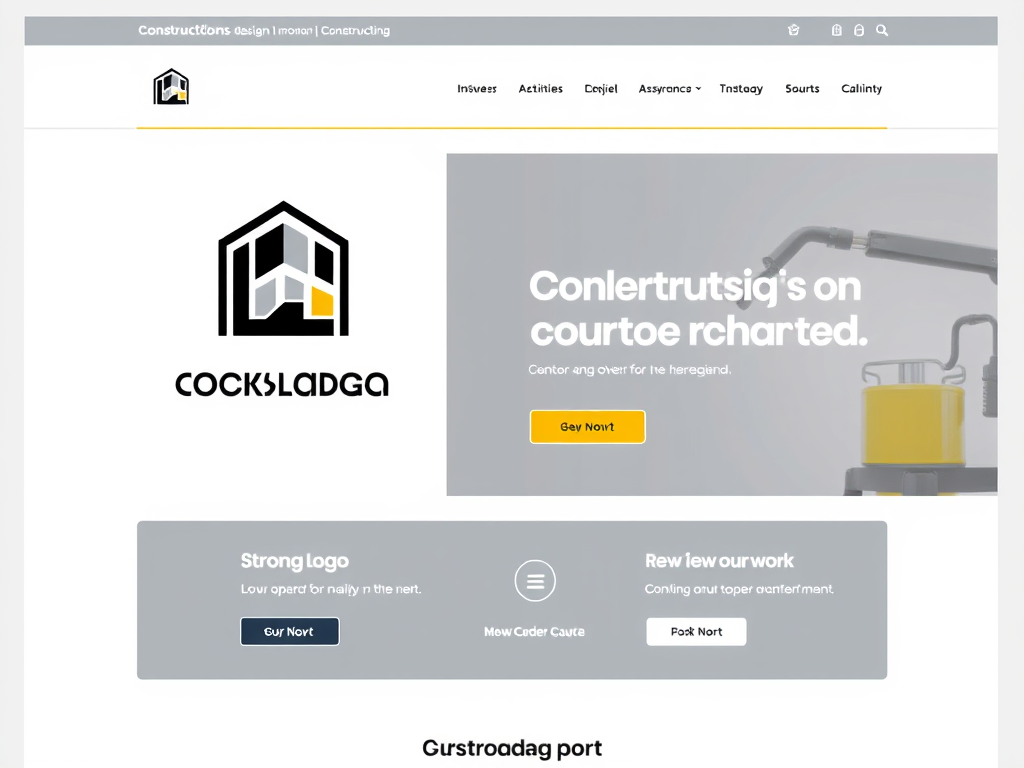
Best Website Design Ideas for Construction Businesses
Every construction business today needs more than just the ability to build strong structures—it needs a strong digital foundation too. Your website is often the first impression potential clients have of you, and its design can directly influence trust and conversions. By applying modern design principles and optimizing user experience, a construction business can present an image of precision, reliability, and innovation. Below, we’ll explore the best website design ideas tailored for construction firms, focusing on layout, engagement, and user flow.
Modern Web Design Principles for Construction Firms
The foundation of any great construction website begins with clean, modern design principles. For construction companies, it’s vital that your site communicates professionalism and technical skill. Flat design styles, minimalistic layouts, and strong visual imagery of your projects can help position your business as trustworthy and established. Statistics show that 94% of first impressions are design-related (source: Stanford Web Credibility Project), which means attention to style, color, and content alignment can significantly affect user perception.
Choosing the right layout can also enhance credibility. Many users expect visual balance in the top-left section of a webpage—a place where their eyes naturally begin scanning. Construction websites should utilize this space for a strong logo, direct navigation, or featured projects. Adding crisp call-to-action buttons ("Request a Quote" or "View Our Work") near this area ensures new users immediately see what to do next. It’s also beneficial to adopt responsive web design so your site performs smoothly across mobile devices.
When implemented correctly, these principles build efficient, visually engaging digital spaces. A clean, balanced layout and effective branding will tell prospective clients that you value precision—both in your work and in your digital presence.
Summary of Key Takeaways:
- Use a clean, responsive layout.
- Prioritize top-left scanning patterns.
- Include clear contact calls-to-action.
Pros: Professional presentation, improved SEO, strong visual trust.
Cons: Requires maintenance and periodic redesigns to stay modern.

Enhancing User Experience with Visual Hierarchy
Visual hierarchy—organizing design elements to guide viewers’ attention—is essential for any construction business website. Start by determining the primary goals for each page, such as promoting your portfolio, highlighting your team, or sharing client testimonials. Headlines, subheadings, and contrasting colors should draw users’ eyes toward these focal points. According to EyeQuant Research (2023), visitors form an impression of where to focus in just 50 milliseconds, emphasizing the need for clarity.
White space helps content breathe, increasing readability. Large, bold headings should denote key project features or services. For example, use color contrast—a bold orange button on a neutral background—to encourage clicks. Avoid cluttered visuals by maintaining consistent font sizes and proportions. These subtle cues keep users engaged longer and enhance overall navigation satisfaction.
Technical issues often arise when installing design or SEO plugins on WordPress or similar CMS platforms. Plugins can conflict, affecting loading speed or site stability. To troubleshoot:
- Deactivate plugins individually to identify the conflicting one.
- Clear cached data after updates.
- Contact your web host’s technical support—such as Archer IT Solutions Support—for expert help and diagnostics if issues persist.
Summary of Key Takeaways:
- Use visual hierarchy to guide user focus.
- White space enhances flow and readability.
- Troubleshoot plugin issues early to prevent downtime.
Pros: Easier navigation, higher engagement rates, improved conversion paths.
Cons: Requires design testing and plugin management.

For further reading on UX principles, visit Nielsen Norman Group UX Guidelines or Smashing Magazine’s UX Design Articles.
A well-crafted construction business website should feel like a well-built structure—solid, intuitive, and visually precise. By combining modern design principles with a thoughtful approach to user experience, you can present your services with clarity and confidence. Consider how your brand values appear on every page and whether your site’s navigation truly guides clients toward their goals.
If you encounter compatibility or design challenges, technical experts at Archer IT Solutions can help troubleshoot issues or enhance your hosting environment. Most support requests are addressed within 24 hours or less, ensuring minimal downtime.
Take a moment to reflect on your current website—does it align with how you want your construction business perceived online? With the right design, your digital blueprint can become a powerful tool for growth and client trust.
Power your website with an affordable web hosting plan that does not cut corners.
 Mini | Standard | Domain Only |  Reseller 1 | Reseller 2 | Reseller 3 |
| $12 per year | $1.99/month | low yearly prices | $20/month | $37.50/month | $50/month |
| *10 GB Space** *100 GB Bandwidth** *FTP access *10 email account *PHP/CGI/PERL/SSI Support *SSL | *100 GB Space *1TB Bandwidth *10 FTP accounts *100 email account *PHP/CGI/PERL/SSI Support *10 Databases *SSL WordPress, Joomla, or Drupal hosting | *10 Domains *100 GB Diskspace *2TB of traffic *100 Databases *100 Mailboxes *WordPress options | *25 Domains *300 GB Diskspace *6TB of traffic *300 Databases *300 Mailboxes *WordPress options | *50 Domains *600 GB Diskspace *12TB of traffic *600 Databases *600 Mailboxes *WordPress options | |
| Specials | |||||
Don’t wait — grab your deal and launch today ** temporary offered | |||||

Stop settling for slow, unreliable hosting. With Archer IT Solutions, get a robust website hosting plans that deliver speed, security, and the uptime. Grab your domain and hosting package in one seamless plan, optimized for WordPress, small businesses, and personal websites.
Enjoy affordable web hosting plans without compromises, complete with professional email, one-click CMS installs, and round-the-clock website hosting support. Built for Businesses. Perfect for WordPress. Take control of your online presence. Try it risk-free with our 15-day money-back guarantee.
Launch your first personal blog or scale a growing small business site with hosting optimized for performance. Get the best web hosting for plus simple setup — all powered by secure Linux servers and easy Plesk control panel.
Why Choose Archer IT Hosting?
- Free SSL Certificates – Protect customers & boost trust
- Custom Email Accounts included
- One-Click CMS Installs – WordPress, Joomla & Drupal ready
- 15-Day Money-Back Guarantee – Risk-free hosting
- 24/7 Customer Support and Service – Real help when you need it
- Features you’ll actually will use
- Powered by Linux for speed & reliability
- Simplified management with Plesk Control Panel
- Automatic backups for worry-free security
Trust. Reliability. Zero Guesswork.
Your website stays online with uptime, protected by a free SSL certificate, and supported by real people around the clock. And if it’s not right for you? Our 15-day money-back guarantee makes it a no-risk choice. Take your business or personal project online with hosting that’s secure, affordable, and built to perform.
Questions
Discover more from Archer IT Solutons
Subscribe to get the latest posts sent to your email.
Discover more from Archer IT Solutons
Subscribe to get the latest posts sent to your email.


No responses yet